Explore how MySQL is evolving in 2026 with new features, licensing updates, and community insights.
How MySQL is Evolving in 2026
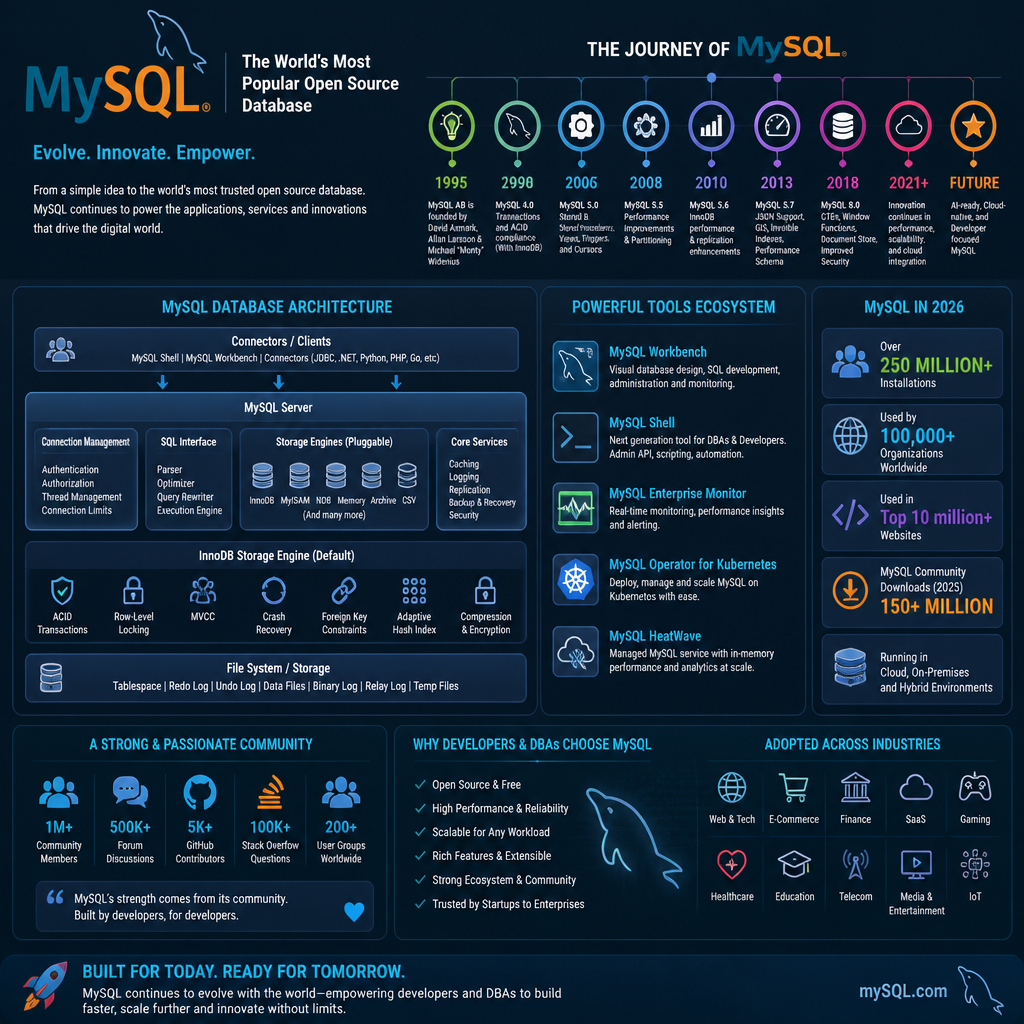
MySQL in 2026 isn’t trying to become a totally different database. It’s tightening the bolts—performance, operability, and modern data types—so it keeps earning its spot in stacks that already run the internet.
What’s changed is the environment around it. Cloud deployments are the default, teams expect sane observability, and JSON-ish data shows up everywhere (even when you swear you’re “relational only”). MySQL is responding to that pressure.
What MySQL is Used For
MySQL still fits best when you need predictable transactions, straightforward replication patterns, and a huge ecosystem of tools and hosting options.
I keep seeing it in a few places:
- E-commerce and payments: orders, carts, inventory, customer profiles. You want solid ACID behavior and simple indexing.
- CMS platforms: WordPress, custom publishing systems, multi-tenant content apps. MySQL stays popular because the ecosystem is massive.
- SaaS “core tables”: users, orgs, subscriptions, audit logs. Even if analytics lives elsewhere, MySQL often holds the source of truth.
- Operational data stores: queues (yes, sometimes), feature flags, config, device state. Not glamorous, but it works.
A real pattern I’ve dealt with: teams start with MySQL for the app, then bolt on Redis for caching, then push analytics to something columnar later. That separation keeps MySQL doing what it’s good at—fast transactional reads/writes—while other systems handle the “scan a billion rows” stuff.
MySQL’s Growing Community Support
The MySQL community is still one of its superpowers, even when people pretend they don’t care. Because when you’re stuck at 2 a.m. with replication lag or a query plan that makes no sense, you want real-world war stories, not marketing docs.
Here’s what “community support” looks like in practice in 2026:
- Better troubleshooting breadcrumbs: blog posts, gists, explain-plan examples, and config breakdowns that match modern workloads.
- More forks and distributions in the conversation (and yes, that matters if you’re deploying at scale).
- More practical tooling around backups, schema migrations, and performance diagnostics.
That said, community support isn’t magic. I’ve watched teams copy-paste a “high performance” my.cnf from a random post, then wonder why their instance falls over under write load. So use the community like you’d use Stack Overflow: helpful hints, then verify with your workload.
MySQL vs. PostgreSQL: A Shift in Popularity
The MySQL vs PostgreSQL conversation got louder because developer sentiment shifted.
According to the Stack Overflow Developer Survey 2025, PostgreSQL surpassed MySQL for the first time, which nudged a lot of teams into re-evaluating old decisions. And honestly, that’s fair—PostgreSQL has won mindshare with features, extensions, and a strong “developer-first” vibe.
But here’s what I see on actual production teams: switching databases is rarely about ideology. It’s about risk and cost.
- If you’re deep in LAMP, PHP tooling, and WordPress, MySQL is still the path of least resistance.
- If you’re starting fresh with a data-heavy app and you want certain relational features out of the gate, PostgreSQL might feel cleaner.
Still, MySQL isn’t standing still. It’s been picking up capabilities people used to cite as “reasons to leave,” like stronger JSON handling and better indexing options. So the decision in 2026 is less “which is better?” and more “which one matches our team’s operational comfort and failure modes?”
A practical upgrade path I’d use
If you’re already on MySQL and you’re wondering how to approach 2026, I’d do it like this (because I’ve seen the opposite go sideways):
- Inventory your features: replication type, storage engine, charset/collation, use of JSON columns, triggers, events.
- Baseline performance: capture query latency p95, slow query log volume, buffer pool hit rate, replication lag.
- Fix the worst 5 queries first: you’ll get more ROI than from almost any server tweak.
- Stage the upgrade: restore a recent backup into a staging environment, then replay production-like traffic if you can.
- Practice rollback: the best upgrade plan includes a realistic way back.
Common mistake: teams “upgrade” by changing the database version, instance class, parameter group, and schema migrations all in one deploy. Then, when performance changes, nobody knows which change caused it.
Understanding the Free and Open Source Nature of MySQL
MySQL being “free” is both true and misunderstood. The nuance matters, because licensing confusion has wasted more engineering hours than most query optimizations ever will.
Is MySQL Free?
Yes—MySQL Community Edition is free to download and use. That’s the version a lot of developers learn on, and it’s what plenty of production workloads run too.
Where people get tripped up is the split between:
- Community: free software, broad usage, huge ecosystem.
- Enterprise: paid offerings that bundle support, tooling, and certain advanced features.
So, is MySQL not free anymore? No. You can still run the community edition for individual projects and for many business workloads.
The part teams mess up
I’ve watched founders assume “open source” means “zero cost forever.” Then they hit a compliance requirement, a security review, or a support need—and suddenly they’re scrambling.
A realistic way to think about it:
- If you can self-support, community can be totally fine.
- If you need SLAs and vendor accountability, you may pay—either for MySQL enterprise support or a managed MySQL service.
- If you redistribute software, the licensing details matter a lot more, and you should get legal advice.
That last one is the common landmine. It’s not a MySQL-only issue, either. But because MySQL is everywhere, teams bump into it sooner.
A quick “persona” example
One of the cleanest setups I’ve seen was a small SaaS team (three engineers) that stayed on community MySQL, but they wrote down two policies:
- “We must be able to restore to a new region in under 60 minutes.”
- “We keep a paid escalation path (managed service support) even if we don’t use enterprise features.”
That’s a mature approach. It admits reality: databases fail, people go on vacation, and backups don’t magically test themselves.
Exploring MySQL Features and Tools
The headline features matter less than the day-to-day tools that keep your database fast, recoverable, and understandable. MySQL’s evolution is mostly about that: fewer sharp edges, better performance under real workloads, and more practical admin workflows.
Key Features of MySQL 8.4
In 2026, MySQL 8.4 is often discussed in terms of practical improvements rather than flashy rewrites. Here are the big buckets that actually show up in real projects:
- Improved JSON support: Better ways to store, query, and index JSON-shaped data.
- Enhanced performance optimization: Ongoing optimizer improvements that can reduce execution time for common query patterns.
- MySQL Workbench: Still a mainstay for visual schema work, admin tasks, and performance inspection.
Step-by-step: how I evaluate “new features” safely
When someone tells me “8.4 is faster,” I don’t take it on faith. I run a small, boring process:
- Pick one representative workload (not a synthetic benchmark). For example: checkout flow, search, or reporting dashboard.
- Capture real queries from production logs—especially the slow ones and the top-frequency ones.
- Rebuild indexes in staging and compare query plans (EXPLAIN) before and after.
- Measure p95 latency under load, not just average response time.
- Watch for regressions: sometimes a “faster” optimizer change helps 90% of queries and hurts your most important one.
That’s how you get confident without gambling your uptime.
Common mistakes with JSON and indexing
JSON support tempts people into using MySQL like a document store. Sometimes that’s fine. Often it’s a trap.
Mistakes I keep seeing:
- Dumping everything into one JSON column because it feels flexible, then trying to index it later.
- Skipping generated columns (or an equivalent strategy) when you repeatedly query the same JSON paths.
- Letting JSON become your schema because you don’t want to write migrations.
If the data is genuinely structured and queried often, model it relationally. Use JSON for the messy edges—metadata, optional fields, integration payloads—not for your core entities.
The MySQL Community Server
The MySQL Community Server remains the workhorse for a lot of teams, especially when cost matters and you have enough operational maturity to support yourself.
Leave a Reply