Category: Project Management

  • Using AI Tools for Better Project Management in 2026

    Explore how AI tools enhance project management skills in 2026. Discover workflows and applications that streamline your processes and improve outcomes.

    Master Project Management Using AI Tools

    AI should make project management feel lighter, not weirder. In 2026, the best use of AI is simple: shrink the admin drag while keeping decisions (and accountability) with the humans on the project.

    Where AI actually helps

    I use AI as a “first draft engine” in three places that reliably eat time.

    First, translation. Meeting notes, chat threads, and half-formed ideas become structured tasks, risks, and decisions. Second, pattern spotting. AI is decent at scanning a plan and saying, “These two dependencies don’t line up,” or “This milestone assumes a resource you haven’t named.” Third, packaging. Status updates, exec summaries, and release notes get drafted fast, then I edit for accuracy and tone.

    That last part matters. If you don’t edit, you’ll ship confident-sounding nonsense.

    A quick real-world workflow

    Here’s a workflow I’ve used on a product launch when the team was busy and the leadership team wanted weekly updates.

    I drop raw notes from the kickoff call into the assistant and ask for: (1) decisions, (2) open questions, (3) risks, (4) tasks with owners and due dates. Then I paste the tasks into the project tool, but I only assign owners after checking who actually agreed to do the work.

    After that, I ask AI to draft a one-paragraph “what changed this week” update. I rewrite it in plain language, because sponsors don’t need a novel—they need clarity.

    Outcome: You can apply AI confidently to planning, comms, risk reviews, and delivery checks without letting the model run the project.

    Your Starting Point

    This guide works for beginners and intermediate PMs who can already talk about tasks, milestones, dependencies, risks, stakeholders, and scope without Googling every other word.

    Pick a home base tool

    You’ll need a project system you can actually maintain. That can be Asana, Trello, Jira, or something similar.

    I’m not precious about the tool. I am picky about consistency. If half the team lives in a spreadsheet and the other half lives in a ticketing system, AI won’t “fix” that—it’ll just summarize the mess faster.

    What to do in your first 15–20 minutes

    Block 15–20 minutes for a first pass, and don’t try to boil the ocean.

    1) Choose one active project that won’t get you in trouble if you experiment.

    2) Pull three inputs: the current task list, the latest meeting notes, and the last status update (even if it’s bad).

    3) Run one workflow end-to-end: notes → tasks → a status draft → your edit.

    Then schedule a second short session to test it on real, non-sensitive data. The fastest way to lose trust is to “pilot” AI on a made-up project that behaves nothing like your real work.

    A common starting mistake

    People often start with fancy automations. Meanwhile, nobody has clarified what “done” means, so the AI output still gets debated for 20 minutes.

    Start with clarity before automation. Your future self will thank you.

    Before You Begin

    You don’t need a technical background. You do need enough project management vocabulary to sanity-check what comes back.

    Get your definitions straight

    AI outputs get slippery when the team isn’t aligned on basics.

    If “milestone” means “a big task” to one person and “a date we report to leadership” to another, the assistant will happily produce both versions—then you’ll waste time cleaning it up.

    So before you generate anything, confirm:

    • What counts as a task vs. milestone
    • How you represent dependencies (links, blockers, or just notes)
    • What a risk looks like (probability + impact, or just a list)
    • Who approves scope changes

    That alignment is boring. It’s also the foundation.

    Make sure you’re allowed to use the tool

    You also need access to an approved AI assistant and your project management software.

    Hands-on practice is the point here, because the payoff comes from fitting AI into your real workflow—not from reading prompts like they’re inspirational quotes.

    If your organization has rules about what can be pasted into an AI tool, follow them. I’ve watched teams lose access after one well-meaning person dropped customer data into a chat.

    Tools to Prepare

    You’re setting up a small “AI workbench”: an assistant, your project system, and a low-risk dataset you can safely experiment with.

    The minimum tool setup

    You need three things:

    1) An AI assistant your org permits.

    2) A project management system where work lives—again, Asana and Trello are fine, and so are other platforms if the team will actually use them.

    3) A low-risk project slice: sanitized notes, a backlog that doesn’t include secrets, and a status update you can safely rewrite.

    Analytics features in your project tool can help you spot blockers, overload, and schedule pressure. Still, the analytics won’t save you if the underlying data is stale.

    My “safe dataset” rule of thumb

    If you wouldn’t put it on a slide in an internal all-hands, don’t paste it into an AI prompt unless your organization has explicitly approved the tool and controls.

    That includes customer names, contract terms, credentials, medical info, or anything regulated. Keep it out.

    Example: prepping for a weekly exec update

    On a marketing campaign I ran, we had copy drafts and partner details that weren’t safe to share widely. So I used AI only on:

    • Timeline and internal deliverables
    • Generic task wording (“Partner approval needed” instead of naming the partner)
    • Risks stated at the category level (“legal review delays”)

    It still saved time, and nobody had to panic about compliance.

    Prevent Common Errors

    Most AI project failures aren’t “bad models.” They’re predictable workflow mistakes.

    Mistake #1: only using AI for meeting summaries

    If you keep AI stuck in the “summarize this meeting” lane, you’ll miss the bigger value: planning and risk visibility.

    So, put AI into two recurring moments:

    • Kickoff planning prompt: after kickoff, ask for a draft plan with dependencies and risks.
    • Reporting risk review: during weekly reporting, ask the assistant to scan for schedule threats and ambiguous ownership.

    That’s how you catch hidden dependencies before they become late nights.

    Mistake #2: no rollout, no adoption

    Don’t expect adoption because you posted a Loom.

    Train the team before you judge results. Explain:

    • What data can and can’t be used
    • Who reviews AI output
    • Where the “source of truth” lives
    • What the personal benefit is (less status-chasing, fewer surprise fire drills)

    If people think AI is “extra work,” they won’t use it. If it removes a weekly annoyance, they’ll protect it.

    Mistake #3: trusting confident output

    AI is great at sounding sure.

    I’ve seen an assistant invent due dates that looked reasonable, then a PM copied them into the plan. Two weeks later, the team blamed “the process” for slipping. The process was fine—the copy-paste wasn’t.

    Treat AI like a junior coordinator: useful, fast, and absolutely in need of review.

    Validate the Change

    If you don’t measure the change, you’ll end up arguing about vibes. Validation doesn’t need a dashboard; it needs consistency.

    What to check weekly

    Start with two signals: team satisfaction and clarity of reporting.

    Then look at delivery mechanics:

    • Milestone performance (on-time vs. slipping)
    • Top blockers and how long they stay open
    • Scope changes and why they happened
    • Deadline changes (and whether they were negotiated or accidental)

    How to interpret the results

    If satisfaction improves but delivery doesn’t, planning and ownership probably need work.

    If deadlines improve while satisfaction drops, tool friction is likely too high—maybe prompts are too complex, or people feel monitored.

    A practical validation loop

    On one ops project, I ran a four-week check:

    Week 1: baseline status update format, no AI.

    Week 2: AI drafts the status, I edit.

    Week 3: AI drafts status + proposes risks, I review in the weekly meeting.

    Week 4: same as week 3, but I assign one owner to keep the risk list current.

    The result wasn’t magical, but it was real: fewer “surprise” escalations, and faster updates because we weren’t rewriting from scratch.

    Adapt the Workflow

    Once the basics work, scale carefully. Bigger teams and bigger scopes break fragile setups.

    Scaling for larger teams

    For larger groups, revisit permissions, templates, notifications, and reporting ownership.

    AI can help you draft templates, but you still need to decide what’s mandatory versus optional. If every task has 12 fields, people will stop updating tasks. Then the AI will summarize outdated data, and you’ll be back to status-chasing.

    A pattern I like: keep a lightweight task template for 80% of work, and a heavier template only for high-risk items.

    Scaling for bigger scope

    For big programs, add hierarchy (epics → projects → tasks) and a basic capacity view, but keep the original baseline visible.

    AI can compare versions and flag what changed. It can also point out when a “small” scope tweak affects dates and cost. Still, sponsors approve the changes to scope, budget, and dates—always.

    Example: the notification trap

    I once inherited a Jira setup where every ticket update pinged five channels.

    People muted notifications, then missed real blockers. AI summaries didn’t help because nobody trusted the underlying signal. We fixed it by cutting notifications down to two: dependency changes and overdue work. After that, summaries became useful again.

    FAQs

    What are the 5 basics of project management?

    The five basics are initiation, planning, execution, monitoring, and closure.

    In practice, I treat them like a loop rather than a straight line. Planning and monitoring never stop, because reality keeps changing. AI is handy in the loop parts—drafting plans quickly, then highlighting what drifted.

    Is a PMP certificate worth it?

    Yes, it can enhance job prospects and project management knowledge.

    That said, I’ve seen PMP holders struggle if they can’t run clean communication and manage scope pressure. If you’re considering PMP, use AI to free time for the hard skills: stakeholder alignment, negotiation, and decision hygiene.

    What exactly does project management do?

    Project management involves planning, executing, and overseeing projects to achieve specific goals.

    Day to day, it’s also a lot of translation: business goals into tasks, ambiguity into decisions, and “we should” into “we will by Friday.” AI can draft the translation, but you’re still accountable for what gets agreed to.

    Is project management high paying?

    Project management can be lucrative, with salaries varying by industry and experience.

    The fastest pay jumps I’ve seen come from taking on higher-risk work: cross-functional launches, regulated environments, migrations, and messy turnarounds. AI won’t get you promoted on its own, but it can help you run those projects with less chaos.

    How can AI tools improve project management?

    AI tools streamline processes, enhance decision-making, and improve communication.

    Concretely: faster task creation from notes, cleaner weekly updates, earlier risk flags, and fewer “wait, what did we decide?” moments. The improvement shows up when you keep humans in the approval path.

    What types of AI tools are best for project management?

    Popular tools include scheduling apps, analytics software, and communication platforms.

    If you’re picking today, I’d bias toward tools that integrate with where work already happens. A standalone AI app nobody opens won’t matter. A drafting assistant that lives next to your tasks and docs will.

    What to Do Next

    Pick one workflow and run it this week. Don’t start with everything.

    A simple first move

    Start with the five project phases and use AI for drafts, sorting, summaries, and early signals—while people keep judgment, privacy, ownership, and change approval.

    If you want the lowest-friction option, do this:

    1) After your weekly meeting, paste sanitized notes into the assistant.

    2) Ask for three lists: decisions, risks, and next actions.

    3) Copy next actions into your project tool, then assign owners only after you confirm.

    4) Ask for a status update draft, then rewrite it in your voice.

    Turn it into a weekly habit

    Then build skill through a weekly review. Keep it short, but don’t skip it.

    Compare project systems by workflow fit, not hype. Train the team so the workflow sticks. Validate success using satisfaction, blockers, and deadlines—because if you can’t see improvement there, the AI “implementation” is just a new hobby.

    Run one clean cycle, learn what broke, and adjust. That’s the job.

  • Using AI Tools for Better Project Management in 2026

    Using AI Tools for Better Project Management in 2026

    Explore how AI tools enhance project management skills in 2026. Discover workflows and applications that streamline your processes and improve outcomes.

    Master Project Management Using AI Tools

    AI should make project management feel lighter, not weirder. In 2026, the best use of AI is simple: shrink the admin drag while keeping decisions (and accountability) with the humans on the project.

    Where AI actually helps

    I use AI as a “first draft engine” in three places that reliably eat time.

    First, translation. Meeting notes, chat threads, and half-formed ideas become structured tasks, risks, and decisions. Second, pattern spotting. AI is decent at scanning a plan and saying, “These two dependencies don’t line up,” or “This milestone assumes a resource you haven’t named.” Third, packaging. Status updates, exec summaries, and release notes get drafted fast, then I edit for accuracy and tone.

    That last part matters. If you don’t edit, you’ll ship confident-sounding nonsense.

    A quick real-world workflow

    Here’s a workflow I’ve used on a product launch when the team was busy and the leadership team wanted weekly updates.

    I drop raw notes from the kickoff call into the assistant and ask for: (1) decisions, (2) open questions, (3) risks, (4) tasks with owners and due dates. Then I paste the tasks into the project tool, but I only assign owners after checking who actually agreed to do the work.

    After that, I ask AI to draft a one-paragraph “what changed this week” update. I rewrite it in plain language, because sponsors don’t need a novel—they need clarity.

    Outcome: You can apply AI confidently to planning, comms, risk reviews, and delivery checks without letting the model run the project.

    Your Starting Point

    This guide works for beginners and intermediate PMs who can already talk about tasks, milestones, dependencies, risks, stakeholders, and scope without Googling every other word.

    Pick a home base tool

    You’ll need a project system you can actually maintain. That can be Asana, Trello, Jira, or something similar.

    I’m not precious about the tool. I am picky about consistency. If half the team lives in a spreadsheet and the other half lives in a ticketing system, AI won’t “fix” that—it’ll just summarize the mess faster.

    What to do in your first 15–20 minutes

    Block 15–20 minutes for a first pass, and don’t try to boil the ocean.

    1) Choose one active project that won’t get you in trouble if you experiment.

    2) Pull three inputs: the current task list, the latest meeting notes, and the last status update (even if it’s bad).

    3) Run one workflow end-to-end: notes → tasks → a status draft → your edit.

    Then schedule a second short session to test it on real, non-sensitive data. The fastest way to lose trust is to “pilot” AI on a made-up project that behaves nothing like your real work.

    A common starting mistake

    People often start with fancy automations. Meanwhile, nobody has clarified what “done” means, so the AI output still gets debated for 20 minutes.

    Start with clarity before automation. Your future self will thank you.

    Before You Begin

    You don’t need a technical background. You do need enough project management vocabulary to sanity-check what comes back.

    Get your definitions straight

    AI outputs get slippery when the team isn’t aligned on basics.

    If “milestone” means “a big task” to one person and “a date we report to leadership” to another, the assistant will happily produce both versions—then you’ll waste time cleaning it up.

    So before you generate anything, confirm:

    • What counts as a task vs. milestone
    • How you represent dependencies (links, blockers, or just notes)
    • What a risk looks like (probability + impact, or just a list)
    • Who approves scope changes

    That alignment is boring. It’s also the foundation.

    Make sure you’re allowed to use the tool

    You also need access to an approved AI assistant and your project management software.

    Hands-on practice is the point here, because the payoff comes from fitting AI into your real workflow—not from reading prompts like they’re inspirational quotes.

    If your organization has rules about what can be pasted into an AI tool, follow them. I’ve watched teams lose access after one well-meaning person dropped customer data into a chat.

    Tools to Prepare

    You’re setting up a small “AI workbench”: an assistant, your project system, and a low-risk dataset you can safely experiment with.

    The minimum tool setup

    You need three things:

    1) An AI assistant your org permits.

    2) A project management system where work lives—again, Asana and Trello are fine, and so are other platforms if the team will actually use them.

    3) A low-risk project slice: sanitized notes, a backlog that doesn’t include secrets, and a status update you can safely rewrite.

    Analytics features in your project tool can help you spot blockers, overload, and schedule pressure. Still, the analytics won’t save you if the underlying data is stale.

    My “safe dataset” rule of thumb

    If you wouldn’t put it on a slide in an internal all-hands, don’t paste it into an AI prompt unless your organization has explicitly approved the tool and controls.

    That includes customer names, contract terms, credentials, medical info, or anything regulated. Keep it out.

    Example: prepping for a weekly exec update

    On a marketing campaign I ran, we had copy drafts and partner details that weren’t safe to share widely. So I used AI only on:

    • Timeline and internal deliverables
    • Generic task wording (“Partner approval needed” instead of naming the partner)
    • Risks stated at the category level (“legal review delays”)

    It still saved time, and nobody had to panic about compliance.

    Prevent Common Errors

    Most AI project failures aren’t “bad models.” They’re predictable workflow mistakes.

    Mistake #1: only using AI for meeting summaries

    If you keep AI stuck in the “summarize this meeting” lane, you’ll miss the bigger value: planning and risk visibility.

    So, put AI into two recurring moments:

    • Kickoff planning prompt: after kickoff, ask for a draft plan with dependencies and risks.
    • Reporting risk review: during weekly reporting, ask the assistant to scan for schedule threats and ambiguous ownership.

    That’s how you catch hidden dependencies before they become late nights.

    Mistake #2: no rollout, no adoption

    Don’t expect adoption because you posted a Loom.

    Train the team before you judge results. Explain:

    • What data can and can’t be used
    • Who reviews AI output
    • Where the “source of truth” lives
    • What the personal benefit is (less status-chasing, fewer surprise fire drills)

    If people think AI is “extra work,” they won’t use it. If it removes a weekly annoyance, they’ll protect it.

    Mistake #3: trusting confident output

    AI is great at sounding sure.

    I’ve seen an assistant invent due dates that looked reasonable, then a PM copied them into the plan. Two weeks later, the team blamed “the process” for slipping. The process was fine—the copy-paste wasn’t.

    Treat AI like a junior coordinator: useful, fast, and absolutely in need of review.

    Validate the Change

    If you don’t measure the change, you’ll end up arguing about vibes. Validation doesn’t need a dashboard; it needs consistency.

    What to check weekly

    Start with two signals: team satisfaction and clarity of reporting.

    Then look at delivery mechanics:

    • Milestone performance (on-time vs. slipping)
    • Top blockers and how long they stay open
    • Scope changes and why they happened
    • Deadline changes (and whether they were negotiated or accidental)

    How to interpret the results

    If satisfaction improves but delivery doesn’t, planning and ownership probably need work.

    If deadlines improve while satisfaction drops, tool friction is likely too high—maybe prompts are too complex, or people feel monitored.

    A practical validation loop

    On one ops project, I ran a four-week check:

    Week 1: baseline status update format, no AI.

    Week 2: AI drafts the status, I edit.

    Week 3: AI drafts status + proposes risks, I review in the weekly meeting.

    Week 4: same as week 3, but I assign one owner to keep the risk list current.

    The result wasn’t magical, but it was real: fewer “surprise” escalations, and faster updates because we weren’t rewriting from scratch.

    Adapt the Workflow

    Once the basics work, scale carefully. Bigger teams and bigger scopes break fragile setups.

    Scaling for larger teams

    For larger groups, revisit permissions, templates, notifications, and reporting ownership.

    AI can help you draft templates, but you still need to decide what’s mandatory versus optional. If every task has 12 fields, people will stop updating tasks. Then the AI will summarize outdated data, and you’ll be back to status-chasing.

    A pattern I like: keep a lightweight task template for 80% of work, and a heavier template only for high-risk items.

    Scaling for bigger scope

    For big programs, add hierarchy (epics → projects → tasks) and a basic capacity view, but keep the original baseline visible.

    AI can compare versions and flag what changed. It can also point out when a “small” scope tweak affects dates and cost. Still, sponsors approve the changes to scope, budget, and dates—always.

    Example: the notification trap

    I once inherited a Jira setup where every ticket update pinged five channels.

    People muted notifications, then missed real blockers. AI summaries didn’t help because nobody trusted the underlying signal. We fixed it by cutting notifications down to two: dependency changes and overdue work. After that, summaries became useful again.

    FAQs

    What are the 5 basics of project management?

    The five basics are initiation, planning, execution, monitoring, and closure.

    In practice, I treat them like a loop rather than a straight line. Planning and monitoring never stop, because reality keeps changing. AI is handy in the loop parts—drafting plans quickly, then highlighting what drifted.

    Is a PMP certificate worth it?

    Yes, it can enhance job prospects and project management knowledge.

    That said, I’ve seen PMP holders struggle if they can’t run clean communication and manage scope pressure. If you’re considering PMP, use AI to free time for the hard skills: stakeholder alignment, negotiation, and decision hygiene.

    What exactly does project management do?

    Project management involves planning, executing, and overseeing projects to achieve specific goals.

    Day to day, it’s also a lot of translation: business goals into tasks, ambiguity into decisions, and “we should” into “we will by Friday.” AI can draft the translation, but you’re still accountable for what gets agreed to.

    Is project management high paying?

    Project management can be lucrative, with salaries varying by industry and experience.

    The fastest pay jumps I’ve seen come from taking on higher-risk work: cross-functional launches, regulated environments, migrations, and messy turnarounds. AI won’t get you promoted on its own, but it can help you run those projects with less chaos.

    How can AI tools improve project management?

    AI tools streamline processes, enhance decision-making, and improve communication.

    Concretely: faster task creation from notes, cleaner weekly updates, earlier risk flags, and fewer “wait, what did we decide?” moments. The improvement shows up when you keep humans in the approval path.

    What types of AI tools are best for project management?

    Popular tools include scheduling apps, analytics software, and communication platforms.

    If you’re picking today, I’d bias toward tools that integrate with where work already happens. A standalone AI app nobody opens won’t matter. A drafting assistant that lives next to your tasks and docs will.

    What to Do Next

    Pick one workflow and run it this week. Don’t start with everything.

    A simple first move

    Start with the five project phases and use AI for drafts, sorting, summaries, and early signals—while people keep judgment, privacy, ownership, and change approval.

    If you want the lowest-friction option, do this:

    1) After your weekly meeting, paste sanitized notes into the assistant.

    2) Ask for three lists: decisions, risks, and next actions.

    3) Copy next actions into your project tool, then assign owners only after you confirm.

    4) Ask for a status update draft, then rewrite it in your voice.

    Turn it into a weekly habit

    Then build skill through a weekly review. Keep it short, but don’t skip it.

    Compare project systems by workflow fit, not hype. Train the team so the workflow sticks. Validate success using satisfaction, blockers, and deadlines—because if you can’t see improvement there, the AI “implementation” is just a new hobby.

    Run one clean cycle, learn what broke, and adjust. That’s the job.
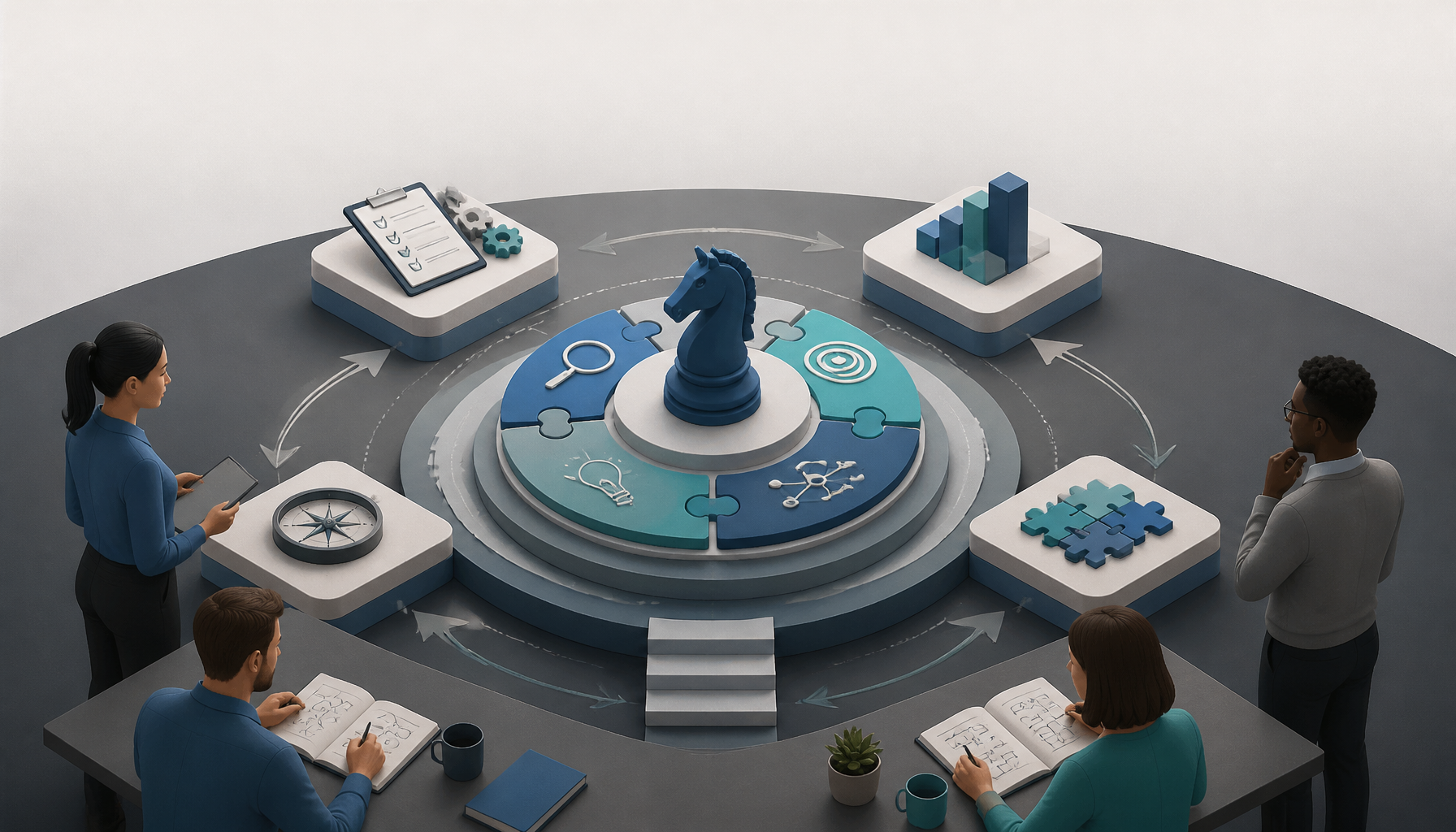
  • Boost Your Strategic Thinking Skills as a Project Manager

    Boost Your Strategic Thinking Skills as a Project Manager

    Learn how to enhance your strategic thinking skills as a project manager with practical techniques and frameworks.

    Understanding Strategic Thinking

    Strategic thinking in project management is less about predicting the future and more about consistently making better bets than your peers.

    What strategic thinking is (and isn’t)

    Strategic thinking is your ability to connect today’s decisions to tomorrow’s outcomes—while dealing with uncertainty, constraints, and people who disagree.

    It’s not:
    – Writing a strategy deck once a year.
    – Saying “aligned with company goals” without knowing what those goals cost.
    – Calling every risky idea “innovative” and hoping it works out.

    It is:
    – Seeing second-order effects (what breaks downstream if we do this?).
    – Spotting the real constraint (time, talent, budget, appetite for change).
    – Choosing tradeoffs explicitly, then communicating them in plain language.

    A quick gut-check I use: if you can’t explain your plan to a finance partner in five minutes, you probably don’t have a strategy yet.

    Long-term planning that doesn’t turn into fantasy

    Long-term planning sounds obvious until you’re inside a real org where priorities shift weekly.

    So I treat “long-term” as three horizons:
    1. Now (0–4 weeks): delivery and risk control. What must be true for this to ship safely?
    2. Next (1–2 quarters): capability building. What will we need soon that we don’t have yet—skills, tooling, vendors, approvals?
    3. Later (6–18 months): direction and optionality. Which decisions today lock us in, and which keep doors open?

    Here’s a real example from a product rollout I ran: leadership wanted a new customer portal “by end of quarter.” We could’ve sprinted to an MVP, but the long-term constraint was authentication—if we cut corners, we’d pay for it in security reviews and support tickets for the next year.

    So we planned for the quarter (ship portal basics), but we also carved out two weeks to implement single sign-on properly. It delayed shiny UI work, and people complained early. Then, three months later, compliance showed up with new requirements and we didn’t panic. That’s long-term planning with teeth.

    Critical analysis: the habit of questioning “obvious” work

    Critical analysis isn’t being negative. It’s refusing to accept fuzzy inputs.

    When someone says, “This is a must-have,” I ask:
    – Must-have for who?
    – What happens if we don’t do it?
    – What’s the cheapest test that proves it matters?
    – Which metric moves if this succeeds?

    That last one—metrics—changes the conversation. It forces stakeholders to pick a definition of “better,” and it gives you something to manage against when opinions start flying.

    A mistake I’ve made (more than once): accepting “reduce churn” as the goal without clarifying which churn (logo churn, revenue churn, involuntary churn). We built the wrong improvements because the problem statement was sloppy. Strategic thinking starts with being annoying—in a useful way.

    Decision frameworks: structure beats vibes

    Frameworks don’t replace judgment, but they stop you from forgetting an entire category of risk.

    I’ll say it bluntly: when a PM tells me, “I’m going with my gut,” what I hear is, “I didn’t do the work to compare options.”

    Use frameworks when:
    – You have competing stakeholder priorities.
    – The decision is irreversible or expensive to undo.
    – The outcome depends on external factors (market, regulation, vendor stability).

    Even a lightweight structure—two options, pros/cons, assumptions, risks, and an exit plan—puts you ahead of most teams.

    Steps To Enhance Your Strategic Thinking Skills

    This is the part you can practice immediately—even if your org is chaotic.

    1. Embrace Continuous Learning

    If you want better strategic judgment, you need better raw material.

    But continuous learning doesn’t mean hoarding articles in a bookmarks folder. I treat it like a project: small, consistent, and tied to the kind of decisions I’m making right now.

    Here’s a routine that actually sticks:
    – One hour per week: read one deep thing (not five shallow things). A postmortem, a market analysis, a credible industry write-up.
    – One conversation per month: talk to someone adjacent to your world—finance, support, sales engineering, security. You’ll steal their mental models.
    – One “what changed?” note per quarter: write a short memo: what’s different in our market, our product, our org? Keep it to a page.

    If you need a place to start, I regularly attend sessions by industry leaders like those at CornerStone Dynamics because they tend to focus on what survives real delivery pressure, not just theory.

    Mini anecdote: I once inherited a project mid-flight, and everyone blamed “scope creep.” After two weeks of talking to the support lead and listening to call recordings, it turned out customers weren’t asking for more features—they were asking for clarity. We shipped fewer features, rewrote onboarding, and churn dropped. I only found that because I kept learning from outside the PM bubble.

    Common mistake: learning only from other PMs. It feels productive, but it narrows your view.

    2. Utilize Frameworks

    Frameworks are training wheels, and that’s a compliment.

    The trick is to use them fast and visibly, so stakeholders see your logic.

    SWOT: use it to argue tradeoffs

    SWOT (Strengths, Weaknesses, Opportunities, Threats) works when you need to decide where to invest.

    A practical way to run SWOT on a project:
    1. Grab a cross-functional group (30 minutes). Keep it small—4–6 people.
    2. Fill each quadrant with specific items (no fluff like “good team”).
    3. Put a star next to items that affect the next 90 days.
    4. Convert the starred items into decisions: “Because X weakness exists, we will…”

    Example: If a weakness is “no QA automation,” your strategic move might be to delay feature work by one sprint to build a smoke suite. That’s painful short-term. It’s also how you stop bleeding.

    PEST: stop ignoring the outside world

    PEST (Political, Economic, Social, Technological) is how you avoid getting blindsided by forces outside your org.

    I like PEST when I’m managing:
    – regulated industries,
    – pricing changes,
    – vendor dependency,
    – anything that touches data privacy.

    You don’t need a thesis. You need a list of “if this changes, we’re in trouble.”

    Porter’s Five Forces: helpful for product-heavy PMs

    Porter’s Five Forces helps when your project affects competitive position—pricing, switching costs, differentiation.

    If your stakeholder asks, “Why does this matter?” Five Forces gives you language like:
    – Are we raising switching costs?
    – Are we reducing buyer power by making outcomes unique?
    – Are we vulnerable to substitutes?

    Even if you’re internal IT, you still have “competition” (shadow tools, manual workarounds, different vendors). Call it what it is.

    Common mistake: running frameworks as a workshop activity, then never turning them into decisions. If it doesn’t change the plan, it’s theatre.

    3. Foster a Strategic Mindset

    Strategic thinking scales when your team starts doing it with you.

    So instead of being the lone “strategy person,” I bake it into normal meetings.

    Run meetings with one strategic question

    Pick one question and make it a recurring habit:
    – “What are we optimizing for this sprint—speed, quality, learning, or cost?”
    – “What’s the risk we’re pretending isn’t real?”
    – “If this slips two weeks, what breaks?”

    At first, people will answer with clichés. That’s fine. Keep asking, and they’ll get sharper.

    Make outcomes visible, not just tasks

    I push teams to tie work to outcomes using a simple chain:
    Initiative → deliverable → behavior change → metric impact

    Example:
    – Initiative: reduce onboarding friction
    – Deliverable: guided setup flow
    – Behavior change: fewer drop-offs during setup
    – Metric impact: activation rate up 10%

    When teams can articulate that chain, they start spotting “busy work” on their own.

    Protect space for thinking

    This is the messy part. Strategic thinking needs slack, but projects eat slack for breakfast.

    What I do:
    – Block one 45-minute slot weekly called “Think + Write.”
    – Write a short note: risks, assumptions, decisions needed.
    – Share it with one person who will challenge you.

    Common mistake: treating strategy time as optional. Then you end up making big calls in hallway conversations.

    4. Practice Scenario Planning

    Scenario planning is how you stop being surprised by predictable problems.

    You’re not trying to guess the future perfectly. You’re trying to rehearse responses.

    A simple scenario planning method (that fits in 60 minutes)

    1. Choose a focal decision. Example: “Do we launch in Q3 or Q4?”
    2. List 5 forces that could change the outcome. Vendor delivery, staffing, competitor move, regulatory review, customer demand.
    3. Pick two forces that are most uncertain and most impactful. Put them on axes.
    4. Create 4 scenarios. Give them names people remember (seriously, it helps).
    5. Write triggers and responses. For each scenario: “If we see X, we do Y.”

    Real example: vendor risk that didn’t become a disaster

    On a platform migration, we depended on a third-party API. They promised a new endpoint “next month.” Classic.

    Our scenarios were basically:
    – Endpoint arrives on time
    – Endpoint arrives late
    – Endpoint arrives broken
    – Vendor changes pricing/limits

    Because we rehearsed “arrives late,” we built a temporary adapter and a throttling plan. Two months later, the endpoint was late and unstable. Meanwhile, other teams panicked. We just executed the play.

    Common mistake: writing scenarios and stopping there. If you don’t define triggers (“we see error rate above 2% for 24 hours”) you’ll argue endlessly about whether the scenario is happening.

    5. Seek Feedback

    Feedback is a shortcut to better strategy—if you ask for the right kind.

    Instead of “Any feedback?” (which gets you nothing), ask:
    – “Where did my reasoning feel weak?”
    – “What assumption am I missing?”
    – “Which stakeholder did I underweight?”

    Build a feedback loop into delivery

    Here’s a cadence I like:
    – After major decision: 10-minute retro with a senior peer.
    – After milestone: ask two stakeholders what they expected vs what they got.
    – After project: do a real postmortem focused on decisions, not blame.

    Mini story: I used to avoid feedback from sales because it felt biased. Then I realized sales was seeing objections weeks before product analytics did. Once I started asking, “What are you hearing that I’m not?” my roadmaps got more realistic.

    Common mistake: only asking your manager. You need feedback from people who feel the consequences of your choices—support, ops, security, finance.

    6. Focus on Data-Driven Decision Making

    Data won’t make decisions for you, but it will keep you honest.

    A recent report from the Institute of Project Management highlights the importance of using data to back up strategic decisions in project executions.

    The PM-friendly data stack (keep it boring)

    You don’t need a data science team. You need consistent signals:
    – Delivery: cycle time, throughput, defect rate, escaped defects
    – Customer: activation, retention, NPS (careful), support ticket volume by category
    – Business: revenue impact, cost-to-serve, churn (define it)

    Tools can be simple: Jira reports, a spreadsheet, Looker/Tableau dashboards, even SQL queries if you have access.

    How to use data without becoming a dashboard zombie

    I use a three-step rule:
    1. Pick one metric per decision. If you pick five, you’ll rationalize anything.
    2. Define the direction and threshold. “Activation up 5%” not “activation improves.”
    3. Decide what you’ll do if it fails. Rollback, iterate, or kill it.

    Common mistake: using data as a weapon. If you cherry-pick metrics to win arguments, people will stop trusting your analysis.

    Measuring Your Strategic Thinking Skills

    You can’t improve what you never evaluate—especially when “strategic” feels subjective.

    Self-reflection that produces evidence

    Self-reflection works when it’s specific and written down.

    Once a month, I do a 20-minute review and answer these questions:
    – Which decisions did I make that had second-order effects?
    – Where did I get surprised, and what signal did I ignore?
    – What did I say “yes” to that I should’ve reframed or declined?
    – Which assumption ended up false?

    Then I pull one artifact—an email, a decision log entry, a retro note—and attach it. Evidence keeps you from rewriting history.

    Real example: I noticed a pattern where I kept underestimating legal review time. After seeing it three projects in a row, I added “legal lead time” as a standing risk item in planning. That single change improved forecast accuracy more than any scheduling technique.

    Common mistake: reflecting only when things go wrong. You learn just as much from wins—especially why they worked.

    Peer reviews that aren’t political

    Peer reviews get weird when they’re vague. Make them about behaviors, not personality.

    Ask peers to rate you (1–5) on statements like:
    – “Explains tradeoffs clearly.”
    – “Surfaces risks early.”
    – “Connects work to business outcomes.”
    – “Changes direction when evidence changes.”

    Keep it anonymous if you can. If not, at least normalize bluntness: “I’m collecting this to improve, not to argue.”

    A tactic that helps: ask two peers from different functions. An engineering lead and a finance partner will see totally different gaps.

    Common mistake: asking friends who won’t tell you the hard truth. If the feedback doesn’t sting a little, it’s probably not useful.

    Performance metrics that reflect strategic impact

    Project delivery metrics matter, but they don’t fully capture strategic thinking.

    So I look at:
    – Decision latency: how long big decisions sit unresolved
    – Rework rate: how often you redo work due to unclear direction
    – Risk burn-down: whether top risks shrink over time or just rotate
    – Outcome attainment: whether the project moved the intended metric

    If you want one simple scorecard, try this quarterly:
    – List your top 5 decisions.
    – For each, mark: did it age well after 90 days? yes/no/unclear.
    – Track the ratio.

    Over time, you’ll see improvement. When I started doing this, my “aged well” rate was embarrassingly low. Then, as I got better at surfacing assumptions and running scenarios, it climbed.

    Conclusion

    Strategic thinking doesn’t come from reading one article and suddenly “thinking big.” It comes from practicing small moves that compound—asking better questions, making tradeoffs explicit, and setting up decisions so reality can correct you quickly.

    If you do nothing else this week, do this: pick one active project and write a one-page strategy note.
    – What’s the outcome (metric + target)?
    – What are the top 3 constraints?
    – What are the top 5 risks?
    – What decision do you need next, and by when?

    Then share it with one stakeholder who tends to disagree with you. The point isn’t harmony. The point is clarity.

    A final, real-world reminder: I’ve seen projects “succeed” on time and on budget, then quietly fail because nobody adopted the thing. That’s why strategic thinking matters. Delivery is the start of the story, not the ending.

    Run the next project like it has consequences—because it does.

    FAQs

    Q: What are key concepts of strategic thinking?

    A: I anchor on three: long-term planning (thinking in horizons, not fantasies), critical analysis (challenging assumptions with evidence), and decision frameworks (structured comparisons so you don’t miss categories of risk). The best PMs I’ve worked with also add a fourth concept: communicating tradeoffs so stakeholders can’t pretend everything is priority one.

    Q: How can I measure my strategic thinking skills?

    A: Use a mix of written self-review, peer feedback, and outcome-based metrics. If you want a quick start, track your five biggest decisions this quarter and check whether they “aged well” after 90 days. Also, ask two peers from different functions where your reasoning felt thin—those gaps show you what to practice next.

    Q: What frameworks can enhance strategic thinking?

    A: SWOT helps you connect internal strengths/weaknesses to external opportunities/threats. PEST keeps you honest about outside forces that can derail a plan. Porter’s Five Forces is great when competitive dynamics or switching costs matter. The key is turning frameworks into decisions, not leaving them as workshop artifacts.

    Q: How does strategic thinking benefit project management?

    A: It makes you proactive instead of reactive. You’ll surface risks earlier, choose tradeoffs faster, and align work to outcomes people actually care about. Practically, that means fewer surprise escalations, less rework, and more credibility when you ask for time, budget, or scope changes.

    Q: What’s a common strategic thinking mistake PMs make?

    A: Confusing activity with impact. Shipping a lot of tickets can feel like progress, but if the work doesn’t change a metric or reduce a risk, you’re just burning time. The fix is simple (not easy): define the outcome, then let that outcome veto “nice-to-have” work.

  • Choosing the Right Construction Equipment

    Choosing the Right Construction Equipment

    Explore how to select the best used construction equipment for your job. From types to top companies, find what you need to succeed.

    Explore Top Options for Construction Equipment for Sale

    When it comes to used construction equipment, the market is booming. As of 2026, the used construction equipment market is estimated to reach USD 132.67 billion, showcasing a growth rate of 5.63% CAGR until 2031 (Mordor Intelligence). That doesn’t surprise me—more crews are optimizing around availability and total cost, not the thrill of unwrapping a brand-new machine.

    Used can be a smart move because it lowers capital risk. But it only works when you buy like a skeptic: verify hours, understand wear items, and confirm you can get parts fast. If you’re rushing, you’ll pay twice—once for the “deal,” then again in downtime.

    Here’s the reality I plan around: if your project has a hard start date, used inventory often beats waiting on new lead times. That said, I’ve also seen a “great price” turn into a parked excavator because no one checked undercarriage wear or the dealer couldn’t support it locally.

    Finding Construction Equipment Dealers

    Selecting a dependable construction equipment dealer is your first step toward acquiring the right machinery. I don’t start with price—I start with proof.

    Ask for a written inspection report that includes engine blow-by notes, hydraulic leak checks, undercarriage measurements (track wear isn’t a vibe, it’s a number), and service history. If they can’t produce documentation quickly, that’s information.

    Then, do a short field test. Run it through all functions, get it warm, and look for things that only show up after 20–30 minutes: drifting cylinders, overheating, weak travel motors, or a hydraulic whine that magically wasn’t there on startup.

    Common mistake: people rely on a quick walkaround and a glossy listing. Meanwhile, the machine needs tires, pins/bushings, and a battery before it can even pass a basic site safety check.

    Learn About Different Types of Construction Equipment

    Understanding the various construction equipment types is essential to making informed choices. The trick isn’t memorizing machines—it’s matching capabilities to constraints (space, ground pressure, lift height, and cycle time).

    • Excavators: Perfect for digging and demolition tasks.
    • Bulldozers: Ideal for pushing large quantities of soil or sand.
    • Cranes: Needed for lifting heavy materials to significant heights.
    • Scissor Lifts: Used for maintenance work at heights without scaffolding.

    You can find detailed descriptions and uses of these machines in resources like DOZR and Cat Rentals.

    Before you pick anything, write down three numbers: (1) what you’re moving (material + weight), (2) how far you’re moving it (reach/height/haul), and (3) how many cycles per hour you need to hit production. Those three force you into reality fast.

    Construction Equipment Machinery

    Investing in the right machinery is not just about brand loyalty. Precision tech and telematics can genuinely reduce operating costs—if you’ll use the data.

    For example, with advancements in telematics, you can monitor equipment performance in real-time, which helps in minimizing downtime and maintaining productivity. I’ve seen teams catch a recurring overheating issue early because the temp trend was obvious in the dashboard, then schedule a fix on a slow day instead of losing a full shift mid-pour.

    On the other hand, basic machinery setups are more cost-effective upfront but may incur additional costs over the long term due to less fuel efficiency and more frequent repairs. That tradeoff can still be worth it on short jobs, or when you’ve got a trusted mechanic and don’t need the bells and whistles.

    One step I like: map the “hidden costs” before you commit—transport permits, mobilization, attachments, fuel burn, operator rate, and expected wear items. People fixate on purchase price, so they miss the fact that a slightly pricier unit with better buckets and fewer leaks can beat a cheaper machine by a mile over a 6–12 month run.

    Equipment Names to Know

    Familiarizing yourself with construction equipment names is crucial for effective communication on-site. It keeps you from ordering the wrong thing, which happens more than anyone admits.

    From backhoe loaders to compact track loaders, knowing the terminology helps in discussing specific capabilities with vendors and operators. Websites like BigRentz provide extensive lists of equipment with images and descriptions, which can be beneficial for training new operators.

    Real-world example: I once watched a crew request a “small dozer” for tight grading, but what they needed was a compact track loader with a grading attachment. The dozer showed up, couldn’t maneuver between utilities, and the job lost half a day while someone scrambled for a swap. Same intent, wrong machine.

    Quick habit that helps: when you say a machine name, add the key spec right after it—“mini-ex, 3.5 ton,” “telehandler, 10k/55 ft,” “scissor lift, 26 ft electric.” That one line prevents a lot of expensive miscommunication.

    Top Construction Equipment Companies to Consider

    When searching for construction equipment, consider well-known construction equipment companies like Caterpillar, Komatsu, and Volvo. The brands matter less than support, but reputations exist for a reason.

    For example, Caterpillar is known for its robust performance on large job sites, while Volvo focuses on fuel-efficient machines that are environmentally friendly. I also look hard at resale value in my region—some models move fast locally, and that affects your exit plan if the job ends early.

    In addition, a growing trend in the construction industry is to assess companies based on their service support and maintenance offerings, which can significantly impact the total cost of ownership over time. A machine that’s “down” two days a month isn’t cheaper, even if the invoice was.

    Equipment Dealer Insights

    Local equipment dealers often have access to information about the best performers in your area and can help navigate unique local challenges. They’ll know, for example, which machines hate your clay, which ones handle altitude well, and which parts are always backordered.

    Many dealers, like 4Rivers Equipment, provide not only equipment but also support and training to ensure that operators can maximize efficiency and safety on the job site.

    If you’re comparing dealers, ask two blunt questions: “What’s your typical turnaround on field service?” and “Do you stock common wear parts for this model?” You want an answer with specifics (hours/days, what’s on the shelf), not a friendly shrug.

    Also, clarify what “warranty” means on used equipment. Some plans cover major components only, so you’ll still eat the cost of hoses, sensors, and the stuff that actually fails first on older units.

    Find Qualified Construction Equipment Operators

    No matter how great your equipment is, the skill of its operators is equally important. I’ve seen a top-tier machine underperform because the operator didn’t understand lift charts, load balance, or basic daily checks.

    Hiring qualified construction equipment operators can directly influence your project outcomes. Look for operators who are certified and have a solid track record in the industry. Many training programs, like those offered by Heavy Construction Academy, provide comprehensive operator certification, which can give you peace of mind about the safety and efficiency of your team.

    One practical move: match operator experience to your risk. If you’re doing tight trenching near utilities, don’t treat it like a “learn on the job” role. Put your best operator there, because a strike costs more than the wage difference.

    Training Programs for Operators

    Investing in training helps ensure that your operators know how to use your machinery safely and effectively. Programs available through TEEX focus on hands-on training necessary for competent operation across various types of heavy equipment.

    This is particularly pertinent in today’s fast-paced construction environment where safety and proficiency must be prioritized. That said, training isn’t just classroom time—it’s also site habits: daily walkarounds, lockout/tagout basics, spotting signals, and knowing when to stop and ask.

    A step-by-step approach I’ve used on sites:
    1. Pair a newer operator with a lead for the first week.
    2. Require a daily inspection checklist (paper or app).
    3. Run a short “end of shift” debrief on issues—leaks, strange noises, damaged teeth.
    4. Schedule a weekly hour for skills work (grading tolerance, trenching straightness, load handling).

    That routine catches mistakes early, and it builds confidence without gambling with safety.

    Operator Job Market

    The demand for skilled operators is on the rise, and according to industry reports, the median pay is significantly higher than the national average for all occupations. This underscores the importance of not only investing in the best machinery but also ensuring that the right individuals are at the controls.

    With the competitive landscape, well-trained operators provide an edge by increasing productivity and minimizing errors on the job site. In practice, it also affects scheduling: when you can’t hire fast, you may need to choose equipment that’s simpler to run (or plan for vendor-supported onboarding).

    I’ve watched projects stall because the “plan” assumed an experienced operator would appear two days before mobilization. Instead, the crew got someone green, production dropped, and the superintendent started compensating with overtime. The machine wasn’t the problem. The staffing assumption was.

    FAQs

    • What types of construction equipment are available for sale?
      A: We offer a wide range including excavators, bulldozers, and cranes. If you want to narrow it down fast, start with your task list and the site constraints.

    Here’s a quick way to sort it:
    1. Earthmoving (excavators, dozers, loaders) for digging, stripping, and rough grade.
    2. Material handling (telehandlers, cranes, forklifts) for setting pipe, trusses, pallets.
    3. Access (scissor lifts, boom lifts) for elevated work.

    Common mistake: buying a “general purpose” machine and assuming it’ll cover everything. It won’t—attachments and capacity specs matter as much as the base unit.

    • How can I ensure I’m choosing the right equipment?
      A: We provide expert consultations and detailed guides to help you make informed decisions. Even if you’re doing it yourself, I’d still follow a simple checklist.

    Step-by-step, this is what I ask before I sign anything:
    1. What’s the heaviest load and the farthest reach/height we need?
    2. What’s the ground like—soft, rocky, muddy, paved (track vs. tire matters)?
    3. What’s access like (gate width, overhead lines, turning radius)?
    4. What attachments are required (bucket sizes, breaker, forks, compactor)?
    5. Who will service it, and what’s the downtime plan?

    The big “gotcha” is underestimating logistics—delivery lead time, transport permits, and whether the machine physically fits where you need it.

    • What if I need training for equipment operation?
      A: We can guide you to qualified operators or provide training sessions. If you’re adding a new machine type to your site, plan training as part of mobilization, not as an afterthought.

    A real example: a site added a telehandler for the first time, but nobody reviewed load charts with the crew. They started picking loads at full reach like it was a forklift. Luckily, a seasoned operator flagged it before anything tipped.

    What I’d do instead:
    1. Set a one-hour vendor walk-through on delivery day.
    2. Require a spotter for the first few shifts.
    3. Post lift charts and hand signals where the crew actually sees them.

    The mistake isn’t “not knowing.” It’s pretending you know and rushing anyway.

    • Are financing options available for purchasing equipment?
      A: Yes, we offer flexible financing options to fit your budget. Financing can be helpful, but you should run it alongside your expected utilization.

    If the machine will sit 40% of the time, renting or buying used might pencil out better than paying for shiny idle steel. I like to estimate hours per month and compare that to the payment, insurance, maintenance, and storage.

    Watch out for these traps:
    – Stretching terms so far that you’re still paying when the job is long gone.
    – Ignoring maintenance reserves (financing doesn’t cover blown hoses).
    – Forgetting transport costs—financing doesn’t move the machine to the site.

    • Can I return equipment if it doesn’t meet my needs?
      A: Yes, we offer a 30-day money-back guarantee on all purchases. Before you count on a return, confirm the fine print.

    Practically, you want to know:
    1. Does “30 days” mean calendar days or operating hours?
    2. Are there restocking fees, transport costs, or usage limits?
    3. What condition does it need to be in (tires/tracks, attachments, cosmetic damage)?

    I’ve seen returns get messy when a machine is used hard for two weeks, then sent back with damaged cutting edges. So document condition on day one—photos, hour meter, and any existing dings—because that protects both sides.

    • How do I contact customer support?
      A: You can reach our support team via phone or email for immediate assistance. When you contact support, you’ll get faster help if you provide the basics upfront.

    Here’s what I include in the first message:
    – Machine make/model and serial number
    – Hour meter reading
    – A short description of the issue (what happened right before it started)
    – Photos or a 20-second video (leak location, error codes, sounds)

    Common mistake: calling with “it’s not working” and no details. With good info, support can often triage whether it’s a quick fix (sensor, fuse) or if you should shut it down and schedule service.

  • Effective Time Management Strategies for Project Managers

    Effective Time Management Strategies for Project Managers

    Discover essential time management strategies tailored for project managers in 2026. Enhance your project management skills and productivity.

    Featured image for Effective Time Management Strategies for Project Managers in 2026

    Essential Project Management Skills for Success

    Time management gets all the attention, but it only works if the “core PM muscles” around it are solid. Otherwise, you’ll just become an efficient person moving the wrong work forward.

    What Does a Project Manager Actually Do?

    A project manager is responsible for overseeing the planning, execution, and completion of a project. This includes defining project goals, developing plans to meet those goals, coordinating project teams, and managing budgets to ensure projects are completed within scope and on time. Effective project managers also need to possess strong communication skills to liaise between stakeholders and team members effectively.

    Some of the key skills identified by experts for 2026 include:
    – Leadership: Effectively leading teams to achieve project goals.
    – Communication: Ensuring all team members are aligned with project objectives.
    – Time Management: Prioritizing tasks and managing time to meet deadlines.
    – Risk Management: Identifying potential risks and developing mitigation strategies.

    According to a 2026 Project Management in 2026 report, the demand for skilled project managers is expected to grow significantly, with the industry facing a talent gap that is pushing companies to seek out qualified professionals rapidly (Refonte Learning).

    The skill stack that actually saves time

    Here’s the unpopular truth: “time management” is mostly a side-effect of a few other skills done well.

    1) Scope control (a.k.a. saying no without drama).
    If you can’t control scope, your schedule is fiction. That said, I don’t mean being rigid—I mean making tradeoffs explicit.

    A line I use a lot: “We can add that, but what are we removing, or what date are we moving?” It forces reality into the room.

    2) Ruthless prioritization with a single source of truth.
    When tasks live in five places (email, chats, docs, someone’s head, and your board), you’ll waste hours just reconciling reality. Pick one system to be the “truth”—Jira, Asana, Monday, a spreadsheet—doesn’t matter as much as consistency.

    3) Facilitation that ends in decisions.
    Meetings aren’t the enemy. Meetings that don’t produce decisions are.

    If you consistently walk out with owners + due dates + a written decision, your team stops spinning.

    A real week: how I keep projects from eating my calendar

    When I’m running a delivery-heavy project (lots of dependencies, tight deadline), I plan my week in layers:

    Layer 1: Fixed blocks (non-negotiable).
    – 2–3 deep-work blocks (60–90 minutes) for planning, risk review, stakeholder updates
    – 1 block for “hard calls” (vendor escalation, scope conversations, budget surprises)

    Layer 2: Cadence meetings (kept small).
    – Standup or async check-in
    – Two short decision meetings per week (15–25 minutes)
    – A weekly stakeholder checkpoint (30 minutes)

    Layer 3: Slack/email containment.
    I don’t leave notifications on all day. I batch comms 3–5 times daily, because otherwise the day becomes a reaction loop.

    That setup sounds basic, but it works because it protects the two things PMs lose first: focus and follow-through.

    Step-by-step: a practical prioritization flow

    If you want a repeatable way to decide what gets your time, run this every morning (10 minutes) and every Friday (30 minutes).

    1) List the top 10 open items (not 50). Pull from your system of record.
    2) Mark the critical path movers. If finishing the item doesn’t change the finish date, it’s probably not your first priority.
    3) Find the “waiting” items (blocked by someone else). Then write the unblock message immediately.
    4) Pick three outcomes for today. Not tasks—outcomes (e.g., “sign-off on API approach,” “UAT start date confirmed”).
    5) Time-box the rest. Give yourself permission to stop.

    I learned this after watching a project drift for three weeks because everyone worked on “busy” tasks while a single architecture decision sat unresolved. Once we forced decisions into 24–48 hour windows, the schedule stopped bleeding.

    Common mistakes I see (and how to avoid them)

    Mistake: treating the plan like a contract.
    Plans are hypotheses. Update them aggressively when reality changes, because stale plans waste more time than no plan.

    Mistake: letting stakeholders bypass the system.
    If requests come through side channels, you’ll miss dependencies and double-book people. So, funnel them back into the same intake path—even if it’s just, “Cool, add it to the board and tag me.”

    Mistake: confusing urgency with importance.
    The loudest message isn’t always the most schedule-critical. If you’re unsure, ask one question: “What breaks if this waits until tomorrow?” The answer usually clarifies priority.

    Effective time management strategies for project managers in 2026 shown as a weekly calendar with deep-work blocks, stakeholder meetings, and buffer time

    Project Management Training Resources

    Training only helps if it changes how you run next week’s project. So I’m going to separate “career signaling” (certs) from “performance improvement” (skills you can apply immediately).

    Project Management Certification

    Obtaining a certification can validate your skills and enhance your employability. The Project Management Professional (PMP) certification is highly regarded in the industry, highlighting your competence in guiding and directing projects. According to the Project Management Institute (PMI), the average salary for PMP-certified professionals is around $100,750 in 2026 (PMI). Other certifications worth considering include:
    – PRINCE2®: A structured project management method used worldwide.
    – Agile Certified Practitioner (PMI-ACP): Focused on Agile project management techniques.

    Project Management Course

    Various institutions offer comprehensive courses that cover foundational to advanced project management skills. Notable platforms include:
    – Coursera – Offering a variety of courses from leading universities.
    – Firebrand Training – Top-rated project management courses.

    Project Management Books

    Investing time in reading key texts can also bolster your knowledge base. Recommended reads include:
    – The Art of Project Management by Scott Berkun.
    – Scrum: The Art of Doing Twice the Work in Half the Time by Jeff Sutherland.

    How I’d choose training (without wasting money)

    I’ve seen people collect certificates and still struggle to run a clean kickoff. So, before you commit time (and usually a chunk of cash), decide what problem you’re solving.

    If you need a job switch or promotion: certifications help because recruiters filter on them. It’s signaling, and that’s not a dirty word.

    If you need to stop drowning on the job: pick training that fixes your workflow—estimation, facilitation, stakeholder management, or risk.

    A rule I like: if a course doesn’t force you to produce artifacts you’d use at work (a real RAID log, a real comms plan, a real schedule), it’s probably too theoretical.

    Step-by-step: a 6-week upskilling plan for busy PMs

    This is what I recommend when someone tells me, “I can’t study—I’m slammed.” You don’t need heroic hours. You need consistency.

    Week 1: Baseline your time leaks.
    – Track your work for five days (even rough notes)
    – Label time as: planning, decision-making, follow-ups, meetings, admin, firefighting
    – Pick the biggest leak to fix first

    Week 2: Meetings overhaul.
    – Rewrite agendas to be decision-first
    – Cut one recurring meeting or shorten it by 10 minutes
    – Add a standard notes template: decision, owner, due date, risks

    Week 3: Estimation and commitments.
    – Practice “three-point estimates” with your leads (best/likely/worst)
    – Build schedule buffer intentionally for high-uncertainty work

    Week 4: Risk muscle.
    – Start a living risk log (not a one-time doc)
    – Run a 20-minute risk review weekly

    Week 5: Stakeholder comms.
    – Create a one-page status format
    – Define escalation triggers (e.g., any slip >3 days gets called out)

    Week 6: Tie it to a credential (optional).
    – If you’re aiming at PMP/PRINCE2, now the material maps to your lived experience

    This approach works because you’re not “learning PM”—you’re tightening your operating system.

    A quick story: training that paid off (and what didn’t)

    One PM I coached bought a pricey bootcamp, took immaculate notes, and still had projects sliding. The issue wasn’t knowledge—it was that every request arrived via DM, and she tried to be helpful in the moment.

    So we implemented one rule: no work starts until it’s on the board with an owner and date. For the first week it felt awkward, because people hate process when they’re used to shortcuts.

    By week three, stakeholder pings dropped, because expectations were visible. That’s the kind of “training” that sticks.

    Common mistakes with PM training

    Mistake: studying frameworks while ignoring your real constraints.
    If your org can’t do “pure Agile” (most can’t), learn hybrid delivery and change control. You’ll use it tomorrow.

    Mistake: trying to learn everything at once.
    Pick one skill per month. Otherwise, you’ll half-apply five ideas and none will land.

    Mistake: treating books as instructions.
    Books are patterns, not recipes. Test small, measure results, and keep what works.

    Understanding Project Management Careers

    If you’re thinking about your next move, don’t just chase titles. Chase environments where good project management is valued—because that’s where you’ll grow fast.

    Project Management Jobs

    Project managers can be found in various fields including IT, construction, healthcare, and finance. The skills required may vary by industry, but the core competencies remain largely consistent. In 2026, the job outlook for project management specialists shows a growth rate of approximately 6% over the next decade (U.S. Bureau of Labor Statistics).

    Project Management Salary

    In terms of compensation, project managers can expect a competitive salary that reflects their skills and experience. As of 2026, the average salary for a project manager in the United States was reported to be around $100,750 (Coursera). Additionally, project managers in high-demand areas such as San Jose can earn as much as $183,843 (Rippling).

    The career ladder (what changes at each level)

    A lot of people ask, “How do I go from PM to senior PM to program manager?” The simplest answer is: the scope of ambiguity you can handle.

    Entry / Associate PM:
    You run well-defined projects with clear stakeholders. Your superpower is follow-through.

    Project Manager:
    You manage cross-team dependencies and negotiate tradeoffs. You keep the plan honest.

    Senior PM:
    You handle messy projects—unclear requirements, political stakeholders, real risk. You don’t just track work; you shape it.

    Program Manager:
    You align multiple projects to a business outcome. You manage interlocks, budgets, and timing across teams that don’t report to you.

    Portfolio / PMO leadership:
    You optimize which work gets funded at all. That’s strategy, governance, and sometimes being the bad guy.

    That progression isn’t about being “more organized.” It’s about being able to drive decisions when everyone has competing incentives.

    Step-by-step: how I’d evaluate a PM job posting

    Job descriptions can be fantasy. So I screen for signals that the company will let me succeed.

    1) Look for ownership clarity.
    If the role says “accountable for delivery” but doesn’t mention authority to manage scope, budget, or priorities, that’s a red flag.

    2) Check whether they value planning artifacts.
    If they mock documentation entirely, you’ll fight uphill when things go wrong. On the other hand, if they demand a 40-page plan for a 6-week effort, you’ll drown.

    3) Ask about stakeholder behavior.
    In interviews I’ll ask: “When priorities change mid-sprint, what happens?” The answer tells you if they do tradeoffs—or just dump work on the team.

    4) Probe for delivery maturity.
    Do they have a roadmap? Do they track dependencies? Do they do post-mortems? If they don’t, you’ll spend half your time building basic hygiene.

    5) Clarify what success is in 90 days.
    A serious team can answer this. Vague answers usually mean the role is a catch-all.

    Persona anecdote: the “accidental PM” path (and the trap)

    I’ve worked with a bunch of accidental PMs—people who started as analysts, coordinators, or engineers, then got handed a project because they were reliable.

    That’s a legitimate path, but it has a trap: you can become the person who “handles everything,” which feels like job security until you realize you’re stuck doing task-chasing.

    The way out is to level up two things:
    – Decision leadership: turning debates into calls
    – System building: making work visible and predictable

    Once you do that, your value shifts from “organizer” to “delivery leader,” and salaries usually follow.

    Common career mistakes (I’ve made some of these)

    Mistake: staying too long in chaos.
    A little chaos teaches you a lot. Years of chaos will burn you out. If every project is an emergency, it’s not a you problem.

    Mistake: chasing tools over fundamentals.
    New software won’t fix unclear scope or weak stakeholder alignment. Tools amplify processes—you need the processes first.

    Mistake: ignoring industry fit.
    Healthcare, finance, and government can be slower but stable and process-heavy. Startups move fast but can be wild. Pick what matches your temperament.

    In conclusion, as project management continues to evolve, focusing on honing your project management skills and taking advantage of available resources can set you apart in a competitive job market. Start building your expertise today, and you may find yourself leading significant projects in no time!

    Top Project Management & Leadership Skills You Need in 2026
    Project Manager Salary Guide 2026