End-to-end featured image publishing verification.

Discover the top WordPress trends in 2026, including market share insights and the latest developments for beginners and experts alike. Learn how to get started!

WordPress is still the default choice for a lot of teams because it hits a rare sweet spot: content editors can run it, developers can extend it, and there’s an ecosystem for almost every business model. As noted by DreamDev Solutions, WordPress currently powers 41.2% of all websites and 59.1% of websites with a known CMS.

But what’s different in 2026 is how people are deploying it. The platform is less “a theme + some plugins” and more “a CMS component inside a bigger system.” That shift shows up in a few places.
Headless WordPress isn’t new, but in 2026 it’s mainstream for performance-sensitive sites and teams with strong front-end chops. The pattern looks like this:
Where it works:
Where it can go sideways:
A real example: I watched a team go headless because their current theme was slow. They got speed… and then spent weeks rebuilding basic stuff they used to get for free (forms, SEO fields, preview, redirects). Headless can be the right call, but it’s not a free lunch.
A lot of day-to-day WordPress work has moved into block-based site building. Even if you’re not a “block theme purist,” the direction is clear: more layout and template control inside the editor, less PHP template hacking.
If you manage multiple sites, this matters because it changes maintenance:
The mistake I see: teams hand editors full design control and then act shocked when the homepage turns into a collage of mismatched fonts and buttons. If you care about consistency, lock down patterns and give editors “safe” building blocks.
Even with blocks improving, a big chunk of sites still depend on familiar tooling. In 2026, a large segment of WordPress sites continues to rely on popular tools like Elementor (31.1% of WordPress sites) and WooCommerce (20% of WordPress sites) for building and managing content effectively.
My take: if you’re shipping fast for a small team, a builder can be a practical choice. But every builder-heavy site I’ve inherited had the same long-term tax:
If you’re building something meant to last 3–5 years, I’d rather invest in a clean block theme (or hybrid approach) and keep the plugin stack lean.
WordPress is a giant target. Recent statistics often cited by security vendors claim about 90,000 attacks per minute target WordPress sites, usually exploiting vulnerabilities in plugins or themes rather than core software flaws.
This is the part people misread. It’s not “WordPress core is insecure.” It’s “your random slider plugin from 2017 is the weakest link.” The trend in 2026 is that businesses are increasingly prioritizing security and operational efficiency, leading some to consider platforms that specialize in performance, like Webflow or Squarespace.
I don’t blame them. If your org can’t maintain updates, can’t run staging, and can’t audit plugins, a closed platform can be safer for your team. The tradeoff is flexibility and ownership.
At its core, WordPress is a flexible platform that can be used to create anything from personal blogs to complex e-commerce sites. Its extensive ecosystem — thousands of themes and plugins — supports diverse needs and functionalities.
But the real reason people use it is the workflow:
That’s why it still shows up everywhere — not because it’s trendy, but because it’s adaptable.
When someone says they’re “moving away,” they usually mean one of these:
If you keep WordPress boring (minimal plugins, decent hosting, real update process), most of those problems disappear. If you treat it like a junk drawer, you’ll eventually pay for it.
Getting started with WordPress in 2026 is easy in the “I can get a site online today” sense, but it’s still easy to make early choices that hurt later.
You can install WordPress by downloading it directly from WordPress.org or by choosing a host that offers managed WordPress services.
Here’s how I’d decide, based on what I’ve seen in real projects.
Pick managed hosting if:
Pick self-hosted if:
The common beginner mistake: choosing the cheapest hosting possible, then adding performance plugins to compensate. You can’t plugin your way out of slow disk and overloaded CPU.
This is the “less regret later” path.
Install only the essentials:
one SEO solution (not three)
backups (if your host doesn’t provide them)
Pick a theme you can live with. If you’re new, choose something conservative and well-supported.
If you want a hand-holding path without coding, Vision.pk offers a beginner-friendly walkthrough for creating a first site.
When it comes to downloading WordPress, you have several options:
A quick workflow that saves headaches:
Most WordPress horror stories start with “I made a quick change on the live site.”
These aren’t theoretical. I’ve cleaned up each of these more than once.
If you’re serious about learning the platform (not just clicking around), the training on Learn WordPress is legitimately useful.
WordPress is versatile enough that “use case” almost feels too small. In 2026 it’s being used as:
The trick is matching WordPress to the job — and knowing when you’re forcing it.
In 2026, blogs still thrive on WordPress, from tiny niche sites to massive publishers. Examples people commonly point to include:
If you want inspiration for layouts and niches, 20 inspiring WordPress blog examples is a solid swipe file.
What I’d pay attention to when you’re studying “examples” isn’t just the look. It’s the structure:
A quick mini-story: I once inherited a blog that looked great on desktop, but the mobile header took up half the screen and the font was tiny. Traffic was fine, but newsletter signups were terrible. We didn’t redesign the whole site — we fixed readability and reduced header height. Signups jumped noticeably in a week. That’s WordPress at its best: small changes, big impact.
For users on Windows, WordPress works perfectly well. The platform doesn’t care what OS you’re on — the practical difference is how you set up local development. If you’re building locally on Windows, be consistent with your tooling and versions.
If you want design-focused examples (not just content strategy), Really Good Designs has deep dives into successful blog designs and use cases.
Here are the WordPress use cases I’m seeing most often, plus what to watch out for.
1) Small business “money pages”
2) E-commerce with WooCommerce
WooCommerce remains a go-to for stores (again, 20% of WordPress sites is a huge footprint). WordPress + Woo works best when:
Common mistake: installing five different checkout enhancers that all hook into the same templates, then wondering why checkout breaks after updates.
3) Membership and gated content
WordPress is great for “content + paywall + email list” businesses.
Watch out for:
4) Editorial publishing with multiple authors
WordPress shines with workflows: drafts, reviews, scheduled posts, revisions.
Watch out for:
5) Headless CMS for apps
If you need WordPress as a content backend for a mobile app or SaaS dashboard, headless can be a great fit.
Watch out for:
If you’re not sure WordPress is the right tool, answer these questions:
Discover the top content writing tools of 2026 to enhance your productivity and writing quality. Explore AI tools, free options, and specialized software for SEO.
If you’re trying to write faster in 2026, don’t just grab the shiniest AI and hope for the best. The best results come from pairing tools with specific stages of your workflow:
Below are ten tools that cover those stages well. I’m also going to be blunt about where they bite—because every tool has a “hidden tax.”
ChatGPT (OpenAI) is the closest thing most writers have to an always-available brainstorming partner. I don’t treat it like an “auto-writer.” I treat it like a thinking tool: outline generator, angle tester, counterargument machine, and rewrite assistant.
Where it saves real time
– First drafts that you actually want to edit: If you feed it a tight brief (audience, intent, structure, examples to include), you can get a 60–70% draft quickly.
– Outline refinement: I’ll ask for three outline options—one beginner-friendly, one technical, one story-driven—then mash them together.
– Voice matching (with guardrails): When you paste a few paragraphs of your own writing and ask it to mirror the tone, it can get surprisingly close—close enough to reduce the “blank page tax.”
Where it can go wrong
– It will confidently produce filler if your prompt is vague.
– It can drift into generic advice unless you force specificity (tools, steps, constraints, examples).
– It can make claims sound factual when they’re really just plausible-sounding phrasing—so you still need editorial discipline.
How I use it in a workflow
1. Paste the brief (audience, goal, constraints, must-include bullets).
2. Ask for an outline with H2/H3 structure plus suggested examples.
3. Generate a rough draft section by section, not all at once.
4. Do a human pass for accuracy, tone, and “does this sound like someone who has done the work?”
A quick example: I once had to produce a set of onboarding emails plus a help-center article in the same week. ChatGPT didn’t replace the work, but it did eliminate the slowest part—getting the first version out so I could iterate. That’s the win.
If you want more context on where AI writing is heading, you can dig into our guide on AI innovations. It’s a good companion read if you’re building an AI-assisted workflow and want to avoid the common traps.
Jasper is strong when you need marketing-friendly long-form and you want guardrails like templates and structured prompts. It tends to be popular with teams producing lots of similar assets—landing pages, blog posts, campaign copy—where consistency matters.
What Jasper does well
– Long-form assistance with a more “content marketing” bias than a generic chatbot.
– Templates that reduce decision fatigue (headline ideas, intros, PAS/AIDA variations, product bullets).
– Brand voice features (depending on your plan/workflow) that help keep multiple writers from sounding like ten different people.
Tradeoffs I’ve run into
– Templates can nudge you into template-y writing if you don’t rewrite hard.
– It can over-optimize for “marketing enthusiasm.” If your brand is calm, technical, or skeptical, you’ll need to pull it back.
A practical use case
If you’re doing a quarterly content push—say 12 blog posts plus a handful of landing pages—Jasper can help you standardize the opening hooks, CTAs, and section patterns so editors aren’t fixing the same structural issues over and over.
Grammarly is still the tool I recommend even to experienced writers, because it catches the stuff you don’t see after staring at a draft for too long. It’s not just grammar; it’s clarity and friction removal.
Where Grammarly pays off
– Consistency: It flags shifts in tone, formality, and phrasing.
– Clarity suggestions: Often these are the difference between “sounds smart” and “is readable.”
– Fast QA before publishing: I run it right before I ship anything client-facing.
How I keep it from over-editing
Grammarly sometimes tries to sand off personality. My rule: I accept changes that reduce confusion, and I ignore changes that erase voice. If your writing style is intentionally punchy or conversational, you’ll want to treat Grammarly like a copy editor—not your boss.
Tiny workflow tip
Do one Grammarly pass early (so you don’t build on broken sentences), and one pass at the end (so you catch weird repetitions and missing words).
SurferSEO is for writers who want SEO feedback in the drafting phase, not after the post is already written. It’s especially useful when you’re trying to match search intent and cover a topic at the depth Google seems to reward.
What it’s good at
– SERP-driven guidance: It compares your draft against what’s ranking.
– Keyword and phrase suggestions you can weave in naturally.
– Real-time scoring so you can adjust while writing instead of rewriting the whole thing later.
The big caution
You can absolutely write garbage that “scores well.” I’ve seen writers chase the score and end up with awkward keyword stuffing, redundant subheads, and bloated paragraphs.
How I use it without ruining the content
– First, I write an outline based on the reader’s problem.
– Then I check Surfer’s guidance to see what I missed (definitions, comparisons, common questions).
– Finally, I add missing sections only if they help the reader.
Real scenario: I watched a teammate force in every suggested phrase, and the article turned into a clunky list of near-duplicate sentences. We rolled it back, kept the missing concepts, and ignored the rest. Rankings improved anyway—because the final piece was readable.
Copy.ai is a speed tool. When you need lots of variations quickly—ads, hooks, short social posts, product snippets—it’s handy.
Where it shines
– Short-form generation: subject lines, taglines, social captions, ad variations.
– Template-driven output for common marketing formats.
– Rapid iteration: you can get 20 options fast, then pick 2 and rewrite them properly.
Where it struggles
– Long-form can start to feel repetitive.
– Without a clear brief, the output can look like “average internet marketing copy.”
How I’d use it
If I’m launching a blog post, I’ll use Copy.ai to generate:
– 10 headline options
– 10 social hooks
– 5 meta description drafts
Then I pick the best raw material and rewrite in my own voice. It’s a multiplier, not a finisher.
Writesonic is another AI writing platform that’s particularly useful if you want lots of content types in one place—emails, blog sections, web copy, even story-style content.
What’s good
– Flexibility across formats: helpful if you bounce between marketing and editorial.
– Customization: tone controls can steer the output (though you still need to edit).
– Template variety: good for teams who want repeatable workflows.
What to watch
– It can produce “pretty” writing that lacks substance. If your content requires expertise—technical guides, regulated topics, detailed comparisons—you’ll need to provide strong inputs.
A workflow that works
I like Writesonic for turning a single core piece into supporting assets:
– Blog post → email newsletter version
– Blog post → 5 LinkedIn posts
– Blog post → short FAQ block for a landing page
That’s where it genuinely boosts productivity—repurposing without feeling like copy-paste.
Hemingway Editor is the blunt friend who tells you your sentences are too long. It’s not nuanced, but it’s effective—especially if your drafts tend to get dense.
Why I still use it
– It highlights hard-to-read sentences and unnecessary complexity.
– It catches the “I’m writing like a textbook” problem.
– It forces you to confront passive, tangled phrasing.
How to use it without dumbing things down
Clarity doesn’t mean shallow. If you’re writing technical content, you can keep the technical terms while simplifying sentence structure.
Example change I make all the time:
– Before: “In order to ensure optimization is being implemented appropriately, it is recommended that teams perform regular audits.”
– After: “Run a monthly audit to make sure your optimizations are still working.”
Same meaning. Half the friction.
QuillBot is a paraphrasing and rewriting tool. It’s useful when you already have content but you need to tighten, vary phrasing, or reduce repetition.
Where it helps
– Second draft polish: improving flow when a section feels clunky.
– Avoiding repetition: especially in long articles where you keep using the same verbs.
– Alternative phrasings when you know what you mean but the sentence won’t cooperate.
What I avoid using it for
– Don’t use it to “spin” content. Editors and readers can smell it.
– Don’t use it to rewrite stuff you don’t understand. That’s how inaccuracies sneak in.
My practical rule
Use QuillBot on small chunks (a paragraph or two), pick the best phrasing, then do a human pass to keep your voice.
Rytr is a lightweight AI writing assistant that’s often a good fit for writers who want something simpler and cheaper than the heavyweight platforms.
Why it’s useful
– It’s quick for basic drafts: social posts, short blog sections, email intros.
– Tone controls help you steer output when you’re switching between audiences.
– It’s approachable for newer writers who need structure.
Limitations
– For complex long-form, it may take more prompting and rewriting to get to a strong result.
Where I’ve seen it work well
A junior marketer on a team I worked with used Rytr to get past blank-page anxiety. The drafts weren’t publish-ready—but they were editable. That’s sometimes the real breakthrough: consistent output, then steady improvement.
Frase AI is built for content marketers who want to tighten the loop between research, SERP analysis, and writing. When you’re producing SEO-driven content at scale, research is often the hidden time sink. Frase helps compress that.
What it does well
– Content research support: understanding what top-ranking pages cover.
– Ideation: pulling common questions and angles you might miss.
– Optimization alignment: helping you match intent and coverage.
The tradeoff
If you follow SERP patterns too closely, you can end up writing the same article as everyone else—just rearranged. I use Frase to ensure coverage, then I add differentiation:
– a real example
– a workflow
– a strong opinion
– a mistake I’ve seen (and how to avoid it)
That’s the part tools won’t do for you.
If you want the honest version: you don’t need ten tools. You need a small stack you can run repeatedly without thinking.
Here’s a combo that works for a lot of writers in 2026:
– ChatGPT for outlines, drafts, and angle exploration
– Grammarly for final polish and consistency
– Hemingway when readability slips
– SurferSEO or Frase AI when SEO is a real requirement (not a “nice-to-have”)
– Copy.ai/Writesonic for repurposing and short-form volume
The bigger win is building a workflow that doesn’t collapse when deadlines hit. Tools should remove bottlenecks, not add new ones.
If you’re publishing on WordPress and you care about getting content from draft to live with fewer headaches—SEO fields, schema helpers, editorial workflows, performance—take a look at this breakdown of the best WordPress CMS integrations and pick the ones that match your actual process.
Pick two tools, use them hard for two weeks, and measure what improved (speed, quality, fewer edits, better rankings). That’s how you build a stack you’ll still like in six months.
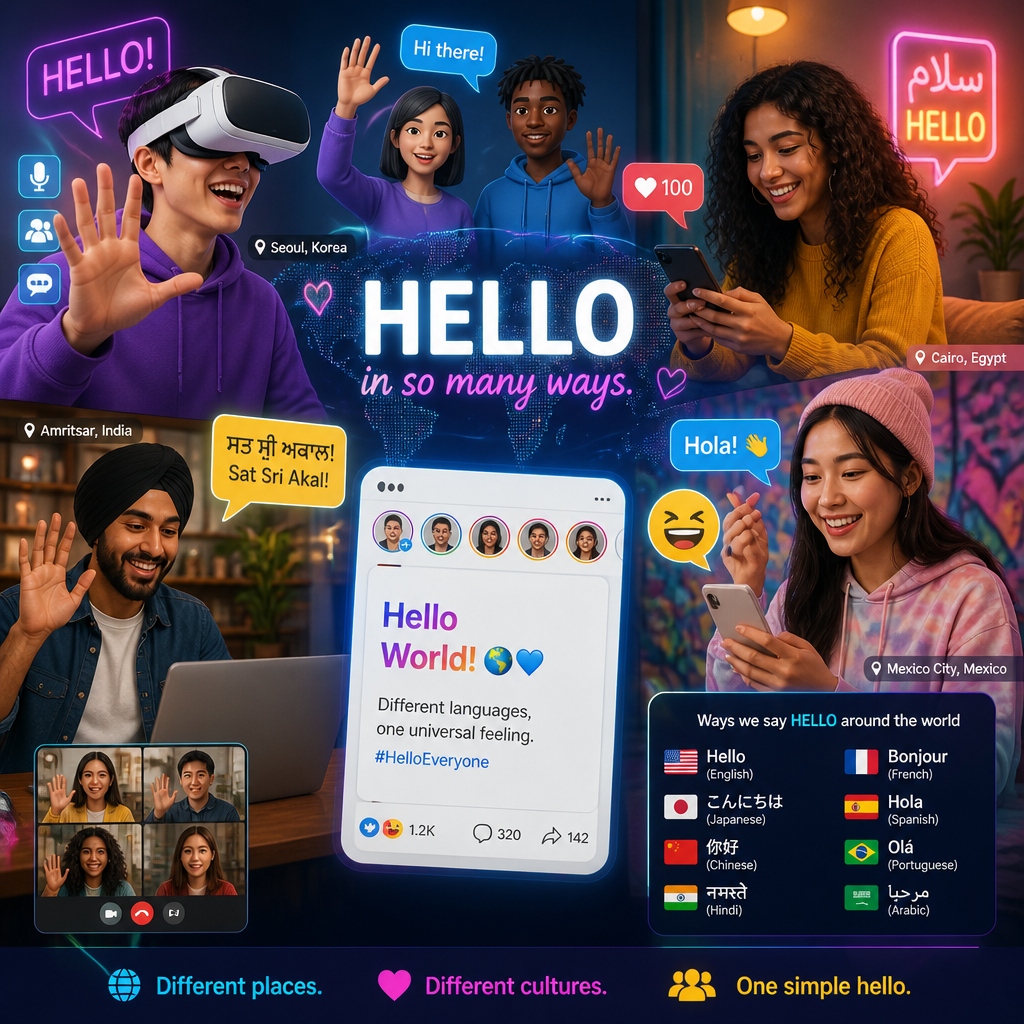
Discover innovative ways to say hello in 2026 and understand the cultural shifts around greetings. Explore how Gen Z greets and the meaning behind ‘hello’.

In 2026, the landscape of greetings has transformed dramatically—but not in a sci‑fi way where nobody speaks. It’s more practical than that: we’ve all learned that a greeting is a signal, and signals change depending on the space.
A modern “hello” answers a few questions fast:
Get those wrong and you don’t just sound “old.” You can come off weirdly intense, dismissive, or performative.
Virtual reality (VR) has become increasingly common. Imagine entering a virtual space and greeting your friends with a personalized avatar instead of a simple text message. That sounds fluffy until you’ve actually sat in a VR room and noticed how much body language comes back—head nods, hand waves, a little lean-in to show you’re listening.
And teens are equipped for it. According to research, 95% of U.S. teens have access to smartphones and are now using them for more than just texts or calls; they are embracing digital spaces for socialization (source: Ipsos).
In practice, digital hellos in 2026 often look like this:
That three-step pattern is why “hey” by itself can feel incomplete in some spaces. In a busy Discord server, “hey” is basically you walking into a party, standing in the doorway, and saying nothing else.
Social media greetings have also shifted because platforms reward motion, not formality. TikTok and Instagram normalized saying hello with:
A real example I’ve seen play out: someone joins a group chat after being quiet for a week. Instead of “sorry I’ve been MIA,” they drop a 2‑second selfie video—deadpan face, exaggerated zoom, captioned “sup, I live.” That’s the hello and the explanation, without turning the chat into a diary.
Common mistake: people copy the format but miss the relationship level. A trending-audio “hello” sent to a new coworker can land as awkward, even if it would be totally normal with friends.
Emojis have become a staple in the modern greeting lexicon, mostly because they do something plain text struggles with: they set temperature. A “hi.” can read cold. A “hi 👋” reads human.
And it’s not niche. According to a recent study, over 65% of Gen Z prefers to incorporate emojis into their greetings, emphasizing a need for expressiveness in digital communication (source: Whop).
What’s changed in 2026 isn’t just “more emojis.” It’s how they’re used:
Here’s a quick step-by-step for choosing an emoji hello that won’t backfire:
Common mistakes I see constantly:
If you’re unsure, the boring option wins: “Hey—quick question” plus a single friendly emoji.
The pandemic didn’t just change habits for a year—it rewired what people consider polite. Handshakes dropped dramatically in favor of more distant, still meaningful alternatives: nods, waves, verbal acknowledgments, elbow bumps in some circles.
According to a study, these non-contact methods are viewed as safer and more considerate; 91% of respondents noted a preference for these greetings post-pandemic (source: KENS5).
In 2026, what I notice is that non-contact greetings have become less about fear and more about consent and comfort. People are reading micro-cues:
A practical “don’t make it weird” sequence:
A mistake I’ve watched happen: someone goes in for a hug because “we’re friends online,” but the other person only knows them from comments. The fix is simple—start with distance, let warmth build.
Culture changes what “hello” costs. In some places, a greeting is a quick tap of acknowledgement. In others, it’s a small ritual—and skipping it isn’t neutral, it’s disrespect.
If you only learn one thing here, make it this: you can’t treat your default greeting as universally friendly. Friendly to you might be too direct, too casual, or too distant to someone else.
Greetings often serve as an indicator of respect and social understanding. In many African cultures, greetings are considered personal responsibilities, essential for establishing interpersonal relations. Similarly, in Asian cultures, indirect language and non-verbal cues, such as bowing or a gentle smile, convey respect and politeness (source: International Journal of Language Teaching and Education).
Western greetings, by contrast, tend to be more explicit and direct—“Hi, I’m ___,” eye contact, handshakes (depending on context). That difference matters in 2026 because global interaction is constant: remote teams, international classrooms, online communities where you don’t know where anyone is from.
Here’s a real-feeling scenario I’ve seen variations of:
A U.S.-based manager joins a video call with a mixed team and opens with, “Hey folks, let’s jump in.” Efficient. But to a teammate from a culture where greeting rituals signal respect, it can feel like being treated as a tool—no relational warm-up, no acknowledgment.
A better approach doesn’t take long. Try this step-by-step:
That’s 10 seconds and it changes the entire emotional read of the room.
Common mistakes in cross-cultural hellos:
Indigenous greetings are also seeing a resurgence. Many people are exploring the significance of their cultural roots by incorporating traditional greeting terms into daily interactions. For instance, certain communities are increasingly using their indigenous languages to express greetings, reinforcing cultural identity and connection to heritage (source: Springer).
What this looks like on the ground in 2026 isn’t usually a grand performance. It’s small and consistent:
A mini anecdote: I’ve watched a friend start using an Indigenous greeting with elders at events—at first quietly, almost like they were testing the words. The elders lit up. Not because it was perfect, but because it signaled effort and belonging. Over time, other people in the circle started copying it (carefully), and it became part of the room’s normal.
Tradeoff to be aware of: If you’re not from that culture, don’t treat Indigenous greetings like collectibles. When you use them without context, it can land as costume-y. If you’re invited to use it, great—ask pronunciation, ask when it’s appropriate, and keep it respectful.
“Hello” looks simple, but it’s doing a lot of work. Historically, it was used to attract attention (especially around early telephone use). In 2026, it’s less about grabbing attention and more about setting the terms of interaction.
When you say hello now, you’re often communicating:
“Hello” is now loaded with emotional weight. It can signify warmth, welcome, distance, flirtation, obligation—sometimes all in the same word depending on delivery.
For Gen Z, context is everything. A simple “hey” can mean “I’m open to chatting.” A “heyyy” can imply affection or teasing. “HELLO!” can be excitement—or sarcasm if it’s paired with a long silence beforehand.
A step-by-step way to read (and send) hellos more accurately:
A real example: I’ve seen friendships wobble because one person sends “hey” as a gentle opener, and the other reads it as a demand to entertain them. The fix was embarrassingly simple: add a second line. “Hey—no rush, just thought of you.” Same hello, totally different emotional impact.
Common mistake: people treat the greeting as a throwaway. In text, the greeting is the tone-setter. If you start cold, you’ll spend the rest of the conversation trying to recover warmth.
In a global context, the meaning of hello varies. In some cultures, a greeting includes asking about family or well-being, signaling deeper concern than a basic acknowledgment. In others, too many personal questions up front can feel intrusive.
In 2026, the most useful skill isn’t memorizing every greeting custom on earth. It’s having a flexible default that can adapt.
Here’s a “universal-ish” greeting pattern that travels well:
That last line is underrated. It keeps you from accidentally turning a greeting into a demand.
If you’re greeting across cultures (or even just across subcultures online), aim for clarity over cleverness. Clever hellos are fun—but clarity is what builds trust.
In conclusion, the ways we greet one another in 2026 are shaped by technology, cultural sensitivities, and personal preferences. Whether through emojis, VR, or traditional greetings, each method can be a real expression of identity—when it’s chosen with a little intention. Your next hello is a tiny design decision. Make it a good one.
Discover the top WordPress trends in 2026, including market share insights and the latest developments for beginners and experts alike. Learn how to get started!

WordPress is still the default choice for a lot of teams because it hits a rare sweet spot: content editors can run it, developers can extend it, and there’s an ecosystem for almost every business model. As noted by DreamDev Solutions, WordPress currently powers 41.2% of all websites and 59.1% of websites with a known CMS.
But what’s different in 2026 is how people are deploying it. The platform is less “a theme + some plugins” and more “a CMS component inside a bigger system.” That shift shows up in a few places.
Headless WordPress isn’t new, but in 2026 it’s mainstream for performance-sensitive sites and teams with strong front-end chops. The pattern looks like this:
Where it works:
Where it can go sideways:
A real example: I watched a team go headless because their current theme was slow. They got speed… and then spent weeks rebuilding basic stuff they used to get for free (forms, SEO fields, preview, redirects). Headless can be the right call, but it’s not a free lunch.
A lot of day-to-day WordPress work has moved into block-based site building. Even if you’re not a “block theme purist,” the direction is clear: more layout and template control inside the editor, less PHP template hacking.
If you manage multiple sites, this matters because it changes maintenance:
The mistake I see: teams hand editors full design control and then act shocked when the homepage turns into a collage of mismatched fonts and buttons. If you care about consistency, lock down patterns and give editors “safe” building blocks.
Even with blocks improving, a big chunk of sites still depend on familiar tooling. In 2026, a large segment of WordPress sites continues to rely on popular tools like Elementor (31.1% of WordPress sites) and WooCommerce (20% of WordPress sites) for building and managing content effectively.
My take: if you’re shipping fast for a small team, a builder can be a practical choice. But every builder-heavy site I’ve inherited had the same long-term tax:
If you’re building something meant to last 3–5 years, I’d rather invest in a clean block theme (or hybrid approach) and keep the plugin stack lean.
WordPress is a giant target. Recent statistics often cited by security vendors claim about 90,000 attacks per minute target WordPress sites, usually exploiting vulnerabilities in plugins or themes rather than core software flaws.
This is the part people misread. It’s not “WordPress core is insecure.” It’s “your random slider plugin from 2017 is the weakest link.” The trend in 2026 is that businesses are increasingly prioritizing security and operational efficiency, leading some to consider platforms that specialize in performance, like Webflow or Squarespace.
I don’t blame them. If your org can’t maintain updates, can’t run staging, and can’t audit plugins, a closed platform can be safer for your team. The tradeoff is flexibility and ownership.
At its core, WordPress is a flexible platform that can be used to create anything from personal blogs to complex e-commerce sites. Its extensive ecosystem — thousands of themes and plugins — supports diverse needs and functionalities.
But the real reason people use it is the workflow:
That’s why it still shows up everywhere — not because it’s trendy, but because it’s adaptable.
When someone says they’re “moving away,” they usually mean one of these:
If you keep WordPress boring (minimal plugins, decent hosting, real update process), most of those problems disappear. If you treat it like a junk drawer, you’ll eventually pay for it.
Getting started with WordPress in 2026 is easy in the “I can get a site online today” sense, but it’s still easy to make early choices that hurt later.
You can install WordPress by downloading it directly from WordPress.org or by choosing a host that offers managed WordPress services.
Here’s how I’d decide, based on what I’ve seen in real projects.
Pick managed hosting if:
Pick self-hosted if:
The common beginner mistake: choosing the cheapest hosting possible, then adding performance plugins to compensate. You can’t plugin your way out of slow disk and overloaded CPU.
This is the “less regret later” path.
If you want a hand-holding path without coding, Vision.pk offers a beginner-friendly walkthrough for creating a first site.
When it comes to downloading WordPress, you have several options:
A quick workflow that saves headaches:
Most WordPress horror stories start with “I made a quick change on the live site.”
These aren’t theoretical. I’ve cleaned up each of these more than once.
If you’re serious about learning the platform (not just clicking around), the training on Learn WordPress is legitimately useful.
WordPress is versatile enough that “use case” almost feels too small. In 2026 it’s being used as:
The trick is matching WordPress to the job — and knowing when you’re forcing it.
In 2026, blogs still thrive on WordPress, from tiny niche sites to massive publishers. Examples people commonly point to include:
If you want inspiration for layouts and niches, 20 inspiring WordPress blog examples is a solid swipe file.
What I’d pay attention to when you’re studying “examples” isn’t just the look. It’s the structure:
A quick mini-story: I once inherited a blog that looked great on desktop, but the mobile header took up half the screen and the font was tiny. Traffic was fine, but newsletter signups were terrible. We didn’t redesign the whole site — we fixed readability and reduced header height. Signups jumped noticeably in a week. That’s WordPress at its best: small changes, big impact.
For users on Windows, WordPress works perfectly well. The platform doesn’t care what OS you’re on — the practical difference is how you set up local development. If you’re building locally on Windows, be consistent with your tooling and versions.
If you want design-focused examples (not just content strategy), Really Good Designs has deep dives into successful blog designs and use cases.
Here are the WordPress use cases I’m seeing most often, plus what to watch out for.
1) Small business “money pages”
2) E-commerce with WooCommerce
WooCommerce remains a go-to for stores (again, 20% of WordPress sites is a huge footprint). WordPress + Woo works best when:
Common mistake: installing five different checkout enhancers that all hook into the same templates, then wondering why checkout breaks after updates.
3) Membership and gated content
WordPress is great for “content + paywall + email list” businesses.
Watch out for:
4) Editorial publishing with multiple authors
WordPress shines with workflows: drafts, reviews, scheduled posts, revisions.
Watch out for:
5) Headless CMS for apps
If you need WordPress as a content backend for a mobile app or SaaS dashboard, headless can be a great fit.
Watch out for:
If you’re not sure WordPress is the right tool, answer these questions:
WordPress in 2026 is still the most flexible “default CMS,” but the winning builds are the boring ones: fewer plugins, clearer workflows, better hosting, and tighter security habits.
If you’re building something new this year, start by choosing your architecture (classic vs headless), then set up your workflow (local → staging → production), then keep your plugin list on a diet. And if you want to level up fast, pick a learning track on Learn WordPress and actually ship a small site — you’ll learn more in a weekend of building than a month of reading.
Discover the top WordPress trends in 2026, including market share insights and the latest developments for beginners and experts alike. Learn how to get started!

WordPress is still the default choice for a lot of teams because it hits a rare sweet spot: content editors can run it, developers can extend it, and there’s an ecosystem for almost every business model. As noted by DreamDev Solutions, WordPress currently powers 41.2% of all websites and 59.1% of websites with a known CMS.
But what’s different in 2026 is how people are deploying it. The platform is less “a theme + some plugins” and more “a CMS component inside a bigger system.” That shift shows up in a few places.
Headless WordPress isn’t new, but in 2026 it’s mainstream for performance-sensitive sites and teams with strong front-end chops. The pattern looks like this:
Where it works:
Where it can go sideways:
A real example: I watched a team go headless because their current theme was slow. They got speed… and then spent weeks rebuilding basic stuff they used to get for free (forms, SEO fields, preview, redirects). Headless can be the right call, but it’s not a free lunch.
A lot of day-to-day WordPress work has moved into block-based site building. Even if you’re not a “block theme purist,” the direction is clear: more layout and template control inside the editor, less PHP template hacking.
If you manage multiple sites, this matters because it changes maintenance:
The mistake I see: teams hand editors full design control and then act shocked when the homepage turns into a collage of mismatched fonts and buttons. If you care about consistency, lock down patterns and give editors “safe” building blocks.
Even with blocks improving, a big chunk of sites still depend on familiar tooling. In 2026, a large segment of WordPress sites continues to rely on popular tools like Elementor (31.1% of WordPress sites) and WooCommerce (20% of WordPress sites) for building and managing content effectively.
My take: if you’re shipping fast for a small team, a builder can be a practical choice. But every builder-heavy site I’ve inherited had the same long-term tax:
If you’re building something meant to last 3–5 years, I’d rather invest in a clean block theme (or hybrid approach) and keep the plugin stack lean.
WordPress is a giant target. Recent statistics often cited by security vendors claim about 90,000 attacks per minute target WordPress sites, usually exploiting vulnerabilities in plugins or themes rather than core software flaws.
This is the part people misread. It’s not “WordPress core is insecure.” It’s “your random slider plugin from 2017 is the weakest link.” The trend in 2026 is that businesses are increasingly prioritizing security and operational efficiency, leading some to consider platforms that specialize in performance, like Webflow or Squarespace.
I don’t blame them. If your org can’t maintain updates, can’t run staging, and can’t audit plugins, a closed platform can be safer for your team. The tradeoff is flexibility and ownership.
At its core, WordPress is a flexible platform that can be used to create anything from personal blogs to complex e-commerce sites. Its extensive ecosystem — thousands of themes and plugins — supports diverse needs and functionalities.
But the real reason people use it is the workflow:
That’s why it still shows up everywhere — not because it’s trendy, but because it’s adaptable.
When someone says they’re “moving away,” they usually mean one of these:
If you keep WordPress boring (minimal plugins, decent hosting, real update process), most of those problems disappear. If you treat it like a junk drawer, you’ll eventually pay for it.
Getting started with WordPress in 2026 is easy in the “I can get a site online today” sense, but it’s still easy to make early choices that hurt later.
You can install WordPress by downloading it directly from WordPress.org or by choosing a host that offers managed WordPress services.
Here’s how I’d decide, based on what I’ve seen in real projects.
Pick managed hosting if:
Pick self-hosted if:
The common beginner mistake: choosing the cheapest hosting possible, then adding performance plugins to compensate. You can’t plugin your way out of slow disk and overloaded CPU.
This is the “less regret later” path.
If you want a hand-holding path without coding, Vision.pk offers a beginner-friendly walkthrough for creating a first site.
When it comes to downloading WordPress, you have several options:
A quick workflow that saves headaches:
Most WordPress horror stories start with “I made a quick change on the live site.”
These aren’t theoretical. I’ve cleaned up each of these more than once.
If you’re serious about learning the platform (not just clicking around), the training on Learn WordPress is legitimately useful.
WordPress is versatile enough that “use case” almost feels too small. In 2026 it’s being used as:
The trick is matching WordPress to the job — and knowing when you’re forcing it.
In 2026, blogs still thrive on WordPress, from tiny niche sites to massive publishers. Examples people commonly point to include:
If you want inspiration for layouts and niches, 20 inspiring WordPress blog examples is a solid swipe file.
What I’d pay attention to when you’re studying “examples” isn’t just the look. It’s the structure:
A quick mini-story: I once inherited a blog that looked great on desktop, but the mobile header took up half the screen and the font was tiny. Traffic was fine, but newsletter signups were terrible. We didn’t redesign the whole site — we fixed readability and reduced header height. Signups jumped noticeably in a week. That’s WordPress at its best: small changes, big impact.
For users on Windows, WordPress works perfectly well. The platform doesn’t care what OS you’re on — the practical difference is how you set up local development. If you’re building locally on Windows, be consistent with your tooling and versions.
If you want design-focused examples (not just content strategy), Really Good Designs has deep dives into successful blog designs and use cases.
Here are the WordPress use cases I’m seeing most often, plus what to watch out for.
1) Small business “money pages”
2) E-commerce with WooCommerce
WooCommerce remains a go-to for stores (again, 20% of WordPress sites is a huge footprint). WordPress + Woo works best when:
Common mistake: installing five different checkout enhancers that all hook into the same templates, then wondering why checkout breaks after updates.
3) Membership and gated content
WordPress is great for “content + paywall + email list” businesses.
Watch out for:
4) Editorial publishing with multiple authors
WordPress shines with workflows: drafts, reviews, scheduled posts, revisions.
Watch out for:
5) Headless CMS for apps
If you need WordPress as a content backend for a mobile app or SaaS dashboard, headless can be a great fit.
Watch out for:
If you’re not sure WordPress is the right tool, answer these questions:
WordPress in 2026 is still the most flexible “default CMS,” but the winning builds are the boring ones: fewer plugins, clearer workflows, better hosting, and tighter security habits.
If you’re building something new this year, start by choosing your architecture (classic vs headless), then set up your workflow (local → staging → production), then keep your plugin list on a diet. And if you want to level up fast, pick a learning track on Learn WordPress and actually ship a small site — you’ll learn more in a weekend of building than a month of reading.
Discover innovative ways to say hello in 2026 and understand the cultural shifts around greetings. Explore how Gen Z greets and the meaning behind ‘hello’.

In 2026, the landscape of greetings has transformed dramatically—but not in a sci‑fi way where nobody speaks. It’s more practical than that: we’ve all learned that a greeting is a signal, and signals change depending on the space.
A modern “hello” answers a few questions fast:
Get those wrong and you don’t just sound “old.” You can come off weirdly intense, dismissive, or performative.
Virtual reality (VR) has become increasingly common. Imagine entering a virtual space and greeting your friends with a personalized avatar instead of a simple text message. That sounds fluffy until you’ve actually sat in a VR room and noticed how much body language comes back—head nods, hand waves, a little lean-in to show you’re listening.
And teens are equipped for it. According to research, 95% of U.S. teens have access to smartphones and are now using them for more than just texts or calls; they are embracing digital spaces for socialization (source: Ipsos).
In practice, digital hellos in 2026 often look like this:
That three-step pattern is why “hey” by itself can feel incomplete in some spaces. In a busy Discord server, “hey” is basically you walking into a party, standing in the doorway, and saying nothing else.
Social media greetings have also shifted because platforms reward motion, not formality. TikTok and Instagram normalized saying hello with:
A real example I’ve seen play out: someone joins a group chat after being quiet for a week. Instead of “sorry I’ve been MIA,” they drop a 2‑second selfie video—deadpan face, exaggerated zoom, captioned “sup, I live.” That’s the hello and the explanation, without turning the chat into a diary.
Common mistake: people copy the format but miss the relationship level. A trending-audio “hello” sent to a new coworker can land as awkward, even if it would be totally normal with friends.
Emojis have become a staple in the modern greeting lexicon, mostly because they do something plain text struggles with: they set temperature. A “hi.” can read cold. A “hi 👋” reads human.
And it’s not niche. According to a recent study, over 65% of Gen Z prefers to incorporate emojis into their greetings, emphasizing a need for expressiveness in digital communication (source: Whop).
What’s changed in 2026 isn’t just “more emojis.” It’s how they’re used:
Here’s a quick step-by-step for choosing an emoji hello that won’t backfire:
Common mistakes I see constantly:
If you’re unsure, the boring option wins: “Hey—quick question” plus a single friendly emoji.
The pandemic didn’t just change habits for a year—it rewired what people consider polite. Handshakes dropped dramatically in favor of more distant, still meaningful alternatives: nods, waves, verbal acknowledgments, elbow bumps in some circles.
According to a study, these non-contact methods are viewed as safer and more considerate; 91% of respondents noted a preference for these greetings post-pandemic (source: KENS5).
In 2026, what I notice is that non-contact greetings have become less about fear and more about consent and comfort. People are reading micro-cues:
A practical “don’t make it weird” sequence:
A mistake I’ve watched happen: someone goes in for a hug because “we’re friends online,” but the other person only knows them from comments. The fix is simple—start with distance, let warmth build.
Culture changes what “hello” costs. In some places, a greeting is a quick tap of acknowledgement. In others, it’s a small ritual—and skipping it isn’t neutral, it’s disrespect.
If you only learn one thing here, make it this: you can’t treat your default greeting as universally friendly. Friendly to you might be too direct, too casual, or too distant to someone else.
Greetings often serve as an indicator of respect and social understanding. In many African cultures, greetings are considered personal responsibilities, essential for establishing interpersonal relations. Similarly, in Asian cultures, indirect language and non-verbal cues, such as bowing or a gentle smile, convey respect and politeness (source: International Journal of Language Teaching and Education).
Western greetings, by contrast, tend to be more explicit and direct—“Hi, I’m ___,” eye contact, handshakes (depending on context). That difference matters in 2026 because global interaction is constant: remote teams, international classrooms, online communities where you don’t know where anyone is from.
Here’s a real-feeling scenario I’ve seen variations of:
A U.S.-based manager joins a video call with a mixed team and opens with, “Hey folks, let’s jump in.” Efficient. But to a teammate from a culture where greeting rituals signal respect, it can feel like being treated as a tool—no relational warm-up, no acknowledgment.
A better approach doesn’t take long. Try this step-by-step:
That’s 10 seconds and it changes the entire emotional read of the room.
Common mistakes in cross-cultural hellos:
Indigenous greetings are also seeing a resurgence. Many people are exploring the significance of their cultural roots by incorporating traditional greeting terms into daily interactions. For instance, certain communities are increasingly using their indigenous languages to express greetings, reinforcing cultural identity and connection to heritage (source: Springer).
What this looks like on the ground in 2026 isn’t usually a grand performance. It’s small and consistent:
A mini anecdote: I’ve watched a friend start using an Indigenous greeting with elders at events—at first quietly, almost like they were testing the words. The elders lit up. Not because it was perfect, but because it signaled effort and belonging. Over time, other people in the circle started copying it (carefully), and it became part of the room’s normal.
Tradeoff to be aware of: If you’re not from that culture, don’t treat Indigenous greetings like collectibles. When you use them without context, it can land as costume-y. If you’re invited to use it, great—ask pronunciation, ask when it’s appropriate, and keep it respectful.
“Hello” looks simple, but it’s doing a lot of work. Historically, it was used to attract attention (especially around early telephone use). In 2026, it’s less about grabbing attention and more about setting the terms of interaction.
When you say hello now, you’re often communicating:
“Hello” is now loaded with emotional weight. It can signify warmth, welcome, distance, flirtation, obligation—sometimes all in the same word depending on delivery.
For Gen Z, context is everything. A simple “hey” can mean “I’m open to chatting.” A “heyyy” can imply affection or teasing. “HELLO!” can be excitement—or sarcasm if it’s paired with a long silence beforehand.
A step-by-step way to read (and send) hellos more accurately:
A real example: I’ve seen friendships wobble because one person sends “hey” as a gentle opener, and the other reads it as a demand to entertain them. The fix was embarrassingly simple: add a second line. “Hey—no rush, just thought of you.” Same hello, totally different emotional impact.
Common mistake: people treat the greeting as a throwaway. In text, the greeting is the tone-setter. If you start cold, you’ll spend the rest of the conversation trying to recover warmth.
In a global context, the meaning of hello varies. In some cultures, a greeting includes asking about family or well-being, signaling deeper concern than a basic acknowledgment. In others, too many personal questions up front can feel intrusive.
In 2026, the most useful skill isn’t memorizing every greeting custom on earth. It’s having a flexible default that can adapt.
Here’s a “universal-ish” greeting pattern that travels well:
That last line is underrated. It keeps you from accidentally turning a greeting into a demand.
If you’re greeting across cultures (or even just across subcultures online), aim for clarity over cleverness. Clever hellos are fun—but clarity is what builds trust.
In conclusion, the ways we greet one another in 2026 are shaped by technology, cultural sensitivities, and personal preferences. Whether through emojis, VR, or traditional greetings, each method can be a real expression of identity—when it’s chosen with a little intention. Your next hello is a tiny design decision. Make it a good one.
Explore the top email marketing platforms for 2026. Compare features, pricing, and integrations to find the best fit for your business.

Most “email platform comparisons” pretend you’re choosing between identical tools with slightly different dashboards. That’s not real life.
In 2026, the biggest differences show up in three places:
Below is how these platforms play out when you’re sending weekly campaigns, running automations, cleaning lists, and dealing with the inevitable “why did revenue dip?” fire drill.
Klaviyo is still the default choice for serious eCommerce—especially Shopify stores—because it treats customer behavior like first-class data.
What I like (and why it wins for stores):
Tradeoffs (the part people discover late):
A real example I’ve seen more than once: a Shopify brand migrated from a cheaper tool to Klaviyo because “we need better automation.” They imported every contact they’d ever collected, including a bunch of dead leads from giveaways. Deliverability took a hit, costs jumped, and the team blamed Klaviyo.
The fix was boring but effective:
Common mistake: treating Klaviyo like Mailchimp—just blasting campaigns and ignoring segments. That’s leaving money on the table.
Mailchimp is still here, still capable, and still a common starting point—mostly because it’s familiar.
Where it works:
Where it starts to hurt:
If you’re on Mailchimp in 2026, my opinionated advice is: keep it only if you’re doing straightforward newsletter + a couple basic automations. Once you’re trying to do lifecycle marketing (especially for eCommerce), you’ll probably feel constrained.
Common mistake: people build three separate lists—“newsletter,” “customers,” “leads”—then can’t segment properly and wonder why reporting is nonsense. If you stay on Mailchimp, fight hard to keep one audience and segment/tag inside it.
ActiveCampaign is what I pick when a business is process-heavy—sales calls, demos, onboarding, renewals—where email is tied to a pipeline.
What it’s great at:
What I watch out for:
Step-by-step: how I’d start in ActiveCampaign (without creating chaos):
Common mistake: turning on lead scoring day one, then trusting it like gospel. Scoring needs calibration. I only trust it after I’ve compared scores to real outcomes (calls booked, deals closed) for at least a month.
Brevo is a practical pick if you want email plus SMS in one place without paying a premium. I’ve used it in setups where the business needed quick, consistent messaging across channels—but didn’t want an enterprise platform.
Where Brevo shines:
Where you need to be careful:
A mistake I’ve watched: a salon started sending SMS promos weekly because “open rates are insane.” They got results for a month, then cancellations ticked up and Google reviews got spicy.
How I’d do it instead:
GetResponse is the “all-in-one marketing toolbox” that’s particularly handy if you want landing pages + email automation under one roof.
What I like:
Where it can fall short:
Practical approach that works:
Common mistake: launching five landing pages at once, then not sending enough traffic to learn anything.
Free plans are useful—but only if they match your reality: list growth, sending frequency, and whether you need automations that do more than “send email #2 two days later.”
The way I judge free tiers:
Here are the free options I’d actually consider in 2026, plus how I’d use them without painting myself into a corner.
MailerLite is one of the best “clean and simple” platforms—especially if you’re building a newsletter, a small content brand, or a service business list.
The free plan is attractive because it covers a real starter phase: up to 1,000 subscribers and 12,000 emails/month. That’s enough to send a weekly newsletter (4,000 sends/month) plus a small welcome sequence.
How I’d set it up in the first 60 minutes (practical, not theoretical):
A persona anecdote: I helped a solo web designer who’d been posting on LinkedIn for years but never captured emails. We set up MailerLite with a single “Website Launch Checklist” lead magnet and a welcome series that asked one question: “What are you building?” She started getting replies she could turn into paid consults. Not “scale,” just steady work. The tool didn’t do the magic—the system did.
Common mistakes with MailerLite:
Sender’s free tier is surprisingly generous: up to 15,000 emails to 2,500 subscribers monthly. That’s a lot of runway if you’re disciplined.
Who it fits:
A step-by-step use case (what I’d do if I were starting a small store):
Common mistakes:
Brevo’s free plan includes unlimited contacts and up to 300 emails per day. That daily cap matters: if you have 5,000 subscribers, you can’t blast them all at once. But for nurturing leads over time, it can work.
Where I’d use Brevo free:
A real-feeling mini story: a local HVAC company I worked with didn’t need fancy segmentation—they needed consistent follow-up. We used Brevo to send a seasonal maintenance reminder sequence (spring + fall) and a “what to expect” onboarding email after booking. That alone cut down on no-shows and reduced phone calls asking the same questions. Not glamorous. Very profitable.
Step-by-step: how to make the daily cap not hurt you:
Common mistakes:
Small businesses don’t need “the most powerful” platform. They need the platform they’ll actually use every week.
My decision filter for small business owners is blunt:
Here are the ones that tend to fit small teams without turning email into a part-time job.
HubSpot is the pick when you want email marketing tightly connected to a CRM—especially if you have a sales process (inquiries, quotes, follow-ups).
Why small businesses like it:
Where it can bite:
Step-by-step: a simple HubSpot setup that actually makes money:
Common mistake: importing a messy contact list with no properties set, then wondering why personalization and segmentation are useless. Garbage in, garbage out.
Moosend is a solid “small business workhorse” platform: competitive pricing, good automation, and analytics that are actionable.
What I like:
A practical example: a small online course business used Moosend to replace a patchwork setup (forms in one tool, emails in another). We built:
Then we added a simple behavior branch: if someone clicked the pricing link twice, they got a “reply with questions” email. That single change increased consult calls. How I know: we tracked link clicks and booked calls for six weeks.
Common mistakes:
Mailjet is a good option for small teams because it’s collaborative and doesn’t try to be everything.
Where it shines:
Where it’s not the best:
Step-by-step: how a small team can avoid Mailjet chaos:
Common mistake: letting too many people “just hop in” and edit—suddenly you’ve got three fonts and a footer from 2019.
Choosing an email marketing platform in 2026 comes down to this: pick the tool that matches your data and your actual workflow, not the one that looks best in a feature checklist.
If you want my biased, real-world pairing:
Before you commit, do this quick 45-minute test (it saves you weeks of regret):
The most expensive platform isn’t the one with the highest monthly bill. It’s the one you stop using because it’s a pain—or the one that quietly forces bad habits (like blasting unsegmented lists until deliverability collapses).
If you want deeper feature-by-feature details and more direct comparisons, use these as your next tabs: Email Marketing Platforms Comparison 2026 and Top Email Marketing Platforms for 2026. And if you’re building out the rest of your marketing stack, I’ve also referenced Top 10 Content Writing Tools for 2026 and Top WordPress CMS Integrations for 2026 when teams ask, “Okay—how do we connect all this without losing our minds?”
Pick one platform, ship one solid system, then iterate. That’s the whole game.
Discover essential cat care tips and guidelines for new cat owners in 2026. Learn about cat health, behavior, and care for a happy feline.


When it comes to your domestic cat, I’m biased toward boring, repeatable routines. Cats do better when they can predict their world. You don’t need to “spoil” them—you need to remove friction: the wrong bowl, the wrong box location, the wrong feeding schedule, the wrong kind of play.
Below is what I’d focus on in the first month. Not because it’s cute. Because it prevents the most common “new cat owner” problems I see.
Food is the cornerstone of your cat’s health—and also the fastest way to accidentally create a picky eater.
Cats are obligate carnivores, meaning they require a diet rich in meat. Practically, here’s how I’d choose food without overthinking it:
Real-world note: I once watched a friend “solve” a picky-cat issue by constantly offering new treats. Within two weeks, the cat refused regular meals and held out for snacks. We fixed it by setting meal windows (15–20 minutes), removing leftovers, and cutting treats down to training moments only. It took about 5 days for the cat to stop negotiating.
Routine veterinary visits are the unglamorous superpower of cat ownership. Cats are masters at looking “fine” until they’re not.
It’s recommended that you:
What I’d do in week one:
Common mistake: waiting until a behavior change becomes dramatic. “He’s just not eating as much” can slide into “he hasn’t eaten in two days,” and that’s where costs and stress explode.
Yes, cats groom themselves. No, they’re not always good at it—especially long-haired cats, older cats, anxious cats, and overweight cats.
A trick that actually works: keep the brush out in the open near the couch. If it’s hidden in a drawer, it won’t happen. If it’s right there, you’ll do 30 seconds while watching a show, and your cat will learn it’s just part of the vibe.
Litter issues are the #1 way people end up panicking, blaming the cat, or (worst case) considering rehoming. Most of the time it’s not “spite.” It’s comfort, cleanliness, stress, or medical.
Step-by-step: the setup I use
Common mistakes I see all the time:
If your cat is “being bad,” they’re usually being bored. Cats are predators with a strong hunt/play cycle, even indoors.
My 10-minute daily play formula (works for most cats):
Tiny but important safety note: laser pointers are fine if you end with a physical toy/treat. Otherwise some cats get frustrated because they never “catch” anything.
Hydration is crucial, but many cats don’t drink enough water. You can help without obsessing.
What I’ve seen work in real homes:
As a responsible owner, you should be aware of common health signs. Cats change small first.
A simple weekly “cat check” (2 minutes):
If something feels “off,” don’t wait for it to become a crisis. Call your vet, describe what you’re seeing, and ask what thresholds mean “come in now.”
Understanding your cat’s behavior is how you stop guessing and start responding. Cats aren’t tiny dogs. They’re social, but often on their own terms, and their communication is subtle.
The best new-owner skill isn’t buying gear. It’s pattern recognition: what your cat does when relaxed, what they do when stressed, and what changes when something hurts.
Cats have a variety of vocalizations, each with specific meanings. Here’s what some of them indicate:
For more details on what each sound means, check out this guide on cat sounds.
How I use this in real life: I listen for change, not the absolute sound. A normally quiet cat who starts yowling at night? That’s a flag. A cat who purrs while hiding and refusing food? Also a flag. The sound alone isn’t the diagnosis—the situation is.
A cat’s body language can tell you a lot about how they’re feeling. If you learn only a few signals, make them these:
Common misunderstanding: a belly-up cat isn’t always asking for belly rubs. Sometimes it’s trust, sometimes it’s “I can defend myself from here.” If you go in and get bunny-kicked, that’s not your cat being mean—that’s you missing the signal.
Stress can significantly impact a cat’s health and behavior. It can also look like “random” problems—peeing outside the box, over-grooming, aggression, appetite changes.
Look out for:
A practical stress-reduction plan (especially for new homes):
I’ve seen cats transform in 72 hours when owners stop “trying to socialize” with constant attention and instead give structure + space.
As difficult as it is, being aware of your cat’s potential end-of-life signs can prepare you for necessary decisions. Some signs include:
For more details on recognizing these signs, refer to this article about 11 signs your cat may be nearing the end of their life.
A gentle but firm note: if you suspect serious decline, don’t let fear of “overreacting” stop you from calling the vet. Even when the outcome is hard, having guidance (and pain control) is a gift to your cat.
Being a new cat owner in 2026 is a mix of joy and “what on earth does this mean?”—and that’s normal. The win isn’t perfection. It’s building a steady baseline: good food, clean litter, enough water, daily play, and a home that feels safe. Do that, and most cats settle in beautifully.
Here’s the part people don’t tell you: the first month is mostly systems, not cuddles. You’re teaching your cat where the bathroom is, what time food arrives, which hands are gentle, and which rooms are theirs. If you treat that like onboarding (calm, consistent, one change at a time), you’ll prevent a lot of the classic issues.
A friend adopted a shy adult cat who hid under the bed for days. They kept pulling the cat out to “help her get used to us.” The cat started skipping the litter box and only eating at night.
We changed three things:
By day four, the cat was using the box normally. By day seven, she was head-butting for attention. Nothing magical—just less pressure and better setup.
If you want a simple plan you can actually follow, do this:
If you’re new to this, your next step is simple: pick one area to improve today—food, litter, water, or play—and tighten it up. Your cat will tell you pretty quickly when you got it right.
Prepare for the SAT changes in 2026 with effective strategies. Understand the impact of test speed and digital format.

The SAT is evolving, and that means your prep has to evolve too. Starting in 2026, the SAT will be fully digital. That changes how students take the test (screen, tools, navigation) and how they should practice (timed modules, digital stamina, fewer “paper habits”).
Here’s my stance after watching students go through digital testing transitions: content knowledge still matters most, but execution mistakes multiply on a screen. Little delays—scrolling, mis-clicks, toggling tools, a moment of WiFi wobble—stack up. And when students feel rushed, they start guessing early, skipping steps in math, or rereading passages they’d normally handle fine.
So yes, we’re going to talk about reading, math, and practice tests. But we’re also going to talk about internet speed, device reliability, and building a repeatable test-day routine.
As the SAT moves to a digital format, a reliable internet connection becomes part of the score equation—not because students need blazing speed to be “smart,” but because interruptions break focus and steal minutes.
Conduct an internet speed test using a platform such as Ookla Speedtest. Don’t do it once and call it a day. Do it like you’re checking the weather before a trip.
To prepare for the SAT, students should:
One quick story: I worked with a student who consistently scored higher at school than at home on digital practice. Content-wise, nothing changed. The difference was that at home the WiFi stuttered just enough that she’d second-guess herself (“did it save?” “did it load?”). We moved her practice sessions to a hardwired connection and her scores stabilized within two weeks. Same kid. Same ability. Different tech stress.
Using the Ookla Speed Test, students can measure download speed, upload speed, and latency. In digital testing, latency is the quiet troublemaker—high latency can make simple actions feel sticky, which nudges students to rush or lose rhythm.
What makes a good internet speed for testing?
A practical way to use this:
Before test day, test the actual WiFi the student will use. Running a speed test WiFi isn’t about chasing perfect numbers—it’s about consistency.
Here are optimizations that actually help (and aren’t overly technical):
If you’re a parent, this is one of the highest-leverage ways to help without hovering over homework. You can’t learn algebra for them, but you can make sure their testing environment doesn’t sabotage them.
Make it routine to run speed tests before full-length digital practice. The goal isn’t to obsess—it’s to reduce surprises.
A simple habit I like:
This also teaches students a useful life skill: control what you can control. When kids feel prepared on the “logistics” side, they often take more ownership of the academic side.
Aside from testing speeds, students need to understand what the new digital SAT demands.
Key changes include:
A detail I wish more families understood: a shorter test can actually make students more frantic. On long paper exams, some kids settle in after 20 minutes. On a compact digital test, there’s less “warm-up runway.” You want the student comfortable from minute one.
Adaptive testing rewards consistency. You can’t treat the first module like a throwaway.
What I coach students to do:
Calculator-everywhere is convenient, but it tempts students into using it for arithmetic they can do faster mentally.
A practical rule of thumb:
I’ve seen students burn 2–3 minutes per module just by “calculator-fidgeting.” Over the whole test, that’s the difference between finishing and blind-guessing the last few.
If you want the 2026 SAT to feel normal, your practice has to look like it.
Here’s what “matched practice” means in real life:
One mistake I see constantly: families do a ton of question drills but avoid full-length practice because it’s inconvenient. Then test day becomes the first time the student has to sustain focus for the full stretch. The content isn’t the problem—stamina is.
A better approach is smaller but consistent:
This is the unglamorous part, but it’s where preventable disasters live.
What I’d have ready 48 hours before:
And for students: practice one “mini routine” before every timed session—open the app, settle in, deep breath, start. The goal is to train the brain: this is familiar.
Preparing for the SAT in 2026 isn’t just about solving harder problems. It’s about showing up with the digital format feeling ordinary and the internet side handled.
Run regular speed checks, tighten up your WiFi setup, and practice in a way that matches the real experience. When the logistics stop being a question mark, students can spend their energy where it belongs—on getting the questions right.
Pick one thing today: run a speed test, schedule a realistic full-length practice, or set up the testing workspace. Then repeat it until it’s boring.