Blog

  • 10 Email Marketing Tips for 2026 Success

    10 Email Marketing Tips for 2026 Success

    Discover 10 essential tips for successful email marketing in 2026. Learn how to enhance engagement and boost conversions today!

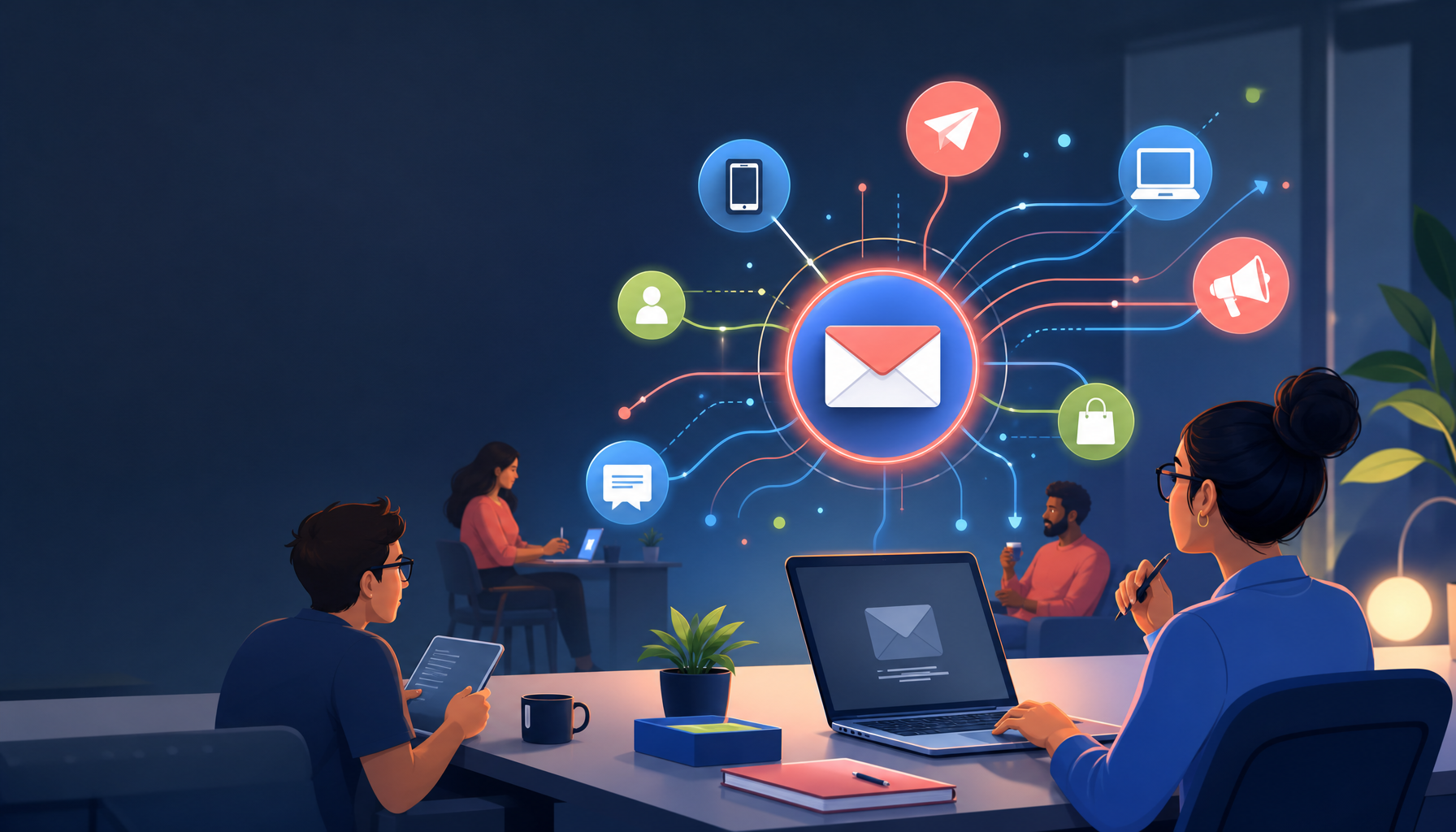
    Featured image for 10 Essential Email Marketing Tips for 2026 Success

    10 Essential Email Marketing Tips for Success in 2026

    digital marketing

    Email marketing still prints money in 2026—if you treat it like a system, not a one-off campaign. The common thread behind the tips below: relevance (to the reader) and reliability (for inbox placement).

    1. Focus on Personalization

    new img

    Personalization isn’t just sprinkling in a first name. It’s matching message, timing, and offer to what someone actually did (or didn’t do) and what they’re likely to need next.

    Emails that are personalized can see significantly higher open and click-through rates. According to recent statistics, personalized email campaigns generate 6x higher transaction rates than non-personalized ones (Digital Applied). That lines up with what I see in real accounts: when the email feels “meant for me,” people click without thinking.

    A simple way to level up fast:

    • Behavior-based recommendations: “You bought X, so here’s the accessory people usually grab next.”
    • Category interest: track what they browse and send one focused email per category, not a department-store flyer.
    • Local/context personalization: time zone, store location, seasonality.

    One mistake I’ve had to clean up more than once: a brand merges lists, maps fields incorrectly, and suddenly half the list gets “Hi ,” or the wrong product recommendations. So, before you go wild, audit your merge tags and test with real records.

    To dive deeper into personalization strategies, check out how to personalize your emails for better engagement in 2026.

    2. Segment Your Email List

    Segmentation is where “email marketing” turns into “email sales.” Instead of one message for everyone, you create a few lanes—and you stop annoying people who were never going to buy that thing.

    By segmenting your email list based on demographics, past purchases, or engagement level, you can send targeted messages that are much more relevant to the recipient. This strategy has been shown to drive 760% more revenue than non-segmented blasts (Digital Applied).

    If you’re not sure how to segment without overthinking it, start with four practical buckets:

    • New (0–14 days since signup): education + one clear “next step” offer.
    • Active (opens/clicks in last 30–60 days): your core promos and product drops.
    • At-risk (no engagement 60–120 days): lighter cadence, more “why stay” value.
    • VIP (repeat buyers/high AOV): early access, bundles, and human-sounding check-ins.

    Segmentation also protects deliverability. Since disengaged recipients drag down reputation, keeping them out of your main sends often lifts results across the board.

    3. Leverage AI for Better Performance

    AI is useful when it reduces busywork and improves decisions. It’s not magic, and it’s definitely not a license to ship bland, auto-written copy.

    Artificial Intelligence is transforming email marketing by enhancing personalization, optimizing send times, and automating responses. Tools that utilize AI can help you create effective subject lines and improve your email content. Leveraging AI can lead to a 26% increase in open rates compared to traditional methods (Digital Applied).

    Where I’d use AI in 2026:

    • Subject line and preheader variations: generate 10, pick 3, then A/B test.
    • Send-time optimization: especially for global lists where “9am” means nothing.
    • Routing + tagging: auto-label intent (pricing-page clickers, webinar watchers).

    Where I’m cautious:

    • Fully AI-written “brand voice”. It often reads like warmed-over oatmeal, and people feel that.

    If you want the bigger picture, this piece on AI email transformation is a solid jump-off.

    4. Monitor Performance Metrics

    Open rate is increasingly fuzzy, so you need a broader dashboard that ties back to real outcomes.

    In 2026, traditional metrics like open rates are losing relevance. Instead, focus on metrics such as inbox placement rates, click-through rates, and revenue per recipient. Understanding these metrics provides a clearer view of your campaign’s effectiveness and guides necessary adjustments.

    Here’s what I actually look at when diagnosing a struggling program:

    • Inbox placement rate: if this drops, nothing else matters.
    • Click-to-open rate (CTOR): tells you if the content matches the promise.
    • Revenue per recipient: keeps you honest, especially during promo-heavy months.
    • Unsub + complaint rate by segment: often the “problem” is one segment getting the wrong email.

    A quick mini-story: I once saw a team celebrate a high open rate spike—then refunds spiked too. The subject line overpromised, the landing page underdelivered, and support got crushed. So, track revenue and downstream pain.

    5. Prioritize Mobile Email Optimization

    Mobile optimization is not optional; it’s the default state of email consumption now.

    With approximately 60% of emails being opened on mobile devices, ensuring that your emails are mobile-friendly is essential (Digital Applied).

    Practical mobile rules I follow:

    • Single-column layout and generous line spacing.
    • One primary CTA above the fold (two max, if you must).
    • Big tap targets (thumb-friendly buttons, not tiny text links).
    • Shorter subject lines: many phones cut after ~35–45 characters.

    Also, test on a real device. I’ve seen “responsive” templates that technically shrink, yet the CTA ends up below three screens of text. On desktop it looked beautiful; on an iPhone it died.

    6. Invest in Quality Content

    If your emails are all promos, you’re training people to ignore you until there’s a discount. So, mix value and selling on purpose.

    Your content should provide value to your audience. Whether you are sharing tips, promotional offers, or news, ensure that it is relevant and engaging. High-quality content fosters customer loyalty and encourages subscribers to stay engaged with your emails.

    A few content formats that consistently earn clicks:

    • “One problem, one fix” emails: quick wins convert.
    • Behind-the-scenes: how the product is made, why you changed a feature, what’s coming.
    • Customer examples: a short story + what they did + the result (keep it believable).

    For instance, a well-written newsletter can keep your audience informed and interested in your brand, driving repeat visits to your site. For more on content strategies, explore the top content generation strategies for 2026.

    7. Implement Lifecycle Marketing

    Lifecycle marketing is how you stop relying on constant promotions. You set up emails that show up at the right moments, then you refine them over time.

    Lifecycle marketing involves sending timely emails based on consumer interactions and milestones. For example, welcome emails, anniversary promotions, and re-engagement campaigns can significantly boost customer retention.

    A lifecycle setup I like for most small businesses:

    • Welcome series (3–5 emails): set expectations, tell your “why,” then make a focused offer.
    • Post-purchase series: how to use it, how to avoid common mistakes, and what to buy next.
    • Browse/cart abandon: keep it short, add friction-reducers (shipping, returns, sizing).
    • Reactivation: one “we miss you,” then a preference center or a clean unsubscribe.

    This approach ensures that your communications are timely and relevant, enhancing customer experience. Also, it makes your weekly calendar less chaotic because revenue isn’t only coming from “whatever we send on Friday.”

    8. Be Compliant with Privacy Regulations

    Compliance is boring until it isn’t—then it’s expensive and stressful.

    As privacy laws become more stringent, ensuring compliance is paramount. This includes obtaining explicit consent before sending emails and providing easy opt-out options. Failure to comply can lead to damaging consequences for your brand’s reputation. Familiarize yourself with regulations such as GDPR and CAN-SPAM to stay compliant.

    Two practical habits that save headaches:

    • Keep proof of consent (source, timestamp, form version). You’ll thank yourself later.
    • Use double opt-in when list quality matters more than list size (it usually does).

    And don’t hide the unsubscribe. Besides being required, a clean opt-out is better than spam complaints—which can damage inboxing for everyone.

    9. Optimize Sending Times

    Sending time is a lever, but it’s not the lever. Relevance beats timing almost every time.

    Understanding when your audience is most likely to engage with your emails can improve your open rates. Experiment with different sending times and analyze which times yield the best results. Tools that provide insights into user behavior can help determine optimal sending windows.

    How I’d test this without making it a science project:

    • Pick two time windows (for example, Tue 10am vs Thu 3pm).
    • Run the test for at least 4–6 sends, because one email is noise.
    • Measure clicks and revenue per recipient, not just opens.

    If you sell B2B, mornings often work because people triage email early. If you’re ecom, evenings and weekends can surprise you—especially for hobby or lifestyle products. But again, it depends on your audience, so test and keep receipts.

    10. Utilize Email Marketing Tools

    Good tools won’t fix a bad strategy, but they absolutely make a good strategy easier to execute.

    To maximize your email marketing success, using reliable tools is essential. Platforms that offer automation, analytics, and A/B testing options help streamline your campaigns. Check out the best email marketing tools of 2026 to find the right fit for your business.

    When I’m evaluating a platform, I look for:

    • Automation builder that doesn’t feel like wiring a spaceship.
    • Deliverability controls (domain authentication prompts, suppression lists).
    • Segmentation that’s actually usable (behavior + purchase + engagement).
    • A/B testing that supports more than subject lines.

    If you’re still shopping, compare options in top email marketing platforms for 2026, and then sanity-check features in this email marketing platforms comparison. I also keep this shortlist bookmarked: top email marketing platforms 2026.


    Understanding Email Marketing: Types, Costs, and Careers

    If you understand the “why” behind each email type—and what it costs to run the channel—you’ll make better decisions than someone chasing random tactics.

    What Are the 4 Types of Email Marketing?

    1. Newsletter Emails: Regular updates that offer valuable content to subscribers, maintaining engagement.

    A newsletter works best when it has a repeatable structure. For example: one insight, one link, one offer. Since consistency matters, I’d rather see a monthly newsletter shipped on time than a weekly one that collapses after three weeks.

    1. Promotional Emails: Emails aimed at driving sales through special offers, discounts, or events.

    Promos aren’t the enemy. The problem is constant promos with no differentiation. So, rotate angles—new arrivals, bundles, limited inventory, seasonal use-cases—then keep the CTA obvious.

    1. Transactional Emails: Automated emails triggered by specific actions, such as purchase confirmations or shipping notifications.

    These get insane engagement, which means they’re a great place to add helpful info: setup instructions, support links, referral prompts, and a soft cross-sell that doesn’t derail the main purpose.

    1. Lifecycle Emails: Emails tailored to specific stages in the customer journey, enhancing engagement based on user behavior.

    Lifecycle is where strategy lives. It’s also where you can support a bigger plan, like a winning digital marketing strategy for 2026—email should amplify the rest of your marketing, not operate on an island.

    How Much Is a 1000 Email List Worth?

    The value of your email list can vary based on your industry and how effectively you engage with subscribers. On average, an email subscriber is worth approximately $36 to $42 per dollar spent on email marketing (Digital Applied). This means a list of 1,000 engaged subscribers could potentially generate significant revenue.

    The key word is engaged. A list of 1,000 people who never open is basically dead weight (and can even hurt deliverability). Meanwhile, 1,000 buyers who opted in at checkout can outperform a bigger list of giveaway entrants.

  • 10 Email Marketing Tips for 2026 Success

    10 Email Marketing Tips for 2026 Success

    Discover 10 essential tips for successful email marketing in 2026. Learn how to enhance engagement and boost conversions today!

    Featured image for 10 Essential Email Marketing Tips for 2026 Success

    10 Essential Email Marketing Tips for Success in 2026

    digital marketing

    Email marketing still prints money in 2026—if you treat it like a system, not a one-off campaign. The common thread behind the tips below: relevance (to the reader) and reliability (for inbox placement).

    1. Focus on Personalization

    new img

    Personalization isn’t just sprinkling in a first name. It’s matching message, timing, and offer to what someone actually did (or didn’t do) and what they’re likely to need next.

    Emails that are personalized can see significantly higher open and click-through rates. According to recent statistics, personalized email campaigns generate 6x higher transaction rates than non-personalized ones (Digital Applied). That lines up with what I see in real accounts: when the email feels “meant for me,” people click without thinking.

    A simple way to level up fast:

    • Behavior-based recommendations: “You bought X, so here’s the accessory people usually grab next.”
    • Category interest: track what they browse and send one focused email per category, not a department-store flyer.
    • Local/context personalization: time zone, store location, seasonality.

    One mistake I’ve had to clean up more than once: a brand merges lists, maps fields incorrectly, and suddenly half the list gets “Hi ,” or the wrong product recommendations. So, before you go wild, audit your merge tags and test with real records.

    To dive deeper into personalization strategies, check out how to personalize your emails for better engagement in 2026.

    2. Segment Your Email List

    Segmentation is where “email marketing” turns into “email sales.” Instead of one message for everyone, you create a few lanes—and you stop annoying people who were never going to buy that thing.

    By segmenting your email list based on demographics, past purchases, or engagement level, you can send targeted messages that are much more relevant to the recipient. This strategy has been shown to drive 760% more revenue than non-segmented blasts (Digital Applied).

    If you’re not sure how to segment without overthinking it, start with four practical buckets:

    • New (0–14 days since signup): education + one clear “next step” offer.
    • Active (opens/clicks in last 30–60 days): your core promos and product drops.
    • At-risk (no engagement 60–120 days): lighter cadence, more “why stay” value.
    • VIP (repeat buyers/high AOV): early access, bundles, and human-sounding check-ins.

    Segmentation also protects deliverability. Since disengaged recipients drag down reputation, keeping them out of your main sends often lifts results across the board.

    3. Leverage AI for Better Performance

    AI is useful when it reduces busywork and improves decisions. It’s not magic, and it’s definitely not a license to ship bland, auto-written copy.

    Artificial Intelligence is transforming email marketing by enhancing personalization, optimizing send times, and automating responses. Tools that utilize AI can help you create effective subject lines and improve your email content. Leveraging AI can lead to a 26% increase in open rates compared to traditional methods (Digital Applied).

    Where I’d use AI in 2026:

    • Subject line and preheader variations: generate 10, pick 3, then A/B test.
    • Send-time optimization: especially for global lists where “9am” means nothing.
    • Routing + tagging: auto-label intent (pricing-page clickers, webinar watchers).

    Where I’m cautious:

    • Fully AI-written “brand voice”. It often reads like warmed-over oatmeal, and people feel that.

    If you want the bigger picture, this piece on AI email transformation is a solid jump-off.

    4. Monitor Performance Metrics

    Open rate is increasingly fuzzy, so you need a broader dashboard that ties back to real outcomes.

    In 2026, traditional metrics like open rates are losing relevance. Instead, focus on metrics such as inbox placement rates, click-through rates, and revenue per recipient. Understanding these metrics provides a clearer view of your campaign’s effectiveness and guides necessary adjustments.

    Here’s what I actually look at when diagnosing a struggling program:

    • Inbox placement rate: if this drops, nothing else matters.
    • Click-to-open rate (CTOR): tells you if the content matches the promise.
    • Revenue per recipient: keeps you honest, especially during promo-heavy months.
    • Unsub + complaint rate by segment: often the “problem” is one segment getting the wrong email.

    A quick mini-story: I once saw a team celebrate a high open rate spike—then refunds spiked too. The subject line overpromised, the landing page underdelivered, and support got crushed. So, track revenue and downstream pain.

    5. Prioritize Mobile Email Optimization

    Mobile optimization is not optional; it’s the default state of email consumption now.

    With approximately 60% of emails being opened on mobile devices, ensuring that your emails are mobile-friendly is essential (Digital Applied).

    Practical mobile rules I follow:

    • Single-column layout and generous line spacing.
    • One primary CTA above the fold (two max, if you must).
    • Big tap targets (thumb-friendly buttons, not tiny text links).
    • Shorter subject lines: many phones cut after ~35–45 characters.

    Also, test on a real device. I’ve seen “responsive” templates that technically shrink, yet the CTA ends up below three screens of text. On desktop it looked beautiful; on an iPhone it died.

    6. Invest in Quality Content

    If your emails are all promos, you’re training people to ignore you until there’s a discount. So, mix value and selling on purpose.

    Your content should provide value to your audience. Whether you are sharing tips, promotional offers, or news, ensure that it is relevant and engaging. High-quality content fosters customer loyalty and encourages subscribers to stay engaged with your emails.

    A few content formats that consistently earn clicks:

    • “One problem, one fix” emails: quick wins convert.
    • Behind-the-scenes: how the product is made, why you changed a feature, what’s coming.
    • Customer examples: a short story + what they did + the result (keep it believable).

    For instance, a well-written newsletter can keep your audience informed and interested in your brand, driving repeat visits to your site. For more on content strategies, explore the top content generation strategies for 2026.

    7. Implement Lifecycle Marketing

    Lifecycle marketing is how you stop relying on constant promotions. You set up emails that show up at the right moments, then you refine them over time.

    Lifecycle marketing involves sending timely emails based on consumer interactions and milestones. For example, welcome emails, anniversary promotions, and re-engagement campaigns can significantly boost customer retention.

    A lifecycle setup I like for most small businesses:

    • Welcome series (3–5 emails): set expectations, tell your “why,” then make a focused offer.
    • Post-purchase series: how to use it, how to avoid common mistakes, and what to buy next.
    • Browse/cart abandon: keep it short, add friction-reducers (shipping, returns, sizing).
    • Reactivation: one “we miss you,” then a preference center or a clean unsubscribe.

    This approach ensures that your communications are timely and relevant, enhancing customer experience. Also, it makes your weekly calendar less chaotic because revenue isn’t only coming from “whatever we send on Friday.”

    8. Be Compliant with Privacy Regulations

    Compliance is boring until it isn’t—then it’s expensive and stressful.

    As privacy laws become more stringent, ensuring compliance is paramount. This includes obtaining explicit consent before sending emails and providing easy opt-out options. Failure to comply can lead to damaging consequences for your brand’s reputation. Familiarize yourself with regulations such as GDPR and CAN-SPAM to stay compliant.

    Two practical habits that save headaches:

    • Keep proof of consent (source, timestamp, form version). You’ll thank yourself later.
    • Use double opt-in when list quality matters more than list size (it usually does).

    And don’t hide the unsubscribe. Besides being required, a clean opt-out is better than spam complaints—which can damage inboxing for everyone.

    9. Optimize Sending Times

    Sending time is a lever, but it’s not the lever. Relevance beats timing almost every time.

    Understanding when your audience is most likely to engage with your emails can improve your open rates. Experiment with different sending times and analyze which times yield the best results. Tools that provide insights into user behavior can help determine optimal sending windows.

    How I’d test this without making it a science project:

    • Pick two time windows (for example, Tue 10am vs Thu 3pm).
    • Run the test for at least 4–6 sends, because one email is noise.
    • Measure clicks and revenue per recipient, not just opens.

    If you sell B2B, mornings often work because people triage email early. If you’re ecom, evenings and weekends can surprise you—especially for hobby or lifestyle products. But again, it depends on your audience, so test and keep receipts.

    10. Utilize Email Marketing Tools

    Good tools won’t fix a bad strategy, but they absolutely make a good strategy easier to execute.

    To maximize your email marketing success, using reliable tools is essential. Platforms that offer automation, analytics, and A/B testing options help streamline your campaigns. Check out the best email marketing tools of 2026 to find the right fit for your business.

    When I’m evaluating a platform, I look for:

    • Automation builder that doesn’t feel like wiring a spaceship.
    • Deliverability controls (domain authentication prompts, suppression lists).
    • Segmentation that’s actually usable (behavior + purchase + engagement).
    • A/B testing that supports more than subject lines.

    If you’re still shopping, compare options in top email marketing platforms for 2026, and then sanity-check features in this email marketing platforms comparison. I also keep this shortlist bookmarked: top email marketing platforms 2026.


    Understanding Email Marketing: Types, Costs, and Careers

    If you understand the “why” behind each email type—and what it costs to run the channel—you’ll make better decisions than someone chasing random tactics.

    What Are the 4 Types of Email Marketing?

    1. Newsletter Emails: Regular updates that offer valuable content to subscribers, maintaining engagement.

    A newsletter works best when it has a repeatable structure. For example: one insight, one link, one offer. Since consistency matters, I’d rather see a monthly newsletter shipped on time than a weekly one that collapses after three weeks.

    1. Promotional Emails: Emails aimed at driving sales through special offers, discounts, or events.

    Promos aren’t the enemy. The problem is constant promos with no differentiation. So, rotate angles—new arrivals, bundles, limited inventory, seasonal use-cases—then keep the CTA obvious.

    1. Transactional Emails: Automated emails triggered by specific actions, such as purchase confirmations or shipping notifications.

    These get insane engagement, which means they’re a great place to add helpful info: setup instructions, support links, referral prompts, and a soft cross-sell that doesn’t derail the main purpose.

    1. Lifecycle Emails: Emails tailored to specific stages in the customer journey, enhancing engagement based on user behavior.

    Lifecycle is where strategy lives. It’s also where you can support a bigger plan, like a winning digital marketing strategy for 2026—email should amplify the rest of your marketing, not operate on an island.

    How Much Is a 1000 Email List Worth?

    The value of your email list can vary based on your industry and how effectively you engage with subscribers. On average, an email subscriber is worth approximately $36 to $42 per dollar spent on email marketing (Digital Applied). This means a list of 1,000 engaged subscribers could potentially generate significant revenue.

    The key word is engaged. A list of 1,000 people who never open is basically dead weight (and can even hurt deliverability). Meanwhile, 1,000 buyers who opted in at checkout can outperform a bigger list of giveaway entrants.

  • 10 Email Marketing Tips for 2026 Success

    10 Email Marketing Tips for 2026 Success

    Discover 10 essential tips for successful email marketing in 2026. Learn how to enhance engagement and boost conversions today!

    Featured image for 10 Essential Email Marketing Tips for 2026 Success

    10 Essential Email Marketing Tips for Success in 2026

    digital marketing

    Email marketing still prints money in 2026—if you treat it like a system, not a one-off campaign. The common thread behind the tips below: relevance (to the reader) and reliability (for inbox placement).

    1. Focus on Personalization

    new img

    Personalization isn’t just sprinkling in a first name. It’s matching message, timing, and offer to what someone actually did (or didn’t do) and what they’re likely to need next.

    Emails that are personalized can see significantly higher open and click-through rates. According to recent statistics, personalized email campaigns generate 6x higher transaction rates than non-personalized ones (Digital Applied). That lines up with what I see in real accounts: when the email feels “meant for me,” people click without thinking.

    A simple way to level up fast:

    • Behavior-based recommendations: “You bought X, so here’s the accessory people usually grab next.”
    • Category interest: track what they browse and send one focused email per category, not a department-store flyer.
    • Local/context personalization: time zone, store location, seasonality.

    One mistake I’ve had to clean up more than once: a brand merges lists, maps fields incorrectly, and suddenly half the list gets “Hi ,” or the wrong product recommendations. So, before you go wild, audit your merge tags and test with real records.

    To dive deeper into personalization strategies, check out how to personalize your emails for better engagement in 2026.

    2. Segment Your Email List

    Segmentation is where “email marketing” turns into “email sales.” Instead of one message for everyone, you create a few lanes—and you stop annoying people who were never going to buy that thing.

    By segmenting your email list based on demographics, past purchases, or engagement level, you can send targeted messages that are much more relevant to the recipient. This strategy has been shown to drive 760% more revenue than non-segmented blasts (Digital Applied).

    If you’re not sure how to segment without overthinking it, start with four practical buckets:

    • New (0–14 days since signup): education + one clear “next step” offer.
    • Active (opens/clicks in last 30–60 days): your core promos and product drops.
    • At-risk (no engagement 60–120 days): lighter cadence, more “why stay” value.
    • VIP (repeat buyers/high AOV): early access, bundles, and human-sounding check-ins.

    Segmentation also protects deliverability. Since disengaged recipients drag down reputation, keeping them out of your main sends often lifts results across the board.

    3. Leverage AI for Better Performance

    AI is useful when it reduces busywork and improves decisions. It’s not magic, and it’s definitely not a license to ship bland, auto-written copy.

    Artificial Intelligence is transforming email marketing by enhancing personalization, optimizing send times, and automating responses. Tools that utilize AI can help you create effective subject lines and improve your email content. Leveraging AI can lead to a 26% increase in open rates compared to traditional methods (Digital Applied).

    Where I’d use AI in 2026:

    • Subject line and preheader variations: generate 10, pick 3, then A/B test.
    • Send-time optimization: especially for global lists where “9am” means nothing.
    • Routing + tagging: auto-label intent (pricing-page clickers, webinar watchers).

    Where I’m cautious:

    • Fully AI-written “brand voice”. It often reads like warmed-over oatmeal, and people feel that.

    If you want the bigger picture, this piece on AI email transformation is a solid jump-off.

    4. Monitor Performance Metrics

    Open rate is increasingly fuzzy, so you need a broader dashboard that ties back to real outcomes.

    In 2026, traditional metrics like open rates are losing relevance. Instead, focus on metrics such as inbox placement rates, click-through rates, and revenue per recipient. Understanding these metrics provides a clearer view of your campaign’s effectiveness and guides necessary adjustments.

    Here’s what I actually look at when diagnosing a struggling program:

    • Inbox placement rate: if this drops, nothing else matters.
    • Click-to-open rate (CTOR): tells you if the content matches the promise.
    • Revenue per recipient: keeps you honest, especially during promo-heavy months.
    • Unsub + complaint rate by segment: often the “problem” is one segment getting the wrong email.

    A quick mini-story: I once saw a team celebrate a high open rate spike—then refunds spiked too. The subject line overpromised, the landing page underdelivered, and support got crushed. So, track revenue and downstream pain.

    5. Prioritize Mobile Email Optimization

    Mobile optimization is not optional; it’s the default state of email consumption now.

    With approximately 60% of emails being opened on mobile devices, ensuring that your emails are mobile-friendly is essential (Digital Applied).

    Practical mobile rules I follow:

    • Single-column layout and generous line spacing.
    • One primary CTA above the fold (two max, if you must).
    • Big tap targets (thumb-friendly buttons, not tiny text links).
    • Shorter subject lines: many phones cut after ~35–45 characters.

    Also, test on a real device. I’ve seen “responsive” templates that technically shrink, yet the CTA ends up below three screens of text. On desktop it looked beautiful; on an iPhone it died.

    6. Invest in Quality Content

    If your emails are all promos, you’re training people to ignore you until there’s a discount. So, mix value and selling on purpose.

    Your content should provide value to your audience. Whether you are sharing tips, promotional offers, or news, ensure that it is relevant and engaging. High-quality content fosters customer loyalty and encourages subscribers to stay engaged with your emails.

    A few content formats that consistently earn clicks:

    • “One problem, one fix” emails: quick wins convert.
    • Behind-the-scenes: how the product is made, why you changed a feature, what’s coming.
    • Customer examples: a short story + what they did + the result (keep it believable).

    For instance, a well-written newsletter can keep your audience informed and interested in your brand, driving repeat visits to your site. For more on content strategies, explore the top content generation strategies for 2026.

    7. Implement Lifecycle Marketing

    Lifecycle marketing is how you stop relying on constant promotions. You set up emails that show up at the right moments, then you refine them over time.

    Lifecycle marketing involves sending timely emails based on consumer interactions and milestones. For example, welcome emails, anniversary promotions, and re-engagement campaigns can significantly boost customer retention.

    A lifecycle setup I like for most small businesses:

    • Welcome series (3–5 emails): set expectations, tell your “why,” then make a focused offer.
    • Post-purchase series: how to use it, how to avoid common mistakes, and what to buy next.
    • Browse/cart abandon: keep it short, add friction-reducers (shipping, returns, sizing).
    • Reactivation: one “we miss you,” then a preference center or a clean unsubscribe.

    This approach ensures that your communications are timely and relevant, enhancing customer experience. Also, it makes your weekly calendar less chaotic because revenue isn’t only coming from “whatever we send on Friday.”

    8. Be Compliant with Privacy Regulations

    Compliance is boring until it isn’t—then it’s expensive and stressful.

    As privacy laws become more stringent, ensuring compliance is paramount. This includes obtaining explicit consent before sending emails and providing easy opt-out options. Failure to comply can lead to damaging consequences for your brand’s reputation. Familiarize yourself with regulations such as GDPR and CAN-SPAM to stay compliant.

    Two practical habits that save headaches:

    • Keep proof of consent (source, timestamp, form version). You’ll thank yourself later.
    • Use double opt-in when list quality matters more than list size (it usually does).

    And don’t hide the unsubscribe. Besides being required, a clean opt-out is better than spam complaints—which can damage inboxing for everyone.

    9. Optimize Sending Times

    Sending time is a lever, but it’s not the lever. Relevance beats timing almost every time.

    Understanding when your audience is most likely to engage with your emails can improve your open rates. Experiment with different sending times and analyze which times yield the best results. Tools that provide insights into user behavior can help determine optimal sending windows.

    How I’d test this without making it a science project:

    • Pick two time windows (for example, Tue 10am vs Thu 3pm).
    • Run the test for at least 4–6 sends, because one email is noise.
    • Measure clicks and revenue per recipient, not just opens.

    If you sell B2B, mornings often work because people triage email early. If you’re ecom, evenings and weekends can surprise you—especially for hobby or lifestyle products. But again, it depends on your audience, so test and keep receipts.

    10. Utilize Email Marketing Tools

    Good tools won’t fix a bad strategy, but they absolutely make a good strategy easier to execute.

    To maximize your email marketing success, using reliable tools is essential. Platforms that offer automation, analytics, and A/B testing options help streamline your campaigns. Check out the best email marketing tools of 2026 to find the right fit for your business.

    When I’m evaluating a platform, I look for:

    • Automation builder that doesn’t feel like wiring a spaceship.
    • Deliverability controls (domain authentication prompts, suppression lists).
    • Segmentation that’s actually usable (behavior + purchase + engagement).
    • A/B testing that supports more than subject lines.

    If you’re still shopping, compare options in top email marketing platforms for 2026, and then sanity-check features in this email marketing platforms comparison. I also keep this shortlist bookmarked: top email marketing platforms 2026.


    Understanding Email Marketing: Types, Costs, and Careers

    If you understand the “why” behind each email type—and what it costs to run the channel—you’ll make better decisions than someone chasing random tactics.

    What Are the 4 Types of Email Marketing?

    1. Newsletter Emails: Regular updates that offer valuable content to subscribers, maintaining engagement.

    A newsletter works best when it has a repeatable structure. For example: one insight, one link, one offer. Since consistency matters, I’d rather see a monthly newsletter shipped on time than a weekly one that collapses after three weeks.

    1. Promotional Emails: Emails aimed at driving sales through special offers, discounts, or events.

    Promos aren’t the enemy. The problem is constant promos with no differentiation. So, rotate angles—new arrivals, bundles, limited inventory, seasonal use-cases—then keep the CTA obvious.

    1. Transactional Emails: Automated emails triggered by specific actions, such as purchase confirmations or shipping notifications.

    These get insane engagement, which means they’re a great place to add helpful info: setup instructions, support links, referral prompts, and a soft cross-sell that doesn’t derail the main purpose.

    1. Lifecycle Emails: Emails tailored to specific stages in the customer journey, enhancing engagement based on user behavior.

    Lifecycle is where strategy lives. It’s also where you can support a bigger plan, like a winning digital marketing strategy for 2026—email should amplify the rest of your marketing, not operate on an island.

    How Much Is a 1000 Email List Worth?

    The value of your email list can vary based on your industry and how effectively you engage with subscribers. On average, an email subscriber is worth approximately $36 to $42 per dollar spent on email marketing (Digital Applied). This means a list of 1,000 engaged subscribers could potentially generate significant revenue.

    The key word is engaged. A list of 1,000 people who never open is basically dead weight (and can even hurt deliverability). Meanwhile, 1,000 buyers who opted in at checkout can outperform a bigger list of giveaway entrants.

  • 10 Email Marketing Tips for 2026 Success

    10 Email Marketing Tips for 2026 Success

    Discover 10 essential tips for successful email marketing in 2026. Learn how to enhance engagement and boost conversions today!

    Featured image for 10 Essential Email Marketing Tips for 2026 Success

    10 Essential Email Marketing Tips for Success in 2026

    digital marketing

    Email marketing still prints money in 2026—if you treat it like a system, not a one-off campaign. The common thread behind the tips below: relevance (to the reader) and reliability (for inbox placement).

    1. Focus on Personalization

    new img

    Personalization isn’t just sprinkling in a first name. It’s matching message, timing, and offer to what someone actually did (or didn’t do) and what they’re likely to need next.

    Emails that are personalized can see significantly higher open and click-through rates. According to recent statistics, personalized email campaigns generate 6x higher transaction rates than non-personalized ones (Digital Applied). That lines up with what I see in real accounts: when the email feels “meant for me,” people click without thinking.

    A simple way to level up fast:

    • Behavior-based recommendations: “You bought X, so here’s the accessory people usually grab next.”
    • Category interest: track what they browse and send one focused email per category, not a department-store flyer.
    • Local/context personalization: time zone, store location, seasonality.

    One mistake I’ve had to clean up more than once: a brand merges lists, maps fields incorrectly, and suddenly half the list gets “Hi ,” or the wrong product recommendations. So, before you go wild, audit your merge tags and test with real records.

    To dive deeper into personalization strategies, check out how to personalize your emails for better engagement in 2026.

    2. Segment Your Email List

    Segmentation is where “email marketing” turns into “email sales.” Instead of one message for everyone, you create a few lanes—and you stop annoying people who were never going to buy that thing.

    By segmenting your email list based on demographics, past purchases, or engagement level, you can send targeted messages that are much more relevant to the recipient. This strategy has been shown to drive 760% more revenue than non-segmented blasts (Digital Applied).

    If you’re not sure how to segment without overthinking it, start with four practical buckets:

    • New (0–14 days since signup): education + one clear “next step” offer.
    • Active (opens/clicks in last 30–60 days): your core promos and product drops.
    • At-risk (no engagement 60–120 days): lighter cadence, more “why stay” value.
    • VIP (repeat buyers/high AOV): early access, bundles, and human-sounding check-ins.

    Segmentation also protects deliverability. Since disengaged recipients drag down reputation, keeping them out of your main sends often lifts results across the board.

    3. Leverage AI for Better Performance

    AI is useful when it reduces busywork and improves decisions. It’s not magic, and it’s definitely not a license to ship bland, auto-written copy.

    Artificial Intelligence is transforming email marketing by enhancing personalization, optimizing send times, and automating responses. Tools that utilize AI can help you create effective subject lines and improve your email content. Leveraging AI can lead to a 26% increase in open rates compared to traditional methods (Digital Applied).

    Where I’d use AI in 2026:

    • Subject line and preheader variations: generate 10, pick 3, then A/B test.
    • Send-time optimization: especially for global lists where “9am” means nothing.
    • Routing + tagging: auto-label intent (pricing-page clickers, webinar watchers).

    Where I’m cautious:

    • Fully AI-written “brand voice”. It often reads like warmed-over oatmeal, and people feel that.

    If you want the bigger picture, this piece on AI email transformation is a solid jump-off.

    4. Monitor Performance Metrics

    Open rate is increasingly fuzzy, so you need a broader dashboard that ties back to real outcomes.

    In 2026, traditional metrics like open rates are losing relevance. Instead, focus on metrics such as inbox placement rates, click-through rates, and revenue per recipient. Understanding these metrics provides a clearer view of your campaign’s effectiveness and guides necessary adjustments.

    Here’s what I actually look at when diagnosing a struggling program:

    • Inbox placement rate: if this drops, nothing else matters.
    • Click-to-open rate (CTOR): tells you if the content matches the promise.
    • Revenue per recipient: keeps you honest, especially during promo-heavy months.
    • Unsub + complaint rate by segment: often the “problem” is one segment getting the wrong email.

    A quick mini-story: I once saw a team celebrate a high open rate spike—then refunds spiked too. The subject line overpromised, the landing page underdelivered, and support got crushed. So, track revenue and downstream pain.

    5. Prioritize Mobile Email Optimization

    Mobile optimization is not optional; it’s the default state of email consumption now.

    With approximately 60% of emails being opened on mobile devices, ensuring that your emails are mobile-friendly is essential (Digital Applied).

    Practical mobile rules I follow:

    • Single-column layout and generous line spacing.
    • One primary CTA above the fold (two max, if you must).
    • Big tap targets (thumb-friendly buttons, not tiny text links).
    • Shorter subject lines: many phones cut after ~35–45 characters.

    Also, test on a real device. I’ve seen “responsive” templates that technically shrink, yet the CTA ends up below three screens of text. On desktop it looked beautiful; on an iPhone it died.

    6. Invest in Quality Content

    If your emails are all promos, you’re training people to ignore you until there’s a discount. So, mix value and selling on purpose.

    Your content should provide value to your audience. Whether you are sharing tips, promotional offers, or news, ensure that it is relevant and engaging. High-quality content fosters customer loyalty and encourages subscribers to stay engaged with your emails.

    A few content formats that consistently earn clicks:

    • “One problem, one fix” emails: quick wins convert.
    • Behind-the-scenes: how the product is made, why you changed a feature, what’s coming.
    • Customer examples: a short story + what they did + the result (keep it believable).

    For instance, a well-written newsletter can keep your audience informed and interested in your brand, driving repeat visits to your site. For more on content strategies, explore the top content generation strategies for 2026.

    7. Implement Lifecycle Marketing

    Lifecycle marketing is how you stop relying on constant promotions. You set up emails that show up at the right moments, then you refine them over time.

    Lifecycle marketing involves sending timely emails based on consumer interactions and milestones. For example, welcome emails, anniversary promotions, and re-engagement campaigns can significantly boost customer retention.

    A lifecycle setup I like for most small businesses:

    • Welcome series (3–5 emails): set expectations, tell your “why,” then make a focused offer.
    • Post-purchase series: how to use it, how to avoid common mistakes, and what to buy next.
    • Browse/cart abandon: keep it short, add friction-reducers (shipping, returns, sizing).
    • Reactivation: one “we miss you,” then a preference center or a clean unsubscribe.

    This approach ensures that your communications are timely and relevant, enhancing customer experience. Also, it makes your weekly calendar less chaotic because revenue isn’t only coming from “whatever we send on Friday.”

    8. Be Compliant with Privacy Regulations

    Compliance is boring until it isn’t—then it’s expensive and stressful.

    As privacy laws become more stringent, ensuring compliance is paramount. This includes obtaining explicit consent before sending emails and providing easy opt-out options. Failure to comply can lead to damaging consequences for your brand’s reputation. Familiarize yourself with regulations such as GDPR and CAN-SPAM to stay compliant.

    Two practical habits that save headaches:

    • Keep proof of consent (source, timestamp, form version). You’ll thank yourself later.
    • Use double opt-in when list quality matters more than list size (it usually does).

    And don’t hide the unsubscribe. Besides being required, a clean opt-out is better than spam complaints—which can damage inboxing for everyone.

    9. Optimize Sending Times

    Sending time is a lever, but it’s not the lever. Relevance beats timing almost every time.

    Understanding when your audience is most likely to engage with your emails can improve your open rates. Experiment with different sending times and analyze which times yield the best results. Tools that provide insights into user behavior can help determine optimal sending windows.

    How I’d test this without making it a science project:

    • Pick two time windows (for example, Tue 10am vs Thu 3pm).
    • Run the test for at least 4–6 sends, because one email is noise.
    • Measure clicks and revenue per recipient, not just opens.

    If you sell B2B, mornings often work because people triage email early. If you’re ecom, evenings and weekends can surprise you—especially for hobby or lifestyle products. But again, it depends on your audience, so test and keep receipts.

    10. Utilize Email Marketing Tools

    Good tools won’t fix a bad strategy, but they absolutely make a good strategy easier to execute.

    To maximize your email marketing success, using reliable tools is essential. Platforms that offer automation, analytics, and A/B testing options help streamline your campaigns. Check out the best email marketing tools of 2026 to find the right fit for your business.

    When I’m evaluating a platform, I look for:

    • Automation builder that doesn’t feel like wiring a spaceship.
    • Deliverability controls (domain authentication prompts, suppression lists).
    • Segmentation that’s actually usable (behavior + purchase + engagement).
    • A/B testing that supports more than subject lines.

    If you’re still shopping, compare options in top email marketing platforms for 2026, and then sanity-check features in this email marketing platforms comparison. I also keep this shortlist bookmarked: top email marketing platforms 2026.


    Understanding Email Marketing: Types, Costs, and Careers

    If you understand the “why” behind each email type—and what it costs to run the channel—you’ll make better decisions than someone chasing random tactics.

    What Are the 4 Types of Email Marketing?

    1. Newsletter Emails: Regular updates that offer valuable content to subscribers, maintaining engagement.

    A newsletter works best when it has a repeatable structure. For example: one insight, one link, one offer. Since consistency matters, I’d rather see a monthly newsletter shipped on time than a weekly one that collapses after three weeks.

    1. Promotional Emails: Emails aimed at driving sales through special offers, discounts, or events.

    Promos aren’t the enemy. The problem is constant promos with no differentiation. So, rotate angles—new arrivals, bundles, limited inventory, seasonal use-cases—then keep the CTA obvious.

    1. Transactional Emails: Automated emails triggered by specific actions, such as purchase confirmations or shipping notifications.

    These get insane engagement, which means they’re a great place to add helpful info: setup instructions, support links, referral prompts, and a soft cross-sell that doesn’t derail the main purpose.

    1. Lifecycle Emails: Emails tailored to specific stages in the customer journey, enhancing engagement based on user behavior.

    Lifecycle is where strategy lives. It’s also where you can support a bigger plan, like a winning digital marketing strategy for 2026—email should amplify the rest of your marketing, not operate on an island.

    How Much Is a 1000 Email List Worth?

    The value of your email list can vary based on your industry and how effectively you engage with subscribers. On average, an email subscriber is worth approximately $36 to $42 per dollar spent on email marketing (Digital Applied). This means a list of 1,000 engaged subscribers could potentially generate significant revenue.

    The key word is engaged. A list of 1,000 people who never open is basically dead weight (and can even hurt deliverability). Meanwhile, 1,000 buyers who opted in at checkout can outperform a bigger list of giveaway entrants.

  • 10 Email Marketing Tips for 2026 Success

    10 Email Marketing Tips for 2026 Success

    Discover 10 essential tips for successful email marketing in 2026. Learn how to enhance engagement and boost conversions today!

    Featured image for 10 Essential Email Marketing Tips for 2026 Success

    10 Essential Email Marketing Tips for Success in 2026

    digital marketing

    Email marketing still prints money in 2026—if you treat it like a system, not a one-off campaign. The common thread behind the tips below: relevance (to the reader) and reliability (for inbox placement).

    1. Focus on Personalization

    Personalization isn’t just sprinkling in a first name. It’s matching message, timing, and offer to what someone actually did (or didn’t do) and what they’re likely to need next.

    Emails that are personalized can see significantly higher open and click-through rates. According to recent statistics, personalized email campaigns generate 6x higher transaction rates than non-personalized ones (Digital Applied). That lines up with what I see in real accounts: when the email feels “meant for me,” people click without thinking.

    A simple way to level up fast:

    • Behavior-based recommendations: “You bought X, so here’s the accessory people usually grab next.”
    • Category interest: track what they browse and send one focused email per category, not a department-store flyer.
    • Local/context personalization: time zone, store location, seasonality.

    One mistake I’ve had to clean up more than once: a brand merges lists, maps fields incorrectly, and suddenly half the list gets “Hi ,” or the wrong product recommendations. So, before you go wild, audit your merge tags and test with real records.

    To dive deeper into personalization strategies, check out how to personalize your emails for better engagement in 2026.

    2. Segment Your Email List

    Segmentation is where “email marketing” turns into “email sales.” Instead of one message for everyone, you create a few lanes—and you stop annoying people who were never going to buy that thing.

    By segmenting your email list based on demographics, past purchases, or engagement level, you can send targeted messages that are much more relevant to the recipient. This strategy has been shown to drive 760% more revenue than non-segmented blasts (Digital Applied).

    If you’re not sure how to segment without overthinking it, start with four practical buckets:

    • New (0–14 days since signup): education + one clear “next step” offer.
    • Active (opens/clicks in last 30–60 days): your core promos and product drops.
    • At-risk (no engagement 60–120 days): lighter cadence, more “why stay” value.
    • VIP (repeat buyers/high AOV): early access, bundles, and human-sounding check-ins.

    Segmentation also protects deliverability. Since disengaged recipients drag down reputation, keeping them out of your main sends often lifts results across the board.

    3. Leverage AI for Better Performance

    AI is useful when it reduces busywork and improves decisions. It’s not magic, and it’s definitely not a license to ship bland, auto-written copy.

    Artificial Intelligence is transforming email marketing by enhancing personalization, optimizing send times, and automating responses. Tools that utilize AI can help you create effective subject lines and improve your email content. Leveraging AI can lead to a 26% increase in open rates compared to traditional methods (Digital Applied).

    Where I’d use AI in 2026:

    • Subject line and preheader variations: generate 10, pick 3, then A/B test.
    • Send-time optimization: especially for global lists where “9am” means nothing.
    • Routing + tagging: auto-label intent (pricing-page clickers, webinar watchers).

    Where I’m cautious:

    • Fully AI-written “brand voice”. It often reads like warmed-over oatmeal, and people feel that.

    If you want the bigger picture, this piece on AI email transformation is a solid jump-off.

    4. Monitor Performance Metrics

    Open rate is increasingly fuzzy, so you need a broader dashboard that ties back to real outcomes.

    In 2026, traditional metrics like open rates are losing relevance. Instead, focus on metrics such as inbox placement rates, click-through rates, and revenue per recipient. Understanding these metrics provides a clearer view of your campaign’s effectiveness and guides necessary adjustments.

    Here’s what I actually look at when diagnosing a struggling program:

    • Inbox placement rate: if this drops, nothing else matters.
    • Click-to-open rate (CTOR): tells you if the content matches the promise.
    • Revenue per recipient: keeps you honest, especially during promo-heavy months.
    • Unsub + complaint rate by segment: often the “problem” is one segment getting the wrong email.

    A quick mini-story: I once saw a team celebrate a high open rate spike—then refunds spiked too. The subject line overpromised, the landing page underdelivered, and support got crushed. So, track revenue and downstream pain.

    5. Prioritize Mobile Email Optimization

    Mobile optimization is not optional; it’s the default state of email consumption now.

    With approximately 60% of emails being opened on mobile devices, ensuring that your emails are mobile-friendly is essential (Digital Applied).

    Practical mobile rules I follow:

    • Single-column layout and generous line spacing.
    • One primary CTA above the fold (two max, if you must).
    • Big tap targets (thumb-friendly buttons, not tiny text links).
    • Shorter subject lines: many phones cut after ~35–45 characters.

    Also, test on a real device. I’ve seen “responsive” templates that technically shrink, yet the CTA ends up below three screens of text. On desktop it looked beautiful; on an iPhone it died.

    6. Invest in Quality Content

    If your emails are all promos, you’re training people to ignore you until there’s a discount. So, mix value and selling on purpose.

    Your content should provide value to your audience. Whether you are sharing tips, promotional offers, or news, ensure that it is relevant and engaging. High-quality content fosters customer loyalty and encourages subscribers to stay engaged with your emails.

    A few content formats that consistently earn clicks:

    • “One problem, one fix” emails: quick wins convert.
    • Behind-the-scenes: how the product is made, why you changed a feature, what’s coming.
    • Customer examples: a short story + what they did + the result (keep it believable).

    For instance, a well-written newsletter can keep your audience informed and interested in your brand, driving repeat visits to your site. For more on content strategies, explore the top content generation strategies for 2026.

    7. Implement Lifecycle Marketing

    Lifecycle marketing is how you stop relying on constant promotions. You set up emails that show up at the right moments, then you refine them over time.

    Lifecycle marketing involves sending timely emails based on consumer interactions and milestones. For example, welcome emails, anniversary promotions, and re-engagement campaigns can significantly boost customer retention.

    A lifecycle setup I like for most small businesses:

    • Welcome series (3–5 emails): set expectations, tell your “why,” then make a focused offer.
    • Post-purchase series: how to use it, how to avoid common mistakes, and what to buy next.
    • Browse/cart abandon: keep it short, add friction-reducers (shipping, returns, sizing).
    • Reactivation: one “we miss you,” then a preference center or a clean unsubscribe.

    This approach ensures that your communications are timely and relevant, enhancing customer experience. Also, it makes your weekly calendar less chaotic because revenue isn’t only coming from “whatever we send on Friday.”

    8. Be Compliant with Privacy Regulations

    Compliance is boring until it isn’t—then it’s expensive and stressful.

    As privacy laws become more stringent, ensuring compliance is paramount. This includes obtaining explicit consent before sending emails and providing easy opt-out options. Failure to comply can lead to damaging consequences for your brand’s reputation. Familiarize yourself with regulations such as GDPR and CAN-SPAM to stay compliant.

    Two practical habits that save headaches:

    • Keep proof of consent (source, timestamp, form version). You’ll thank yourself later.
    • Use double opt-in when list quality matters more than list size (it usually does).

    And don’t hide the unsubscribe. Besides being required, a clean opt-out is better than spam complaints—which can damage inboxing for everyone.

    9. Optimize Sending Times

    Sending time is a lever, but it’s not the lever. Relevance beats timing almost every time.

    Understanding when your audience is most likely to engage with your emails can improve your open rates. Experiment with different sending times and analyze which times yield the best results. Tools that provide insights into user behavior can help determine optimal sending windows.

    How I’d test this without making it a science project:

    • Pick two time windows (for example, Tue 10am vs Thu 3pm).
    • Run the test for at least 4–6 sends, because one email is noise.
    • Measure clicks and revenue per recipient, not just opens.

    If you sell B2B, mornings often work because people triage email early. If you’re ecom, evenings and weekends can surprise you—especially for hobby or lifestyle products. But again, it depends on your audience, so test and keep receipts.

    10. Utilize Email Marketing Tools

    Good tools won’t fix a bad strategy, but they absolutely make a good strategy easier to execute.

    To maximize your email marketing success, using reliable tools is essential. Platforms that offer automation, analytics, and A/B testing options help streamline your campaigns. Check out the best email marketing tools of 2026 to find the right fit for your business.

    When I’m evaluating a platform, I look for:

    • Automation builder that doesn’t feel like wiring a spaceship.
    • Deliverability controls (domain authentication prompts, suppression lists).
    • Segmentation that’s actually usable (behavior + purchase + engagement).
    • A/B testing that supports more than subject lines.

    If you’re still shopping, compare options in top email marketing platforms for 2026, and then sanity-check features in this email marketing platforms comparison. I also keep this shortlist bookmarked: top email marketing platforms 2026.


    Understanding Email Marketing: Types, Costs, and Careers

    If you understand the “why” behind each email type—and what it costs to run the channel—you’ll make better decisions than someone chasing random tactics.

    What Are the 4 Types of Email Marketing?

    1. Newsletter Emails: Regular updates that offer valuable content to subscribers, maintaining engagement.

    A newsletter works best when it has a repeatable structure. For example: one insight, one link, one offer. Since consistency matters, I’d rather see a monthly newsletter shipped on time than a weekly one that collapses after three weeks.

    1. Promotional Emails: Emails aimed at driving sales through special offers, discounts, or events.

    Promos aren’t the enemy. The problem is constant promos with no differentiation. So, rotate angles—new arrivals, bundles, limited inventory, seasonal use-cases—then keep the CTA obvious.

    1. Transactional Emails: Automated emails triggered by specific actions, such as purchase confirmations or shipping notifications.

    These get insane engagement, which means they’re a great place to add helpful info: setup instructions, support links, referral prompts, and a soft cross-sell that doesn’t derail the main purpose.

    1. Lifecycle Emails: Emails tailored to specific stages in the customer journey, enhancing engagement based on user behavior.

    Lifecycle is where strategy lives. It’s also where you can support a bigger plan, like a winning digital marketing strategy for 2026—email should amplify the rest of your marketing, not operate on an island.

    How Much Is a 1000 Email List Worth?

    The value of your email list can vary based on your industry and how effectively you engage with subscribers. On average, an email subscriber is worth approximately $36 to $42 per dollar spent on email marketing (Digital Applied). This means a list of 1,000 engaged subscribers could potentially generate significant revenue.

    The key word is engaged. A list of 1,000 people who never open is basically dead weight (and can even hurt deliverability). Meanwhile, 1,000 buyers who opted in at checkout can outperform a bigger list of giveaway entrants.

    If you want a quick gut-check:

    • Watch revenue per recipient by segment.
    • Track how many subscribers become buyers within 30 days of joining.
    • Prune or sunset people who haven’t engaged in 90–180 days (depending on your volume).

    Email Marketing Salary Trends in 2026

    As email marketing continues to grow, so do career opportunities in this field.

    • The average salary for an Email Marketing Specialist is around $81,225 annually, with entry-level positions starting at $40K and experienced roles reaching upwards of $220K for senior positions (EverestX).
    • Email marketing managers can expect even higher average salaries, reflecting the increasing demand and the strategic importance of email marketing roles in organizations today.
  • 10 Email Marketing Tips for 2026 Success

    10 Email Marketing Tips for 2026 Success

    Discover 10 essential tips for successful email marketing in 2026. Learn how to enhance engagement and boost conversions today!

    Featured image for 10 Essential Email Marketing Tips for 2026 Success

    10 Essential Email Marketing Tips for Success in 2026

    digital marketing

    Email marketing still prints money in 2026—if you treat it like a system, not a one-off campaign. The common thread behind the tips below: relevance (to the reader) and reliability (for inbox placement).

    1. Focus on Personalization

    Personalization isn’t just sprinkling in a first name. It’s matching message, timing, and offer to what someone actually did (or didn’t do) and what they’re likely to need next.

    Emails that are personalized can see significantly higher open and click-through rates. According to recent statistics, personalized email campaigns generate 6x higher transaction rates than non-personalized ones (Digital Applied). That lines up with what I see in real accounts: when the email feels “meant for me,” people click without thinking.

    A simple way to level up fast:

    • Behavior-based recommendations: “You bought X, so here’s the accessory people usually grab next.”
    • Category interest: track what they browse and send one focused email per category, not a department-store flyer.
    • Local/context personalization: time zone, store location, seasonality.

    One mistake I’ve had to clean up more than once: a brand merges lists, maps fields incorrectly, and suddenly half the list gets “Hi ,” or the wrong product recommendations. So, before you go wild, audit your merge tags and test with real records.

    To dive deeper into personalization strategies, check out how to personalize your emails for better engagement in 2026.

    2. Segment Your Email List

    Segmentation is where “email marketing” turns into “email sales.” Instead of one message for everyone, you create a few lanes—and you stop annoying people who were never going to buy that thing.

    By segmenting your email list based on demographics, past purchases, or engagement level, you can send targeted messages that are much more relevant to the recipient. This strategy has been shown to drive 760% more revenue than non-segmented blasts (Digital Applied).

    If you’re not sure how to segment without overthinking it, start with four practical buckets:

    • New (0–14 days since signup): education + one clear “next step” offer.
    • Active (opens/clicks in last 30–60 days): your core promos and product drops.
    • At-risk (no engagement 60–120 days): lighter cadence, more “why stay” value.
    • VIP (repeat buyers/high AOV): early access, bundles, and human-sounding check-ins.

    Segmentation also protects deliverability. Since disengaged recipients drag down reputation, keeping them out of your main sends often lifts results across the board.

    3. Leverage AI for Better Performance

    AI is useful when it reduces busywork and improves decisions. It’s not magic, and it’s definitely not a license to ship bland, auto-written copy.

    Artificial Intelligence is transforming email marketing by enhancing personalization, optimizing send times, and automating responses. Tools that utilize AI can help you create effective subject lines and improve your email content. Leveraging AI can lead to a 26% increase in open rates compared to traditional methods (Digital Applied).

    Where I’d use AI in 2026:

    • Subject line and preheader variations: generate 10, pick 3, then A/B test.
    • Send-time optimization: especially for global lists where “9am” means nothing.
    • Routing + tagging: auto-label intent (pricing-page clickers, webinar watchers).

    Where I’m cautious:

    • Fully AI-written “brand voice”. It often reads like warmed-over oatmeal, and people feel that.

    If you want the bigger picture, this piece on AI email transformation is a solid jump-off.

    4. Monitor Performance Metrics

    Open rate is increasingly fuzzy, so you need a broader dashboard that ties back to real outcomes.

    In 2026, traditional metrics like open rates are losing relevance. Instead, focus on metrics such as inbox placement rates, click-through rates, and revenue per recipient. Understanding these metrics provides a clearer view of your campaign’s effectiveness and guides necessary adjustments.

    Here’s what I actually look at when diagnosing a struggling program:

    • Inbox placement rate: if this drops, nothing else matters.
    • Click-to-open rate (CTOR): tells you if the content matches the promise.
    • Revenue per recipient: keeps you honest, especially during promo-heavy months.
    • Unsub + complaint rate by segment: often the “problem” is one segment getting the wrong email.

    A quick mini-story: I once saw a team celebrate a high open rate spike—then refunds spiked too. The subject line overpromised, the landing page underdelivered, and support got crushed. So, track revenue and downstream pain.

    5. Prioritize Mobile Email Optimization

    Mobile optimization is not optional; it’s the default state of email consumption now.

    With approximately 60% of emails being opened on mobile devices, ensuring that your emails are mobile-friendly is essential (Digital Applied).

    Practical mobile rules I follow:

    • Single-column layout and generous line spacing.
    • One primary CTA above the fold (two max, if you must).
    • Big tap targets (thumb-friendly buttons, not tiny text links).
    • Shorter subject lines: many phones cut after ~35–45 characters.

    Also, test on a real device. I’ve seen “responsive” templates that technically shrink, yet the CTA ends up below three screens of text. On desktop it looked beautiful; on an iPhone it died.

    6. Invest in Quality Content

    If your emails are all promos, you’re training people to ignore you until there’s a discount. So, mix value and selling on purpose.

    Your content should provide value to your audience. Whether you are sharing tips, promotional offers, or news, ensure that it is relevant and engaging. High-quality content fosters customer loyalty and encourages subscribers to stay engaged with your emails.

    A few content formats that consistently earn clicks:

    • “One problem, one fix” emails: quick wins convert.
    • Behind-the-scenes: how the product is made, why you changed a feature, what’s coming.
    • Customer examples: a short story + what they did + the result (keep it believable).

    For instance, a well-written newsletter can keep your audience informed and interested in your brand, driving repeat visits to your site. For more on content strategies, explore the top content generation strategies for 2026.

    7. Implement Lifecycle Marketing

    Lifecycle marketing is how you stop relying on constant promotions. You set up emails that show up at the right moments, then you refine them over time.

    Lifecycle marketing involves sending timely emails based on consumer interactions and milestones. For example, welcome emails, anniversary promotions, and re-engagement campaigns can significantly boost customer retention.

    A lifecycle setup I like for most small businesses:

    • Welcome series (3–5 emails): set expectations, tell your “why,” then make a focused offer.
    • Post-purchase series: how to use it, how to avoid common mistakes, and what to buy next.
    • Browse/cart abandon: keep it short, add friction-reducers (shipping, returns, sizing).
    • Reactivation: one “we miss you,” then a preference center or a clean unsubscribe.

    This approach ensures that your communications are timely and relevant, enhancing customer experience. Also, it makes your weekly calendar less chaotic because revenue isn’t only coming from “whatever we send on Friday.”

    8. Be Compliant with Privacy Regulations

    Compliance is boring until it isn’t—then it’s expensive and stressful.

    As privacy laws become more stringent, ensuring compliance is paramount. This includes obtaining explicit consent before sending emails and providing easy opt-out options. Failure to comply can lead to damaging consequences for your brand’s reputation. Familiarize yourself with regulations such as GDPR and CAN-SPAM to stay compliant.

    Two practical habits that save headaches:

    • Keep proof of consent (source, timestamp, form version). You’ll thank yourself later.
    • Use double opt-in when list quality matters more than list size (it usually does).

    And don’t hide the unsubscribe. Besides being required, a clean opt-out is better than spam complaints—which can damage inboxing for everyone.

    9. Optimize Sending Times

    Sending time is a lever, but it’s not the lever. Relevance beats timing almost every time.

    Understanding when your audience is most likely to engage with your emails can improve your open rates. Experiment with different sending times and analyze which times yield the best results. Tools that provide insights into user behavior can help determine optimal sending windows.

    How I’d test this without making it a science project:

    • Pick two time windows (for example, Tue 10am vs Thu 3pm).
    • Run the test for at least 4–6 sends, because one email is noise.
    • Measure clicks and revenue per recipient, not just opens.

    If you sell B2B, mornings often work because people triage email early. If you’re ecom, evenings and weekends can surprise you—especially for hobby or lifestyle products. But again, it depends on your audience, so test and keep receipts.

    10. Utilize Email Marketing Tools

    Good tools won’t fix a bad strategy, but they absolutely make a good strategy easier to execute.

    To maximize your email marketing success, using reliable tools is essential. Platforms that offer automation, analytics, and A/B testing options help streamline your campaigns. Check out the best email marketing tools of 2026 to find the right fit for your business.

    When I’m evaluating a platform, I look for:

    • Automation builder that doesn’t feel like wiring a spaceship.
    • Deliverability controls (domain authentication prompts, suppression lists).
    • Segmentation that’s actually usable (behavior + purchase + engagement).
    • A/B testing that supports more than subject lines.

    If you’re still shopping, compare options in top email marketing platforms for 2026, and then sanity-check features in this email marketing platforms comparison. I also keep this shortlist bookmarked: top email marketing platforms 2026.


    Understanding Email Marketing: Types, Costs, and Careers

    If you understand the “why” behind each email type—and what it costs to run the channel—you’ll make better decisions than someone chasing random tactics.

    What Are the 4 Types of Email Marketing?

    1. Newsletter Emails: Regular updates that offer valuable content to subscribers, maintaining engagement.

    A newsletter works best when it has a repeatable structure. For example: one insight, one link, one offer. Since consistency matters, I’d rather see a monthly newsletter shipped on time than a weekly one that collapses after three weeks.

    1. Promotional Emails: Emails aimed at driving sales through special offers, discounts, or events.

    Promos aren’t the enemy. The problem is constant promos with no differentiation. So, rotate angles—new arrivals, bundles, limited inventory, seasonal use-cases—then keep the CTA obvious.

    1. Transactional Emails: Automated emails triggered by specific actions, such as purchase confirmations or shipping notifications.

    These get insane engagement, which means they’re a great place to add helpful info: setup instructions, support links, referral prompts, and a soft cross-sell that doesn’t derail the main purpose.

    1. Lifecycle Emails: Emails tailored to specific stages in the customer journey, enhancing engagement based on user behavior.

    Lifecycle is where strategy lives. It’s also where you can support a bigger plan, like a winning digital marketing strategy for 2026—email should amplify the rest of your marketing, not operate on an island.

    How Much Is a 1000 Email List Worth?

    The value of your email list can vary based on your industry and how effectively you engage with subscribers. On average, an email subscriber is worth approximately $36 to $42 per dollar spent on email marketing (Digital Applied). This means a list of 1,000 engaged subscribers could potentially generate significant revenue.

    The key word is engaged. A list of 1,000 people who never open is basically dead weight (and can even hurt deliverability). Meanwhile, 1,000 buyers who opted in at checkout can outperform a bigger list of giveaway entrants.

    If you want a quick gut-check:

    • Watch revenue per recipient by segment.
    • Track how many subscribers become buyers within 30 days of joining.
    • Prune or sunset people who haven’t engaged in 90–180 days (depending on your volume).

    Email Marketing Salary Trends in 2026

    As email marketing continues to grow, so do career opportunities in this field.

    • The average salary for an Email Marketing Specialist is around $81,225 annually, with entry-level positions starting at $40K and experienced roles reaching upwards of $220K for senior positions (EverestX).
    • Email marketing managers can expect even higher average salaries, reflecting the increasing demand and the strategic importance of email marketing roles in organizations today.
  • Next.js for Headless CMS Projects

    Next.js for Headless CMS Projects

    Discover the top reasons why Next.js is an ideal choice for your headless CMS projects, including flexibility, performance, and community insights.

    Featured image for Top Reasons to Choose Next.js for Your Headless CMS Projects

    Top Headless CMS Options for Next.js

    image

    Picking a headless CMS is less about hype and more about matching your editing workflow, content model, and deployment constraints. These are the ones I keep seeing work well with Next.js when teams actually ship.

    Sanity

    Sanity is the “I need weird content structures and I need them yesterday” option.

    What makes it click with Next.js is the flexibility of the content model and the speed at which you can iterate. When marketing comes in with “we want a landing page builder, but also reusable product modules, but also localized disclaimers,” Sanity tends to handle that without you rebuilding the schema three times.

    A pattern I like: build a small set of composable page sections (Hero, Split, TestimonialGrid, CTA) and let editors assemble pages. Then, in Next.js, you map section types to React components. That keeps the frontend predictable, while the CMS stays flexible.

    Common mistake: letting the schema sprawl. If every page gets a custom section type, you’ll end up with a React component zoo. I usually cap the first version at 8–12 section types, then force reuse for a month. It’s boring, but it works.

    Payload CMS

    Payload is for teams who want developer control and don’t mind getting their hands dirty.

    Because it’s open-source and code-first, you can keep content structure, access rules, and hooks close to your application logic. That’s a huge win when your “CMS” is really an internal tool that happens to publish pages.

    Where Payload shines with Next.js is when you need more than marketing pages—think gated content, user-specific experiences, or e-commerce-like catalogs. You can use its REST or GraphQL APIs to feed dynamic routes, while Next.js handles caching and rendering.

    Mistake I’ve watched teams make: running Payload like it’s a SaaS CMS and ignoring ops. If you host it yourself, you own backups, upgrades, and security patches. Decide that up front, because “we’ll deal with it later” turns into a weekend migration.

    Strapi

    Strapi is the fast on-ramp, especially if you’re onboarding people who aren’t CMS experts.

    The admin UI is friendly, the plugin ecosystem covers a lot, and you can get to “content is flowing” quickly. With Next.js, it’s a straightforward setup: model content types, expose endpoints, fetch in server components or route handlers (or in getStaticProps/getServerSideProps if you’re in older patterns).

    The big tradeoff is extensibility. You can extend Strapi deeply, but once you go beyond the happy path, you need discipline around versioning and plugins. I’ve inherited Strapi builds where one abandoned plugin blocked an upgrade, and suddenly the team is pinned on an old version for months.

    Contentful

    Contentful is the enterprise pick when governance matters more than tinkering.

    If you need roles, approvals, structured content across multiple channels, and a UI that non-technical editors won’t fight, Contentful is usually a safe bet. Next.js integrates cleanly, and you can build a predictable publishing pipeline with preview environments.

    The downside is cost and rigidity. You’ll pay for scale, and you’ll feel the edges if you want highly custom editorial UX. That said, when a company needs consistency across web, mobile, and email content, Contentful’s structured approach saves a lot of arguments.

    For a broader rundown of platforms that play nicely with Next.js, this guide is a solid starting point: headless CMS and Next.js.

    Community Insights on Next.js Headless CMS

    Community feedback is useful, but only if you read between the lines. Reddit threads and GitHub issues tend to reveal the same themes—just with more swearing and better edge cases.

    Performance comes up constantly, and for good reason. Next.js paired with a headless CMS gives you options: pre-render what’s stable, render on-demand what’s volatile, and cache aggressively in between. When teams do this well, they stop “optimizing” every sprint because the baseline is already solid.

    Flexibility is the other recurring point. A headless CMS lets editors work without waiting for deploys, while Next.js lets developers shape the UX without fighting the CMS theme layer. That separation is the entire game.

    Collaboration improvements are real, too. When content and presentation aren’t tangled, you can run parallel workstreams: editors draft, developers ship features, and QA validates the final assembly. It’s not magic, but it does reduce bottlenecks.

    One caution from the trenches: preview is where stacks go to die. If you can’t reliably preview draft content in a realistic environment, editors lose trust fast. Whatever CMS you pick, budget real time for preview URLs, auth rules, and cache invalidation.

    Building with Next.js CMS Templates

    Templates are great—until you treat them like a finished architecture. Use them to skip the boring setup, then immediately make the project yours.

    Selecting a Template

    Start by choosing a template that matches your real use case, not the one you hope you’ll have.

    If you’re building a content site with a small team, a starter that includes preview, image handling, and basic SEO fields saves days. If you’re building something closer to an app (accounts, paid access, dashboards), pick a template that already has auth and permissions thought through.

    Some popular options include:

    • Next.js & Payload Template: Usually the quickest way to get a real backend + frontend running together. You get collections, auth, and an API surface without inventing it all from scratch.
    • Vercel’s Next.js Starter Kits: These tend to be polished and performance-aware, so you’re not undoing bad defaults later.

    A step-by-step approach I use when evaluating templates:

    1. Run it locally and confirm it boots cleanly on a fresh machine. If it needs five undocumented env vars, that’s a smell.
    2. Create one real content type (like “Landing page” with sections). If the template fights you here, it’ll be worse later.
    3. Test preview with draft content. Don’t skip this—preview is the first thing editors will complain about.
    4. Check routing and slugs. You want predictable URL rules, because changing URL strategy midstream is painful.
    5. Decide where caching lives (Next.js fetch caching, CDN, CMS webhook revalidation). If the template ignores caching, you’ll be paying for it in runtime costs.

    Real example: I once watched a team pick an e-commerce starter for a marketing site because it “looked nice.” Two weeks later, they were ripping out cart logic, inventory schemas, and UI components they didn’t need. They lost time twice—first integrating, then deleting.

    Enhancing Content Management

    Templates don’t just speed up pages—they can improve editorial sanity if you set guardrails.

    Here’s what I add on top of most Next.js CMS templates in the first couple of days:

    • A content checklist inside the CMS: required SEO title, meta description, OG image, canonical URL rules. Editors like checklists because it removes guesswork.
    • A “page status” field (draft, review, scheduled, published). Even if your CMS has workflow, a simple status field helps the frontend decide what to show in preview.
    • Slug locking rules after publish. Otherwise, someone changes a slug and you ship a quiet SEO disaster.

    Then I wire Next.js rendering to the content reality:

    • Stable pages (About, Pricing) get static generation.
    • High-change pages (News, Promotions) use ISR or server rendering with caching.
    • Preview bypasses caching and includes draft content.

    Common mistakes I see with templates:

    • Shipping the demo content model. Demo schemas are for demos. If you don’t redesign the content types around your business, editors will eventually create hacks (and you’ll support them forever).
    • Ignoring webhooks/revalidation. Without revalidation, editors hit publish and don’t see changes. They assume the CMS is broken, even though it’s your cache.
    • Overbuilding page builders on day one. A flexible section-based builder is good. A full drag-and-drop free-for-all usually creates inconsistent pages and fragile components.

    If you do the boring parts early—preview, caching, slugs, and workflow—the template stops being “starter code” and becomes a stable foundation.

    Conclusion

    Next.js is a strong pick for headless CMS work because it lets you mix rendering strategies without turning your codebase into spaghetti. Pair it with the right CMS and you get a setup that’s fast for users, workable for editors, and predictable for developers.

    If you’re deciding what to build next, I’d approach it like this:

    A practical decision path

    1. Define who publishes content and how often. Daily publishing with multiple editors pushes you toward strong workflows and preview tooling.
    2. List your content types (not pages). Products, locations, authors, resources, legal pages—this determines your CMS fit.
    3. Pick your “failure mode”. Do you prefer vendor lock-in (but less ops), or self-hosting (but more control)? Be honest.
    4. Prototype one full slice: create content → preview → publish → verify cache invalidation → verify SEO tags. If that loop feels clunky, stop and adjust before you scale it.

    A quick anecdote from the messy side

    On a previous build, we nailed the frontend performance but skipped a proper preview system because “we’ll add it later.” Then the editorial team started using production as preview—publishing drafts, checking layout, then unpublishing. The site looked unstable, stakeholders lost confidence, and we ended up hotfixing preview under pressure.

    Since then, I treat preview as a launch-blocker feature, not a nice-to-have. Next.js can do it cleanly, but you have to commit early.

    Finally, timing matters. The headless CMS market is projected to grow from $3.94 billion in 2026 to $22.28 billion by 2034, with a CAGR of over 21% (Future Market Insights). More tools will show up, and more vendors will promise “instant integration.” So, pick the stack you can operate calmly.

    FAQs

  • Next.js for Headless CMS Projects

    Next.js for Headless CMS Projects

    Discover the top reasons why Next.js is an ideal choice for your headless CMS projects, including flexibility, performance, and community insights.

    Featured image for Top Reasons to Choose Next.js for Your Headless CMS Projects

    Top Headless CMS Options for Next.js

    Picking a headless CMS is less about hype and more about matching your editing workflow, content model, and deployment constraints. These are the ones I keep seeing work well with Next.js when teams actually ship.

    Sanity

    Sanity is the “I need weird content structures and I need them yesterday” option.

    What makes it click with Next.js is the flexibility of the content model and the speed at which you can iterate. When marketing comes in with “we want a landing page builder, but also reusable product modules, but also localized disclaimers,” Sanity tends to handle that without you rebuilding the schema three times.

    A pattern I like: build a small set of composable page sections (Hero, Split, TestimonialGrid, CTA) and let editors assemble pages. Then, in Next.js, you map section types to React components. That keeps the frontend predictable, while the CMS stays flexible.

    Common mistake: letting the schema sprawl. If every page gets a custom section type, you’ll end up with a React component zoo. I usually cap the first version at 8–12 section types, then force reuse for a month. It’s boring, but it works.

    Payload CMS

    Payload is for teams who want developer control and don’t mind getting their hands dirty.

    Because it’s open-source and code-first, you can keep content structure, access rules, and hooks close to your application logic. That’s a huge win when your “CMS” is really an internal tool that happens to publish pages.

    Where Payload shines with Next.js is when you need more than marketing pages—think gated content, user-specific experiences, or e-commerce-like catalogs. You can use its REST or GraphQL APIs to feed dynamic routes, while Next.js handles caching and rendering.

    Mistake I’ve watched teams make: running Payload like it’s a SaaS CMS and ignoring ops. If you host it yourself, you own backups, upgrades, and security patches. Decide that up front, because “we’ll deal with it later” turns into a weekend migration.

    Strapi

    Strapi is the fast on-ramp, especially if you’re onboarding people who aren’t CMS experts.

    The admin UI is friendly, the plugin ecosystem covers a lot, and you can get to “content is flowing” quickly. With Next.js, it’s a straightforward setup: model content types, expose endpoints, fetch in server components or route handlers (or in getStaticProps/getServerSideProps if you’re in older patterns).

    The big tradeoff is extensibility. You can extend Strapi deeply, but once you go beyond the happy path, you need discipline around versioning and plugins. I’ve inherited Strapi builds where one abandoned plugin blocked an upgrade, and suddenly the team is pinned on an old version for months.

    Contentful

    Contentful is the enterprise pick when governance matters more than tinkering.

    If you need roles, approvals, structured content across multiple channels, and a UI that non-technical editors won’t fight, Contentful is usually a safe bet. Next.js integrates cleanly, and you can build a predictable publishing pipeline with preview environments.

    The downside is cost and rigidity. You’ll pay for scale, and you’ll feel the edges if you want highly custom editorial UX. That said, when a company needs consistency across web, mobile, and email content, Contentful’s structured approach saves a lot of arguments.

    For a broader rundown of platforms that play nicely with Next.js, this guide is a solid starting point: headless CMS and Next.js.

    Community Insights on Next.js Headless CMS

    Community feedback is useful, but only if you read between the lines. Reddit threads and GitHub issues tend to reveal the same themes—just with more swearing and better edge cases.

    Performance comes up constantly, and for good reason. Next.js paired with a headless CMS gives you options: pre-render what’s stable, render on-demand what’s volatile, and cache aggressively in between. When teams do this well, they stop “optimizing” every sprint because the baseline is already solid.

    Flexibility is the other recurring point. A headless CMS lets editors work without waiting for deploys, while Next.js lets developers shape the UX without fighting the CMS theme layer. That separation is the entire game.

    Collaboration improvements are real, too. When content and presentation aren’t tangled, you can run parallel workstreams: editors draft, developers ship features, and QA validates the final assembly. It’s not magic, but it does reduce bottlenecks.

    One caution from the trenches: preview is where stacks go to die. If you can’t reliably preview draft content in a realistic environment, editors lose trust fast. Whatever CMS you pick, budget real time for preview URLs, auth rules, and cache invalidation.

    Building with Next.js CMS Templates

    Templates are great—until you treat them like a finished architecture. Use them to skip the boring setup, then immediately make the project yours.

    Selecting a Template

    Start by choosing a template that matches your real use case, not the one you hope you’ll have.

    If you’re building a content site with a small team, a starter that includes preview, image handling, and basic SEO fields saves days. If you’re building something closer to an app (accounts, paid access, dashboards), pick a template that already has auth and permissions thought through.

    Some popular options include:
    Next.js & Payload Template: Usually the quickest way to get a real backend + frontend running together. You get collections, auth, and an API surface without inventing it all from scratch.
    Vercel’s Next.js Starter Kits: These tend to be polished and performance-aware, so you’re not undoing bad defaults later.

    A step-by-step approach I use when evaluating templates:
    1. Run it locally and confirm it boots cleanly on a fresh machine. If it needs five undocumented env vars, that’s a smell.
    2. Create one real content type (like “Landing page” with sections). If the template fights you here, it’ll be worse later.
    3. Test preview with draft content. Don’t skip this—preview is the first thing editors will complain about.
    4. Check routing and slugs. You want predictable URL rules, because changing URL strategy midstream is painful.
    5. Decide where caching lives (Next.js fetch caching, CDN, CMS webhook revalidation). If the template ignores caching, you’ll be paying for it in runtime costs.

    Real example: I once watched a team pick an e-commerce starter for a marketing site because it “looked nice.” Two weeks later, they were ripping out cart logic, inventory schemas, and UI components they didn’t need. They lost time twice—first integrating, then deleting.

    Enhancing Content Management

    Templates don’t just speed up pages—they can improve editorial sanity if you set guardrails.

    Here’s what I add on top of most Next.js CMS templates in the first couple of days:
    A content checklist inside the CMS: required SEO title, meta description, OG image, canonical URL rules. Editors like checklists because it removes guesswork.
    A “page status” field (draft, review, scheduled, published). Even if your CMS has workflow, a simple status field helps the frontend decide what to show in preview.
    Slug locking rules after publish. Otherwise, someone changes a slug and you ship a quiet SEO disaster.

    Then I wire Next.js rendering to the content reality:
    – Stable pages (About, Pricing) get static generation.
    – High-change pages (News, Promotions) use ISR or server rendering with caching.
    – Preview bypasses caching and includes draft content.

    Common mistakes I see with templates:
    Shipping the demo content model. Demo schemas are for demos. If you don’t redesign the content types around your business, editors will eventually create hacks (and you’ll support them forever).
    Ignoring webhooks/revalidation. Without revalidation, editors hit publish and don’t see changes. They assume the CMS is broken, even though it’s your cache.
    Overbuilding page builders on day one. A flexible section-based builder is good. A full drag-and-drop free-for-all usually creates inconsistent pages and fragile components.

    If you do the boring parts early—preview, caching, slugs, and workflow—the template stops being “starter code” and becomes a stable foundation.

    Conclusion

    Next.js is a strong pick for headless CMS work because it lets you mix rendering strategies without turning your codebase into spaghetti. Pair it with the right CMS and you get a setup that’s fast for users, workable for editors, and predictable for developers.

    If you’re deciding what to build next, I’d approach it like this:

    A practical decision path

    1. Define who publishes content and how often. Daily publishing with multiple editors pushes you toward strong workflows and preview tooling.
    2. List your content types (not pages). Products, locations, authors, resources, legal pages—this determines your CMS fit.
    3. Pick your “failure mode”. Do you prefer vendor lock-in (but less ops), or self-hosting (but more control)? Be honest.
    4. Prototype one full slice: create content → preview → publish → verify cache invalidation → verify SEO tags. If that loop feels clunky, stop and adjust before you scale it.

    A quick anecdote from the messy side

    On a previous build, we nailed the frontend performance but skipped a proper preview system because “we’ll add it later.” Then the editorial team started using production as preview—publishing drafts, checking layout, then unpublishing. The site looked unstable, stakeholders lost confidence, and we ended up hotfixing preview under pressure.

    Since then, I treat preview as a launch-blocker feature, not a nice-to-have. Next.js can do it cleanly, but you have to commit early.

    Finally, timing matters. The headless CMS market is projected to grow from $3.94 billion in 2026 to $22.28 billion by 2034, with a CAGR of over 21% (Future Market Insights). More tools will show up, and more vendors will promise “instant integration.” So, pick the stack you can operate calmly.

    FAQs

    Q: What are the benefits of using a headless CMS with Next.js?
    A: You get better performance options (SSG/SSR/ISR), cleaner separation between content and UI, and a workflow where editors can publish without waiting on deploys.

    Q: Which headless CMS is best suited for a Next.js project?
    A: It depends on constraints. Sanity is great for flexible content modeling, Payload is excellent when you want code-first control, Strapi is a fast on-ramp, and Contentful fits teams that need enterprise governance.

    Q: How does Next.js improve SEO for headless CMS applications?
    A: Faster load times help, but the bigger win is control: server rendering where it matters, static output when possible, and predictable metadata handling per content type.

  • Top Email Marketing Services for 2026

    Top Email Marketing Services for 2026

    Discover the top 5 email marketing services to watch in 2026. Explore features, pricing, and benefits tailored for small businesses and marketers.

    Featured image for Top 5 Email Marketing Services to Watch in 2026

    Top Free Email Marketing Services

    Free email marketing services are only “free” if they don’t cost you deliverability, time, or lost sales. So I’m going to be picky here.

    Before we get into the tools, here’s the quick reality check I use: if your plan has a daily send cap, you need to know your list size and your typical cadence—or you’ll hit the ceiling mid-launch.

    Email marketing services comparison dashboard screenshot

    1. Kit

    Kit stands out as one of the top free email marketing services, particularly tailored for digital content creators. This platform offers generous features, allowing users to manage up to 10,000 subscribers with unlimited emails. Kit’s simplicity and effective automation tools make it ideal for bloggers and newsletter creators focusing on audience engagement (BigMailer).

    Where Kit fits best

    If you sell digital products, run a newsletter, or build a personal brand, Kit’s model makes sense. You can tag people based on what they clicked, then send a short sequence that feels personal without being creepy.

    I’ve used Kit-style tagging to separate “readers” from “buyers.” That tiny split matters because buyers don’t need 12 paragraphs of context—they need the next offer and a reason to care.

    A practical setup (15 minutes)

    1. Create a single lead magnet form (don’t build five forms yet).
    2. Tag the signup source (e.g., “Homepage,” “YouTube,” “Webinar”).
    3. Build a 5–7 email welcome sequence.
    4. Add one automation rule: if someone clicks your core offer, tag them “Interested: Offer.”
    5. Send broadcasts only to people who’ve opened something in the last 60–90 days.

    That last step keeps you out of trouble later, since dead subscribers quietly drag deliverability down.

    Pros:
    – Unlimited emails
    – Ideal for digital product sales
    – Easy-to-use interface

    Cons:
    – Limited advanced analytics compared to paid options

    2. Brevo (formerly Sendinblue)

    Brevo offers a robust free tier allowing up to 300 emails per day, making it suitable for businesses just starting out. This service includes key features such as email automation and segmentation, which are crucial for targeted campaigns. Users can also benefit from SMS marketing features, providing a multi-channel approach to customer engagement (EmailToolTester).

    What I like about Brevo

    The daily cap sounds annoying, but it’s actually a good forcing function. It pushes you toward segmentation instead of blasting everyone.

    I’ve seen small shops send to their whole list weekly, then wonder why open rates fall off a cliff. With Brevo, you’re more likely to send to “recent buyers,” “VIP,” or “clicked in the last 30 days,” which is healthier anyway.

    How to work around the 300/day cap

    • Split a big campaign into 3–5 segments.
    • Schedule sends across multiple days.
    • Prioritize: buyers first, then warm leads, then the rest.

    If you sell time-sensitive stuff (like a 24-hour promo), this cap can be a dealbreaker. But if your business is steady—appointments, subscriptions, local services—Brevo’s free tier goes surprisingly far.

    Pros:
    – Comprehensive automation tools
    – SMS marketing integration
    – Strong customer support

    Cons:
    – Daily sending limit may restrict larger campaigns

    3. Mailchimp

    Mailchimp remains a favorite for many small businesses, particularly due to its user-friendly platform and vast integration capabilities. Its free plan allows businesses to manage up to 2,000 subscribers and send 10,000 emails per month. While its features are somewhat limited compared to paid plans, it still provides enough functionality for budding entrepreneurs to build effective email marketing campaigns (Technical Wall).

    Where Mailchimp still shines

    If you’re juggling a website builder, a booking tool, maybe a POS system, Mailchimp’s integrations are often the path of least resistance. That matters because “it talks to my other tools” beats “it has 40 automation blocks I’ll never use.”

    Common Mailchimp mistake I keep seeing

    People obsess over templates, then skip list hygiene. The prettiest email on earth still fails if:

    • you imported old contacts who didn’t opt in,
    • you never cleaned bounces,
    • you keep sending to people who haven’t opened in 12 months.

    So, if you’re using Mailchimp, do the boring thing: create a segment for “no opens in 90 days” and stop sending them regular campaigns. Run a re-engagement first, then sunset them.

    Pros:
    – User-friendly interface
    – Extensive integration options
    – Suitable for creating newsletters and promotions

    Cons:
    – Limited automation under the free plan

    4. EmailOctopus

    EmailOctopus is an easy-to-use platform that is perfect for small businesses and freelancers. Their free tier allows users to manage up to 2,500 subscribers and send 10,000 emails per month. The platform focuses heavily on user experience, making it straightforward to navigate and implement email campaigns quickly (Sender).

    Why I recommend EmailOctopus to “non-marketers”

    Some business owners don’t want a marketing suite. They want “send a newsletter, automate a welcome email, done.” EmailOctopus is often a calmer experience than the big platforms.

    A lightweight workflow that works

    • Welcome email (deliver the lead magnet, set expectations)
    • “Top 3 resources” email (your best links)
    • One offer email (what you sell, who it’s for)
    • Monthly newsletter (updates + one CTA)

    You don’t need a 22-email funnel to get results. In fact, I’ve seen smaller lists respond better to fewer, clearer emails.

    Pros:
    – Simple user experience
    – Allows for custom templates
    – Great for small mailing lists

    Cons:
    – Fewer advanced features compared to competitors

    5. Sender

    Sender shines in providing a free email marketing service that supports up to 2,500 subscribers with the ability to send 15,000 emails per month. Notably, it features automation workflows and customizable templates that can cater to various business needs (Technical Wall).

    When Sender is the right call

    If you’re cost-sensitive but you still want automation, Sender can be a solid starting point. The “send volume” is generous enough that you can run weekly broadcasts plus a welcome sequence without immediately upgrading.

    A simple automation that pays off fast

    Set up a post-purchase (or post-signup) flow that:

    1. Confirms the action (receipt / welcome).
    2. Answers the top 3 questions your customers ask.
    3. Shows social proof (short testimonials).
    4. Makes a small upsell or booking offer.

    That sequence is boring, yes. It’s also one of the highest ROI things you can do, because it hits people when they’re paying attention.

    Pros:
    – Generous email limits
    – Automation capabilities
    – Easy-to-use design tools

    Cons:
    – Limited support for advanced analytics

    Top Email Marketing Platforms of 2026

    Once you outgrow free tiers, the “best” platform becomes the one that matches your sales motion. A creator selling courses needs different plumbing than an e-commerce store with 5,000 SKUs.

    If you want a deeper side-by-side, I’ve also cross-referenced features in this Email Marketing Platforms Comparison 2026 guide.

    1. ActiveCampaign

    ActiveCampaign has earned a reputation for its comprehensive automation capabilities and deep segmentation options. Their platform is ideal for businesses of all sizes, providing solutions that cater to both B2B and B2C marketing strategies. The platform offers personalized customer experiences through advanced analytics and reporting, which allows marketers to refine their campaigns based on user behavior.

    Key Features:
    – Advanced automation workflows
    – Machine learning insights
    – Comprehensive reporting tools

    Where ActiveCampaign earns its price

    It’s the “if this, then that” king. You can route leads based on behavior, sales stage, deal value—whatever matters to your business.

    I’ve seen it rescue messy pipelines when a team stops relying on “someone will remember to follow up” and starts letting automation handle the boring steps.

    A real-world automation map (B2B services)

    • Download lead magnet → tag “Lead: Topic A”
    • Visit pricing page twice → notify sales / create deal
    • No reply after 3 days → send a “quick question” email
    • Book a call → stop promo emails, start prep sequence

    That’s not fancy. It’s just consistent, and consistency prints money.

    2. Klaviyo

    Klaviyo is particularly effective for e-commerce businesses, offering seamless integrations with platforms like Shopify. It allows for highly personalized emails based on user behavior and purchasing history, making it a powerful tool for driving sales. Klaviyo’s features are designed to maximize the marketing potential of online retail businesses by leveraging customer data for targeted campaigns (PCMag).

    Key Features:
    – Real-time data sync
    – Deep segmentation capabilities
    – Robust A/B testing options

    How I’d use Klaviyo for a store

    Start with the unsexy flows first:

    • Welcome series
    • Abandoned checkout
    • Post-purchase education
    • Winback for lapsed buyers

    Only after those are stable do I bother with weekly campaigns and fancy segmentation.

    Also, I’d rather send fewer emails with better targeting than blast daily. If your list is small, daily sends can burn it out fast.

    3. MailerLite

    MailerLite is known for its simplicity and user-friendly interface, making it a great choice for small businesses or those new to email marketing. Their platform offers a free plan that includes many features, allowing users to create beautiful emails and landing pages with ease. MailerLite focuses on providing essential tools without overwhelming users with excessive complexity.

    Key Features:
    – Drag-and-drop editor
    – Landing page builder
    – Excellent customer support

    What to watch with MailerLite

    Landing pages are convenient, but they can become a mess if you don’t standardize naming. I’ve inherited accounts where every page is called “Newsletter signup (new) FINAL2,” and nobody knows what’s connected to what.

    So, pick a naming rule early:

    • LP – Lead magnet – Month Year
    • Form – Sitewide – Header
    • Automation – Welcome – Lead magnet name

    It sounds obsessive, but six months from now you’ll thank yourself.

    4. Moosend

    Moosend is an affordable email marketing service that excels in automation and offers a wide range of templates to enhance campaigns. Its features cater to various marketing strategies, making it suitable for both beginners and experienced marketers. The platform also prides itself on providing a high deliverability rate, ensuring emails reach the intended audience.

    Key Features:
    – High deliverability rates
    – Versatile design options
    – Automation features

    A deliverability note (because it bites people)

    High deliverability claims don’t save you if you keep emailing cold lists. I’ve watched brands get their domain reputation wrecked after importing “old customers from 2019” and blasting them.

    If you’re moving to any new platform, warm up the list:

    • Start with engaged subscribers (opened in last 30–60 days)
    • Send smaller batches
    • Scale volume gradually over 2–4 weeks

    5. Brevo (formerly Sendinblue)

    Brevo not only provides email marketing services but also incorporates SMS marketing, making it a versatile option for businesses looking to engage customers through multiple channels. The platform’s free plan includes many features, and its premium plans offer additional functionalities that can adapt to a growing business (Venture Harbour).

    Key Features:
    – SMS marketing integration
    – Cost-effective pricing structure
    – Comprehensive analytics

    When multi-channel actually matters

    If you run appointments, local services, or time-sensitive promos, SMS can be the difference between “they saw it later” and “they showed up.”

    That said, don’t spam people. Tie SMS to real triggers—booking confirmations, delivery updates, last-day reminders.

    For more platform picks (and some tradeoffs), this companion post—Top Email Marketing Platforms 2026—is worth skimming.

    Best Email Marketing Services for Small Businesses

    Most small businesses don’t need the “best” tool. You need the tool you’ll actually use every week, with automations you can understand without a certification.

    If you’re choosing right now, here’s how I’d decide, plus a real example of what it looks like when it goes well.

    1. Mailchimp

    Mailchimp remains a top choice for small business owners due to its ease of use and robust feature set. It offers a structured approach to email marketing with powerful automation, detailed analytics, and a range of templates that can cater to various business needs.

    Best for: local businesses, solo operators, and shops that need integrations more than complex logic.

    How I’d set it up for a small business (step-by-step)

    1. Create one audience (don’t split audiences unless you truly need it).
    2. Add two tags: “Lead” and “Customer.” Keep it simple.
    3. Build a welcome automation: 4 emails over 10 days.
    4. Create one monthly newsletter template that’s mostly text (faster, and it tends to land better).
    5. Track only 3 metrics at first: opens, clicks, and replies.

    Replies are underrated. When people hit “reply,” you learn what they want, and your sending reputation tends to benefit because it looks like real conversation.

    2. Brevo

    Brevo’s versatility in email and SMS marketing makes it a powerful tool. Its free plan is generous, while the paid versions offer advanced features that can help small businesses scale their marketing efforts effectively.

    Best for: appointment-based businesses (salons, clinics, home services) and anyone who can use SMS responsibly.

    A workflow that fits service businesses

    • New lead downloads coupon → email welcome
    • No booking within 48 hours → SMS reminder (one message, not a trilogy)
    • Booking confirmed → email prep checklist
    • After appointment → review request + referral offer

    That’s a tight loop. It drives bookings without turning into a spam cannon.

    3. ActiveCampaign

    ActiveCampaign is another excellent platform for small businesses looking to implement more sophisticated marketing automation strategies. It provides extensive features tailored to growing businesses, making it a worthwhile investment for serious marketers.

    Best for: businesses with a pipeline (quotes, demos, sales calls) and a longer buying cycle.

    Common mistake with ActiveCampaign

    People build a gorgeous, complex automation… and forget the exit conditions. So customers keep receiving “Are you still interested?” emails after they already bought.

    Fix it by adding clear exits:

    • Purchase event → end promo automation
    • Deal moved to “Won” → stop lead nurture
    • Unsubscribe → remove from all automations

    It’s basic housekeeping, but it prevents awkward moments.

    4. AWeber

    AWeber is designed for those who prioritize newsletters, offering an intuitive interface and essential tools for creating effective email campaigns. Its straightforward features make it an excellent fit for small businesses just entering the email marketing landscape.

    Best for: newsletter-first businesses that want dependable sending and a straightforward UI.

    How I’ve seen AWeber used well

    A local fitness coach I worked with kept it simple: one weekly email, one CTA, and a monthly promotion. No overthinking.

    What made it work wasn’t the platform. It was consistency plus a clear promise: “Every Tuesday, you get one workout tip you can use today.” People stayed subscribed because they knew what they were getting.

    5. Sender

    With a focus on ease of use and strong automation features, Sender is perfect for small businesses aiming to engage customers effectively. Its free plans and scalability options make it an attractive choice for smaller operations.

    Best for: small teams that want automation on a budget.

    A real example (mistakes and the fix)

    I once helped a two-person e-commerce brand that used Sender to email their entire list every time they restocked. It “worked” for a month, and then engagement tanked.

    The mistake was obvious in hindsight: they treated first-time buyers and VIPs the same as people who signed up for a discount and never purchased.

    Here’s what we changed:

    1. Segmented the list into “Bought in last 90 days,” “Subscribed but never bought,” and “VIP: 3+ orders.”
    2. Created a VIP early-access flow (short, polite, exclusive).
    3. Moved discounts to the “never bought” segment only.
    4. Stopped emailing unengaged contacts until a reactivation campaign ran.

    Revenue per email went up even though total sends went down. That’s the point.

    If you want more ideas on tool selection, skim Best Email Marketing Tools of 2026—it’s a good reminder that “best” depends on how you sell.

    Conclusion

    Email marketing in 2026 isn’t about sending more emails. It’s about sending fewer, better emails—on a platform that doesn’t fight you every step of the way.

    If you’re small, I’d start by choosing a tool based on your constraints, not your ambitions. Daily send caps matter. Subscriber caps matter. So does whether you’ll realistically build automations, or whether you just need a clean weekly newsletter.

    Here’s the approach I’d take this week (no fluff, just steps):

    1. Pick one primary goal for the next 30 days: bookings, first purchase, or repeat purchase.
    2. Choose one platform from the free list that matches your goal and limits (Kit for creators, Brevo for multi-channel + segmentation, Mailchimp for integrations, EmailOctopus for simplicity, Sender for generous volume).
    3. Build two things only: a welcome series and a regular campaign template.
    4. Write like a human. Short sentences, clear offer, one CTA. If you want help on the copy side, I’ve laid out practical tactics in Personalize Your Emails for Better Engagement in 2026.
    5. Clean your list early. Don’t wait until you “have time.” Unengaged addresses cost you deliverability.

    One last “I’ve seen this too many times” warning:

    Don’t chase shiny AI features before you’ve nailed basics—consistent sending, segmentation, and a decent welcome flow. AI can help you brainstorm subject lines, sure, but it won’t fix a messy list or a confusing offer. If you’re curious what’s coming (and what’s mostly hype), read AI Email Transformation: The Future of Email in 2026 after you’ve got your fundamentals working.

    Next step: pick one tool, set up the welcome sequence today, and send your first real campaign this week. Momentum beats perfection.


    FAQ Section

    Q1: What is the best free email marketing service for small businesses in 2026?

    A1: The best free email marketing services for small businesses in 2026 include Kit for its unlimited emails, Brevo for its comprehensive features, and Mailchimp for its user-friendly interface. The “best” one depends on whether you’re constrained by daily sending limits (Brevo) or subscriber limits (Mailchimp).

    Q2: How do I choose the right email marketing platform?

    A2: To choose the right email marketing platform, match the tool to your sales motion. If you need deep automation and pipeline logic, ActiveCampaign is hard to beat. If you’re e-commerce and want behavior-based targeting, Klaviyo tends to fit. If you’re still validating your offer, start with a free tier and upgrade only when the limits hurt.

    Q3: Are free email marketing services effective?

    A3: Yes, free email marketing services can be effective, especially for startups and small businesses. They’re most effective when you keep your list clean, segment early, and don’t try to run enterprise-level campaigns on a beginner setup.

    Q4: Do I need to pay for email marketing?

    A4: Not necessarily. Many email marketing services offer free plans with sufficient features for small businesses. But if you rely on complex automation, advanced reporting, or you’re sending at scale, you’ll probably outgrow free sooner than you think.

    Q5: What metrics should I track for email marketing success?

    A5: Important metrics to track include open rates, click-through rates (CTR), conversion rates, bounce rates, and overall ROI from your email campaigns. Also track replies if you’re a service business—replies often correlate with real buying intent.

    If you want another roundup before you choose, this list of Top Email Marketing Platforms for 2026 covers a few extra angles.

  • WordPress: The Leading CMS for Businesses in 2026

    WordPress: The Leading CMS for Businesses in 2026

    Explore why WordPress remains the top CMS choice for businesses in 2026, focusing on integration capabilities and essential plugins.

    Featured image for Why WordPress Will Remain the Go-To CMS for Businesses

    Understanding WordPress Integration as a CMS

    One of the primary reasons WordPress has become so popular in the business sector is its exceptional integration capabilities. Businesses today require a CMS that can connect effortlessly with various tools and services to streamline their operations, and WordPress provides just that.

    I’ve seen this up close: a B2B client wanted HubSpot forms, Salesforce lead routing, and GA4 events—all without sending the dev team into a two-week sprint every time marketing tweaked a field. We didn’t “replatform.” We integrated.

    Here’s the basic step-by-step I use so integrations don’t turn into spaghetti:

    1. List the systems of record (CRM, email, billing) and pick one owner per system.
    2. Map the data (fields, consent, lifecycle stage) before touching a plugin.
    3. Implement in staging first, then test a full flow (submit form → CRM → email → reporting).
    4. Add monitoring (error logs, webhook failures, form abandonment) so you catch breakage early.

    Moreover, software like the Siteimprove WordPress plugin makes it easier for companies to manage their content quality, SEO, and accessibility directly within the WordPress framework. This plugin acts as an overlay to inform users about potential site issues, allowing teams to address them proactively.

    A common question businesses ask is whether WordPress truly functions as a CMS. Yes, it does, and it excels in this role. The platform can support a vast array of content types and complex structures that modern businesses require. As the trend moves towards a more integrated approach in content management, WordPress has proven to be adaptable, ensuring its leading position in the CMS landscape.

    Why Are People Moving Away from WordPress?

    While some businesses may consider moving away from WordPress, often due to performance concerns or security issues, the platform’s continuous updates and security improvements have made it a reliable choice. Furthermore, the community-driven support ensures that any vulnerabilities are promptly addressed, keeping WordPress sites secure and functional.

    That said, I rarely see “WordPress is the problem.” Usually it’s self-inflicted:

    • Installing five plugins that all inject their own scripts, then wondering why Core Web Vitals tank.
    • Skipping a caching layer (or misconfiguring it), so every page view hits PHP and the database.
    • Letting editors run wild with page builders, which quietly bloats markup and slows templates.

    If you want a practical starting point, I’d use a shortlist like this and compare it to your stack: Top WordPress CMS Integrations for 2026. It helps you spot overlaps before you commit.

    Essential Plugins for Enhancing WordPress as a CMS

    The true power of WordPress as a CMS lies within its extensive plugin ecosystem. There are over 65,000 plugins available, offering functionalities that can transform a standard WordPress installation into a powerful business tool.

    But here’s my bias: more plugins doesn’t mean a better site. I’d rather run 12 well-chosen plugins than 40 “nice-to-haves,” because every plugin adds update surface area, potential conflicts, and sometimes front-end weight.

    For example, plugins such as Yoast for SEO and WooCommerce for eCommerce solutions empower businesses to enhance their online presence and improve user experience without requiring extensive coding knowledge. In particular, the top WordPress plugins in 2026 allow businesses to operate efficiently, especially when you stick to proven categories (SEO, forms, security, caching, backups).

    One real workflow I’ve shipped for small marketing teams looks like this:

    • Yoast to standardize titles/meta + generate sitemap
    • A forms plugin wired to the CRM (with spam protection)
    • A caching plugin (or host-level caching) plus image optimization
    • Editorial checks via the Siteimprove WordPress plugin so accessibility/SEO issues get flagged before publish

    The common mistake is stacking duplicate tools—two SEO plugins, three analytics plugins, and a “speed” plugin that breaks the theme. So I always test changes one at a time and keep a rollback plan.

    White Label CMS Solution

    If you’re a web developer or agency looking to offer WordPress services, a white label CMS solution can be a game changer. Using white label WordPress plugins allows businesses to rebrand and customize the WordPress experience for their clients, providing a tailored solution that meets diverse business needs.

    In addition, the admin panel can be customized using various plugins to ensure a user-friendly experience for clients, reducing the learning curve associated with managing a CMS. I’ve done this for multi-location businesses where the owner just needed “Pages, Posts, Locations, Testimonials”—not 30 menu items and a panic attack.

    In summary, the combination of robust integrations, a rich ecosystem of plugins, and continued support solidifies WordPress’s position as the premier CMS for businesses in 2026 and beyond. If you want the straight business case laid out, this is a useful reference point: Benefits of Using WordPress as Your Main CMS. Then pick your integrations, keep the plugin list tight, and ship.