Discover key insights on prices, features, and models of the latest MacBooks in 2026 for informed purchasing decisions. Learn more!
What to Know Before Buying the Latest MacBook in 2026
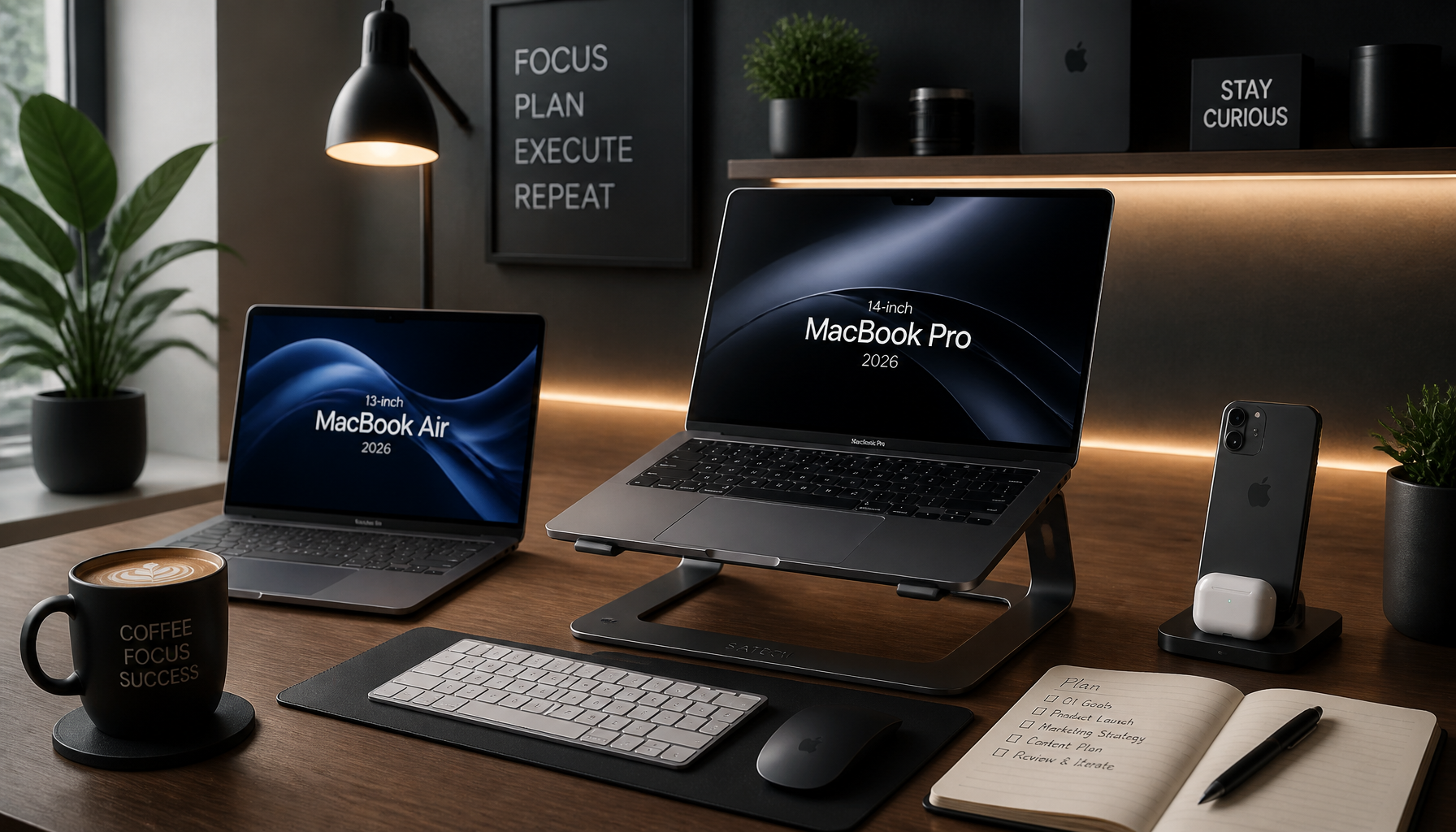
Apple’s 2026 MacBook lineup is a mix of real upgrades and predictable price creep. So yes, you can absolutely buy a great machine this year—but you’ll get the best value only if you match the model to your workload instead of chasing the newest badge.
How Much is a MacBook Air?
The headline is the macbook air price jump. The latest MacBook Air with the M5 chip is now approximately $1,299, up from around $1,099 previously. That’s not pocket change, and it changes what “good value” means for students and first-time Mac buyers.
That said, Apple’s student pricing still matters. With the education discount, you can often land closer to $1,199, which is basically Apple admitting the sticker price is a little spicy for the Air’s target audience.
To put that in perspective, the newer MacBook Neo starts at $699. If your workload is mostly browser tabs, Google Docs, Zoom, and light photo edits, that Neo price is hard to ignore.
A quick decision rule I use
When someone asks me “should I pay the extra $600 for the Air over the Neo?”, I don’t start with chips. I start with pain.
- If you’ve ever watched your laptop freeze during an exam proctoring session, or you’ve lost work because the machine kernel-panicked mid-export, you’re not buying specs—you’re buying stability.
- If you mostly do light tasks and you replace laptops every 3–4 years anyway, the Neo can be the smarter play.
So yes, pricing matters, but it’s really pricing relative to your tolerance for slowdown.
Step-by-step: figure out your real needs in 10 minutes
- List your top 5 apps (not “student” or “creator”—actual apps). Example: Chrome, VS Code, Docker, Figma, Premiere.
- Estimate how often you multitask. If you keep 30–60 tabs open plus Slack/Teams plus a build tool, you’re not a “light user,” even if you think you are.
- Decide on lifespan. Buying for 2 years is a different decision than buying for 6.
- Pick a baseline RAM/storage target you won’t hate later. Storage you can manage with external SSDs; RAM, you live with.
- Compare models only after that. Otherwise, you’ll talk yourself into a Pro you don’t need.
Common mistakes I see (and fix later)
People often underestimate how “small” tasks stack up. A student tells me they only use a browser, then I find out they run three Electron apps, 40 tabs, and a note app that syncs constantly. Meanwhile, the laptop is swapping to disk and everything feels laggy.
Another classic: buying minimal storage because “I’ll use cloud.” Then finals hit, the Wi‑Fi is overloaded, and suddenly local storage matters a lot.
New MacBook Features
The 2026 models bring improvements that actually change day-to-day use, not just benchmarks. The M5 chip boosts multitasking and energy efficiency, which is the polite way of saying: fewer beachballs when you’re doing real work.
Performance upgrades that show up in real life
If you edit video (Adobe Premiere, Final Cut Pro) or do graphics-heavy work, the improved graphics performance can save you time on every export. And because time is the only thing you can’t buy back, that matters.
I’ve watched teams waste hours weekly because their “good enough” laptops turned simple build/test cycles into coffee breaks. So, when you’re doing sustained work—compiles, renders, big spreadsheets—raw performance isn’t vanity. It’s throughput.
Display, battery, and the remote-work stuff
Apple is also pushing a brighter Retina display and longer battery life—up to 24 hours on a single charge. If you travel, work from campus, or bounce between meetings, that battery claim is one of the few spec-sheet bullets that can genuinely change your routine.
Then there’s the new 12-megapixel camera. If you live on video calls, a better camera is weirdly career-relevant. You don’t need to be an influencer to benefit—you just need to be the person presenting, interviewing, or leading a client call.
Audio got attention too, and that’s not trivial. Better speakers and mics reduce the “can you repeat that?” tax that adds friction to every conversation.
A real example: the laptop that ruined standup
A while back, I watched a developer join daily standup with a laptop that had a mediocre camera and noisy mic. Nobody complained directly, but the team constantly asked them to repeat updates. Over weeks, that person participated less—because it was annoying.
So yes, hardware details can quietly affect how you show up at work.
Apple MacBooks in the USA
If you’re buying in the USA, Apple’s pricing is usually consistent on Apple.com, but the real savings often come from retailer timing. Best Buy and Costco deals can be meaningful, especially when they stack with clearance cycles.
Where I look first (and why)
- Apple direct: best for configuration options and predictable support.
- Best Buy: frequent sales; great if you want a popular config and don’t need customization.
- Costco: often includes member-focused discounts and bundles.
Still, the trap is chasing a “deal” that’s actually the wrong spec. I’d rather pay $100 more for the right RAM/storage than save $150 and regret the laptop for four years.
Common USA pricing gotcha
People compare a discounted base model at a retailer to a higher-spec Apple Store build and assume Apple is “overpriced.” It’s not always that simple.
Make sure you’re comparing:
- the same chip tier
- the same RAM
- the same storage
- and the same return/support terms
Otherwise, you’re not bargain-hunting—you’re just mixing products.
Upcoming Models
Apple has announced that more new models are expected to debut in mid-2026, with further improvements in processing power and battery technology. Waiting can be smart, but only if waiting doesn’t cost you productivity right now.
My stance on waiting vs buying
- If your current laptop is holding you back weekly (slow builds, constant low-storage warnings, thermal throttling), buy now and move on.
- If your machine is fine and you just want the “newest,” waiting is mostly emotional.
I’m biased toward boring and reliable. If a laptop helps you ship work today, that’s usually the correct choice.
A practical “should I wait?” checklist
Ask yourself:
- Do I have a hard deadline in the next 60–90 days (school, project, job search)?
- Is my current machine failing, or am I just bored of it?
- Will the rumored mid-year update realistically change my workload?
If you can’t name a concrete bottleneck, waiting is optional—not necessary.
The Best Time to Buy a New MacBook
Timing matters because Mac pricing tends to move in predictable waves. The two windows that consistently help buyers are Black Friday and Back-to-School season.
How I’d time a purchase (step-by-step)
- Pick your target model/config first. Don’t shop “open-minded.”
- Track prices for 2–3 weeks. You’ll quickly see what “normal” looks like.
- Set a walk-away number. If the Air drops $150, maybe that’s your trigger.
- Check education discounts if you qualify. Even if the retail sale is good, the student price can still win.
- Buy from somewhere with a sane return policy. Sometimes you only learn the keyboard/weight/port situation after a week.
Common timing mistake
People wait for a sale, then panic-buy the day before a semester starts—when stock is weird and shipping dates slip. If you need the laptop for a specific date, buy early enough that returns are still painless.
A Bit About My Background
I’m Mobeen Abdullah, a tech entrepreneur, and I’ve been building web apps and engineering systems for over a decade. My day job has rarely been “just code.” It’s also been selecting hardware for teams, debugging performance issues that weren’t obvious at first, and cleaning up decisions that seemed cheap in the moment.
The kind of work that makes you opinionated about laptops
I’ve shipped full-stack products where the local dev environment alone can chew through memory—think Docker containers, a database, a backend service, a frontend build pipeline, plus Chrome tabs for docs and dashboards. When that’s your normal day, you stop thinking in marketing categories like “creator” or “student.” You think in friction:
- How fast can I run tests?
- Does the machine stay cool under sustained load?
- Am I constantly closing apps to keep things responsive?
I’ve had phases where I tried to “save money” on a laptop and then paid for it in time. That’s not dramatic—it’s just math. If you lose 10 minutes a day to slowdowns, that’s about 40 hours a year.
A real client-style scenario
One student I advised was about to buy the cheapest MacBook they could find because they “only needed it for classes.” But when I asked what they were studying, it turned out they were doing CS, running VS Code, local servers, and sometimes mobile emulators.
So we did a simple test: they opened their current workload on their old laptop and watched it crawl once the emulator started. That moment changed the purchase decision. They didn’t need the top-tier Pro, but they also didn’t need the cheapest option. They needed the machine that wouldn’t fight them during deadlines.
That’s the lens I’m using in this guide: reduce regret, and buy for how you actually work.
FAQs
- What is the newest version of a MacBook?
As of 2026, the latest version includes the M4 MacBook Pro. That said, “newest” gets confusing because Apple updates different lines on different schedules, so a newer Air doesn’t automatically beat an older Pro for heavy workflows.
If you’re trying to decide quickly, anchor on your workload first, then map it to the model. Otherwise, you’ll chase the newest release and still end up with the wrong machine.
- Is Apple coming out with a new MacBook in 2026?
Yes, new models with advanced features are expected in mid-2026. If you’re on the fence, I’d only wait if (a) your current laptop is fine and (b) you expect the update to solve a real issue—like battery life for travel, or performance for sustained work.
Waiting “just because” usually turns into analysis paralysis, and then you buy at a worse time anyway.
- What is the best Mac to buy right now?
The M4 MacBook Pro is currently regarded as the best choice for performance users. But “best” depends on what hurts.
If you do video editing daily, compile big codebases, or run virtual machines, the Pro earns its keep. If you mostly write papers, do spreadsheets, and attend online classes, the Air (or even the Neo) can be the better choice because it’s cheaper and lighter.
- When’s the best time to buy a new MacBook?
Key sales occur during Black Friday and Back-to-School season. Practically, I’d start watching prices 2–3 weeks before those windows.
Also, don’t ignore return policies. A “deal” isn’t a deal if you can’t return it after realizing you hate the port selection or the screen size.
- Should I buy the MacBook Neo instead of the Air?
The Neo starting at $699 is appealing, especially if your work is light. Still, I’d be cautious if you’re heading into a heavier program (engineering, design, CS) or you plan to keep the laptop for years.
Here’s the quick gut-check: if you routinely multitask (lots of tabs + apps) and you get annoyed by slowdowns, pay more now. If you just need a solid daily driver and you’re disciplined about workload, the Neo can be a smart budget pick.
If you’re stuck between two models, decide your top three non-negotiables (budget ceiling, battery, performance) and buy the one that hits those without “future-proofing” fantasies.
Leave a Reply