Category: Writing Ideas

  • Content writing: How to start your journey as a writer

    Learn content writing from scratch, build a portfolio, find work, and develop skills for freelance or employed writing. Start today!

    How to Start Your Content Writing Career

    A step-by-step guide to becoming a successful content writer.

    Here’s the point: build a base you can repeat, create proof you can show, and start your content writing journey with less second-guessing.

    I’d start smaller than you think. One tight article for one defined reader will teach you more than ten “general” drafts that try to please everybody.

    Start With A Beginner-Friendly Plan

    If you’re new to content writing, this is meant to feel doable, not intimidating. Block about 30 minutes to read the plan, then give yourself separate time to practice drafting and editing.

    A strong first drill: write a short piece that answers one question for one specific person. For example, explain a software feature to a small business owner who’s never used it. Because you’re forced to pick a reader, you naturally learn structure, tone, and clarity in one go.

    Don’t track progress by word count alone. Instead, look for better outlines, fewer “trust me” claims, openings that get to the point faster, and edits that make the reader’s next step obvious.

    Prepare Before You Start Writing

    You don’t need much to begin: a document editor, a way to research reliable information, and enough curiosity to keep asking “is this true?” and “so what?”. You don’t need a journalism degree, and you definitely don’t need an expensive program just to write your first sample.

    If you want guardrails, Content writing courses can help you practice blog posts, articles, social content, and website copy. They also tend to cover audience analysis and search basics. Still, treat a course like a gym routine—useful structure—but not a replacement for publishing your own work.

    Before you draft, decide four things:

    • One audience you understand or can research.
    • One topic with a clear reader problem.
    • One format, such as a blog article, email, or landing page.
    • One action the reader should take afterward.

    A classic beginner trap is collecting advice without producing anything. Learn one idea, apply it right away, then review what happened on the page.

    Use Simple Tools For Better Content Writing

    Keep your setup boring. A document editor is enough for drafting, comments, and revisions. A search engine helps you research, but you’re still on the hook for checking claims and understanding what a source really says.

    Grammar tools are fine for surface cleanups. But they can’t tell you whether your point is useful, whether your example matches the reader’s reality, or whether your structure makes sense. That’s your job.

    Your portfolio is the public tool that matters most. A writing portfolio is a curated selection of published work that shows what you write, who you write for, and how well you do it. I’d rather see three to five strong samples than a giant pile of “pretty good” posts.

    Include different content writing examples only if they support the direction you want. So, if you’re aiming at software companies, you might show a tutorial, a feature explanation, and an educational article. Under each piece, add a quick note: who it’s for, what it’s trying to do, what you changed during editing.

    Coming from web engineering, I’m biased toward tools that reduce friction. If updating your portfolio feels like a chore, switch to a simpler setup. The writing should be the focus, not the theme.

    Avoid Common Content Writing Mistakes

    Mistake #1: writing for “everyone.” Broad audiences create mushy intros and generic advice. Pick a narrow reader, then cut any line that doesn’t serve that person.

    Another issue is copying a competitor’s structure without understanding why it works. Sure, study the flow, but build your own argument. Also, keep research notes separate from your draft, because that’s how borrowed wording sneaks in when you’re tired.

    Don’t sell people a fantasy of instant income through content writing freelance work. There’s opportunity, but there’s also pressure. One recent summary reports that writing projects on Upwork fell 32% year over year, which is exactly why you should develop a specialty instead of depending on cheap, interchangeable work (freelance writing data).

    Last: edit for the reader’s decision, not your ego. Swap vague claims for specific examples, cut repetition, and read it aloud. If a sentence sounds impressive but doesn’t help the reader do anything, delete it.

    Validate Your Writing Before Sharing

    Before you publish—or before you apply for content writing jobs—run a quick checklist. It’s basic, but it catches the stuff that quietly ruins otherwise decent drafts:

    • Does the opening promise a clear benefit?
    • Does each heading answer a real reader question?
    • Can you verify every specific claim?
    • Does the piece contain examples rather than only advice?
    • Are paragraphs easy to scan?
    • Did you edit grammar, links, and repetition?

    Your portfolio should make judgment easy for a stranger. This beginner portfolio guide points out that a freelance portfolio should show your latest and best work—and that getting hired gets harder when potential clients can’t immediately see what you can do.

    Ask one trusted reader to do one thing: tell you the strongest section and the section that felt confusing. Then pause. Don’t defend the draft on the spot, because their hesitation usually highlights a missing definition or a weak transition.

    I use the same habit in technical work: validate before release, not after avoidable issues hit the user. Mobeen Abdullah is my name, and I bring that “check it while it’s cheap to fix” mindset into content writing too.

    Choose Your Content Writing Career Path

    You can go after content writing jobs, content writing freelance projects, or mix both. A job usually means a defined process and teammates to learn from. Freelancing buys you more control, but you also inherit pitching, scoping, client communication, and revision management.

    The market isn’t vanishing. One cited report places the freelance writing market at $7.6 billion in 2025, with a projected path to $13.8 billion by 2033 (freelance market figures). That same source reports that 48.6% of freelance writers earn under $2,000 monthly, while the top 19.4% earn over $5,000. Treat those numbers as context, not a guarantee.

    AI is changing the workflow, no question. Research summarized by EyeSift says 74.2% of newly created web pages contain some form of AI-generated content, while 97% of content marketers plan to use AI for writing in 2026 (recent AI writing research). So, is ai replacing content writers? My take: not fully, but it is eating some routine drafting.

    Use AI for brainstorming, rough outlines, and language cleanup when it helps. Still, keep human control over interviews, judgment, source review, voice, and final accountability. As Mobeen Abdullah, I see the strongest upside for writers who understand a complex subject and can make it useful to a real person.

    If content writing feels hard at first, that’s normal. Research takes patience, creativity takes reps, and audience needs are easy to misread. You get better through feedback cycles, not by waiting until every sentence feels “perfect.”

    Questions Beginners Ask About Content Writing

    What does a content writer do?

    Content writers create written material for different platforms, aiming for engaging and informative content tailored to specific audiences. They typically research topics, outline the piece, write drafts, edit language, and adjust the message for a blog, website, email, or social platform.

    How do I start as a content writer?

    Start by learning the core skills, practicing consistently, and building a portfolio that proves what you can do. Pick one audience, publish useful samples, and then apply for opportunities once your work shows clear value.

    Is content writing hard?

    It can be, depending on the topic and the expectations. Most of the difficulty comes from research, creativity, and understanding what the audience actually needs. It gets easier when you write from a clear brief, follow a repeatable outline, and do a disciplined edit.

    Is AI replacing content writers?

    AI tools can help, but they don’t remove the need for human judgment and originality. Writers still need to evaluate sources, understand context, protect accuracy, and make choices that serve a specific reader.

    Your Next Step In Content Writing

    You’ve got a workable path into content writing now: learn what the job involves, practice the core skills, produce focused samples, build a portfolio, and validate each piece before you share it.

    The key takeaways are straightforward:

    • Content writing solves reader problems through clear words.
    • Strong content writing skills include research, structure, editing, and audience judgment.
    • Content writing courses can guide practice, but practice creates evidence.
    • Content writing freelance work and content writing jobs require a portfolio.
    • AI can support production, but your judgment remains the valuable part.

    Write one useful sample today. Improve it tomorrow. That loop is how content writing turns from “I’m trying” into an actual career.
  • Content writing tips to enhance your writing skills in 2026

    Use content writing tips to improve structure, clarity, SEO, and confidence in 15 minutes. Try this practical writing guide today.

    Level Up Your Content Writing Skills in 2026

    If you’re trying to get better at content writing, start with the reader’s problem—not a keyword dump. A beginner writing about email security, for example, should answer the practical question first: what should a small business owner do today?

    That reader-first approach matters more as search keeps shifting. This expert advice on adapting writing for the AI era calls out the need to show human creativity and publish genuinely useful material that doesn’t blend into machine-made sameness.

    Here’s my hard line: don’t confuse “nice sentences” with useful content. A smooth opening can’t rescue a vague promise, thin evidence, or a missing next step. The content writing tips worth keeping are the ones that improve the reader’s decision—not just your confidence.

    When you’re done, you should have a repeatable way to plan, draft, edit, and sanity-check your work so your writing skills translate into clearer, more engaging content.

    Start With Your Current Writing Level

    This guide fits beginner and intermediate writers working on blog posts, landing-page copy, newsletters, or SEO articles. Block out about 10–15 minutes, then apply one technique to a live draft (not a blank page).

    Picture a marketer prepping an article for a software company. Beginners often chase word count. Intermediate writers often over-research and never start. Different problems, same fix: name the reader, define the problem, and pick one action the reader should take.

    Writing can also be a serious career skill, which is why it’s worth practicing on purpose. A 2026 statistics roundup reports the US median writer salary reached $72,270 in 2024 (the cited writer salary figure). That’s not an income promise—just a reminder that communication is a paid skill.

    So aim for the real goal first: clearer thinking on the page. Output can come later.

    Prepare Before You Start Writing

    Before you draft, you need four things: a defined audience, a specific topic, a primary question, and a rough source list. Without those, you’ll “write” by wandering.

    “Write about project management” is a trap. “Help a small marketing team choose a weekly project review format” gives you a reader, a situation, and an outcome. Because the brief is sharper, research stays smaller, and editing gets easier.

    I keep a tiny pre-draft brief using prompts like these:

    • Who will read this?
    • What do they already know?
    • What decision or task happens after the article?
    • Which claims need proof?
    • What should the reader remember?

    Also: don’t begin with an AI draft. Start with your judgment. AI can suggest angles later, but if you don’t understand the reader first, you’ll get fast nonsense.

    Choose Tools That Support Better Writing

    If you want a tool-specific workflow, Rext AI can sit in the middle of it—especially if you’re doing SEO content at scale and you’re tired of stitching together five tabs and a dozen partial checks. It’s positioned as a specialized AI writing tool for agencies and niche site owners, combining speed with human-like, SEO-focused content creation through a connected workflow, including keyword analysis, outline generation, writing, SEO optimization, E-E-A-T optimization, and CMS publishing (the connected AI writing workflow).

    That said, tools should assist, not author. A grammar checker can flag a clunky sentence, and an outline tool can expose a missing section. Still, neither one understands your reader’s situation as well as you can.

    When people ask what to use, I push for a small stack:

    • A document editor for drafting.
    • A search tab for source checking.
    • A grammar tool for surface-level errors.
    • An SEO checklist for intent and headings.
    • A read-aloud pass to catch bad rhythm.

    Here’s a common failure mode: you’re explaining a tax process, and an AI tool spits out a confident line that’s wrong or outdated. Your job is to verify it, simplify it, or cut it. Speed only matters after accuracy and usefulness.

    Prevent Common Content Writing Mistakes

    The most common mistake is drafting before you decide what the piece must accomplish. The second is trying to edit every sentence while you’re still drafting. Both habits feel “careful,” but they usually produce slow, nervous writing.

    Instead, separate your passes:

    1. Structure pass: Does each section answer part of the reader’s question?
    2. Clarity pass: Can you replace abstract phrases with direct verbs?
    3. Evidence pass: Can you support each important claim?
    4. Voice pass: Does it sound like a person with a point of view?
    5. Proof pass: Did you fix grammar, links, names, and formatting?

    Deletion helps more than people admit. If a paragraph repeats the intro, pads a transition, or makes a claim that doesn’t change the reader’s decision, cut it. Shorter isn’t automatically better, but unnecessary is always expensive.

    I also don’t buy the “publish every day” advice for beginners. Sure, consistency helps, but daily publishing can reward speed over thought. A smaller schedule with real review tends to produce better writing enhancement—and better content writing tips actually stick when you give them time.

    Validate Your Writing Before Publishing

    Validation means you check whether the draft works for a real reader, not whether it “sounds smart.” Read just the headline and opening first. Can someone tell what you’re promising, who it’s for, and why they should keep going?

    Then scan the body. Each section should do at least one job: answer a question, explain a choice, show an example, or move the reader toward action. If a paragraph does none of those, it probably needs a rewrite.

    The Content Marketing Institute says great content writing captivates attention and motivates the audience to take the next step (content writing examples and tools). That’s a clean test: does your piece help someone act, or does it just perform knowledge?

    My final checklist is short on purpose:

    • The promise matches the content.
    • Headings follow a clear order.
    • Examples match the audience.
    • Facts have trustworthy sources.
    • Keywords sound natural.
    • The final action is obvious.

    Read it aloud once. Your ear catches stiff phrasing your eyes will happily ignore.

    Adapt These Writing Tips To Your Format

    The same content writing tips shift depending on format. Blog posts need search intent, depth, and helpful headings. Landing pages need one promise, proof, and a clear call to action. Newsletters need a personal angle and a reason to keep reading.

    If you’re a beginner, use a simple three-part pattern: problem, explanation, next step. If you’re intermediate, add contrast, original examples, and tougher source selection. Don’t pile on complexity just to look “advanced.”

    Tutorials need task order. Put prerequisites before steps, define what success looks like, and show the mistake that blocks progress. Thought leadership is different—you need an opinion you can defend, not a pile of neutral tips.

    In my view, the best writing techniques stay flexible without turning vague. They protect the reader’s goal while you change the shape of the answer. That’s when content writing enhance stops being a slogan and becomes real improvement.

    FAQs About Content Writing Tips

    What are the best techniques for enhancing writing skills?

    Effective techniques include practicing consistently, reading widely to absorb different styles, and asking for feedback. Also, pick one focused revision exercise each week—like tightening openings or replacing passive verbs.

    How can I improve my writing quickly?

    To improve quickly, set a small daily writing goal, use prompts to get reps, and review basic grammar rules. Then, after each session, revise one paragraph on purpose instead of “editing everything.”

    What tools can help with content writing?

    Tools like Jasper, Copy.ai, and HubSpot can help with ideation and drafting. Still, keep control of facts, voice, and final edits—otherwise the piece gets generic fast.

    Is it necessary to take a course to enhance writing skills?

    No, it isn’t required. A structured course helps most when you apply lessons to real work and get feedback, not when you just watch videos and move on.

    What role does reading play in improving writing skills?

    Reading improves writing by exposing you to different structures, transitions, and vocabularies. Don’t only read for topics—study openings, explanations, and endings.

    How can I avoid common writing mistakes?

    Proofread, use grammar tools, and learn the typical errors you repeat. A slow read-aloud pass catches missing words, repeated phrases, and unclear transitions.

    Can writing prompts really help enhance my skills?

    Yes, if you use them with a constraint. For example: explain one concept for a beginner in 100 words, then rewrite it for a manager.

    What is the importance of feedback in writing?

    Feedback points to blind spots, which speeds improvement. Ask reviewers one precise question, like whether the opening makes the promise clear.

    Build A Repeatable Writing Practice

    The strongest content writing tips are boring (in the best way): define the reader, pick one purpose, outline before drafting, edit in separate passes, then validate the experience.

    Practice builds judgment. Tools can reduce friction, but they can’t replace your responsibility for accuracy and usefulness. Reading widely helps too, because it gives you more structures and ways to explain hard ideas.

    Research reported by Digital Applied says organizations with documented content strategies generate 3x more leads per dollar spent than organizations without them (documented content strategy research). Treat that as motivation to document your process—not as a guaranteed outcome.

    I’m Sania Usman, and my work in AI writing and SEO strategy keeps pulling me back to the same lesson: better content starts before the first sentence. Plan with care, draft with courage, and edit with evidence. Then run the cycle again.

  • AI Grammar Checker: How It Improves Your Writing Skills

    AI Grammar Checker helps students, professionals, and writers spot errors, clarify ideas, and learn through better revision. Try it today.

    Revolutionize Your Writing With AI Grammar Checkers

    An AI Grammar Checker scans your text for likely errors and offers alternatives that read more cleanly. I treat it like a fast first reader—helpful, but not “the author.”

    A student might catch a tense shift buried in paragraph three. Meanwhile, a professional might stop an awkward sentence before it lands in a client email. Writers use the same loop to tighten drafts without sanding off their voice.

    My stance is pretty firm: accept fewer suggestions, but understand more of them. That’s how a quick scan turns into actual skill.

    What an AI Grammar Checker Solves

    Most grammar tools end up solving three problems: things you simply missed, sentences that get tangled, and wording that’s weaker than you intended.

    They’ll flag agreement errors, punctuation slip-ups, repeated words, and phrases that are likely to trip readers. That practical cleanup matters because clearer writing makes your point easier to follow, and a quicker first edit buys you time to work on ideas.

    Context still rules, though. A formal essay, a research note, and a friendly email don’t use the same “correct” language. So even if the suggestion is technically fine, it might be wrong for your audience.

    Here’s how I usually see it play out:

    • Students run a check after revising the argument, so they don’t polish weak reasoning.
    • Professionals review before sending project updates, because clarity beats cleverness.
    • Writers scan before a human edit, since it removes surface noise.

    A free grammar checker can cover basics. Paid features may add broader style feedback, but I wouldn’t pick a workflow based on feature count alone—pick the amount of feedback you can actually evaluate.

    How AI Grammar Checking Gets Deeper

    At the beginner level, it feels simple: paste text into a grammar checker online, then review highlights for spelling, punctuation, grammar, or word choice. That part is mechanical.

    The better question is, “Why did it suggest that?” Pause for five seconds and patterns pop out—missing commas, inconsistent verb tense, overuse of certain fillers. Because once you can name the pattern, you can prevent it next time.

    At an intermediate level, language models look at the surrounding context and guess which phrasing fits common usage. It can feel impressively “smart,” but it’s still a prediction, not a ruling.

    That distinction matters when you write technical or specialized text. A tool might push a common word even when your precise term is correct. Students get hit by this too, especially when a suggested rewrite quietly changes the claim they meant to make.

    From my perspective as Mobeen Abdullah, the strongest workflow treats suggestions as prompts for review. The correction helps, but the explanation is where you learn.

    Inside the Checker: Interface and Algorithms

    The interface is what you touch: paste text, see highlights, compare alternatives, then accept or reject changes. A good UI makes it easy to try an edit without losing the original sentence.

    Behind that screen, machine-learning algorithms look for language patterns. They weigh nearby words, sentence structure, punctuation, and likely intent. Some tools also suggest tone or style shifts, although that’s already moving past basic grammar correction.

    A simple example: someone writes, “The report were sent yesterday.” The system flags subject–verb agreement and suggests “was sent.” Clicking “accept” fixes the line, but asking why it changed helps you spot the underlying rule.

    Vocabulary is trickier. “The results indicate a change” might be clearer than a heavier phrase, but your field may need the heavier phrasing for precision. Algorithms can propose options; people decide what stays.

    I also think about token efficiency in language tools. Long explanations and endless rewrites can burn attention fast, and then you’re not improving—just clicking. Give me a focused suggestion over a flood of choices.

    How an AI Grammar Checker Works

    1. Input your draft

    Paste or type your text into the tool. If you can, include a full paragraph, because context helps it judge a sentence more fairly.

    2. Receive focused feedback

    The checker highlights possible issues and offers fixes. Read your original phrasing first, though, because it’s easy to accept an edit before you’ve even understood the problem.

    3. Review every correction

    Measure each suggestion against meaning, audience, and voice. Academic writers need to protect precise claims. Professionals need to protect tone. Writers need to protect intentional style—even when it looks “wrong.”

    4. Revise, then reread

    After you edit, reread slowly (or read aloud). A sentence can become grammatically cleaner and still sound stiff, and human rereading catches that mismatch.

    For example, a student should run the tool after completing the essay draft, not before they’ve even formed an argument. Order matters. Grammar software improves sentences, but it doesn’t decide what the essay should say.

    Think of It as a First-Pass Editor

    An AI Grammar Checker is basically a first-pass editor that never gets tired. It catches patterns you stop seeing after three rounds of drafting, especially when you’ve been staring at the same paragraph for too long.

    Still, the analogy breaks if you take it too far. A human editor understands purpose, audience, irony, and deliberate weirdness. An automated tool only has language patterns plus whatever context you pasted in.

    Picture a writer choosing an awkward phrase for humor. The system flags it as clunky. Rejecting that suggestion isn’t “failing the tool”—it’s you choosing effectiveness over generic correctness.

    What Grammar Tools Cannot Do

    The biggest misconception is that AI replaces proofreading. It won’t. A checker can miss factual mistakes, misread technical language, or happily approve a sentence that’s polished but inaccurate.

    That’s why I push back on “just accept everything.” Automation should remove routine friction, not remove responsibility. Keep your draft, inspect meaningful changes, and then reread the final version like it’s going out under your name (because it is).

    Mobeen Abdullah’s rule stays simple: never outsource the last decision. Students still own their ideas and citations. Professionals still own accuracy. Writers still own voice.

    How Students and Professionals Utilize AI Grammar Checkers

    Students get the most value when they use an AI Grammar Checker after drafting. The learning loop is to group your repeat issues—tense, articles, punctuation—and study those patterns before the next assignment.

    Professionals use checks on emails, proposals, and status updates. A quick review can expose a sentence that sounds abrupt or a paragraph that hides the main ask. Then again, you still need to manually confirm names, figures, and technical terms.

    Writers usually benefit from running passes. I like a strict order: meaning first, then structure, then grammar, then polish. Otherwise, you can waste time fixing commas in a paragraph you later delete.

    A free ai tool can be fine for a quick message, but privacy and context still matter. Don’t paste sensitive material unless you actually understand how that service handles your text.

    Grammar Checkers and Related Writing Tools

    An AI writing assistant often bundles grammar checking with rewriting, tone suggestions, and drafting help. That can save time, but it also raises the stakes—you need to review more carefully, because the tool is changing more than commas.

    A plagiarism checker is a different category. It looks for matching or similar phrasing; grammar software is about correctness and clarity. One doesn’t replace the other, so treat them like separate steps.

    You might also ask: can ChatGPT check my grammar? Yes—it can spot issues and propose revisions if you give clear instructions. Still, a dedicated grammar checker may surface corrections more directly, while ChatGPT can walk you through the reasoning in conversation.

    Can I use AI to check for grammar? Yes. Use it like a coach, not a final authority. Ask why it changed something, then keep or reject the edit based on your goal.

    Build Better Habits With Grammar Feedback

    An AI Grammar Checker improves your writing when it turns random errors into patterns you can recognize. It speeds up editing, cleans up sentences, and offers alternatives you might not have tried.

    The real payoff comes from your review step. Compare the original and suggested versions, keep a tiny note of repeat mistakes, and then apply those lessons in the next draft.

    For me, Mobeen Abdullah, the best tools stay efficient while leaving judgment in human hands. Let software scan. You handle meaning, evidence, tone—and the final call.

    Questions Readers Often Ask

    Can ChatGPT check my grammar?

    Yes, ChatGPT can help identify grammatical errors and suggest revisions. Ask it to explain each change, then confirm the edit keeps your meaning intact.

    Can I use AI to check for grammar?

    Absolutely, AI tools are built for grammar checking. Still, review the suggestions instead of accepting every change automatically.

    What is the best free website for checking grammar?

    Several websites offer free grammar checking, including Grammarly and ProWritingAid. Compare them based on the feedback you need, how easy it is to review changes, and how comfortable you are with submitting your text.

    Can Google check my grammar?

    Google Docs includes built-in grammar suggestions powered by AI. Treat them as prompts, especially when your document uses specialist language.

  • How to write a blog for beginners in 2026: A guide

    Learn how to write a blog for beginners in 2026 with expert tips on structure, format, and free resources. Start writing today!

    Master the art of blogging with a practical 2026 workflow.

    Ready to start this year? Then keep it small on purpose: one useful idea, one defined reader, one honest draft.

    A lot of beginners try to “sound like a blog.” That’s backwards. A good post sounds like a helpful person who’s been where you are and can point to the next step.

    So, instead of aiming for polished, aim for usable. Your job is to help someone finish a task, understand a concept, or feel less stuck after five minutes of reading.

    How to Write a Blog for Beginners

    If you’re learning how to write a blog, follow a clean order: pick a focused topic, decide who it’s for, choose a simple platform, outline the post, draft the answer, edit for clarity, then publish. This sequence protects you from the classic beginner trap—spending a week choosing fonts before you’ve written a single paragraph.

    Start with a reader and a narrow promise

    Start by choosing a subject you can talk about more than once without forcing it. “Study tips” is huge. “Revision plans for first-year students” gives you a specific person and a problem you can actually solve.

    Here’s the question I use when I’m stuck: what does the reader want to do today? Not “someday.” Today. For example, a student might want to stop cramming, plan a week, or figure out what to revise first.

    Now write a one-sentence promise. Something like: “After reading this post, a student can plan a seven-day revision week.”

    That single sentence becomes your filter.

    • If a paragraph supports the promise, keep it.
    • If it’s interesting but off-topic, move it to a future post.
    • If it’s there because you feel like you should say it, cut it.

    A lot of new writers assume cutting is “losing work.” Actually, cutting is you protecting the reader.

    A quick persona you can borrow

    If you don’t have an audience yet, invent a realistic one (not a vague one). I often suggest a simple persona like:

    • A first-year student who studies in short bursts.
    • They have a week left.
    • They feel behind because they don’t know what matters.

    Because once you can picture them, you’ll naturally choose clearer examples and you’ll stop writing fluffy lines that don’t help.

    Common mistake: writing for “everyone”

    Beginners love broad intros like “In today’s fast-paced world…” because they feel safe. But that safety is fake.

    When you write for everyone, you end up giving advice that’s so general it can’t be used. Narrowing the reader is what gives you something specific to say.

    Pick a platform that removes friction

    For a free start, a hosted platform can be a good move—WordPress.com, Blogger, Medium, or another service that handles the technical setup.

    The real decision is less about features and more about friction:

    • Do you want to publish quickly, with almost no setup?
    • Or do you want maximum control and “ownership” from day one?

    If you want a quick breakdown, this comparison of beginner blogging platforms frames that trade-off clearly.

    My advice is direct: pick the platform that lets you publish this week.

    You can always migrate later, but you can’t recover months you spent “preparing” while never writing. Plus, a student testing a study-skills idea needs a working editor and readable pages more than a complicated plugin stack.

    What “removes friction” looks like in practice

    When I say friction, I mean the small things that quietly kill momentum:

    • You can’t find the editor.
    • The theme makes text hard to read.
    • You feel like every post needs a perfect image.
    • You’re stuck choosing between ten layouts.

    So choose the simplest path that still lets you write comfortably.

    If you open the platform and you can draft, format headings, and publish without anxiety—good enough. If the platform turns every post into a technical project, it’s not beginner-friendly for you, even if it’s powerful.

    Use a dependable blog structure

    A useful blog structure has four parts. Keep it predictable, because predictability lowers effort for the reader.

    • Title: promises a specific benefit.
    • Introduction: names the problem and previews the answer.
    • Body: explains the steps with examples.
    • Conclusion: gives the reader a next action.

    If you’re practicing how to write a blog, don’t improvise structure at first. Earn the right to be “creative” after you can ship consistently.

    A real outline you can copy (and why it works)

    Here’s a simple outline for a beginner-friendly post: “How to Plan a Study Week.”

    • Open with the real-life problem: tasks scattered everywhere, no plan, guilt building.
    • Explain the planning steps in order.
    • Show a sample timetable.
    • End with one small action the reader can do tonight.

    That’s also a practical blog format, because the reader always knows what’s coming next.

    Also, this is where many drafts fall apart: the writer lists tips, but never shows what the tips look like.

    If you want your post to feel immediately useful, add at least one “this is what it looks like” section.

    Step-by-step breakdown: turning a topic into a post

    Let’s say your topic is “planning a revision week.” Here’s how you turn it into a clean post without overthinking:

    1. Write the promise: “After reading this, you can plan a seven-day revision week.”
    2. List the steps you’d tell a friend: choose subjects, estimate time, assign days, review daily.
    3. Add one example: show a sample week (even a simple one).
    4. Add one warning: what people usually do wrong (overpacking day one, forgetting breaks, ignoring weak topics).
    5. End with one action: “Open your notes and pick the three topics you’ll revise first.”

    Notice what’s missing: long backstory, motivational speeches, and definitions nobody asked for.

    Add basic SEO without stuffing

    SEO starts with matching the reader’s wording.

    Use the main phrase in the title, the opening, one heading, and a few natural sentences. Then answer closely related questions with clear subheadings.

    Keep paragraphs short, write descriptive image text, add useful links, and use a page title that tells the truth.

    Don’t repeat one phrase in every paragraph. Search visibility comes from relevance and usefulness, not from making the page read like a robot.

    One 2026 data roundup reports 600 million blogs worldwide, with fewer than 10% generating meaningful traffic (2026 blogging statistics). That doesn’t mean you shouldn’t start. It means you should write for a narrow audience, solve a real problem, and edit like you care.

    What I do instead of “SEO hacks”

    If you want a simple checklist that doesn’t make your writing weird, use this:

    • Put the main idea near the start, because readers skim.
    • Use headings that sound like questions the reader would ask.
    • Add an example after any abstract claim.
    • Trim filler words in the second draft.

    Also, don’t ignore the tiny stuff. A post with clear headings and readable spacing often beats a “smarter” post that feels dense.

    Common mistakes that quietly hurt SEO

    Most beginner SEO mistakes aren’t technical. They’re writing mistakes.

    • Vague titles: “My thoughts on studying” won’t get clicked because it promises nothing.
    • No clear intent: the post starts as a tutorial, turns into a personal diary, then ends with random tips.
    • Walls of text: good info, bad experience.
    • Overstuffing: repeating the same phrase until it sounds unnatural.

    If you’re serious about learning how to write a blog that gets found, focus on being the clearest answer to one query, not the loudest page on the internet.

    Frequently Asked Questions About Blogging

    How to write a blog as a beginner?

    To learn how to write a blog as a beginner, start with the smallest version of a useful post.

    1) Pick one narrow topic you can explain without researching for days. If you need to learn everything from scratch first, you’ll stall.

    2) Define the reader in one line. “First-year student,” “new freelancer,” “someone learning Excel,” whatever fits.

    3) Write a promise sentence. It keeps you from wandering.

    4) Outline before you draft. Your outline can be messy, but it should show the order of steps or ideas.

    5) Draft fast, then edit slow. Drafting is for getting the ideas out. Editing is where you make it readable.

    If you want a concrete example, here’s a beginner outline you can use for almost any topic:

    • What problem are we solving?
    • What will the reader be able to do after?
    • Step 1, Step 2, Step 3 (in order)
    • Example of the steps in action
    • Common mistake to avoid
    • Next step

    A simple “first post” prompt that works

    If you’re stuck staring at a blank page, try writing this kind of post:

    • “What I wish I knew before starting ____.”

    It works because you already have the raw material. Then, to keep it useful (and not just a diary), turn each “wish” into a step someone can follow.

    For example:

    • Wish: “I didn’t realize I needed a plan.”
    • Step: “Write a one-sentence promise, then list three steps.”

    That’s how beginner content becomes helpful content.

    Common beginner mistakes (and quick fixes)

    • Mistake: starting with a long intro. Fix: get to the point in the first few lines, then explain.
    • Mistake: writing like a textbook. Fix: use plain language, then add one example.
    • Mistake: adding too many ideas. Fix: split it into two posts and publish the first one now.

    Can I use ChatGPT to write a blog?

    Yes—ChatGPT can help you write a blog by brainstorming angles, producing a rough draft, or tightening a paragraph when your brain is tired.

    That said, you still own the quality.

    So if you use it, treat it like an assistant, not an author:

    • Ask for outlines, not final posts.
    • Feed it your promise sentence and your reader persona.
    • Rewrite the output so it sounds like you.
    • Verify anything factual before publishing.

    A common mistake is pasting the draft as-is. The result usually reads generic because it has no real reader, no real constraints, and no personal judgment.

    If you want to use it well, do this: write the messy first version yourself, then use AI for editing support—shortening, reorganizing, and finding gaps.

    What is the best platform for beginners to start blogging?

    There isn’t one “best” platform for everyone, but there are beginner-friendly options.

    Platforms like WordPress, Blogger, and Medium are popular because they’re straightforward to use. Your choice depends on what you value most:

    • If you want to start writing with almost no setup, a hosted platform is usually easier.
    • If you care about control and ownership early, you might accept more setup work.

    The platform matters less than your ability to publish consistently.

    If you want a practical test: choose the option that lets you open the editor and finish a post without hitting five new tasks you didn’t ask for.

    How often should I post on my blog?

    Consistency matters, but it only helps if the posts are useful.

    A simple approach is to aim for at least one post per week, then adjust based on your schedule. If weekly publishing makes every post thin, slow down and improve each article before you release it.

    Also, remember that momentum is real. Publishing something decent today usually beats “perfect” next month.

    If you’re learning how to write a blog, set a rhythm you can keep even when life gets busy, then refine your process as you go. Your second post will be easier than your first—if you actually publish the first.

  • Top Writing Ideas for Your Blog

    Top Writing Ideas for Your Blog

    Explore the top writing ideas for blog posts today! Delve into creative prompts and exercises to ignite your writing journey.

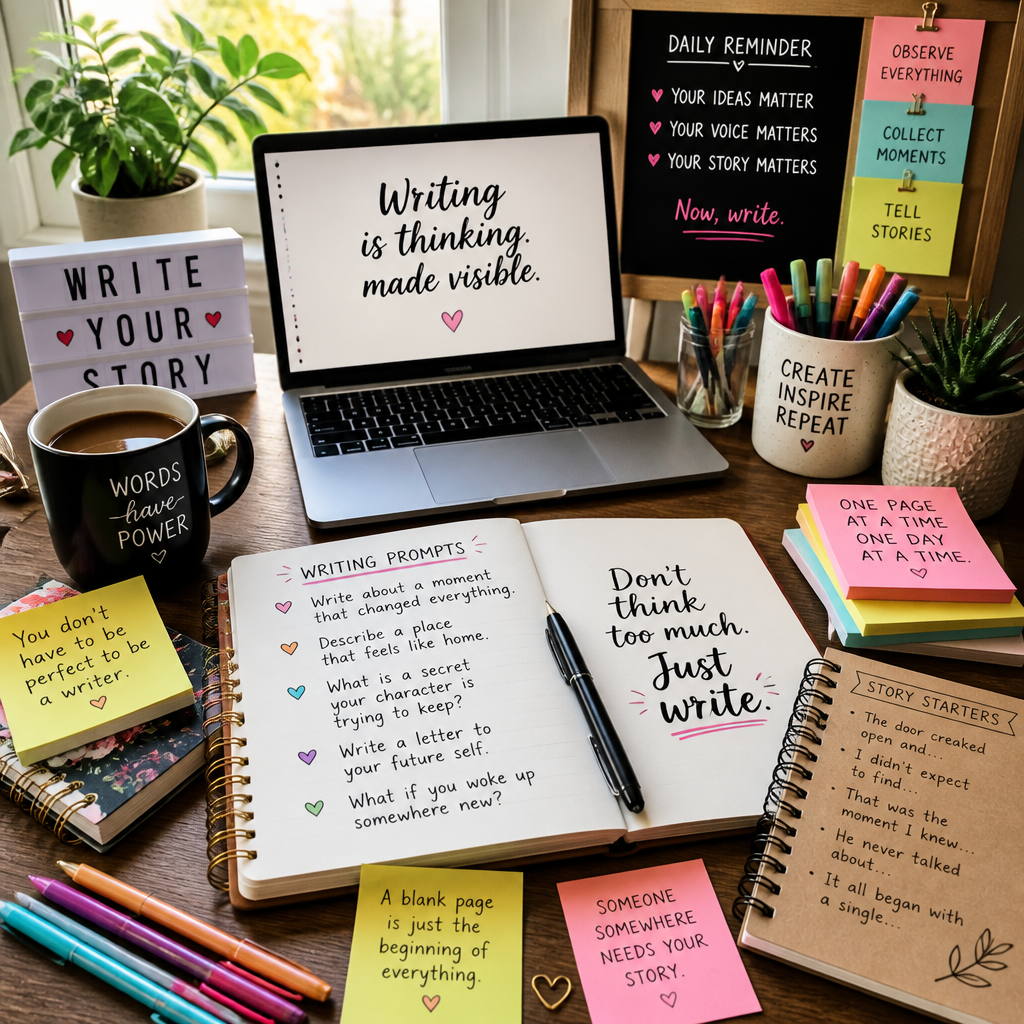
    Featured image for Top 10 Writing Ideas for Blog Posts Today

    Daily Writing Ideas and Prompts

    Daily writing ideas are only useful if they get you to a first draft without drama. Prompts aren’t magic, but they’re a reliable shove—especially when you’re staring at a blank doc, refreshing your coffee, and pretending you’re “researching.”

    Engaging Writing Exercises

    Here are ten blog-ready writing ideas (with prompts) that don’t require you to reinvent yourself every morning.

    1. Reflective journaling (then mine it for posts).
      Set a 10-minute timer and write what’s currently taking up mental space—wins, annoyances, weird observations. Then, underline 1–2 sentences that have energy. Those underlined lines are usually your post hooks.

    2. Themed prompts with a constraint.
      Seasonal themes work, but constraints make them publishable. Try: “Spring cleaning, but for my inbox,” or “Winter routines that kept me sane.” The constraint forces specificity, so you don’t end up writing a vague motivational cloud.

    3. Flash fiction for clarity.
      Write a complete story in under 500 words about one moment: a mistake, a surprise, a decision. Even if you never publish it, you’ll practice clean beginnings and endings—which is half the battle in blog writing.

    4. Collaborative writing to break your patterns.
      Swap paragraphs with another writer for a week. You’ll notice your habits fast (over-explaining, hedging, dragging intros). Also, you’ll get “plot turns” you’d never come up with alone.

    5. The “I was wrong about…” post.
      Prompt: “I used to believe ___, but here’s what changed my mind.” This format is honest, useful, and naturally structured. People read it because it signals you learned something the hard way.

    6. The checklist post from a real task.
      Open your calendar. Pick something you actually did this week—pitch a client, apply for a job, outline a project, study for an exam. Prompt: “If I had to do this again tomorrow, what would I do first?” Turn that into a checklist.

    7. The tiny case study.
      Prompt: “I tried ___ for 7 days. Here’s what happened.” Use small numbers on purpose: 3, 5, 7, 14 days. You’re not running a clinical trial; you’re sharing a credible experiment.

    8. The ‘tools I use’ post (with tradeoffs).
      Don’t just list apps. Write what you use, why you picked it, and what you dislike about it. Readers trust you more when you admit friction.

    9. Answer one real question from your DMs/comments.
      Prompt: “Someone asked me ___. Here’s the answer I wish I’d heard earlier.” It stays grounded because you’re responding to an actual human, not an imaginary persona.

    10. Rewrite a hot take into a helpful guide.
      If you feel yourself wanting to rant, turn it into a “do this instead” post. Prompt: “If you’re doing ___, here’s the safer/easier alternative.” The edge stays, but it becomes actionable.

    Daily Writing Challenges

    Challenges work when they reduce decision fatigue. That’s the point: you show up, you write, you’re done. NaNoWriMo is the famous example, but you can also pick a smaller, more realistic container if you publish blog posts.

    The 2026 Get Started Right Writing Challenge is useful because it gives you a framework and guidelines, so you’re not negotiating with yourself every day.

    Here’s the step-by-step I use when I’m running a “daily writing” sprint for blog content (and yes, I’ve done this between product calls and deadline weeks):

    1. Pick one format for the whole week. Lists, mini case studies, or Q&A. Don’t mix formats yet, because switching formats costs energy.
    2. Set a tiny output target. I aim for 300–500 messy words, not a finished masterpiece.
    3. Write first, research second. Otherwise you’ll “research” for 90 minutes and ship nothing.
    4. End each session with a note to future-you. One line: “Next time, open with ___ and explain ___.” It makes tomorrow easier.
    5. Do a 10-minute edit, max. If it needs more, publish it later. Keep the streak alive.

    A real example: I once tried doing “perfect” daily posts for a week—full editing, polished intros, fancy transitions. By day three, I was behind, irritated, and ready to quit. Next week I changed the rule: ugly drafts only, publishable later. I finished seven drafts in seven days, and two became top-performing posts after light edits.

    Common mistakes I see (and have made):

    • Making the prompt too broad (“write about productivity”). Broad prompts create blank-page paralysis.
    • Editing while drafting. That’s just anxiety wearing an editor costume.
    • Chasing novelty every day. Repetition is fine; your audience didn’t read your old post as intensely as you did.

    Understanding Writing in Today’s Context

    Writing today is less about “being a writer” and more about being understood. You’re competing with feeds, notifications, meetings, and people skimming on a phone at a red light (not ideal, but it’s real).

    The Importance of Writing Today

    Writing is still one of the highest-leverage skills you can build, but not because it’s romantic. It’s because writing clarifies thinking, and clarity travels—into school, into your career, into your relationships, into your bank account.

    Morehouse College frames it well: effective writing plays a critical role in how we perceive ourselves and is essential for success in many fields. I’ve seen that firsthand hiring people and pitching partnerships—two candidates can have equal skills, but the one who writes clearly is easier to trust.

    That said, “good writing” online doesn’t always mean fancy writing. In fact, the internet punishes fluff. People want clean ideas, real examples, and a point of view.

    What is Writing Used For Today?

    Writing serves multiple functions now, and the mix matters because it changes what you should publish.

    • Professional communication. Emails, reports, proposals, docs, presentations. If your writing is sloppy, your work feels sloppy—even when it isn’t.
    • Creative expression. Stories, essays, poetry, personal blogging. This is where your voice gets stronger, because you’re practicing honesty and rhythm.
    • Social connection. Posts, comments, newsletters, community updates. Writing is how you show up when you’re not physically in the room.

    Here’s a practical way to map your blog posts to modern writing “jobs,” so you don’t drift:

    1. Decide the job of the post. Teach? Persuade? Entertain? Document?
    2. Pick one reader scenario. “They’re stuck,” “they’re choosing,” or “they’re comparing.”
    3. Choose the proof style. Example, checklist, mini case study, or argument.
    4. Write the first paragraph as a promise. What will they be able to do after reading?
    5. Add one human moment. A mistake, a surprise, a quick story. It’s the glue.

    A persona anecdote I see a lot: the “capable-but-invisible” professional. They’re great at their job, but their updates sound like they were written by a printer manual. When they start writing short internal posts—what they shipped, what broke, what they learned—suddenly leadership understands their value. Same work, different visibility.

    Starting Your Writing Journey

    Consistency beats inspiration, but consistency needs structure. So instead of telling yourself “I’ll write more,” build a tiny routine you can do on a bad day.

    Try this daily setup for two weeks:

    1. Same time, same place (if possible). Even 20 minutes helps. Habits like predictability.
    2. One document for everything. A messy “idea landfill” note where you dump titles, hooks, and questions.
    3. A three-part draft template. Hook → 3 bullets → takeaway. You can expand later.
    4. A weekly review. Every Sunday, pick the best two drafts and polish them.

    Community events can help, too, because you feel less alone doing it. National Writing Day is one of those moments to participate publicly. This year, it falls on October 20, 2026.

    If you want a simple way to use that day: publish something small on purpose. A short reflection. A list of lessons. A “what I’m learning” post. Then reply to anyone who comments. That interaction trains you to write for people, not for a grade.

    Common mistakes when starting out:

    • Waiting until you “find your voice.” Your voice shows up after reps, not before.
    • Trying to sound smart instead of being useful. Useful writing gets shared; “smart” writing gets skimmed.
    • Quitting because early posts feel cringe. They will. That’s the entry fee.

    Conclusion

    Writing isn’t just an essential skill—it’s a daily advantage if you treat it like one. And the quickest way to get that advantage is to stop relying on inspiration and start relying on prompts, formats, and a schedule you can actually keep.

    Here’s the simplest next step I’d recommend if you’re overwhelmed: pick one idea from the “Daily Writing Ideas and Prompts” section and commit to three drafts this week. Not ten. Not thirty. Three.

    Use this step-by-step to close the loop:

    1. Day 1: Draft ugly. 300–500 words, no editing, timer on.
    2. Day 2: Add structure. Insert subheadings, turn rambles into bullets, cut the slow parts.
    3. Day 3: Publish or share. Post it on your blog, LinkedIn, a newsletter, or even send it to one friend.

    A real example from my own workflow: when I’m juggling CEO work, I keep a “shipping log.” Every Friday I write five bullets—what shipped, what broke, what I learned, what I’d do differently, what I’m doing next. When I’m out of blog ideas, I grab one bullet and turn it into a post. That single habit has saved me from more dead weeks than any fancy content strategy.

    If you take anything from this guide, take this: you don’t need more talent—you need a better starting line. Pick a prompt, write the messy draft, and earn the clean version later.