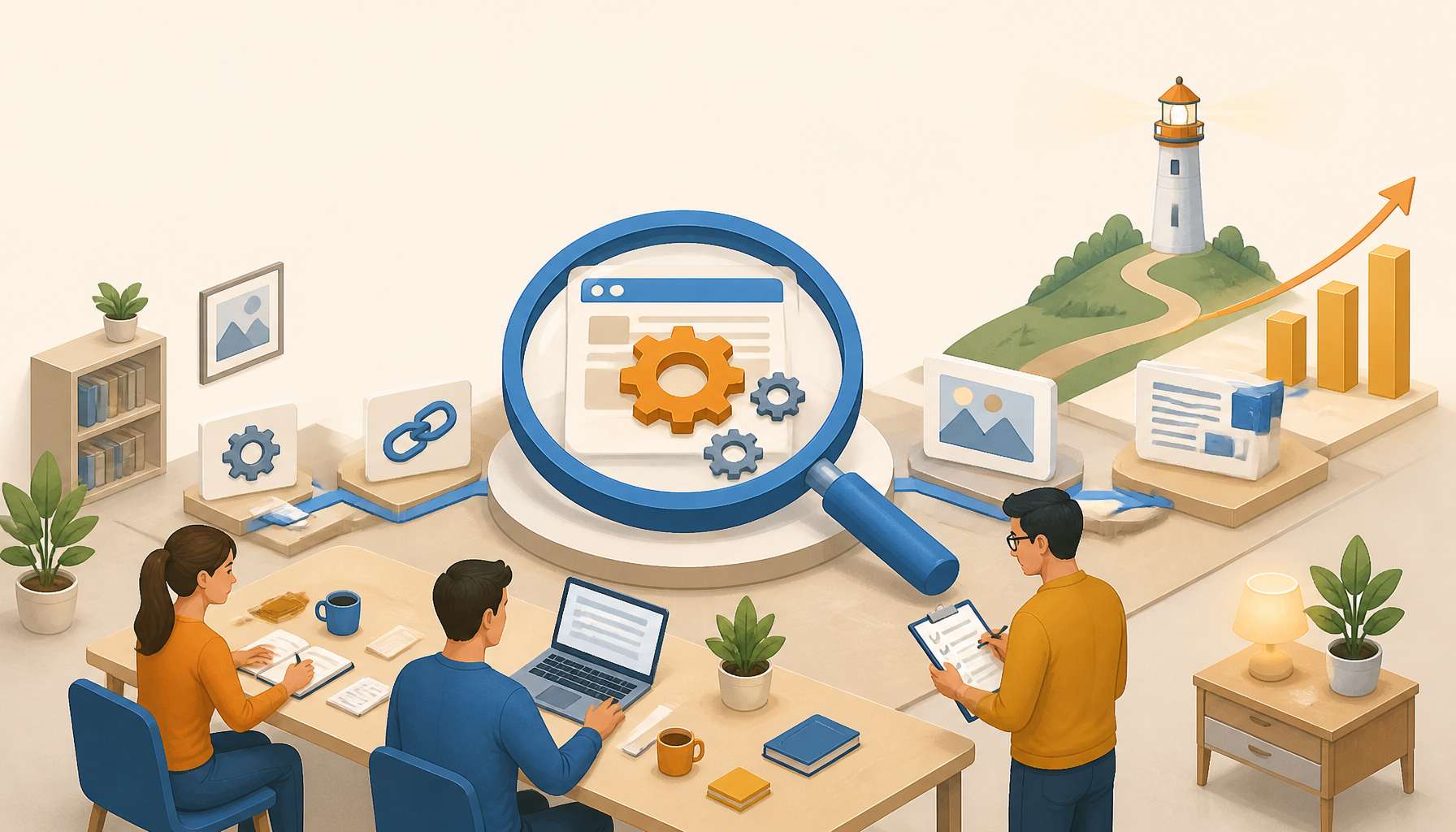
Category: Uncategorized

  • Best Laptops 2026 for Students and Professionals

    Discover the top laptops for students, gamers, and professionals in 2026 with our comprehensive guide. Find the best deals and recommendations.

    Featured image for Top 10 Laptops to Buy in 2026

    Top 10 Laptops to Buy in 2026

    Buying a laptop isn’t hard. Buying the right laptop is, because you’re really buying the next 3–5 years of daily friction (or lack of it). So I’m going to be blunt about who each model fits, what it does well, and what will annoy you.

    Top 10 Laptops to Buy in 2026 lined up on a desk for comparison

    1. Dell XPS 13 (2026)

    The Dell XPS 13 is still the “safe bet” for people who want a premium Windows laptop that doesn’t feel like a science project. The Intel Core i7 + 16GB RAM combo hits the sweet spot for heavy browser use, Office/Google apps, light photo work, and a ton of multitasking. The 4K display looks fantastic, although it can shave battery life if you keep brightness cranked.

    What I like most is how little time you spend thinking about it. It wakes fast, the trackpad is usually excellent, and it’s easy to live with on a commute. For students, that matters more than raw benchmarks.

    Tradeoff: you’re paying $1,299-ish for refinement. If you want the best dollar-per-spec, the XPS rarely wins. But if you want a laptop you won’t hate by midterms, it’s hard to beat.

    2. Apple MacBook Air M5 (2026)

    The MacBook Air M5 is the laptop I recommend when someone says, “I just want it to be quiet, fast, and last all day.” The big win is efficiency—real-world battery life tends to stay strong even when you’re bouncing between tabs, docs, and video calls. At 2.8 lbs, it’s also the easiest carry in this list.

    Here’s the part people don’t think about: the Air’s lack of fans is either a non-issue or a dealbreaker. If your workload is mostly writing, research, coding, light design work, and media, you’ll love it. If you’re exporting big video projects for hours, you may hit sustained-performance limits.

    I’ve watched students buy an Air for “maybe gaming” and then get frustrated. If gaming is a real priority, skip ahead to the Zephyrus G14.

    3. HP OmniBook 5 (16GB)

    The HP OmniBook 5 is the budget pick that doesn’t feel disposable. An AMD Ryzen 7 with 16GB memory and a 512GB SSD is plenty for typical student life: lecture notes, 30 Chrome tabs, Spotify, and the occasional stats or coding project.

    This is also the kind of laptop I’d hand to a first-year student who’s likely to toss it in a backpack without a sleeve. It’s praised for durability for a reason—hinges and chassis matter when you’re moving every day.

    The downside is predictable: the screen and speakers usually won’t be “wow.” But at around $799 (and often less on sale), it’s a practical buy.

    4. Lenovo Yoga Slim 7i (2026)

    If you want one device that can do laptop work and tablet-ish stuff, the Yoga Slim 7i is a strong 2-in-1 option. I like it for people who actually use touch—handwritten notes, marking up PDFs, sketching diagrams, or presenting with the screen folded.

    Battery life over 14 hours is legit in mixed use if you’re not hammering the CPU nonstop. The keyboard is usually solid too, which matters because a lot of convertibles get that wrong.

    Common mistake: buying a 2-in-1 because it sounds cool, then never folding it back once. If you know you won’t use tablet mode at least weekly, you’re paying for complexity you don’t need.

    5. Asus ROG Zephyrus G14

    The Zephyrus G14 is the “I need power but I still carry my laptop” machine. AMD Ryzen 9, RTX 4070, and 32GB RAM gives you real gaming performance and the kind of GPU muscle that helps with 3D, video editing, and creative work.

    A quick reality check from experience: gaming laptops fail people when they’re too heavy, too loud, or die in two hours. The G14 avoids the worst of that, but it’s still a gaming laptop. Expect fan noise under load, and plan around battery if you’re gaming unplugged.

    If you’re a student who edits video for a club, runs Blender, or plays competitive games at night, this is the first model on this list that genuinely covers all of that without feeling like a brick.

    6. Acer Chromebook Spin 713

    The Chromebook Spin 713 is for people who live in the browser and want something simple that won’t bog down. The convertible design plus touch display makes it good for classroom use, and the battery life is usually strong enough for a full day of notes and web apps.

    It’s also a sneaky-good choice for families buying for a student who breaks stuff. ChromeOS tends to be lower maintenance, and recoveries are easier.

    But don’t romanticize Chromebooks. If your program needs specific Windows-only software, or you rely on heavier local apps, you’ll feel boxed in fast. At around $699, it’s a great tool when it fits your workflow—and a frustrating one when it doesn’t.

    7. HP Omen Hyper X Edition

    The HP Omen Hyper X Edition is aimed at serious gaming performance while staying somewhat portable. With the latest Intel Core processors and NVIDIA graphics, it’s built to push high frame rates and handle demanding titles without begging for mercy.

    Here’s the trade: at $1,799 starting, you’re paying for headroom. That makes sense if you actually use it—AAA games, streaming, content creation, high-refresh esports. If you mostly play lightweight games and do homework, you’re buying bragging rights and carrying extra weight.

    One tip that saves headaches: plan your bag and charger situation. A lot of people buy a high-end gaming laptop and then realize the power brick is basically a second lunch.

    8. Microsoft Surface Laptop 5

    The Surface Laptop 5 is for people who care about fit-and-finish, a clean Windows experience, and a screen that’s nice to stare at for hours. The keyboard and trackpad tend to be comfortable, and Windows 11 integration feels polished.

    It’s a great “meetings + writing + research” laptop, which is most professional workloads. I’ve seen consultants pick these because they look sharp on a conference table and don’t act weird with docks and projectors.

    What I’d watch: price-to-spec can be a little spicy. If you’re comparing on raw performance per dollar, some competitors will beat it. If you’re comparing on day-to-day comfort, it holds up.

    9. Gigabyte Aero X16

    The Gigabyte Aero X16 is the creator-leaning option—high-resolution display, strong GPU options, and enough CPU to chew through editing workloads. If you’re doing design work, video editing, or anything where screen quality matters, this is where I’d start looking.

    I’ve helped a friend choose an Aero-class laptop for Adobe work, and the mistake we avoided was buying “gaming-first” instead of “color-and-screen-first.” Gaming rigs can be fast, sure, but creators feel bad screens every single day.

    At around $1,699, it’s not cheap. But if your laptop is part of how you earn money (freelance editing, design gigs), the better display and performance can pay back quickly.

    10. ThinkPad X1 Carbon Gen 10

    The ThinkPad X1 Carbon Gen 10 is still the business workhorse: lightweight, durable, security-minded, and built around a keyboard people actually like typing on. If you write for a living, or you live in spreadsheets, the keyboard alone can justify the pick.

    It’s also the one I trust most to survive travel. I’ve seen ThinkPads take real abuse—crowded backpacks, constant flights, too many coffee-shop sessions—and keep going.

    Downside: you’ll pay for that reputation, starting around $1,499. But if you want a laptop that’s boring in the best way, this is it.

    Best Laptops Reviews and Recommendations

    This is where most buyers should slow down. Specs are easy to compare; fit is not. So instead of just repeating “performance, portability, battery, price,” here’s how I’d actually decide.

    Best Laptop Deals

    Deals are real, but only if you buy the right configuration. I’ve watched people save $150 and accidentally pick 8GB RAM, then spend the next two years complaining their laptop “got slow.”

    What I do, step by step (and it takes 10 minutes):

    1. Pick your baseline RAM and storage first. In 2026, I treat 16GB RAM as the floor for Windows and for anyone who multitasks. For storage, 512GB is the comfortable minimum unless you’re strictly cloud-based.
    2. Check the screen spec, not just size. If you stare at it all day, don’t settle for a dim, washed-out panel. This is where “cheap” hurts.
    3. Compare the exact SKU across 2–3 retailers. Model names lie; SKUs don’t. Same laptop name can hide wildly different screens and SSDs.
    4. Decide your return window before you click Buy. If you can’t return it easily, don’t gamble.

    With that in mind, these are the kinds of deals worth watching:

    1. Dell XPS 13: Sometimes drops to $1,199. That’s meaningful because the XPS holds value better than a lot of thin-and-lights, so you’re not lighting money on fire.
    2. HP OmniBook 5: I regularly see it around $699 during back-to-school sales. For a student who needs a dependable daily driver, that’s a clean win.
    3. Lenovo Yoga Slim 7i: Deals around $999 make the 2-in-1 premium feel reasonable, especially if you’ll use tablet mode for notes.

    Real example: I helped a nursing student last fall who wanted an iPad + cheap laptop combo. We ran the numbers and realized a Yoga 2-in-1 plus a basic stylus covered note-taking and typing, with fewer devices to charge. She spent a little more upfront, but she stopped juggling gear—and that was the real “deal.”

    Common deal-shopping mistakes (I see these constantly):

    • Buying a “doorbuster” with 8GB RAM because the price looks good.
    • Ignoring weight. A half-pound difference feels small online and huge after a month.
    • Paying for a 4K screen on a 13-inch laptop, then running it at low brightness to save battery.

    Recommendations for Laptop Brands

    Brands aren’t quality guarantees. They’re risk profiles. Every brand ships a few duds and a few legends, so I focus on what each tends to do well.

    • HP: Usually strong on value and broad availability. If you’re buying for school and you want local support options, HP is often easy.
    • Apple: Consistency, battery efficiency, and resale value. Great for writing, coding, and creative work—assuming your apps fit macOS.
    • Lenovo: Keyboards, business durability, and a lot of sensible designs. When someone tells me they travel a lot, I think Lenovo first.

    If you’re stuck, pick your “priority lane”:

    • All-day battery + quiet: MacBook Air M5.
    • Premium Windows + portability: Dell XPS 13.
    • Value for school: HP OmniBook 5.
    • Gaming + creator power: Zephyrus G14 or HP Omen.
    • Business typing machine: ThinkPad X1 Carbon.

    FAQs

    Q: Which brand is best in laptops?

    A: There isn’t one best brand. Dell, Apple, Lenovo, Asus, HP—they all make excellent laptops and questionable ones. So I judge by specific model lines.

    If you want a low-drama purchase, pick a brand that’s good at your use case. For example, Apple tends to nail battery efficiency, while Lenovo tends to nail keyboards and durability.

    Q: What brand is the best laptop to buy?

    A: If you’re buying blind and you want the safest “most people will be happy” pick, I usually point to Dell XPS (Windows) or MacBook Air (macOS). That’s based on fewer weird defects, good trackpads, and fewer compromises you notice daily.

    But if you’re budget-limited, the “best” brand is the one selling 16GB RAM + a decent screen at your price.

    Q: Which is better, Dell or HP laptop?

    A: Dell tends to win on premium build and design consistency, while HP often wins on value and discounting.

    Here’s my rule: if you’re buying a flagship thin-and-light (XPS-class), Dell is often the safer bet. If you’re buying a midrange school laptop and catching a sale (OmniBook-class), HP can be the smarter deal.

    Q: What laptops to buy in 2026?

    A: Start with what you’re actually doing:

    • General school + portability: Dell XPS 13, MacBook Air M5, HP OmniBook 5.
    • 2-in-1 notes + flexibility: Lenovo Yoga Slim 7i.
    • Gaming + creative performance: Asus ROG Zephyrus G14, HP Omen Hyper X Edition.
    • Web-first + low maintenance: Acer Chromebook Spin 713.
    • Business travel + typing: ThinkPad X1 Carbon Gen 10.

    Q: How much RAM do I need in 2026?

    A: For most people, 16GB is the right answer. It keeps Windows and heavy browser multitasking from feeling cramped. 8GB still “works,” but it’s where you start noticing slowdowns when you’ve got docs, tabs, and calls stacked.

    If you edit video, run VMs, do big photo catalogs, or game while streaming, 32GB is worth paying for.

    Q: What are the most common laptop-buying mistakes?

    A: The top four I keep seeing:

    1. Buying too little RAM to save a small amount of money.
    2. Ignoring the screen (brightness, resolution, panel quality) because it’s harder to compare.
    3. Overbuying GPU “just in case,” then carrying extra weight and heat for years.
    4. Forgetting ports and charging. If you need HDMI/USB-A/SD, check before you buy—dongle life gets old fast.

    Q: How do I test a new laptop in the return window?

    A: Do a quick, practical checklist in the first 48 hours:

    • Charge it to 100%, use it normally for a day, and note battery drop.
    • Try your real workflow: the apps you need, the files you open, the meetings you join.
    • Test the webcam and mic in a real call.
    • Plug in what you actually use (monitor, mouse, SD card, headset).
    • Type for 20 minutes. If the keyboard annoys you now, it won’t magically get better.

    That’s how you avoid the slow-motion regret where you realize the problem on day 40.

    Each laptop above can be a great buy, but only if it matches your week, not your wish list. Pick your non-negotiable, buy the configuration that won’t bottleneck, and then stop overthinking it.

    Sibgha Jamil

  • Top Email Marketing Services for Small Businesses

    Top Email Marketing Services for Small Businesses

    Explore the best email marketing services for small businesses in 2026. Find out which platforms suit your marketing needs and budget.

    Top Email Marketing Services for Small Businesses in 2026

    Email still works in 2026 because it’s one of the few channels you can own end-to-end. But since you’re competing with receipts, newsletters, and a thousand “quick question” cold emails, tool choice matters.

    Before you pick anything, decide what you actually need this quarter: broadcasts, simple automations, deep CRM, or ecom flows. Then match the tool to that job.

    1. Mailchimp

    Mailchimp stays popular for a reason: you can go from zero to a decent-looking campaign fast. If you’re running a small operation—say a gym, a salon, or a local bakery—the speed matters because you’re usually the “marketing person” and the “everything else person.”

    What I like is the template library and the editor. You can build something clean without fighting the UI. The automation system is also approachable, so you can set up basics like “welcome email” and “abandoned signup form” without feeling like you need a certification.

    That said, here’s the tradeoff I’ve seen repeatedly: as your list grows and you start caring about segmentation (customers vs. leads vs. repeat buyers), you’ll feel the edges. It’s not that Mailchimp can’t do it—it can—but you’ll pay more and you’ll spend more time clicking around.

    Step-by-step: a solid Mailchimp week-one setup
    1. Create one audience (don’t fragment unless you have a real reason).
    2. Import contacts and tag them immediately (lead, customer, partner, etc.).
    3. Build a 3-email welcome series: intro, best content/products, then a soft offer.
    4. Add one plain-text “reply to me” email in the series—replies help you learn and can help sender reputation.
    5. Send one broadcast per week for a month, then review which subject lines and segments did the work.

    Common mistakes I keep fixing
    – People create multiple audiences to “organize.” Then they pay for duplicates and can’t see a single customer timeline.
    – They over-design emails. Meanwhile, the plain one with a good story and one CTA often wins.

    2. Brevo (formerly Sendinblue)

    Brevo is a strong pick when you want email plus SMS in the same place, and you don’t want to duct-tape three tools together. For a small business that runs promos, appointment reminders, or local events, that multi-channel angle is genuinely useful.

    Segmentation and workflows are the real value. You can build logic like: “if they clicked product A but didn’t buy, send a follow-up two days later.” And since the platform pushes you toward structured automation, you tend to build cleaner systems earlier.

    Brevo’s free plan is also a realistic starting point because it lets users send up to 300 emails daily, which is enough for a lot of small lists while you validate your cadence and content. The vendor’s own overview is here: Brevo.

    How I’d use Brevo for a service business (real-world flow)
    – Day 0: someone books a consult → send confirmation + “what to expect.”
    – Day 1: SMS reminder if the appointment is within 24 hours.
    – Day 2: if they no-showed → short email with a rebook link.
    – Day 7: if they attended but didn’t buy → 2-case-study email.

    Watch-outs
    Because Brevo can do a lot, people build a “spaghetti workflow” fast. So keep naming consistent (Workflow: Lead → Consult → Follow-up) and write down what each automation is supposed to achieve.

    3. ActiveCampaign

    ActiveCampaign is what I reach for when a small business is serious about lifecycle marketing—especially if sales happens over multiple touches. If your product isn’t an impulse buy, this is where automation pays for itself.

    The big win is the combination of behavior-based automation and CRM-like organization. You can track what someone clicked, which pages they visited (depending on setup), and then react automatically. So instead of “newsletter forever,” you can run real sequences: onboarding, upsell, renewal, winback.

    Here’s my opinionated take: it’s worth it if you’ll actually use it. If you’re only sending a monthly update, it’s like buying a commercial oven to make toast.

    Step-by-step: a revenue-focused automation I’ve shipped
    1. Split your list into 3 buckets: new leads, trials/first-time buyers, repeat customers.
    2. Build one automation per bucket (max). Keep it boring.
    3. Add one goal per automation (book a call, place first order, buy again).
    4. Write emails as if you’re talking to one person. Then test subject lines second.
    5. Review after 14 days: drop any email that gets clicks but no downstream action.

    Common mistake
    People obsess over “personalization tokens” and forget relevance. A timely email with the right offer beats “Hi {FirstName}” every day.

    4. Constant Contact

    Constant Contact is still a good option for beginners because it leans hard into support and training. That sounds fluffy until you’ve watched a non-marketer try to troubleshoot a deliverability drop at 9pm.

    If you’re new to email, the platform’s biggest advantage is confidence. You don’t feel lost, and you can get campaigns out without being terrified that you’re breaking something. List management is straightforward, and reporting is easy to interpret.

    Where it’s not my first choice: if you’re planning on complex automation or tight ecom integrations from day one. It can work, but other tools feel more purpose-built for that job.

    A practical way to use Constant Contact
    – Keep a “house list” (customers + warm leads).
    – Send a consistent monthly newsletter with one story, one offer, and one ask.
    – Add a simple welcome email that sets expectations: how often you’ll email and what they’ll get.

    Beginner mistake
    Sending to everyone, every time. Start segmenting early—even just “customers vs. not customers.” It’s the easiest lift with the biggest payoff.

    5. GetResponse

    GetResponse is the all-in-one pick when you want email plus landing pages, and you also want webinars in the same system. For small businesses that sell education, coaching, or demo-heavy products, that combo can simplify your stack.

    I’ve seen it work well when you’re running a launch: ad → landing page → email sequence → webinar → follow-up sequence. Instead of exporting CSVs between tools, you keep the funnel in one place.

    The tradeoff is focus. All-in-one platforms are convenient, but the “best-of-breed” tools usually go deeper in their niche. So, if webinars are central to your revenue, GetResponse earns its keep. If you’ll run one webinar a year, you may be paying for a feature you don’t use.

    Step-by-step: a simple launch funnel
    1. Build a landing page with one clear promise and one CTA.
    2. Connect it to a 5-email sequence: confirm, value email, reminder, “starting soon,” replay.
    3. Tag attendees vs. no-shows.
    4. Send different follow-ups: attendees get the offer; no-shows get the replay first.
    5. After the launch, prune unengaged contacts (protect deliverability).

    Best Free Email Marketing Services for 2026

    Free tiers are great for proving your offer and finding your voice. But you still need to behave like a grown-up sender: permission-based lists, consistent cadence, and a plan for cleaning unengaged subscribers.

    I’m also going to say the quiet part out loud: “free” gets expensive if it tempts you into sloppy habits. So treat the free plan like a trial for your process, not just the software.

    1. MailerLite

    MailerLite is one of the easiest tools to recommend when you want simple, clean, and fast. The editor is friendly, landing pages are decent, and automation is straightforward.

    The free plan is clear and useful: up to 1,000 subscribers and 12,000 emails per month. That’s enough volume to run weekly broadcasts plus basic onboarding.

    Where MailerLite shines
    – If you’re a creator, consultant, or small shop owner who needs to move quickly.
    – If you want good-looking emails without spending hours on layout.

    Common mistake
    People set up automations and never read them again. Re-read your welcome sequence every quarter—your business changes, and outdated emails quietly hurt conversions.

    2. Brevo Free Plan

    Brevo’s free plan is a real option if you’re early-stage and you want a platform you can grow into. The daily sending cap—up to 300 emails daily—creates a natural limit that keeps you from blasting your list while you’re still learning what works.

    The bigger reason I like it: you can start building multi-channel habits without buying more software. Email plus SMS isn’t a gimmick if your business has time-sensitive actions (appointments, local events, limited stock).

    Brevo’s overview is here: Brevo.

    Step-by-step: using the free plan without wasting it
    1. Send only to confirmed opt-ins (double opt-in if you can).
    2. Segment new signups separately from older imports.
    3. Run a 2-week test: 2 broadcasts + 1 small automation.
    4. Track replies, not just opens. Replies are qualitative gold.

    3. Sender

    Sender’s free tier is generous: up to 15,000 emails per month to 2,500 subscribers. For an e-commerce shop with a growing list, that’s a lot of runway.

    The drag-and-drop builder is easy enough, and analytics are good for the price (free). So you can test product blocks, timing, and basic personalization without paying upfront.

    How I’d use Sender for ecom
    – Weekly “what’s new” email to engaged subscribers.
    – Simple post-purchase sequence: thanks, usage tips, review request.
    – One re-engagement campaign per quarter to wake up sleepers.

    Common mistake
    Chasing “more emails” instead of better segmentation. If you only do one thing, stop emailing people who haven’t opened in months.

    4. HubSpot Email Marketing

    HubSpot’s free email tool makes the most sense if you’re already using the CRM (or you plan to). The free email limit is up to 2,000 emails per month, and the integration between contacts, deals, and email activity can be genuinely helpful.

    If you run a service business with leads, calls, and follow-ups, having email tied to CRM records can stop things from slipping through the cracks.

    Where people mess up
    They bring messy data into HubSpot and expect clean reporting. Before you import anything, define lifecycle stages (lead, MQL, customer) and stick to them.

    5. SendPulse

    SendPulse is interesting because it pushes a multi-channel approach: email plus web push notifications and SMS marketing. The free tier is 15,000 emails to 500 subscribers, which is enough to test a content cadence.

    This works best when timing matters—like flash sales, webinar reminders, or back-in-stock alerts. Push can spike engagement, but you need restraint or people will opt out fast.

    A practical use case
    Run email as the “home base,” then reserve push for true urgency: “live in 30 minutes” or “last day for early pricing.”

    Considerations When Choosing an Email Marketing Service

    Tools don’t fix bad strategy, but the wrong tool absolutely slows down a good one. When I help a small team choose a platform, I look at a few non-negotiables.

    User Experience

    If it’s painful to build an email, you won’t send consistently. So do a real test: build one campaign, one landing page (if needed), and one automation. Time yourself.

    I’ve watched founders spend three evenings “setting up” a tool, then never email again. Meanwhile, the boring tool that gets you shipping wins.

    Pricing Models

    Pricing is usually fair at the start and annoying later. So, before you commit, estimate where you’ll be in 12 months: subscribers, sends per month, and whether you’ll need multiple users.

    Also, pay attention to how contacts are counted. Some platforms bill for unsubscribed contacts or duplicates if you’re careless.

    Automation Features

    Automations should save you time and make the customer experience smoother. But complex automations are a trap when you don’t have volume.

    Start with three basics:
    – Welcome series
    – Post-purchase or post-booking follow-up
    – Re-engagement for cold subscribers

    Then iterate. Because once you have a working baseline, you can add sophistication without breaking everything.

    Analytics and Reporting

    I care less about pretty dashboards and more about decision-making metrics:
    – Which segment drove revenue or bookings?
    – Which email got replies?
    – Where do people drop off in the sequence?

    A quick “how I know” line: most of the meaningful wins I’ve seen came from trimming what didn’t work (weak segments, dead emails), not from adding more emails.

    Conclusion

    Email marketing services give small businesses a lever they can actually control—list, message, timing, and follow-up. But the tool is only half the story. The other half is whether you build a repeatable system that matches your reality (time, content bandwidth, and how your customers buy).

    Here’s a real example from my side of the desk.

    A small local services client (two-person team) came to me after “email stopped working.” Their list was around 3,000 contacts, and they’d been blasting the same promo to everyone. Predictably, engagement slid, then bookings slid, and they blamed the platform. It wasn’t the platform.

    What we changed (in order), and why it worked
    1. We cleaned the list first. Anyone who hadn’t opened in a long time went into a re-engagement segment. The goal wasn’t punishment—it was deliverability protection.
    2. We split customers from leads. Customers got tips and upsells; leads got proof and a simple booking CTA. Relevance went up immediately.
    3. We rewrote the emails like a person wrote them. Less design, more specifics: prices, timelines, what happens next. People reply to clarity.
    4. We added one automation. A short welcome series that answered the top three questions the owner kept getting on calls.
    5. We measured the right thing. Not “opens,” but bookings and replies. Opens are noisy in 2026, so we treated them as directional.

    Within a month, they weren’t “doing email marketing” as a big project anymore. They had a weekly habit, one automation that kept working while they slept, and a list that felt alive again.

    Common mistakes to avoid (I see these constantly)
    Buying a tool before you have a sending plan. If you can’t describe what you’ll send in the next four weeks, pause.
    Over-automating early. One good sequence beats five half-finished ones.
    Ignoring list hygiene. Email is a reputation game. Keep dead weight around too long, and even your best customers stop seeing your emails.
    Never asking for replies. Replies are feedback, but they’re also a signal that you’re a real sender.

    If you want a simple next step: pick one platform, set up one welcome sequence, and send one useful email every week for the next four weeks. You’ll learn more from that than from another afternoon of tool shopping.

    FAQ

    • Q: What is the best email marketing service for beginners?
      A: MailerLite is ideal for beginners due to its simplicity.

    • Q: Are there free email marketing services available?
      A: Yes, providers like Mailchimp and Sender offer free tiers.

    • Q: What features should I look for in an email marketing service?
      A: Look for user-friendly interfaces, pricing, automation features, and analytics.

    • Q: How can email marketing help small businesses?
      A: Email marketing can enhance customer engagement and drive sales.

    • Q: Are paid email marketing services worth it?
      A: Yes, they often provide more comprehensive features and support.

    • Q: Can I try email marketing tools for free?
      A: Many services offer free trials or free versions for initial testing.

    17 Best Free Email Marketing Services for 2026

  • The Role of Technology in Love by 2026

    The Role of Technology in Love by 2026

    Explore how technology reshapes love and relationships by 2026.

    Featured image for The Role of Technology in Love by 2026

    Exploring Love Through Media

    Media doesn’t just reflect romance anymore—it trains us for it. That’s the problem and the opportunity, because what you consume quietly becomes your relationship “normal.”

    Love Movies and Their Influence

    Movies used to be the main script for romance. Now they’re one script among a hundred, but they still land punches because they give us clean story arcs: meet-cute, conflict, resolution. Real relationships are messier, so when you binge polished narratives, it’s easy to feel like your love is “wrong” because it doesn’t cut like a trailer.

    Modern cinema also normalizes tech as the matchmaker. A film like “The Perfect Date” uses app-based dating as the entire engine of the plot, so the audience absorbs a quiet message: the app isn’t just a tool—it’s where romance begins and where it gets validated.

    Here’s the tradeoff I see: romantic media can widen your imagination (good), but it can also make you allergic to boring-but-healthy love (bad). You know the kind—two people doing laundry and paying bills without fireworks. It’s not cinematic, but it’s stable.

    When newer formats like VR and AR start telling love stories, the intensity will go up. Immersion changes your nervous system response. If you can feel a romance scene around you, you’ll carry that heightened expectation back into your own relationship, whether you mean to or not.

    A practical way to keep media from quietly steering your love life is to do a “romance script audit” together. I’ve done this with partners and I’ve suggested it to friends, and it cuts through a lot of vague resentment.

    Step-by-step: a quick romance script audit (30 minutes)
    1. Pick one movie/show/creator you both think is “relationship content.”
    2. Write down (separately) what it implies about love: how often people text, how they apologize, how jealousy gets framed, what counts as commitment.
    3. Compare notes. Look for one expectation you’ve absorbed without noticing.
    4. Agree on one replacement rule that fits real life. Example: “We don’t do surprise tests of loyalty. We ask directly.”
    5. Revisit in two weeks. If it feels awkward, good—that means you found a real script.

    Common mistake: treating movie-style grand gestures as a substitute for daily reliability. I’ve seen someone plan an elaborate anniversary video, while their partner was begging for one simple habit—being on time. The video got posted. The relationship still felt lonely.

    And yes, media pressure is measurable. According to a recent study, the impact of media on relationships is profound; over 65% of couples report feeling pressure to maintain a relationship like one they see depicted in popular culture. I buy that number because I’ve watched couples argue more about optics than needs.

    Love Photos: A New Way to Connect

    Photos used to be memories. Now they’re also relationship signals.

    On the good side, sharing pictures can build a “shared story.” Long-distance couples especially benefit from visual updates—small proof-of-life moments that make the other person feel included.

    But the dark pattern is performative closeness: you post the cute dinner photo while you barely spoke during the meal. I’ve seen this spiral in real time. A friend of mine—let’s call her Maya—started tracking how quickly her boyfriend posted her. Not because she’s shallow, but because she didn’t feel secure. The posting became a proxy for commitment.

    The result? Every weekend turned into content production: outfits approved for photos, restaurants picked for lighting, arguments paused until after the carousel went up. They weren’t lying, exactly. They were editing.

    That “validation loop” can create stress in a relationship, and research from the University of Wisconsin points to how social forces can shape our behavior and wellbeing. Even without reading a single study, you can feel the tension when a date turns into a shoot.

    If you want photos without the weirdness, you need rules before resentment.

    Step-by-step: a low-drama photo agreement
    1. Decide what’s private by default (fights, family issues, location tags, money stuff).
    2. Pick one “share lane” you both like (one story a week, one monthly photo dump, whatever).
    3. Agree on consent language. Mine is simple: “Is this for us or for the feed?”
    4. Set a no-phone window during dates (even 20 minutes helps).
    5. If one of you cares more about posting, name it without shame—then negotiate.

    Common mistakes I see constantly:
    Using likes as emotional data. “People didn’t react, so maybe we’re not solid.” That’s poison.
    Posting during conflict to prove everything is fine. It backfires because you start performing instead of repairing.
    Assuming silence is rejection. Sometimes your partner didn’t repost because they were driving, working, or just tired.

    By 2026, the couples who do best won’t be the ones who never share. They’ll be the ones who can separate connection from broadcasting.

    Understanding the Meaning of Love

    Tech changes the delivery system, but love still runs on the same core fuel: trust, care, and repeated choices. The question is whether your tools support those choices—or distract you from them.

    What is the Full Meaning of Love?

    To me, the full meaning of love is less a feeling and more a pattern: consistent care over time, especially when it’s inconvenient. Butterflies are real, sure, but they don’t cover rent or rebuild trust after a bad month.

    Technology complicates this because it offers constant “mini-connection”—streaks, reactions, quick taps—so you can feel connected while avoiding deeper intimacy. A meme can be affection. It can also be a dodge.

    By 2026, a lot of couples will basically run on digital touchpoints: sending a reel, sharing a playlist, dropping a heart on a selfie, hopping on a virtual date. None of that is fake. Still, you have to know what job each behavior is doing.

    Here’s a grounded way to define what love means in your relationship, not on the internet.

    Step-by-step: define love in three lanes
    1. Emotional lane: What makes you feel safe? (Example: “When you check in before tough meetings.”)
    2. Practical lane: What makes life easier? (Example: “When you handle groceries without being asked.”)
    3. Repair lane: What happens after conflict? (Example: “We do a 10-minute debrief, same day, no subtweets.”)

    Then map your tech habits onto those lanes.
    – Emotional: voice notes can be better than texting, because you hear tone.
    – Practical: shared calendars prevent dumb fights about time.
    – Repair: phones can ruin repair if you argue by paragraph and screenshot each other.

    A persona I think about a lot is the “always-on” partner—the one who shows love by being instantly responsive. I’ve been that person. It feels generous, but it can morph into anxiety fast.

    Common mistakes couples make here:
    Confusing responsiveness with love. Immediate replies are nice, but consistent honesty is bigger.
    Keeping score with receipts and timestamps. “You saw it at 2:03.” That turns affection into surveillance.
    Replacing quality time with parallel scrolling. You’re together, but you’re not with each other.

    When tech is working, it’s a bridge. When it’s not, it’s a hiding place.

    What is the Bible Definition of Love?

    The Bible’s definition of love—especially the framing in 1 Corinthians 13—is blunt in a way modern apps aren’t: love is patient, kind, not self-seeking. That’s not romantic sparkle. That’s character under pressure.

    So here’s the uncomfortable question I use on myself: does my digital behavior look like patience and kindness, or does it look like convenience and control?

    Because tech makes certain temptations easier.
    – You can ghost instead of having a hard conversation.
    – You can passive-aggressively “like” someone else’s post to provoke jealousy.
    – You can curate a version of your relationship that avoids vulnerability.

    If you care about aligning digital love with that older definition, I’d start small, not dramatic.

    A simple practice I’ve seen work: pick one “kindness rule” for your devices.
    – No arguments over text after 9 p.m.
    – No checking your partner’s phone, even when you’re anxious—ask the question instead.
    – No posting about your partner when you’re mad at them.

    Balance matters. Online affection can absolutely support offline commitment, but it can’t replace it. The couples who last into 2026 and beyond will treat communication—digital and face-to-face—as something they actively design, not something they improvise while exhausted.

    Pick one habit to change this week. If you don’t, your apps will pick for you.

  • Top Study Tips for Tests in 2026

    Top Study Tips for Tests in 2026

    Explore effective study tips and techniques to excel in your tests in 2026. Learn about internet speed tests and their importance. Discover strategies for success!

    Featured image for Top Study Tips for Taking Tests in 2026

    Top Internet Speed Tests: How to Evaluate Your Connection

    If your exam is online, your internet connection is part of your “test-taking skill.” That sounds dramatic, but a lag spike at the wrong time can boot you out of a quiz, freeze a proctoring tool, or eat five minutes while you re-authenticate.

    So, before test week, I’d rather you find problems early by running a speed test wifi than discover them while your grade depends on it.

    Understanding Internet Speed Testing

    An internet speed test measures how fast data moves between your device and the internet. You’ll usually see download speed, upload speed, and latency (sometimes “ping”). For online testing, latency and upload tend to matter more than people think, because video proctoring and screen sharing can be upload-heavy.

    I’ve used Ookla Speedtest as a quick reality check when things feel “fine” but not actually stable. The number you’re looking for isn’t just peak speed—it’s consistency. If one test says 200 Mbps down and the next says 25, you’ve got a reliability problem even if the average looks decent.

    How to Run a Speed Test

    1. Choose a Recommended Platform: Select a platform such as Speedtest by Ookla or Fast.com.
    2. Close Unnecessary Applications: Before running the test, close any applications that may be using bandwidth. This includes streaming services or file downloads.
    3. Connect via Ethernet if Possible: A wired connection often offers more stable and higher speeds compared to Wi-Fi.
    4. Run the Test: Click on the ‘Go’ button, and the tool will run a series of tests to measure latency and speed.
    5. Review the Results: Check whether your results fall within the acceptable range for online testing. If your download speed is low, you may need to contact your internet service provider or consider alternative connection methods.

    A couple of extra moves that save headaches:

    • Run three tests: morning, afternoon, evening. Congestion is real, so you want to know your worst-case window.
    • If you’re on Wi‑Fi, test in the exact spot you’ll take the exam. Walls and distance matter more than people admit.
    • Screenshot results. If you end up needing a retake because of a connection drop, having receipts helps.

    Tips for Optimal Connection During Tests

    • Schedule your tests during off-peak hours to avoid network congestion.
    • If you’re using Wi-Fi, ensure you are as close to the router as possible.
    • Consider using a Wi-Fi extender if you’re in a large space.

    Here’s a real scenario I’ve watched play out: a student I helped was getting “random” disconnects during practice quizzes. Turns out their laptop kept hopping between 2.4 GHz and 5 GHz Wi‑Fi bands. The fix wasn’t complicated—lock to the stronger band and stop taking tests from the far corner bedroom.

    By the time test day hit, they weren’t thinking about connectivity at all, which is the goal. If you can reliably run speed tests and fix issues ahead of time, you remove a whole category of stress.

    Understanding the Term ‘Test’: Definition and Meaning

    You’ll study better when you’re clear on what a “test” is trying to measure. Otherwise, you end up prepping in the wrong way—memorizing when you should be practicing, or practicing when you should be building basics.

    A test, in an educational context, is defined as an assessment intended to measure a student’s knowledge, skills, or abilities. That definition sounds simple, but it changes how you plan.

    The Various Meanings of Test

    1. Standardized Tests: These are administered under uniform conditions and scored in a standard manner, often used for college admissions.
    2. Formative Assessments: Tests used during the learning process to modify teaching and learning activities, helping to improve student understanding.
    3. Summative Assessments: Conducted after an instructional unit, these assessments are designed to evaluate student learning against a standard or benchmark.

    Why this matters: standardized tests punish timing mistakes and sloppy strategy. Formative quizzes punish procrastination (because they’re frequent), but they’re also a gift because they show gaps early. Summative finals punish shallow understanding because the questions often combine multiple units.

    Examples of How Test Knowledge Affects Preparation

    If your teacher says, “This will be mostly application,” believe them. That’s your cue to stop rereading notes and start doing problems, writing mini-essays, or explaining concepts out loud.

    On the other hand, if the exam is heavy on definitions, then sure—flashcards and tight recall drills can carry you. But even then, you’ll score higher when you can use the definitions in context.

    A quick self-check I like: pick a topic and ask, “Could I teach this in three minutes without looking?” If you can’t, you don’t know it yet—you recognize it. That distinction shows up brutally on test day.

    Effective Study Tips for Tests

    Good study habits aren’t mysterious. They’re just a little annoying to do consistently, especially when you’re tired, busy, or stressed.

    Below are the strategies I’ve seen actually convert time into points in 2026’s testing mix—paper, online, timed, and proctored.

    Build a simple weekly plan

    Start with the calendar, not the textbook. If your test is in 14 days, you can’t “wing it” and hope motivation arrives.

    Here’s a step-by-step plan I’ve used (and reused) when I had multiple exams stacked:

    1. List the test topics (units, chapters, standards). Keep it ugly and honest.
    2. Mark what you don’t know with a red dot. Not “I kind of get it.” Either you can do it cold, or you can’t.
    3. Assign two passes: first pass to learn/relearn, second pass to practice under pressure.
    4. Schedule short sessions (30–50 minutes). Long marathons feel productive, but they usually turn into scrolling.
    5. Reserve one “catch-up block” every 3–4 days. Because life happens.

    The tradeoff: planning takes 20 minutes up front. But then you stop wasting whole evenings deciding what to do.

    Utilize Active Recall (the non-negotiable)

    Active recall means you try to pull information from memory before you look at the answer. It’s uncomfortable, so people avoid it. That said, it’s the closest thing to “practice for the test” because tests ask you to retrieve, not recognize.

    Ways to do it that don’t require fancy apps:

    • Cover your notes and write what you remember, then check.
    • Use flashcards, but say the answer out loud before flipping.
    • After a lecture video, pause and summarize from memory.

    A quick example: when I was prepping for a biology final, I stopped rereading the chapter and started writing one-page “memory sheets” from scratch. The first attempt was terrible. The third attempt was clean, and my score jumped. I know it worked because the questions felt familiar in a different way—I could produce the answer, not just spot it.

    Common mistake: turning “active recall” into passive review by flipping cards too fast. If you don’t sit in the silence and try, you’re not training recall.

    Implement Spaced Repetition (so it sticks)

    Spaced repetition is reviewing material over increasing intervals. It works because your brain has to work a little to retrieve older info, and that effort strengthens memory.

    A practical schedule that doesn’t require perfect math:

    • Day 1: learn + recall drill
    • Day 3: recall drill again
    • Day 6: mixed recall + practice questions
    • Day 10: timed mini-test
    • Day 13: quick review of misses

    This is especially useful for language vocab, formulas, historical dates, and definitions. But it also helps with procedures—like solving a specific type of calculus problem—because the steps stay accessible under time pressure.

    Where students mess up: they “cram-relearn” the same topic every day and neglect everything else. It feels safe, but then older content decays.

    Practice with Past Papers (and mimic constraints)

    Past papers are valuable because they show how your course thinks. The trick is to use them like the real thing.

    Try this:

    1. Do a small set (10–15 questions) untimed to learn the style.
    2. Redo a similar set timed, no notes.
    3. Grade it harshly, then write corrections.
    4. Repeat with new questions.

    If you can’t get past papers, build your own “past paper” by mining old quizzes, homework sets, and end-of-chapter problems. Then shuffle them.

    A real win I’ve seen: a student kept missing wordy math questions even though they knew the math. The fix wasn’t more math—it was practicing reading the question, underlining what it’s actually asking, and writing a one-line plan before calculating.

    Manage Your Time Wisely (during study and during the test)

    Time management has two layers.

    First, study-time: set a clear goal for the session (“I will answer 25 questions” beats “I will study chemistry”). Second, test-time: decide how you’ll move through the exam.

    If your test is timed, practice timed. Otherwise, you’re training the wrong skill.

    A simple test-day pacing rule:

    • First pass: grab the easy points quickly.
    • Second pass: work the medium questions.
    • Final pass: wrestle the hard ones, then check.

    Mistake I see constantly: students spend 12 minutes on question 1 to “start strong,” then sprint the rest and bleed points on easy stuff.

    Take Care of Yourself (so your brain shows up)

    Sleep isn’t optional, especially the night before. You’re not just “resting”—you’re consolidating memory.

    Practical habits that help more than people expect:

    • Keep caffeine consistent (don’t triple it on test day).
    • Eat something boring but steady (protein + carbs beats candy).
    • Do a 10-minute walk between study blocks. It resets your attention.

    Also, build a pre-test checklist the day before:

    • Charger packed
    • Allowed calculator works
    • Login/password tested
    • Quiet space arranged
    • Speed test run (if online)

    That list prevents the kind of stupid panic that burns mental energy before you even see question one.

    Being well-prepared doesn’t just ease anxiety—it gives you control. When your study methods are solid and your testing setup is stable, you walk in (or log in) feeling ready instead of hoping for luck.

    Conclusion

    If you want the clean version: prepare your knowledge and remove avoidable friction. That’s how you score better in 2026.

    On the learning side, active recall and spaced repetition do the heavy lifting because they match what tests demand—retrieval under pressure. Past papers and timed practice turn that knowledge into performance, which is a different skill than “understanding” during homework.

    On the logistics side, don’t wait until five minutes before an online exam to discover your Wi‑Fi is unstable. Run the speed test wifi in the exact place you’ll test, at the time you’ll test, and fix what you can. If you’re forced to use flaky internet, plan around it: Ethernet if possible, hotspot as a backup, and a quiet room where your device won’t roam between networks.

    Here’s a quick example that sticks with me: a friend had an online midterm with webcam proctoring. They studied hard, but they didn’t test their setup. The proctoring software flagged “unstable connection,” kicked them out twice, and by the time they got back in, they were rattled and behind. Next exam, they did one boring thing—three speed tests over two days, plus a practice run of the testing platform. Score went up, stress went down. Same brain, better process.

    Your next step is simple: pick your next exam, draft a two-week plan tonight, and schedule one timed practice session. Then do the unsexy setup check—especially if you’ll need to run speed tests. Confidence comes from evidence, not vibes.

  • Affordable Laptops in 2026: Great Deals You Can’t Miss

    Affordable Laptops in 2026: Great Deals You Can’t Miss

    Discover the best budget laptops for school and gaming in 2026. Find great deals on laptops under $300. Shop now!

    Affordable Laptops for School

    When it comes to finding the best budget laptops for school, there are a few key features that actually matter day-to-day. You want a lightweight build for commuting, battery life that survives a long lecture block, and enough CPU/RAM to keep Chrome tabs and class apps from choking.

    Laptop for College

    Among the popular choices for college students in 2026, the Dell XPS 13 stands out due to its sleek design and solid performance. It features a 13-inch full HD display, up to 16GB of RAM, and a speedy SSD to ensure you can multitask efficiently. Many students find it perfectly balances power and portability, making it ideal for both lectures and studying at coffee shops.

    Another excellent option is the HP OmniBook 5—a reliable, economical choice with solid specs that can tackle everyday tasks with ease. It’s particularly praised for its durability and battery life, making it a favorite among students who are always on the go.

    What I’d check before buying

    A lot of “student laptops” look fine on a product page, but the config is where you win or lose. So before you click Buy, check these four items:

    • RAM: 16GB is the comfort zone in 2026. 8GB can work, but only if you’re disciplined with tabs (most students aren’t).
    • Storage: Don’t accept a tiny drive unless you’re sure you’ll live in cloud storage. An SSD is non-negotiable.
    • Ports: If you present slides, plug into projectors, or use lab gear, you’ll care about USB-A/HDMI more than you think.
    • Keyboard/trackpad: Sounds boring, but if you type 3–6 hours a day, it’s the difference between “fine” and “I hate this thing.”

    I’ve watched students buy a cheap laptop with 8GB RAM and then add a pile of browser extensions, Teams, Spotify, and a PDF reader—then wonder why it stutters during finals week. That’s not bad luck; it’s predictable.

    Buy Laptop Windows

    When you’re looking to buy a laptop Windows model, make sure to check for recent sales on platforms like Best Buy or Walmart. These retailers often feature sales that can save you big bucks, especially during back-to-school seasons.

    One practical tip: compare the exact model number, not just the marketing name. “XPS 13” can mean different panels, storage sizes, or even different CPUs depending on the listing. If the model number doesn’t match, you’re not comparison shopping—you’re guessing.

    Gaming Laptops on Sale

    Finding a gaming laptop on sale that won’t break the bank is crucial for gamers on a budget. Fortunately, 2026 has brought some great options that balance affordability and performance.

    The Acer Predator Helios Neo 16S is a fantastic choice for budget-conscious gamers. It offers impressive performance with the latest NVIDIA RTX graphics and a high-refresh-rate display, making it perfect for fast-paced gaming without lag. This laptop often goes on sale, so keep an eye out for deals, especially during holiday sales or online discount events.

    How I shop gaming sales (without getting tricked)

    Gaming laptop listings are sneaky because two laptops can share a name and still perform wildly differently. So I shop them like this:

    1) Start with the GPU tier. Decide the floor you’ll accept. If you play esports titles, you can prioritize high refresh over max settings. If you play AAA stuff, you’ll want more GPU headroom.

    2) Check the wattage and cooling hints. Thin gaming laptops can throttle. Reviews matter here, but even product pages can reveal heat-pipe layouts and fan intakes.

    3) Look at RAM and SSD upgrade paths. Some “budget” gaming models ship with minimal RAM because it looks cheaper in ads. That’s fine if you can upgrade later.

    4) Price the total, not the sticker. If you’ll immediately add RAM/SSD, include that in your mental math.

    I once watched a friend grab what looked like a steal on a “high-refresh gaming laptop,” then realize it shipped in single-channel RAM and bottlenecked performance. After upgrading, the deal was… okay. Not amazing. That’s why I always check the config first.

    Common mistakes I see gamers make

    People don’t usually fail because they pick the “wrong brand.” They fail because they overpay for the wrong feature.

    • Chasing the thinnest chassis and then getting noisy fans or throttling mid-match.
    • Ignoring the screen specs. A strong GPU paired with a dim, slow panel feels like buying a sports car and putting on budget tires.
    • Forgetting the power brick reality. Some gaming laptops are “portable” until you carry the charger.

    If you want one simple rule: buy the laptop that stays fast after 45 minutes of play, not the one that wins in the first 3 minutes.

    Laptop Apple vs. Laptop Windows

    For those considering a laptop Apple versus a laptop Windows, it’s essential to weigh how you plan to use the device. Generally, Apple laptops, like the MacBook Air M5, are known for their build quality and user-friendly interface, but they come with a premium price tag. In contrast, Windows laptops like the HP Omen Hyper X Edition provide versatile performance options for gamers at a fraction of the cost.

    If you’re mostly gaming, Windows is usually the practical pick. If you’re editing video, living in creative apps, and only casually gaming, then Apple can make sense—just don’t expect a “budget gaming” experience there.

    Buy Affordable Laptops Online

    In 2026, buying laptops online has never been easier, with various platforms offering extensive choices, easy comparisons, and often better prices than physical stores.

    A quick, safe buying checklist

    If you want to avoid the classic online-shopping regrets, use this order of operations:

    1) Define the job: school notes + browsing, gaming, or family/home.
    2) Set minimum specs: pick RAM/storage baselines that won’t age out fast.
    3) Compare exact configurations: model numbers, CPU generation, screen type.
    4) Read return policy details: restocking fees, return windows, and who pays shipping.
    5) Screenshot the listing: price, specs, and shipping estimate—helpful if the item arrives wrong.

    That last step sounds paranoid, but it’s saved people I know when a listing quietly changed after checkout.

    Laptop Walmart

    Shopping at Walmart for budget laptops can yield great results. They often have rolling sales on their electronics section, allowing you to snag a good deal on reliable brands like Lenovo and Dell. Make sure to check customer reviews to confirm quality before purchasing.

    Here’s the trick with Walmart: look closely at who the seller is. If it’s a marketplace listing, double-check shipping times and returns. If it’s sold and shipped by Walmart, you’ll usually have fewer surprises.

    Real example: a parent I know grabbed a “school laptop” deal the week before classes. The price was great, but it shipped with a tiny drive and the kid ran out of space after installing basic apps plus a couple of games. They ended up returning it and paying a bit more for a config with more storage—still affordable, but not a fire drill.

    Laptop Best Buy

    Similarly, Best Buy features frequent deals on student-friendly laptops. Their price-match guarantee also means you can shop confidently, knowing you’re getting the best deal available.

    If you’re unsure between two models, Best Buy is also useful because you can sometimes see the keyboard feel and screen brightness in person, then buy online later when the price drops.

    Laptop Touch Screen

    If you’re in the market for a laptop touch screen, many budget models now offer this feature. Touch screens provide added convenience for tasks like note-taking or drawing, making them an attractive option for students and professionals alike. Models like the Acer Spin 3 provide good functionality without a hefty price tag.

    One caveat: touch is nice, but don’t sacrifice screen quality for it. I’d rather have a non-touch, brighter panel than a touch screen that looks washed out in a library window seat.

    The most common online-buying mistakes

    These show up constantly, especially during big sale weekends:

    • Buying the “lowest price” config without noticing it has half the storage of the comparison model.
    • Ignoring weight and charger size for school commuters.
    • Trusting review averages without reading the latest few reviews (sometimes a new revision changes quality).

    When you buy online, you’re basically doing your own QA. A little extra checking saves you a return.

    Conclusion

    Affordable laptops in 2026 are genuinely good now—if you buy with a plan. The trap isn’t that there are no deals; it’s that the cheapest option often cuts the exact corner that will annoy you every single day (RAM, storage, screen, or thermals).

    If you want a fast shortlist, I’d start by browsing curated roundups like PCMag and then sanity-checking performance/value picks on RTINGS. Those two perspectives together usually keep you out of the weeds.

    Before you hit checkout, do this quick final pass:

    • Confirm RAM and SSD size (and whether upgrades are possible).
    • Scan the return policy and the seller name.
    • Match the laptop to your real workload: classes, gaming sessions, or family use.

    Last thing—don’t wait until the night before school starts or the day your old laptop dies. Give yourself a week buffer so you can return it if the “deal” turns out to be a dud.

  • How to Prepare Your Website for SEO Changes in 2026

    How to Prepare Your Website for SEO Changes in 2026

    Learn essential strategies for search engine optimization in 2026.

    Understanding SEO and its Importance

    SEO still decides whether your site gets discovered or disappears behind bigger brands and faster competitors. In 2026, the “game” isn’t gaming anything—it’s proving you deserve the click, and then the satisfaction.

    Organic search is still a monster traffic driver. A recent study reports organic search is responsible for approximately 53% of all website traffic, which is why SEO remains non-negotiable if you want predictable growth.

    What SEO really means in 2026

    SEO is a bundle of choices that make your site easier to crawl, easier to trust, and easier to use. That includes technical performance, but it also includes whether your content actually answers the query.

    Keyword density alone stopped being the point years ago. Now, search engines weigh relevance, structure, and user experience heavily, because they can measure whether people bounce, refine their search, or stick around.

    So, yes, you still do keyword research. But if the page reads like a robot wrote it—or it ignores obvious follow-up questions—you’ll feel it in rankings and conversions.

    Why “zero-click” changes your content plan

    According to AIOSEO, zero-click searches are rising, which means users often get an answer right on the results page.

    That sounds scary until you adapt. The move is to write in a way that earns:

    • the snippet (tight definitions, clean formatting)
    • the click (depth, specificity, unique insight)
    • the next action (internal links that make sense)

    I’ve seen service businesses lose leads because they only optimized for “impressions.” Meanwhile, competitors wrote pages that answered the question and offered a next step (calculator, checklist, pricing ranges). The second group didn’t just get traffic—they got business.

    Common mistake: treating SEO like a one-time project

    If you publish a page and never touch it again, you’re basically volunteering to fall behind.

    The sites I’ve watched hold steady through volatility do a few small things consistently: they update old pages, they consolidate thin content, and they fix technical issues before they stack up.

    If you want a simple mantra: ship, measure, improve. Then repeat.

    SEO Courses and Learning Resources

    Your best “tool” in 2026 is still skill. Algorithms shift, but the ability to diagnose a drop, rewrite a page, or fix indexation issues pays forever.

    Platforms like Coursera offer structured pathways for beginners to advanced users. I like structured learning for one reason: it gives you a sequence, so you don’t randomly binge tips and end up confused.

    What to learn first (and what to ignore)

    If you’re starting or rebooting your fundamentals, prioritize:

    • Search intent (informational vs commercial vs navigational)
    • On-page structure (titles, headings, internal links, media)
    • Technical basics (crawlability, speed, mobile, canonicals)
    • Measurement (GSC, analytics, simple reporting)

    Skip the shiny stuff until you can answer these without guessing: “Why is this page ranking?” and “Why did that page drop?” Without that, you’ll keep changing ten things at once and never know what worked.

    Recommended SEO courses

    1. Coursera’s SEO Learning Roadmap: Offers step-by-step guidance in SEO from beginner to expert levels.
    2. A comprehensive list of SEO courses on Salesforce: Provides a variety of options depending on your proficiency and needs.
    3. Free resources from platforms like YouTube: Many experts share their tips and tutorials on improving your SEO skills.

    A practical learning plan (4 weeks)

    Here’s a plan I’ve given junior marketers and new site owners when they need traction fast:

    Week 1: Audit and vocabulary
    – Learn what indexing, crawling, canonicals, and sitemaps mean
    – Open your analytics and list your top 10 landing pages
    – Identify which pages are “money pages” (leads/sales) vs blog

    Week 2: Intent and page rewrites
    – Pick 2 pages with impressions but low clicks
    – Rewrite titles/meta to match intent and earn clicks
    – Add missing sections (FAQs, comparisons, pricing ranges)

    Week 3: Internal linking and consolidation
    – Find 3 thin posts targeting similar terms
    – Merge into one strong page
    – Add internal links from related posts to the merged page

    Week 4: Technical cleanup
    – Fix broken links and redirect chains
    – Improve Core Web Vitals basics (images, caching)
    – Re-submit key URLs in Search Console

    It’s not glamorous, but it works because it’s focused.

    How to Start SEO for Beginners

    If SEO feels overwhelming, that usually means you’re trying to learn everything at once. Don’t. Build a simple system, then expand it.

    Step 1: Understand what SEO does

    SEO helps improve a website’s visibility in search engine results. When you optimize your website correctly, you increase the chances of appearing in front of interested users when they search for related products or services.

    But here’s the detail people miss: SEO is matchmaking. Your page has to match the reason someone searched, not just the words they typed.

    A quick gut-check I use: if someone lands on this page, can they finish their task without going back to Google?

    Step 2: Conduct keyword research

    Use tools like Google Keyword Planner or Ahrefs to identify relevant keywords in your niche. This step matters because it tells you how people talk about the problem.

    When you’re choosing a target keyword, look beyond volume:

    • Is the query informational or transactional?
    • Are the current top results lists, product pages, or guides?
    • Can you bring something better—examples, data, templates?

    If the SERP is full of product pages and you publish a blog post, you’re swimming upstream.

    Step 3: Optimize your content

    Once you have your keywords, integrate them meaningfully into your content.

    Avoid keyword stuffing. It reads badly, and it also tends to create weird, repetitive headings. Instead, do this:

    • Put the primary topic in the title and H1
    • Use H2s that reflect real sub-questions
    • Answer the query early, then go deeper
    • Add a small “how to” or checklist section when it fits

    One tactic that keeps working: write the section you wish existed when you searched. The bar is low in a lot of niches.

    Step 4: Focus on technical SEO

    Ensure your website’s technical foundation is solid. This includes:

    • Optimizing site speed
    • Ensuring mobile-friendliness
    • Creating an intuitive site structure
    • Implementing SSL for security

    If you only do one technical thing, do this: make sure important pages are reachable within a few clicks from the homepage, and that you aren’t accidentally blocking them via robots.txt or noindex.

    Step 5: Monitor and adjust

    Use tools like Google Search Console to track your site’s performance.

    What I watch weekly (because it catches problems early):

    • Pages losing clicks week-over-week
    • Queries with high impressions but low CTR
    • Indexing errors and “crawled – currently not indexed” spikes
    • Sudden drops tied to template or plugin changes

    SEO isn’t a one-time effort. The real win is building a habit of small, regular improvements.

    Common beginner mistakes I keep seeing

    These bite hard, especially in 2026 when competition is brutal:

    • Publishing too many thin pages (“one post per keyword”) instead of building one strong resource
    • Ignoring internal links, so your best pages don’t get authority from your own site
    • Chasing tool scores (green lights everywhere) while the content still doesn’t answer the query
    • Changing everything at once, so you can’t tell what caused the lift or the drop

    Fix those and you’re ahead of a surprising number of sites.

    Best Tools for SEO in 2026

    Tools don’t replace strategy, but the right stack makes it easier to spot opportunities, ship improvements, and prove what worked.

    The core toolkit (what I’d actually use)

    In 2026, several tools are still the practical picks for day-to-day SEO work:

    • Semrush: A comprehensive tool for keyword tracking and competitor analysis.
    • Ahrefs: Known for its robust backlink analysis and keyword research capabilities.
    • Google Analytics: Provides insights into user behavior on your site, allowing for better optimization based on real data.
    • AnswerThePublic: Helps in generating content ideas based on actual user queries.
    • Surfer SEO: Excellent for optimizing content to ensure it aligns with current SEO trends.

    That list is fine, but the real question is: how do you use them without getting lost in dashboards?

    My step-by-step tool workflow (weekly)

    Here’s a workflow I’ve run on content sites and lead-gen sites. It’s not fancy, and that’s why it survives:

    1) Start in Google Search Console (15 minutes)
    – Open Performance → Search results
    – Filter to last 28 days vs previous 28 days
    – Sort by “Clicks difference” to see losers first
    – Pick 2 pages that dropped and check which queries slipped

    Why GSC first? Because it’s closest to the search engine’s view of your site. Tools estimate; GSC reports.

    2) Use Semrush or Ahrefs for the “why” (20 minutes)
    – Check if competitors added new sections or better matching intent
    – Scan SERP features (snippets, PAA, video packs)
    – Look for keyword cannibalization: two of your pages ranking for the same intent

    3) Use AnswerThePublic to fill content gaps (10 minutes)
    – Plug in the main topic
    – Grab the repeated “how / vs / best / cost” questions
    – Add 2–4 sections to your page that address the obvious follow-ups

    4) Use Surfer SEO (carefully) for structure (20 minutes)
    Surfer can help you avoid missing subtopics, but I treat it like guardrails, not gospel.

    I’ll use it to validate:
    – heading coverage (did we miss a key angle?)
    – term variety (are we stuck using one phrase?)

    I won’t use it to:
    – force awkward phrases into every paragraph
    – chase exact word counts just because a competitor did

    5) Validate in Google Analytics (10 minutes)
    After updates, I watch:
    – engagement time (or time on page)
    – conversion rate on the page (form submits, clicks)
    – navigation flow (are internal links getting used?)

    Rankings are nice, but revenue and leads keep the lights on.

    A real example: the “tool stack” mistake that tanked traffic

    A client once swapped themes and installed “all-in-one SEO plugins” on top of caching, optimization, and schema plugins—six different tools touching titles and meta.

    Nothing exploded immediately, so they assumed it was fine. Two weeks later, clicks slid.

    When we dug in, we found:
    – duplicated meta titles (two plugins outputting tags)
    – noindex applied on paginated pages unintentionally
    – internal links broken by a URL structure change

    We fixed it by simplifying the stack (one SEO plugin, one caching tool), then re-submitting key URLs in Search Console. Traffic stabilized after the next crawl cycle, and the main service pages recovered first.

    The lesson: more tools can mean more places to break things.

    Common tool-related mistakes (avoid these)

    • Living inside third-party scores and ignoring Search Console
    • Tracking 500 keywords but never improving the pages that matter
    • Auditing endlessly instead of shipping 2–3 fixes per week
    • Buying tools before you have a process, then abandoning them

    If you’re on a budget, I’d start with Search Console + Analytics, then add one paid suite when you’ve outgrown the free data.

    Conclusion

    Preparing your website for SEO changes in 2026 comes down to a simple, slightly boring reality: build a site that deserves to rank, then keep it healthy.

    If you do nothing else, anchor your process in three habits:

    1) Measure what’s happening (Search Console for search reality, Analytics for user reality).
    2) Improve what’s slipping (update pages that are already close instead of only publishing new ones).
    3) Keep the technical foundation clean (speed, mobile usability, indexation, internal linking).

    Here’s a quick, practical next step you can do today in under an hour:

    • Open Search Console and find 3 pages with high impressions and low CTR.
    • Rewrite their titles to match intent (clear benefit, not clickbait).
    • Add one missing section to each page based on the queries you already see.
    • Add 2 internal links from related pages to each updated page.

    That’s it. Small moves, but they compound.

    One last anecdote from the trenches: the sites that get hit hardest in updates are often the ones that “set and forget” SEO after a redesign. The ones that bounce back? They treat SEO like maintenance—same as security patches. If you keep showing search engines and users that your site is current, useful, and navigable, you’ll be fine.

    Now pick one page that matters to your business, run the workflow above, and ship the update this week.

    Importance of SEO for business in 2026
    Best Tools for Improving SEO Marketing Performance in 2026
    9 SEO Best Practices for 2026

  • Top Facts About Swans and Their Habitats in 2026

    Top Facts About Swans and Their Habitats in 2026

    Explore fascinating facts about swan species, their habitats, and conservation efforts in 2026.

    Featured image for Top Facts About Swans and Their Habitats in 2026

    Interesting Facts About Swan Behavior

    Swans look calm from far away, but up close they’re busy—pair-bonding, defending space, and constantly feeding. Because they spend so much time on water, a lot of their “personality” is really habitat-driven.

    Top facts about swans and their habitats in 2026 — mute swan on a reed-lined lake

    Types of Swan Species

    There are six recognized species of swans, and mixing them up is common—especially when you’re looking at silhouettes over water at dusk.

    • Mute Swan (Cygnus olor): Identifiable by its distinctive orange bill with a noticeable knob, mute swans are prevalent in North America and Europe. Their length can reach up to 5.5 feet, and they are known for their assertive behavior, especially during nesting.
    • Trumpeter Swan (Cygnus buccinator): The largest of the swan species, trumpeter swans can weigh up to 30 pounds and have a wingspan of nearly 10 feet. They are primarily found across North America and are celebrated for their vocalizations, which resemble trumpet-like calls. If you want a quick ID refresher, the Trumpeter Swan Overview has solid photos and field notes.
    • Whooper Swan (Cygnus cygnus): Common in Eurasia, whooper swans are easily recognized by their yellow and black bill. They are also known for their migratory patterns, traveling between Europe and Asia.
    • Tundra Swan (Cygnus columbianus): Known for their small size and adaptability, tundra swans can be found in North America and the Arctic. They have a more subtle appearance compared to mute swans but are equally stunning.
    • Black Swan (Cygnus atratus): Native to Australia, black swans are unique due to their entirely black plumage and red bill. They are social birds often seen in large flocks.
    • Black-necked Swan (Cygnus melancoryphus): Found in South America, these swans have a striking black neck and a white body. They are relatively less common compared to their northern counterparts.

    Social Behaviors

    Swans are known for strong pair bonds, and yes, many do mate for life—but it’s not a fairy tale contract. If a mate dies or breeding fails repeatedly, you’ll sometimes see a re-pairing. That said, when a pair is established, they move like a coordinated unit.

    Courtship can be elaborate: synchronized swimming, head-bobbing, mutual preening. Then things get practical. Both parents take nesting shifts, and they’ll actively push away geese, ducks, and curious humans. I’ve seen a “calm” pair flip into full threat posture (wings arched, head low) because someone wandered too close for a shoreline photo.

    Swans also flock up, especially during migration and winter feeding. Those V-shaped formations aren’t just pretty—they reduce drag and save energy, so weaker birds can keep pace. If you’re trying to get better at telling swans apart in a group, the photo comparisons in Swan Identification & Behavior help because they highlight posture and bill shape, not just color.

    Feeding Habits

    Swans are primarily herbivorous, feeding on aquatic vegetation—submerged plants, algae, and shoreline greens. Because they tip up and pull plants from below, they can “mow” a shallow bay fast, which can be good (controlling overgrowth) or damaging (stripping a bed that fish and invertebrates need).

    In winter, they’ll graze fields, and you’ll sometimes spot them on leftover crops. That’s where people get tempted to toss food. Don’t. Bread and processed foods can cause malnutrition and concentrate birds into unhealthy, aggressive crowds. If you want to help instead, protect the water: clean shorelines, fewer fertilizers, and intact plant buffers matter more than any handout.

    Understanding Swan Habitats and Conservation Efforts

    If you understand the habitat, you understand the swan. Water depth, plant density, human disturbance, and winter freeze lines decide where swans settle—and whether they successfully raise cygnets.

    Swan Habitats

    Swans prefer freshwater habitats—lakes, ponds, marshes, slow rivers—with rich vegetation for food and nesting. Nests are usually bulky piles of reeds and grasses near the water’s edge, and because they’re exposed, disturbance is a big deal. People underestimate this. A few “quick” approaches by dogs or photographers can push a pair off the nest long enough for eggs to chill or get taken.

    Seasonal change drives everything. When food drops or water freezes, many species move to more favorable climates. In North America, trumpeter swans often depend on managed refuges and protected wetlands. Those places don’t just “exist,” either—staff control water levels, limit disturbance, and manage vegetation, which is why the work takes years, not weekends.

    If you’re curious what organized, long-haul conservation looks like, The Trumpeter Swan Society lays out the on-the-ground stuff (monitoring, habitat support, public education) that actually moves populations.

    Conservation Status

    Many swan species face threats from habitat loss, pollution, and climate change, but the story changes depending on the species and the region.

    Mute swans, for example, are regarded as an invasive species in parts of North America, and they can displace native wildlife while damaging submerged vegetation. As a result, some states allow regulated control to reduce impacts (California’s Invaders: Mute Swan). That can feel harsh until you’ve seen a small wetland get stripped down to mud.

    On the other hand, trumpeter swans are a straight-up conservation success story in many areas. In Wisconsin, they’re celebrated as the 2026 Birdathon “Bird of the Year,” which is tied to restoration and population recovery (Wisconsin Conservation). The difference is management: protected habitat, monitoring, and long-term funding.

    Migration Patterns

    Swans typically migrate in V-shaped formations to conserve energy. That matters because migration is already expensive: headwinds, ice timing, and food gaps can wipe out weaker birds.

    Tundra swans are a clear example. They breed in Arctic regions and migrate to warmer wintering areas across North America. Because timing is everything, birders and biologists watch movement closely—late freezes, drought, or early spring melt can shift routes and stopover choices.

    If you want a real-world look at what those movements can look like in the field (messy, loud, and weather-dependent), check out this observation post: Tundra swans migrating north. It’s not a peer-reviewed paper, but it shows why migration monitoring is partly science and partly being outside at the right time.

    Through conservation and habitat restoration, organizations keep swan populations viable even as pressures pile up. So, if you live near a wetland, your daily choices—fertilizer use, shoreline mowing, letting dogs roam—can either support or quietly sabotage the birds.

    FAQ Section

    • Q: What are the different species of swans?
      A: Common species include the mute swan, trumpeter swan, and whooper swan, but there are six recognized species total (including tundra, black, and black-necked). If you’re new to ID, start with bills and head shape, not body size—distance and posture fool people. A quick step-by-step I use: (1) bill color/pattern, (2) presence/absence of a knob, (3) neck posture (stiff “S” vs straighter), then (4) sound if you can hear it.

    • Q: How do swans migrate?
      A: Swans typically migrate in V-shaped formations to save energy, and the lead bird often rotates because that front spot is work. If you’re watching a flyover, count the “wobbles” and regrouping—wind forces them to adjust constantly, so it’s rarely a perfect V for long. One common mistake is assuming every swan you see in winter is “lost”; lots of populations use the same stopovers year after year because the food and ice conditions match.

    • Q: What is the conservation status of swans?
      A: Many swan species are under threat due to habitat loss and pollution, but management changes the outcome. Trumpeter swans have rebounded in places with protected wetlands and active monitoring, while mute swans can be controlled as invasive in parts of North America. The key is context: before you advocate for “more swans,” figure out which swan and whether the habitat can support them without displacing native birds.

    • Q: What do swans eat?
      A: Swans are herbivores that primarily eat aquatic plants and shoreline vegetation, and they’ll also graze grains in fields—plus occasional small aquatic animals like frogs or mollusks. If you see a swan tipping up repeatedly in the same spot, it’s basically harvesting a plant bed. The big avoidable problem: feeding bread. It fills them up without real nutrition, and because it gathers birds into tight clusters, it also ramps up aggression and disease risk.

    • Q: How can I help swans in my area?
      A: Support local conservation efforts and avoid pollution in waterways, but keep it practical: (1) don’t feed them, (2) keep dogs leashed near nesting areas, (3) leave a buffer of natural plants along the shoreline, (4) skip fertilizers right before heavy rain. A park manager once told me their “mystery algae bloom” calmed down after nearby homeowners stopped over-fertilizing—then the swans spread out and behaved normally again because food returned to the wetland instead of floating in a scum layer.

    • Q: How can you identify swans?
      A: Look for their long necks, large wingspan, and distinctive coloration, but don’t stop there. For clean IDs, focus on the bill pattern and head profile first, then check size against nearby geese as a reference. Also, watch behavior: trumpeters often look heavier-bodied and can sound distinctly resonant, while mute swans tend to show that classic arched-wing display when they’re irritated.

    Trumpeter Swan Overview
    Swan Identification & Behavior
    The Trumpeter Swan Society

  • Top 5 Email Marketing Trends to Follow in 2026

    Top 5 Email Marketing Trends to Follow in 2026

    Discover the top email marketing trends for small businesses to follow in 2026. From AI personalization to automation, learn how to boost your campaigns.

    Top 5 Email Marketing Trends to Follow in 2026

    How to Start Email Marketing

    Email marketing is still one of the few channels you can “own,” but only if you set it up with discipline. Here’s the path I use with small businesses so we don’t end up guessing later.

    1. Understand Your Audience: Knowing who your customers are is the first step in crafting effective email campaigns. Gather insights through surveys or analytics to determine their preferences.

    2. Choose an Email Marketing Tool: Selecting the right platform is crucial. Tools like Mailchimp, Constant Contact, or platforms that integrate well with your existing systems will aid in reaching your audience effectively.

    3. Craft Targeted Content: Personalization is key. Use the data you’ve collected to tailor your messages to different segments of your audience, making your emails more relevant.

    A quick reality check, though: the tool is rarely the problem. Bad tagging, vague offers, and “batch-and-blast” habits are what make email feel ineffective.

    Email Marketing for New Customers

    To attract new customers through email, utilize strategies like:

    • Welcome Emails: Send a warm welcome to new subscribers, offering them a special discount or valuable information about your products or services.
    • Referral Programs: Encourage existing customers to refer their friends by providing benefits for both parties.

    If you want a simple welcome flow that works in 2026, build it in this order:

    1. Email #1 (immediate): confirm what they signed up for, set expectations (“weekly tips” or “monthly offers”), and give the promised incentive.
    2. Email #2 (day 2): one tight story—why you exist, who you’re for, and the problem you solve.
    3. Email #3 (day 5): your best proof (reviews, before/after, top case study), plus one clear CTA.
    4. Email #4 (day 10): ask a one-question preference reply (e.g., “What are you shopping for?”). That reply becomes segmentation fuel.

    One mistake I keep seeing: brands throw a 20% coupon in Email #1 and then go silent for three weeks. So, when they finally send a campaign, subscribers barely remember them.

    Email Marketing Examples

    Real-world examples can help you see how effective email marketing can be:

    • A bakery that sends out weekly newsletters featuring new items and limited-time offers, resulting in increased foot traffic on weekends.
    • An online clothing store that uses email to inform customers about sales, leading to a significant boost in online orders during marketing campaigns.

    Here’s another example I’ve watched play out: a local service business (think dental, salon, or home repair) stops relying on “promos” and starts sending two email types—(1) quick educational tips and (2) appointment nudges tied to seasons. Because the emails feel useful, not pushy, bookings increase without discounting.

    The key is consistency. A decent monthly email beats a “perfect” email you only send when you’re desperate for sales.

    How Do I Start Email Marketing?

    Starting email marketing is straightforward if you follow these guidelines. Establish clear goals for your campaigns, be aware of legal regulations regarding email communications, and continually analyze the performance of your email marketing efforts to make necessary adjustments.

    If you’re unsure what to track, keep it simple at first:

    • Deliverability signal: are you getting replies, forwards, or saves?
    • Click behavior: which links get attention (and which get ignored)?
    • Conversion: what % of clickers take the next step (book, buy, request a quote)?

    Then, tighten one variable at a time. Change the subject line or the offer or the audience segment—otherwise you’ll never know what actually moved results.

    Email Marketing Trends in 2026

    Email marketing remains a vital channel in 2026, with trends evolving to enhance user engagement. The biggest shift is that “spray and pray” dies faster now—people expect relevance, and inbox providers punish sloppy sending.

    1) AI Personalization (without the creepy vibe)

    More businesses are leveraging AI to create personalized content tailored to users’ preferences. This involves using data analytics to generate insights that inform the type of content consumers will find appealing.

    What I’d do in practice, step by step:

    1. Start with two segments, not twenty. For example: “first-time buyers” and “repeat buyers.”
    2. Personalize the offer, not just the name. A first-time buyer gets a starter bundle; a repeat buyer gets refills, upgrades, or VIP access.
    3. Use AI to draft variations, then you edit. AI is great at giving you five angles fast; it’s also great at writing generic filler if you don’t steer it.
    4. Measure lift on one campaign. If the personalized version doesn’t beat your control, don’t force it.

    Common mistake: people let AI generate “personalized” copy based on shaky data (or worse, wrong data). The fastest way to lose trust is to recommend something that makes it obvious you don’t know the subscriber.

    2) Interactive Emails that earn the click

    The rise of interactive elements in emails, such as polls, surveys, and embedded video content, will become increasingly popular as it engages readers more effectively and encourages click-throughs.

    A real use case that works: a short two-option poll (“Which are you shopping for: A or B?”). Once they click, you tag them and send a follow-up that actually matches their choice.

    Keep the interaction lightweight. If it feels like homework, people bounce.

    Mistake to avoid: cramming interactive elements into every send. Interactive should support the point of the email—product discovery, feedback, or preference capture—not just look fancy.

    3) Mobile Optimization as the default

    With more consumers reading emails on mobile devices, ensuring your emails are mobile-friendly is crucial. Responsive designs that adapt to different screen sizes will be a standard expectation.

    My mobile-first checklist (the unglamorous stuff that saves campaigns):

    • One main CTA button near the top, not buried.
    • Short subject + preheader that work together.
    • Big tap targets (buttons, not tiny text links).
    • Fast-loading images and a message that still makes sense if images don’t load.

    I’ve seen brands spend weeks perfecting desktop design, then ship a mobile email where the CTA sits below three giant images. Clicks fall off a cliff, and they blame “email being dead.” It wasn’t dead—the layout was.

    4) Privacy-first targeting (less data, better consent)

    This one isn’t as flashy as AI, but it matters more over time. As tracking gets messier and people get more protective, you’ll win by collecting clean data:

    • Ask for preferences at signup (“deals,” “new arrivals,” “tips”).
    • Encourage replies (“Tell me what you’re stuck on.”) because replies are both insight and a positive inbox signal.
    • Use zero-party data (what they directly tell you) instead of guessing.

    Tradeoff: you’ll collect fewer data points. The upside is those data points are accurate, and you can act on them without feeling sketchy.

    5) Deliverability and list hygiene as a growth lever

    In 2026, deliverability is marketing. If inbox providers don’t trust you, your “best” copy never gets seen.

    What I’m biased toward: boring list hygiene.

    • Suppress or re-engage cold subscribers instead of hammering them.
    • Keep signup sources clean (no purchased lists).
    • Watch spikes in complaints or unsubscribes and treat them like a fire alarm.

    Most teams wait until performance drops. I prefer a monthly 30-minute routine, because fixing a damaged sender reputation is slow and painful.

    How Much is a 1000 Email List Worth?

    The worth of an email list can vary significantly based on several factors, ranging from $10 to $300, depending on engagement rates and industry standards. According to email list pricing in 2026, B2B email lists can be particularly valuable, sometimes costing over $1,000 per thousand addresses. Understanding the value of your email list will guide your strategies for email marketing and list acquisition.

    One thing I’d add from experience: I’d rather have 1,000 subscribers who open and click than 10,000 who ignore you. The smaller list will outsell the bigger one, and it’ll do it with fewer deliverability headaches.

    Exploring Email Marketing Careers

    Email marketing is having a “quiet boom” moment—companies want people who can write, analyze, and automate without torching trust. If you can do that, you’re employable.

    Email Marketing Salary

    As of 2026, the average salary for an email marketing specialist ranges around $63,814, with entry-level positions starting at approximately $43,044. More experienced marketers can earn significantly higher, depending on their skill set and the complexity of their roles. According to recent data from Robert Half, salaries can vary widely based on industry and location.

    One practical note: the salary ceiling goes up fast when you can tie email work to revenue. If you can say “this automation drove X bookings” or “this segment lifted repeat purchases,” you stop sounding like a cost center.

    How Do I Become an Email Marketer?

    To become successful in email marketing, you should consider:

    • Taking Relevant Courses: Numerous online platforms offer courses that cover essential skills for email marketing.
    • Building a Portfolio: Showcasing successful campaigns you’ve worked on can significantly improve your job prospects.
    • Gaining Experience: Internships or entry-level positions will help you understand the practicalities of email marketing, including campaign management and analytics.

    If I were starting from zero today, I’d build a tiny “portfolio” like this:

    1. Create a signup form + welcome sequence (4 emails).
    2. Send one newsletter per week for 6 weeks.
    3. Run one A/B test per week (subject line or CTA).
    4. Document results in plain English: what you changed, what happened, what you’d do next.

    That’s enough to prove you can execute, not just talk.

    In my experience as Mobeen Abdullah, I’ve seen that those who adapt to the evolving landscape of email marketing not only survive but thrive. Key aspects such as AI-driven personalization and mobile optimization are no longer optional; they are essential for staying relevant in the industry.

    By staying ahead of these trends, you position yourself and your business for future success. Whether you’re writing compelling content, refining your strategies, or exploring new career opportunities in email marketing, the steps you take today will pave the way for your future achievements.

    FAQs

    • Are email marketing trends in 2026 different from previous years?
      Yes, trends continue to evolve with technology and consumer preferences, focusing on personalization, automation, and user engagement.

    • How can I start email marketing effectively?
      Begin by understanding your audience, choosing an appropriate email marketing tool, and crafting targeted content.

    • What is the average worth of a 1000 email list?
      The worth can vary significantly, but estimates can range from $10 to $300 depending on engagement rates and industry.

    • What are some examples of email marketing?
      Some examples include newsletters, promotional offers, welcome emails, and re-engagement campaigns.

    • How do I become an email marketer?
      Consider taking relevant courses, gaining experience through internships, and building a portfolio of email campaigns.

    • Is it worth investing in email marketing in 2026?
      Yes, email marketing remains one of the most effective digital marketing channels with a strong ROI.

    Email marketing continues to prove its worth. Smart marketers will tap into these trends to drive engagement and achieve their sales goals in the face of evolving consumer expectations.

    If you want more benchmarks to sanity-check your plan, skim 2026 Marketing Statistics, Trends, & Data. And if you want to swap notes, you can Connect with Mobeen Abdullah on LinkedIn.

  • Beginners Guide to WordPress CMS Integration Techniques

    Learn how to effectively integrate WordPress with other CMS platforms using this comprehensive beginner’s guide. Step-by-step techniques and tips included.

    Featured image for Beginners Guide to WordPress CMS Integration Techniques

    Techniques for Integrating WordPress with CMS

    Integrating WordPress with another CMS can either feel clean and boring (the goal) or like a duct-taped nightmare. The difference is usually picking the right technique for the job, then being honest about what you’re syncing, how often, and who’s responsible when it breaks.

    1. Utilizing API Connections

    API-based integration is the most flexible option, so it’s the one I reach for when the data needs to stay “live” or consistent across platforms. You’re not copying content manually—you’re moving structured data back and forth.

    • Step to Perform: Start by reading the other CMS’s API docs and confirm it supports what you need (content, media, users, auth). Then decide the direction: does WordPress pull content from the other CMS, or does the other CMS push into WordPress? That choice affects caching, rate limits, and failure handling.

    • Practical setup (beginner-safe):

    • Define the content model first (fields, taxonomy, author, publish date). If you skip this, you’ll rebuild it later.
    • Pick an auth method you can actually support—API keys are easier than OAuth, but less flexible.
    • Test endpoints with Postman or curl before you write WordPress code.
    • In WordPress, create a small plugin or mu-plugin that runs scheduled sync via WP-Cron (or, better, a real cron).

    • Example: If you wanted to pull articles from a TYPO3 CMS into WordPress, you’d map TYPO3 fields to WordPress posts (and probably custom fields), then create a sync job that fetches updates since the last run. If you’re comparing platforms and trying to decide whether this integration effort is worth it, the tradeoffs in CMS Comparison: Statamic, WordPress & TYPO3 Guide 2026 are a decent reality check.

    • Common mistakes I see: people sync “everything” instead of just what’s needed, they ignore pagination (so the sync silently stops at 100 records), and they don’t store source IDs—then duplicates appear and nobody knows why.

    2. Content Syndication

    Syndication is the shortcut when you don’t need perfect parity between CMS platforms. It’s especially handy when WordPress is your “home base,” but other channels still need copies of content.

    • Step to Perform: Use automation tools like IFTTT or Zapier for simple push workflows. For pull workflows (WordPress consuming content), RSS is the lowest-friction option, although it’s limited.

    • A clean workflow that works:

    • Publish in WordPress.
    • Trigger automation on publish.
    • Send a trimmed version (title + canonical URL + excerpt) to the other platform.
    • Keep the canonical source clear, because SEO penalties from duplicate content are real.

    • Example: Automating that every new blog post on WordPress gets shared as an article on LinkedIn using Zapier is the common one. It’s not “integration” in the deep engineering sense, but it does bridge distribution across platforms with almost no code.

    • Where it goes wrong: editors later update a post in WordPress and expect LinkedIn/Medium to update too. Most syndication setups don’t do that. If you need two-way updates, move back to APIs.

    3. Custom WordPress Plugins

    Custom plugins are what you build when (a) off-the-shelf connectors don’t exist, or (b) you need control over data validation, logging, retries, and performance. It’s more work, but it’s also how you avoid being trapped by someone else’s plugin roadmap.

    • Step to Perform: Start with the WordPress Plugin Developer Handbook and build the thinnest possible version first—just enough to authenticate and fetch one item. Once you’ve got a reliable request/response loop, then expand to full sync.

    • What I’d include from day one:

    • A settings page for API credentials (stored safely)
    • A manual “Run sync now” button for debugging
    • Logs (even if it’s just a custom table or error_log initially)
    • A way to prevent duplicates (store external IDs in post meta)

    • Example: A plugin that syncs user data across WordPress and a membership management system can save you from messy CSV imports. The key is deciding the source of truth (WordPress or the membership system). If you don’t pick one, you’ll eventually overwrite good data with stale data.

    4. Embedding Content

    Embedding is the quick-and-dirty option. It’s not a real data integration, but it can be the right call when you just need to display something without maintaining a sync pipeline.

    • Step to Perform: Use embed codes (iframes, script embeds, or native WordPress embeds) to show external content inside WordPress pages.

    • Example: If your primary site is WordPress but you run a gallery on another CMS, you can embed that gallery via iframe. This is also how teams keep a legacy system alive during a gradual migration.

    • Tradeoff you should accept upfront: embeds can be slower, harder to style consistently, and sometimes break on mobile. So if the embedded content is business-critical, I’d rather integrate via API or rebuild it natively.

    Using WordPress Plugins for Effective Integration

    Plugins are the fastest way to integrate WordPress—until they aren’t. They’re perfect for standard workflows (forms → CRM, posts → social, Woo → accounting), but you still need to vet them like dependencies, because that’s what they are.

    Must-Have Plugins

    • WP REST API: This plugin extends WordPress’s capabilities to expose its data in JSON format, enabling easy integration with other systems.
    • Zapier for WordPress: Automate workflows by connecting your WordPress actions with hundreds of other apps without any coding.
    • WP Migrate DB Pro: Perfect for developers needing to sync databases between different environments, saving time and effort.

    Here’s how I’d actually use plugins for integration as a beginner, without getting burned:

    1. Start with the smallest “proof” workflow. For example, send a contact form submission to a Google Sheet. If that works, then move to the real target (HubSpot, Mailchimp, whatever).
    2. Check update frequency and support. If a plugin hasn’t shipped an update in a year, I assume I’ll be the one debugging it later.
    3. Decide where failures go. If Zapier errors out at 2am, who sees it? Set up email alerts or a Slack channel early, because silent failures are the worst kind.

    A real example from a small client project: we had a WordPress marketing site, but the product team kept docs in a separate CMS. The “easy” plan was to embed docs pages. It looked fine—until SEO tanked and page speed got ugly. We switched to an API pull into WordPress (cached), and the docs started ranking again because URLs, metadata, and internal linking were under one roof.

    Common mistakes (so you can skip the pain):
    – Installing three plugins that all touch the same data (like users or redirects), then wondering why roles keep changing.
    – Ignoring caching. If your integration plugin hits an API on every page load, you’ll eventually rate-limit yourself.
    – Treating migration plugins like a backup plan. They’re not. Always take a real backup before DB operations.

    Examples of Use Cases

    • Creating Member-Only Content: Integrate with membership plugins to restrict content based on user roles from different platforms.
    • Social Sharing: Use a plugin that links to social media platforms to push or pull content seamlessly, enhancing your site’s reach.

    To make those less abstract, here are two concrete mini playbooks:

    Use case: member-only content synced from another system
    1. Pick the source of truth for users (say it’s your membership tool).
    2. Sync users into WordPress (email + role + status) on a schedule.
    3. In WordPress, restrict content by role.
    4. Add a “last synced” timestamp to user profiles so support can debug quickly.

    If you skip step 4, support tickets become guesswork. I’ve watched teams spend hours chasing “missing access” problems that were just a failed sync run.

    Use case: social syndication without SEO damage
    1. Publish the full article on WordPress.
    2. Push only excerpts to other platforms.
    3. Include the canonical link back to the WordPress post.
    4. Track conversions on WordPress (newsletter signups, demos).

    If your end goal is conversion—not vanity views—then it’s worth reading Conversion Rate Optimisation on WordPress: A Complete Guide for 2026 and building your integrations around measurable actions.

    A Comprehensive Guide to Understanding CMS Integration

    Good CMS integration isn’t about clever hacks. It’s about reducing duplicate work for humans, keeping data consistent, and not creating a maintenance mess you can’t afford six months from now.

    What is a CMS?

    A CMS, or Content Management System, is a platform that allows users to create and manage digital content. Examples include WordPress, Joomla, and Drupal. Each system has its own set of features, users, and community, making them suitable for different types of websites and user needs.

    Where beginners get tripped up: they think “CMS integration” always means connecting two CMSs directly. Sometimes it’s CMS → commerce, CMS → CRM, or CMS → analytics. The pattern stays the same though—data goes somewhere, and you need to control how.

    If you’re still picking a platform, a broad overview like the CMS Comparison Matrix 2026: 20+ Platforms Compared helps you see what you’re signing up for (editor experience, extensibility, ecosystem).

    Considerations for CMS Integration

    • Compatibility: Always check if the CMS you want to integrate with has support for the features you need, such as plugins or API documentation.
    • Scalability: Consider whether the integrations can grow with your needs. A solution that works today may not suffice tomorrow.
    • Support: Look for CMS platforms that offer strong community support or documentation to assist you if integration challenges arise.

    A few “street-level” considerations I’d add:

    • Source of truth: Pick one. Content, users, products—each needs a home.
    • Latency: Is a 15-minute delay okay, or does it need to be instant?
    • Governance: Who can publish what, and where do approvals happen?
    • Rollbacks: If a sync pushes bad data, how do you undo it without restoring an entire database?

    Also, don’t underestimate cost. If you’re weighing WordPress vs headless vs custom builds, the decision is rarely about what’s “best” and more about what you can maintain. WordPress vs Headless CMS vs Custom 2026: Which & Cost lays out the tradeoffs in plain terms.

    Final Thoughts

    Integrating WordPress with other CMS platforms can greatly enhance your website’s capabilities. Whether you’re using APIs, plugins, or content syndication, the right approach will depend on your specific requirements.

    If you take one practical next step, make it this: write down what data you’re integrating, who owns it, and how often it needs to update—then pick the simplest technique that meets that bar. That one page of notes will save you days later.

    FAQ Section

    Q: What is a CMS?

    A: A CMS, or Content Management System, is a platform that allows users to create and manage digital content.

    Q: How do I integrate WordPress with other CMS platforms?

    A: You can integrate WordPress with other CMS platforms through specific plugins or APIs depending on your requirements.

    Q: What are the best plugins for WordPress integration?

    A: Some of the best plugins include WP API, WP REST API, and various third-party connector plugins.

    Q: Is WordPress the best CMS for integration?

    A: WordPress is one of the most popular CMS choices due to its flexibility and numerous integration options.

    Q: Can I use more than one CMS on my site?

    A: Yes, many websites use multiple CMS systems for different functionalities.

    Q: What should I consider when choosing a CMS for integration?

    A: Consider compatibility, ease of use, scalability, and support for required plugins.

  • The Future of Agency AI: Key Predictions for 2026

    The Future of Agency AI: Key Predictions for 2026

    Discover the future of agency AI with key predictions for 2026, focusing on agentic AI and its real-world applications.

    Understanding Agentic AI: Definition and Implications

    In the simplest terms, agentic AI refers to artificial intelligence systems that can perform tasks autonomously, without requiring constant human input. Unlike traditional AI, which follows predefined rules or algorithms, agentic AI can adapt its actions based on the data it processes and the environment it operates in.

    That change sounds subtle, but it isn’t. Once a system can plan and execute, you stop thinking in “features” and start thinking in delegation—what you’re willing to hand off, what must stay human-approved, and what needs a kill switch.

    What is Actually an Agentic AI?

    At its core, agentic AI combines various technologies, including machine learning and natural language processing, to accomplish specified goals independently. It is not merely about generating responses to queries, as seen in systems like ChatGPT, which is primarily a generative AI designed for natural language processing and does not operate independently.

    Instead, agentic AI systems can plan, execute, and learn from their actions over time. Think of the difference between asking for a draft email versus telling an agent: “Resolve these 30 overdue invoices under $1,000, follow our policy, escalate exceptions, and log everything.” The second one implies a loop: decide → act → verify → continue.

    Practically, an agent usually has a few moving parts:

    • A goal and constraints (what “success” means, plus rules)
    • Tools (APIs, databases, CRMs, browsers, RPA, internal services)
    • Memory/state (what it has already tried, what it learned)
    • A planner (breaks a job into steps)
    • A critic/checker (tests outputs, flags uncertainty)

    This ability to understand their environment and make decisions autonomously opens up a wide array of applications, spanning industries from healthcare to finance. The consequences of adopting such systems are far-reaching, and organizations must consider how these technologies will reshape their operations.

    As companies assess the implementation of agentic AI, they should focus on the infrastructure and governance needed to support these systems effectively. The gap between adoption and operational deployment remains significant. As of 2026, 79% of enterprises have integrated AI agents in some form, yet only about 11% have successfully deployed them in production settings.

    That gap doesn’t surprise me. Most teams can demo an agent in a sandbox in a week. Shipping it into production is where everything breaks—permissions, logging, approvals, data quality, edge cases, and humans who don’t trust the output.

    If you want an opinionated rule of thumb: treat agentic AI like hiring. You don’t give a new hire database admin on day one, so don’t give an agent broad write access either.

    In my opinion, organizations that prioritize investments in agentic AI can set themselves apart in competitive markets. The need for agility and adaptability will only amplify as digital transformation accelerates across sectors.

    Real-World Examples of Agentic AI

    AI Agents in Action

    Agentic AI is not just a theoretical concept; it’s gaining traction in various practical applications. Some of the most notable examples include:

    • Autonomous Vehicles: Companies like Waymo and Tesla are leading the charge in developing self-driving technologies. These vehicles utilize advanced sensor fusion, machine learning, and real-time decision-making to navigate complex environments without human intervention.
    • Healthcare Bots: AI agents in healthcare, such as IBM Watson Health, are transforming patient care. By analyzing vast datasets to provide accurate diagnoses or treatment recommendations, these systems assist healthcare professionals, streamlining workflows and improving patient outcomes.
    • Financial Advisors: Wealth management firms are employing AI agents to provide investment advice tailored to individual client profiles. These bots analyze market trends and client preferences autonomously, ensuring optimal portfolio management without constant human oversight.
    • Customer Support: Organizations are also using AI agents for customer service. Companies like Zendesk deploy AI chatbots that handle inquiries and requests, allowing human agents to focus on more complex issues.

    Where I’m seeing the biggest “quiet wins” isn’t flashy robotics—it’s back-office work that’s painful and repetitive. For example, an agent that triages incoming support tickets can:

    • classify intent (billing vs technical vs sales)
    • pull user context (plan, last invoice, recent errors)
    • draft a response that follows your policy
    • route to the right queue with a confidence score

    It doesn’t replace the human team. But it changes the shape of the day, because humans stop burning hours on sorting and lookup.

    Such implementations showcase the potential of agentic AI but also reveal challenges. As highlighted by recent studies, around 88% of AI agents fail to reach production despite initial enthusiasm. However, when successfully implemented, these agents can yield tremendous returns, with an average ROI of 171%.

    The part people miss: ROI shows up when agents are wired into systems that can actually complete a loop. A chatbot that can’t authenticate, can’t update a record, and can’t follow a process isn’t an agent—it’s a typing demo.

    The Big 4 AI Agents

    In 2026, the landscape of agentic AI is shaped significantly by what I refer to as the “Big 4” AI agents. These include:

    • IBM Watson: Continues to push boundaries in healthcare and financial services, offering tailored AI solutions.
    • Google DeepMind: Renowned for its work in reinforcement learning, particularly related to complex problem-solving in various domains.
    • Microsoft Azure AI: Provides powerful AI tools that integrate seamlessly into enterprise solutions, driving automation and efficiency.
    • Amazon AI: Focuses on machine learning tools that enhance loyal customer experiences while optimizing supply chain operations.

    With these firms leading the charge, we can anticipate advancements in agentic AI technologies that further streamline processes and enhance decision-making capabilities in organizations across sectors.

    My take, though: vendor “agents” will keep getting better, but the real differentiator will be how you assemble them into your business. Two companies can buy the same underlying model and get wildly different outcomes. The winner will be the one with clean processes, clean data, and clear permissions.

    If you’re building on any of these ecosystems, I’d pick based on constraints, not hype:

    • already live in Microsoft 365? start there because identity and documents are your bottleneck
    • heavy on AWS and event-driven systems? Amazon-native tools reduce integration friction
    • research-heavy or RL-heavy use cases? you’ll watch DeepMind closely

    That said, the “big” platforms won’t solve your governance for you. They’ll give you knobs, and you’ll still have to decide how far to turn them.

    Challenges and Opportunities Ahead

    Despite its promising applications, organizations must navigate complexities when deploying agentic AI. Ensuring transparency, ethical AI practices, and effective governance frameworks will be critical as we move into 2026.

    The transition from traditional automation to agentic AI might encounter resistance from employees accustomed to conventional workflows. That resistance isn’t always fear; sometimes it’s experience. People have been burned by half-baked automation before, so they want proof.

    Here’s the deployment path that’s worked best for teams I’ve seen succeed—step by step:

    1. Pick one narrow workflow with a clear finish line (refund requests under $50, lead enrichment, invoice matching).
    2. Write the policy in plain language (what’s allowed, what requires escalation, what’s forbidden).
    3. Give the agent read-only access first, then graduate to limited write permissions.
    4. Force structured outputs (JSON, forms, checklists) so you can validate, not just “vibe-check.”
    5. Add human review at the right points (high-dollar, low-confidence, compliance-sensitive).
    6. Log everything—inputs, tool calls, outputs, and who approved what.
    7. Measure before/after (time-to-resolution, error rate, escalations, customer satisfaction).

    Common mistakes I keep running into:

    • letting the agent write to production systems without an approval gate
    • skipping baseline measurement, then arguing about whether it helped
    • dumping messy internal docs into a model and calling it “knowledge”
    • treating exceptions as rare (they’re not—exceptions are the product)

    However, embracing these changes can lead to significant efficiency gains and innovative business models, especially for organizations that prioritize training and skills development in tandem with new technologies.

    I’ll add one more tradeoff: autonomy is addictive. Once a team sees an agent handle 30% of the workload, they try to push it to 80% too fast. That’s usually where incidents happen. Move in increments, and you’ll keep trust.

    My Experience With This

    As the Founder & CEO of Revnix, I have witnessed firsthand the transformative power of AI technologies. Over the years, I’ve focused on building cloud-native solutions that incorporate advanced AI capabilities. My journey began as a front-end freelancer in Pakistan, which illuminated the vast potential of technology in shaping business outcomes.

    That early freelancing phase gave me a very practical bias: if a solution can’t survive real clients, real deadlines, and messy requirements, it’s not a solution. AI is the same. A demo that works on your laptop doesn’t matter if it can’t handle live data, inconsistent inputs, and users who do things “wrong.”

    One real example: we experimented with an internal agent to help with support triage and incident notes. The first version sounded impressive, but it failed in a boring way—it confidently summarized the wrong ticket because two customers had similar company names. Nobody noticed until a follow-up email went to the wrong thread.

    So we fixed it like engineers, not like marketers:

    • we introduced hard identifiers (ticket ID, user ID) and banned name-based matching
    • we forced the agent to quote the exact fields it used (timestamps, error codes)
    • we required a “confidence + evidence” block before it could post anything
    • we added a simple rule: if confidence < threshold, it routes to a human

    After that, the agent stopped being “smart” and started being useful.

    Having navigated through various challenges, I’ve consistently emphasized the need for open-source technologies, which empower organizations to own their technology stack without vendor lock-in. This approach is particularly crucial in the era of agentic AI, where the flexibility to adapt and scale solutions is paramount.

    I’m not anti-vendor, to be clear. I’m anti-dependency without exit options. If your whole company workflow depends on a single black-box agent you can’t audit or replace, you’ve created a new kind of lock-in—one that’s harder to unwind because it’s embedded in process, not just code.

    Through my experiences, I have come to understand that the future of Agency AI isn’t merely a trend but an imperative for businesses aiming for sustained growth and innovation.

    Conclusion

    The rise of agentic AI signifies a pivotal shift in how we interact with technology across multiple sectors. It enables autonomous systems that improve efficiency, decision-making, and autonomy in tasks that previously required human oversight.

    But 2026 won’t reward the companies with the most “AI.” It’ll reward the companies with the cleanest execution: clear policies, controlled permissions, and workflows designed for collaboration between humans and agents.

    If you’re trying to make this real inside your org, I’d start with a quick, grounded checklist:

    1. Pick one workflow you can fully observe end-to-end.
    2. Define what “good” looks like in numbers (minutes saved, fewer errors, faster response).
    3. Decide where humans must approve—and write that down.
    4. Add logging from day one, because you’ll need it the first time something goes sideways.

    A common mistake is treating agentic AI like a one-time rollout. In reality, it behaves more like a junior operator that needs coaching, boundaries, and continuous review. The good news is that once you set up the loop—measure, adjust, expand—you can scale responsibly instead of gambling.

    As businesses prepare for 2026 and beyond, understanding the implications of agentic AI will be crucial. By recognizing the potential applications and associated challenges, organizations can better position themselves for success in a landscape increasingly dominated by intelligent systems and automation.

    If you want to see what I’m building and thinking about in this space, start here: Revnix. Then pick one workflow and ship a small agent—carefully. That’s how this gets real.