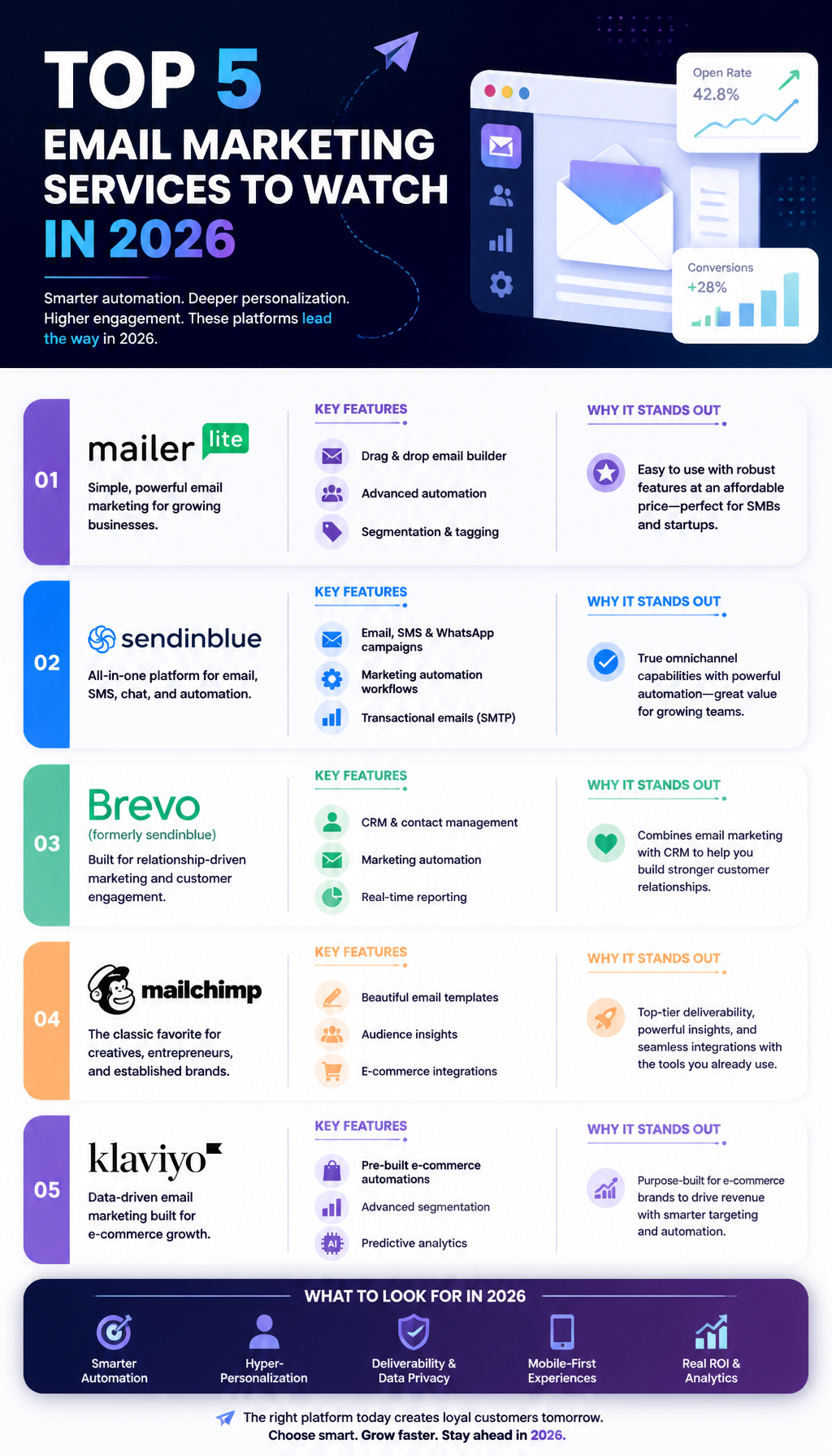
Discover the top 5 email marketing services to watch in 2026. Explore features, pricing, and benefits tailored for small businesses and marketers.
Top Free Email Marketing Services
Free email marketing services are only “free” if they don’t cost you deliverability, time, or lost sales. So I’m going to be picky here.
Before we get into the tools, here’s the quick reality check I use: if your plan has a daily send cap, you need to know your list size and your typical cadence—or you’ll hit the ceiling mid-launch.

1. Kit
Kit stands out as one of the top free email marketing services, particularly tailored for digital content creators. This platform offers generous features, allowing users to manage up to 10,000 subscribers with unlimited emails. Kit’s simplicity and effective automation tools make it ideal for bloggers and newsletter creators focusing on audience engagement (BigMailer).
Where Kit fits best
If you sell digital products, run a newsletter, or build a personal brand, Kit’s model makes sense. You can tag people based on what they clicked, then send a short sequence that feels personal without being creepy.
I’ve used Kit-style tagging to separate “readers” from “buyers.” That tiny split matters because buyers don’t need 12 paragraphs of context—they need the next offer and a reason to care.
A practical setup (15 minutes)
- Create a single lead magnet form (don’t build five forms yet).
- Tag the signup source (e.g., “Homepage,” “YouTube,” “Webinar”).
- Build a 5–7 email welcome sequence.
- Add one automation rule: if someone clicks your core offer, tag them “Interested: Offer.”
- Send broadcasts only to people who’ve opened something in the last 60–90 days.
That last step keeps you out of trouble later, since dead subscribers quietly drag deliverability down.
Pros:
– Unlimited emails
– Ideal for digital product sales
– Easy-to-use interface
Cons:
– Limited advanced analytics compared to paid options
2. Brevo (formerly Sendinblue)
Brevo offers a robust free tier allowing up to 300 emails per day, making it suitable for businesses just starting out. This service includes key features such as email automation and segmentation, which are crucial for targeted campaigns. Users can also benefit from SMS marketing features, providing a multi-channel approach to customer engagement (EmailToolTester).
What I like about Brevo
The daily cap sounds annoying, but it’s actually a good forcing function. It pushes you toward segmentation instead of blasting everyone.
I’ve seen small shops send to their whole list weekly, then wonder why open rates fall off a cliff. With Brevo, you’re more likely to send to “recent buyers,” “VIP,” or “clicked in the last 30 days,” which is healthier anyway.
How to work around the 300/day cap
- Split a big campaign into 3–5 segments.
- Schedule sends across multiple days.
- Prioritize: buyers first, then warm leads, then the rest.
If you sell time-sensitive stuff (like a 24-hour promo), this cap can be a dealbreaker. But if your business is steady—appointments, subscriptions, local services—Brevo’s free tier goes surprisingly far.
Pros:
– Comprehensive automation tools
– SMS marketing integration
– Strong customer support
Cons:
– Daily sending limit may restrict larger campaigns
3. Mailchimp
Mailchimp remains a favorite for many small businesses, particularly due to its user-friendly platform and vast integration capabilities. Its free plan allows businesses to manage up to 2,000 subscribers and send 10,000 emails per month. While its features are somewhat limited compared to paid plans, it still provides enough functionality for budding entrepreneurs to build effective email marketing campaigns (Technical Wall).
Where Mailchimp still shines
If you’re juggling a website builder, a booking tool, maybe a POS system, Mailchimp’s integrations are often the path of least resistance. That matters because “it talks to my other tools” beats “it has 40 automation blocks I’ll never use.”
Common Mailchimp mistake I keep seeing
People obsess over templates, then skip list hygiene. The prettiest email on earth still fails if:
- you imported old contacts who didn’t opt in,
- you never cleaned bounces,
- you keep sending to people who haven’t opened in 12 months.
So, if you’re using Mailchimp, do the boring thing: create a segment for “no opens in 90 days” and stop sending them regular campaigns. Run a re-engagement first, then sunset them.
Pros:
– User-friendly interface
– Extensive integration options
– Suitable for creating newsletters and promotions
Cons:
– Limited automation under the free plan
4. EmailOctopus
EmailOctopus is an easy-to-use platform that is perfect for small businesses and freelancers. Their free tier allows users to manage up to 2,500 subscribers and send 10,000 emails per month. The platform focuses heavily on user experience, making it straightforward to navigate and implement email campaigns quickly (Sender).
Why I recommend EmailOctopus to “non-marketers”
Some business owners don’t want a marketing suite. They want “send a newsletter, automate a welcome email, done.” EmailOctopus is often a calmer experience than the big platforms.
A lightweight workflow that works
- Welcome email (deliver the lead magnet, set expectations)
- “Top 3 resources” email (your best links)
- One offer email (what you sell, who it’s for)
- Monthly newsletter (updates + one CTA)
You don’t need a 22-email funnel to get results. In fact, I’ve seen smaller lists respond better to fewer, clearer emails.
Pros:
– Simple user experience
– Allows for custom templates
– Great for small mailing lists
Cons:
– Fewer advanced features compared to competitors
5. Sender
Sender shines in providing a free email marketing service that supports up to 2,500 subscribers with the ability to send 15,000 emails per month. Notably, it features automation workflows and customizable templates that can cater to various business needs (Technical Wall).
When Sender is the right call
If you’re cost-sensitive but you still want automation, Sender can be a solid starting point. The “send volume” is generous enough that you can run weekly broadcasts plus a welcome sequence without immediately upgrading.
A simple automation that pays off fast
Set up a post-purchase (or post-signup) flow that:
- Confirms the action (receipt / welcome).
- Answers the top 3 questions your customers ask.
- Shows social proof (short testimonials).
- Makes a small upsell or booking offer.
That sequence is boring, yes. It’s also one of the highest ROI things you can do, because it hits people when they’re paying attention.
Pros:
– Generous email limits
– Automation capabilities
– Easy-to-use design tools
Cons:
– Limited support for advanced analytics
Top Email Marketing Platforms of 2026
Once you outgrow free tiers, the “best” platform becomes the one that matches your sales motion. A creator selling courses needs different plumbing than an e-commerce store with 5,000 SKUs.
If you want a deeper side-by-side, I’ve also cross-referenced features in this Email Marketing Platforms Comparison 2026 guide.
1. ActiveCampaign
ActiveCampaign has earned a reputation for its comprehensive automation capabilities and deep segmentation options. Their platform is ideal for businesses of all sizes, providing solutions that cater to both B2B and B2C marketing strategies. The platform offers personalized customer experiences through advanced analytics and reporting, which allows marketers to refine their campaigns based on user behavior.
Key Features:
– Advanced automation workflows
– Machine learning insights
– Comprehensive reporting tools
Where ActiveCampaign earns its price
It’s the “if this, then that” king. You can route leads based on behavior, sales stage, deal value—whatever matters to your business.
I’ve seen it rescue messy pipelines when a team stops relying on “someone will remember to follow up” and starts letting automation handle the boring steps.
A real-world automation map (B2B services)
- Download lead magnet → tag “Lead: Topic A”
- Visit pricing page twice → notify sales / create deal
- No reply after 3 days → send a “quick question” email
- Book a call → stop promo emails, start prep sequence
That’s not fancy. It’s just consistent, and consistency prints money.
2. Klaviyo
Klaviyo is particularly effective for e-commerce businesses, offering seamless integrations with platforms like Shopify. It allows for highly personalized emails based on user behavior and purchasing history, making it a powerful tool for driving sales. Klaviyo’s features are designed to maximize the marketing potential of online retail businesses by leveraging customer data for targeted campaigns (PCMag).
Key Features:
– Real-time data sync
– Deep segmentation capabilities
– Robust A/B testing options
How I’d use Klaviyo for a store
Start with the unsexy flows first:
- Welcome series
- Abandoned checkout
- Post-purchase education
- Winback for lapsed buyers
Only after those are stable do I bother with weekly campaigns and fancy segmentation.
Also, I’d rather send fewer emails with better targeting than blast daily. If your list is small, daily sends can burn it out fast.
3. MailerLite
MailerLite is known for its simplicity and user-friendly interface, making it a great choice for small businesses or those new to email marketing. Their platform offers a free plan that includes many features, allowing users to create beautiful emails and landing pages with ease. MailerLite focuses on providing essential tools without overwhelming users with excessive complexity.
Key Features:
– Drag-and-drop editor
– Landing page builder
– Excellent customer support
What to watch with MailerLite
Landing pages are convenient, but they can become a mess if you don’t standardize naming. I’ve inherited accounts where every page is called “Newsletter signup (new) FINAL2,” and nobody knows what’s connected to what.
So, pick a naming rule early:
- LP – Lead magnet – Month Year
- Form – Sitewide – Header
- Automation – Welcome – Lead magnet name
It sounds obsessive, but six months from now you’ll thank yourself.
4. Moosend
Moosend is an affordable email marketing service that excels in automation and offers a wide range of templates to enhance campaigns. Its features cater to various marketing strategies, making it suitable for both beginners and experienced marketers. The platform also prides itself on providing a high deliverability rate, ensuring emails reach the intended audience.
Key Features:
– High deliverability rates
– Versatile design options
– Automation features
A deliverability note (because it bites people)
High deliverability claims don’t save you if you keep emailing cold lists. I’ve watched brands get their domain reputation wrecked after importing “old customers from 2019” and blasting them.
If you’re moving to any new platform, warm up the list:
- Start with engaged subscribers (opened in last 30–60 days)
- Send smaller batches
- Scale volume gradually over 2–4 weeks
5. Brevo (formerly Sendinblue)
Brevo not only provides email marketing services but also incorporates SMS marketing, making it a versatile option for businesses looking to engage customers through multiple channels. The platform’s free plan includes many features, and its premium plans offer additional functionalities that can adapt to a growing business (Venture Harbour).
Key Features:
– SMS marketing integration
– Cost-effective pricing structure
– Comprehensive analytics
When multi-channel actually matters
If you run appointments, local services, or time-sensitive promos, SMS can be the difference between “they saw it later” and “they showed up.”
That said, don’t spam people. Tie SMS to real triggers—booking confirmations, delivery updates, last-day reminders.
For more platform picks (and some tradeoffs), this companion post—Top Email Marketing Platforms 2026—is worth skimming.
Best Email Marketing Services for Small Businesses
Most small businesses don’t need the “best” tool. You need the tool you’ll actually use every week, with automations you can understand without a certification.
If you’re choosing right now, here’s how I’d decide, plus a real example of what it looks like when it goes well.
1. Mailchimp
Mailchimp remains a top choice for small business owners due to its ease of use and robust feature set. It offers a structured approach to email marketing with powerful automation, detailed analytics, and a range of templates that can cater to various business needs.
Best for: local businesses, solo operators, and shops that need integrations more than complex logic.
How I’d set it up for a small business (step-by-step)
- Create one audience (don’t split audiences unless you truly need it).
- Add two tags: “Lead” and “Customer.” Keep it simple.
- Build a welcome automation: 4 emails over 10 days.
- Create one monthly newsletter template that’s mostly text (faster, and it tends to land better).
- Track only 3 metrics at first: opens, clicks, and replies.
Replies are underrated. When people hit “reply,” you learn what they want, and your sending reputation tends to benefit because it looks like real conversation.
2. Brevo
Brevo’s versatility in email and SMS marketing makes it a powerful tool. Its free plan is generous, while the paid versions offer advanced features that can help small businesses scale their marketing efforts effectively.
Best for: appointment-based businesses (salons, clinics, home services) and anyone who can use SMS responsibly.
A workflow that fits service businesses
- New lead downloads coupon → email welcome
- No booking within 48 hours → SMS reminder (one message, not a trilogy)
- Booking confirmed → email prep checklist
- After appointment → review request + referral offer
That’s a tight loop. It drives bookings without turning into a spam cannon.
3. ActiveCampaign
ActiveCampaign is another excellent platform for small businesses looking to implement more sophisticated marketing automation strategies. It provides extensive features tailored to growing businesses, making it a worthwhile investment for serious marketers.
Best for: businesses with a pipeline (quotes, demos, sales calls) and a longer buying cycle.
Common mistake with ActiveCampaign
People build a gorgeous, complex automation… and forget the exit conditions. So customers keep receiving “Are you still interested?” emails after they already bought.
Fix it by adding clear exits:
- Purchase event → end promo automation
- Deal moved to “Won” → stop lead nurture
- Unsubscribe → remove from all automations
It’s basic housekeeping, but it prevents awkward moments.
4. AWeber
AWeber is designed for those who prioritize newsletters, offering an intuitive interface and essential tools for creating effective email campaigns. Its straightforward features make it an excellent fit for small businesses just entering the email marketing landscape.
Best for: newsletter-first businesses that want dependable sending and a straightforward UI.
How I’ve seen AWeber used well
A local fitness coach I worked with kept it simple: one weekly email, one CTA, and a monthly promotion. No overthinking.
What made it work wasn’t the platform. It was consistency plus a clear promise: “Every Tuesday, you get one workout tip you can use today.” People stayed subscribed because they knew what they were getting.
5. Sender
With a focus on ease of use and strong automation features, Sender is perfect for small businesses aiming to engage customers effectively. Its free plans and scalability options make it an attractive choice for smaller operations.
Best for: small teams that want automation on a budget.
A real example (mistakes and the fix)
I once helped a two-person e-commerce brand that used Sender to email their entire list every time they restocked. It “worked” for a month, and then engagement tanked.
The mistake was obvious in hindsight: they treated first-time buyers and VIPs the same as people who signed up for a discount and never purchased.
Here’s what we changed:
- Segmented the list into “Bought in last 90 days,” “Subscribed but never bought,” and “VIP: 3+ orders.”
- Created a VIP early-access flow (short, polite, exclusive).
- Moved discounts to the “never bought” segment only.
- Stopped emailing unengaged contacts until a reactivation campaign ran.
Revenue per email went up even though total sends went down. That’s the point.
If you want more ideas on tool selection, skim Best Email Marketing Tools of 2026—it’s a good reminder that “best” depends on how you sell.
Conclusion
Email marketing in 2026 isn’t about sending more emails. It’s about sending fewer, better emails—on a platform that doesn’t fight you every step of the way.
If you’re small, I’d start by choosing a tool based on your constraints, not your ambitions. Daily send caps matter. Subscriber caps matter. So does whether you’ll realistically build automations, or whether you just need a clean weekly newsletter.
Here’s the approach I’d take this week (no fluff, just steps):
- Pick one primary goal for the next 30 days: bookings, first purchase, or repeat purchase.
- Choose one platform from the free list that matches your goal and limits (Kit for creators, Brevo for multi-channel + segmentation, Mailchimp for integrations, EmailOctopus for simplicity, Sender for generous volume).
- Build two things only: a welcome series and a regular campaign template.
- Write like a human. Short sentences, clear offer, one CTA. If you want help on the copy side, I’ve laid out practical tactics in Personalize Your Emails for Better Engagement in 2026.
- Clean your list early. Don’t wait until you “have time.” Unengaged addresses cost you deliverability.
One last “I’ve seen this too many times” warning:
Don’t chase shiny AI features before you’ve nailed basics—consistent sending, segmentation, and a decent welcome flow. AI can help you brainstorm subject lines, sure, but it won’t fix a messy list or a confusing offer. If you’re curious what’s coming (and what’s mostly hype), read AI Email Transformation: The Future of Email in 2026 after you’ve got your fundamentals working.
Next step: pick one tool, set up the welcome sequence today, and send your first real campaign this week. Momentum beats perfection.
FAQ Section
Q1: What is the best free email marketing service for small businesses in 2026?
A1: The best free email marketing services for small businesses in 2026 include Kit for its unlimited emails, Brevo for its comprehensive features, and Mailchimp for its user-friendly interface. The “best” one depends on whether you’re constrained by daily sending limits (Brevo) or subscriber limits (Mailchimp).
Q2: How do I choose the right email marketing platform?
A2: To choose the right email marketing platform, match the tool to your sales motion. If you need deep automation and pipeline logic, ActiveCampaign is hard to beat. If you’re e-commerce and want behavior-based targeting, Klaviyo tends to fit. If you’re still validating your offer, start with a free tier and upgrade only when the limits hurt.
Q3: Are free email marketing services effective?
A3: Yes, free email marketing services can be effective, especially for startups and small businesses. They’re most effective when you keep your list clean, segment early, and don’t try to run enterprise-level campaigns on a beginner setup.
Q4: Do I need to pay for email marketing?
A4: Not necessarily. Many email marketing services offer free plans with sufficient features for small businesses. But if you rely on complex automation, advanced reporting, or you’re sending at scale, you’ll probably outgrow free sooner than you think.
Q5: What metrics should I track for email marketing success?
A5: Important metrics to track include open rates, click-through rates (CTR), conversion rates, bounce rates, and overall ROI from your email campaigns. Also track replies if you’re a service business—replies often correlate with real buying intent.
If you want another roundup before you choose, this list of Top Email Marketing Platforms for 2026 covers a few extra angles.
Leave a Reply